window.dataLayer = window.dataLayer || []; function gtag(){dataLayer.push(arguments);} gtag('js', new Date()); gtag('config', 'UA-206511945-1');
Search
Categories
Uncategorized

How to Increase Salon Profit Margin: The 2026 Operational Checklist

What if the reason your bank account feels empty isn’t a lack of clients, but a series of invisible leaks in your daily operations? It’s a frustrating reality for many owners in 2026. You see a packed appointment book, yet rising labor costs, high no-show rates, and product waste keep your actual take-home pay stagnant. We understand how exhausting it feels to work this hard without seeing the financial reward you deserve. To truly master how to increase salon profit margin, you need to move beyond simple revenue growth and start plugging those operational gaps.

We’re here to help you shift from being busy to being profitable. You’ll discover how to identify which services are actually making you money and how to stop the backbar bleed of wasted supplies. We’ll also look at how automating those tedious, time-consuming tasks can drastically lower your labor expenses. This guide provides a comprehensive operational checklist designed to protect your bottom line and give you back your peace of mind. By the end, you’ll have a clear roadmap to turn your salon into a high-efficiency, high-profit business.

Key Takeaways

  • Understand the difference between gross and net profit margins to set realistic 2026 targets for your specific business model.
  • Identify and stop “invisible” profit leaks like backbar over-pouring that quietly erode your bottom line.
  • Discover how to increase salon profit margin by auditing your service menu to prioritize high-margin treatments over high-effort tasks.
  • Reclaim hours of administrative time and reduce labor costs by automating your booking and marketing workflows.
  • Establish a sustainable profit culture by tracking the specific weekly metrics that move the needle on your financial growth.

Understanding Salon Profit Margins: 2026 Benchmarks

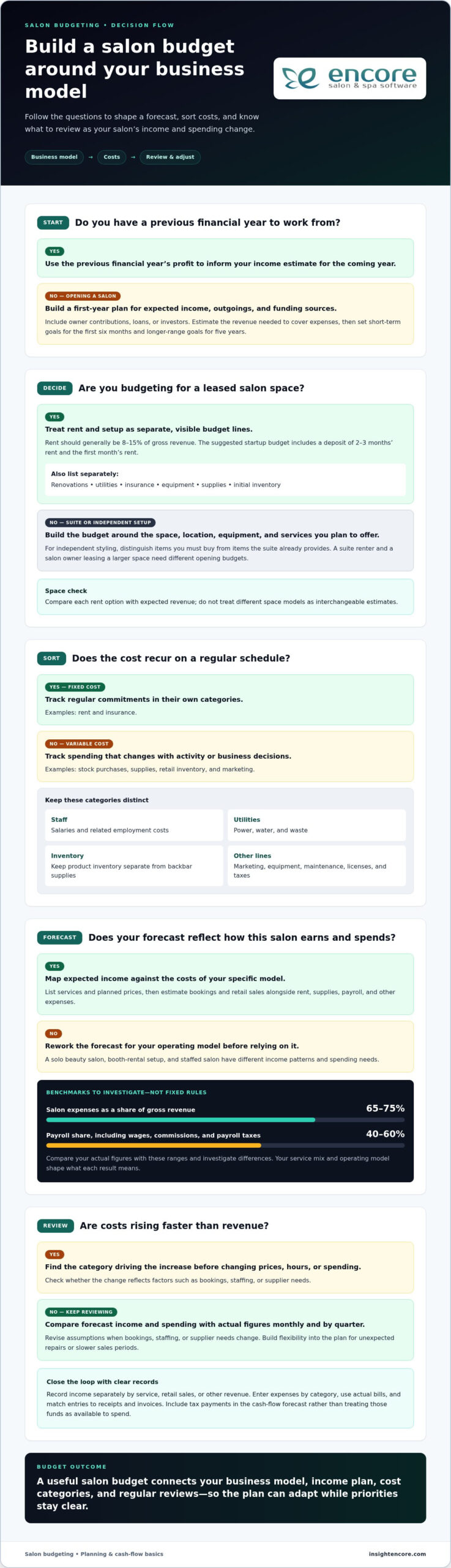
Many owners focus on the wrong number. They see a busy shop and assume success. But revenue just tells you how much money passed through your hands. Profit tells you how much stayed there. Profit margin is the percentage of revenue remaining after all operating costs are paid. In our current economic climate, “revenue is vanity, profit is sanity.” You can have a million-dollar salon and still struggle if your margins are thin. Learning how to increase salon profit margin starts with a clear-eyed look at your current health.

There are two levels to watch. Gross margin measures the efficiency of a specific service. It subtracts the cost of the stylist and the product from the ticket price. Net profit margin is the big picture. It’s the final amount left after you’ve paid the landlord, the tax man, and the electric bill. If you don’t know the difference, you might be busy doing work that actually costs you money.

The Net Profit Formula for Salon Owners

Calculating your profit doesn’t require a degree in finance. Use this simple formula: (Total Revenue – Total Expenses) / Total Revenue. This gives you a percentage that represents your business efficiency. To get an accurate number, you must categorize your spending correctly. Fixed costs stay the same regardless of how many clients you see. This includes your rent, insurance, and utilities. Variable costs move with your volume. These include backbar products, retail inventory, and commissions.

In 2026, three specific “margin killers” are draining bank accounts. Labor costs are rising as the competition for top talent increases. Software bloat is a sneaky second; paying for multiple disconnected apps for booking, marketing, and inventory adds up fast. Finally, product inflation means your color lines and shampoos likely cost significantly more than they did two years ago. Identifying these leaks is the first step toward fixing them.

Margin Benchmarks by Business Model

Profitability looks different depending on how you run your shop. Traditional commission-based hair salons usually aim for a 10-15% net margin. Med spas often see higher margins due to equipment-led services, though their insurance and compliance costs are much steeper. Tattoo and nail studios vary wildly based on talent, but they generally fall within the 12-18% range.

If you manage a booth rental model, your margins might look higher, often 20-30%. This is because your overhead is lower, but remember that the responsibility for marketing and growth shifts to the individual renter. Using Encore Salon Software helps you track these specific benchmarks in real-time. Instead of waiting for your accountant to deliver bad news, you can see exactly where you stand every Monday morning. Understanding these numbers gives you the professional confidence to make necessary changes before a small leak becomes a flood.

Identifying and Plugging Salon “Profit Leaks”

Revenue growth is exciting, but it’s often a mask for internal inefficiencies. If your salon is a bucket, you can’t fill it if the bottom is full of holes. Small losses compound. Identifying where your money disappears daily is the most practical way to understand how to increase salon profit margin. These “profit leaks” are often invisible until you start looking for them. From the backbar to the front desk, tiny drains on your resources turn into a significant financial deficit by the end of the year.

Consider your backbar first. Many stylists over-pour color or use twice as much shampoo as a service requires. This invisible waste typically eats 3-5% of your gross margin. It might seem like a few cents per service, but it adds up to hundreds of dollars in literal trash every month. The Invisible Waste Checklist includes:

  • Backbar over-pouring in color and chemical services.
  • Retail shrinkage from unrecorded sales or theft.
  • Expired inventory taking up valuable shelf space.
  • Staff downtime due to poor scheduling or late arrivals.

Staff downtime is a particularly silent killer. If your therapists have a 50% utilization rate, you’re paying for an hour of labor but only generating revenue for 30 minutes. This is a financial emergency. It demands an immediate shift in how you manage your team’s time and schedule.

Inventory Control and Backbar Management

Protecting your supplies requires more than just a locked cabinet. You need a robust inventory management system to track exactly what’s being used versus what’s being sold. Implementing a weigh-and-track policy for chemical services is a game-changer. By weighing color bowls before and after application, you eliminate the guesswork that leads to over-pouring. This level of transparency also reduces “shrinkage” and ensures you aren’t holding onto expired products that represent dead capital on your shelves. You’ll stop paying for product that never reaches a client’s hair.

Eliminating the No-Show Margin Drain

A no-show is more than just a missed appointment. It represents a 100% loss of revenue for that time slot while your fixed costs remain unchanged. This is a primary factor when considering how to increase salon profit margin. In 2026, relying on hope is not a business strategy. Automated appointment reminders are essential for keeping your calendar full. They respect the client’s time and protect your therapists’ productivity. You might also consider the psychology of deposits. A small booking fee, even $20, creates a commitment that significantly lowers no-show rates. If you’re ready to secure your schedule, you can explore how automated tools protect your time.

High-Margin Service Engineering & Retail Strategy

Not all services are created equal. Some treatments fill your chair but drain your resources; others take minutes and carry massive margins. To master how to increase salon profit margin, you must audit your menu with clinical precision. Identify your “Stars” and your “Dogs.” Stars are high-margin services that are easy to perform. Dogs are low-margin tasks that require heavy effort or expensive supplies. If a service takes three hours but barely covers the stylist’s commission and product costs, it might be time to let it go.

The secret to immediate growth often lies in the “Add-on.” These are 5-minute treatments, like deep conditioning masks or scalp massages, that provide up to 90% profit margins. They require almost no extra labor but significantly increase the average ticket price. When you engineer your menu to encourage these small wins, your daily profitability climbs without adding more hours to the schedule. It’s about working smarter, not just filling more slots.

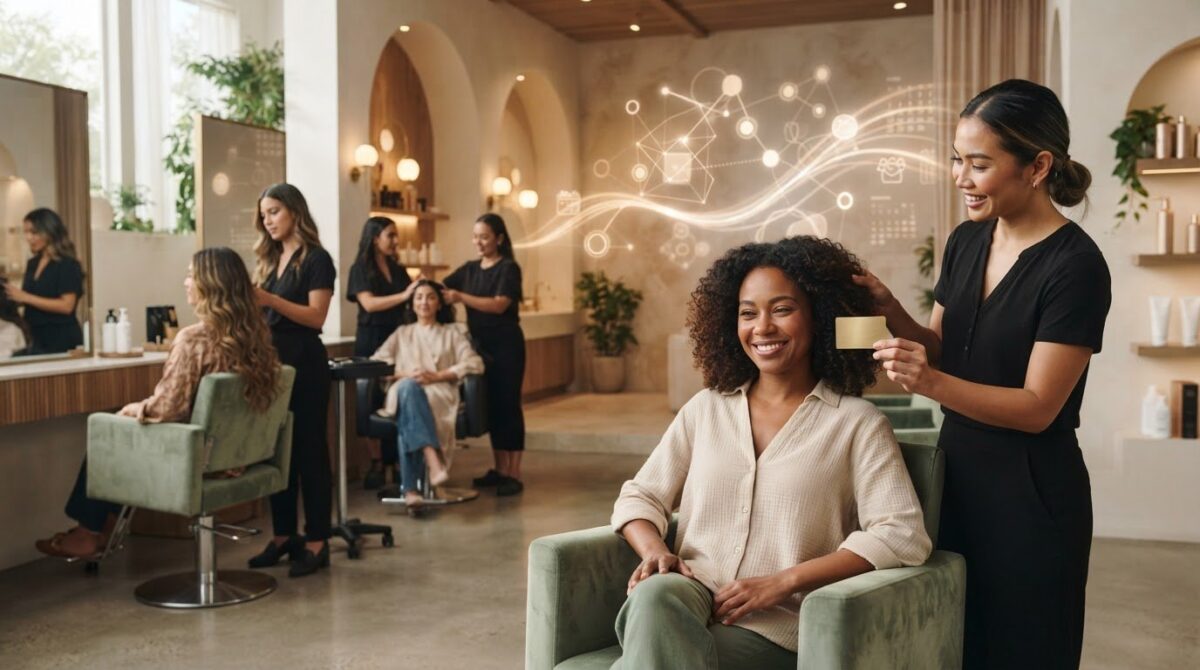
Cash flow is the lifeblood of your business. Developing a proactive gift card strategy is one of the fastest ways to improve immediate liquidity. Gift cards provide upfront revenue and often lead to new client acquisitions. They also tend to result in higher spending per visit, as clients feel like they’re “treating” themselves with “free” money. This simple shift in focus helps stabilize your bank account during slower months.

Menu Engineering for Maximum Profit

Start by calculating the “Cost per Minute” for every stylist in your building. Factor in their wages, the utilities used during their shift, and the average cost of backbar supplies. If a service doesn’t clear this baseline with a healthy buffer, it’s a liability. Specialized software for nail salons or hair studios can help you track specific art-supply or color costs with total accuracy. You can’t fix what you don’t measure. Dropping services with a low return on investment frees up time for more profitable bookings.

The 20% Retail Rule

Retail should account for at least 20% of your total revenue. This is pure margin that doesn’t require additional chair time. The key is training your staff to view retail as “prescribing” rather than “selling.” If a client leaves without the right products, they can’t maintain the look you’ve created. It’s a service to their hair, not a sales pitch. Link retail sales to your commission structures. When your team sees how retail growth boosts their own paychecks, they’ll become your most vocal advocates for profit growth. This creates a win-win culture where everyone is invested in the salon’s financial health.

How to Increase Salon Profit Margin: The 2026 Operational Checklist

Operational Efficiency: Automation as a Margin Protector

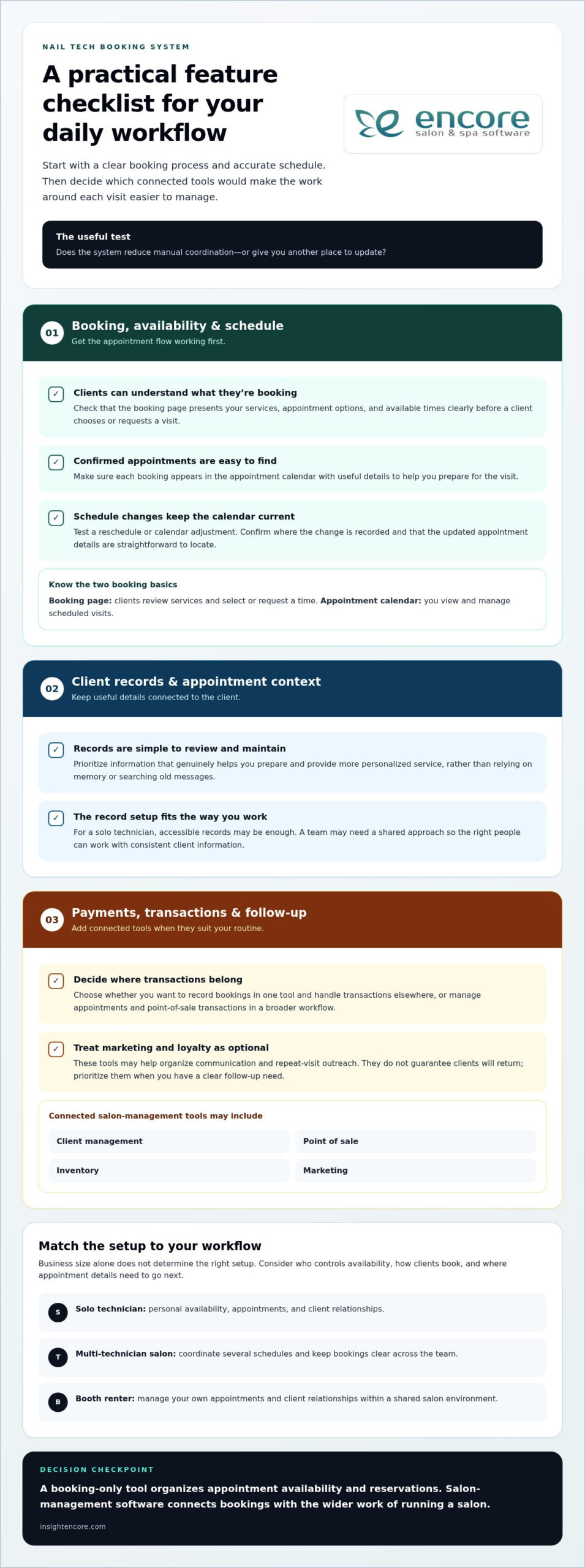
Labor is often the single largest expense on your profit and loss statement. If you’re paying a receptionist to answer phones and manage a paper book, you’re missing a massive opportunity to protect your bottom line. Automation isn’t about replacing the human touch; it’s about removing the manual friction that eats your time. Implementing an online booking module can save your team 10 or more hours of administrative labor every week. That’s time they could spend on the floor or assisting clients, directly impacting how to increase salon profit margin through reduced overhead.

Beyond the front desk, automated marketing acts as a silent salesperson. Instead of manual outreach, your system identifies gaps in the calendar and sends personalized offers to clients who are due for a visit. This fills empty chairs without requiring a single minute of staff time. Additionally, moving toward a “paperless” model in 2026 reduces physical overhead. You save on the cost of supplies, storage, and the inevitable time lost searching for misplaced client files. Every minute saved is a cent earned back for your business.

Integrated payments also play a critical role in efficiency. When your POS and booking system talk to each other, you reduce human errors during checkout. This ensures you’re capturing every dollar and managing credit card processing fees effectively. It’s a professional, seamless experience that builds trust with your clients while protecting your revenue.

Streamline your salon operations today

Optimizing Staff Utilization Rates

Staff utilization is the percentage of available hours actually spent in a billable service. If your team is only billable 50% of the time, your margins are in danger. You can use a performance dashboard to spot these schedule gaps before they become a problem. Once you see a pattern of downtime, you can deploy “last-minute” automated marketing campaigns to fill those empty slots. This turns wasted time into profitable appointments with minimal effort.

Streamlining the Checkout Process

A slow, clunky checkout process leads to missed retail opportunities. If a client has to wait five minutes to pay, they won’t want to browse your product shelves. Integrated POS systems are especially beneficial for tattoo studios and barber shops where quick, accurate transactions are essential. These systems automate commission and tip calculations, removing the risk of “human error” that can lead to overpaying or frustrating your staff. A fast checkout keeps the client happy and ensures your financial data is always precise.

Building a Sustainable Profit Culture with Encore

Transitioning from a busy salon to a profitable one requires a fundamental shift in your daily mindset. You’ve likely spent years focusing on filling chairs, but now it’s time to focus on what actually stays in the bank. A sustainable profit culture starts with transparency and a clear understanding of how to increase salon profit margin. This isn’t a one-time event; it’s a commitment to checking the pulse of your business every single week. Monitoring your net margin, retail-to-service ratio, and staff utilization rates allows you to make corrections before a small dip becomes a financial crisis.

Sharing these financial goals with your team doesn’t have to create friction. In fact, it often does the opposite. When you frame profitability as “business health” and “job security,” your staff becomes more invested in the results. A profitable salon can afford better education, newer equipment, and a more stable work environment. It creates a win-win scenario where everyone benefits from efficiency. While you build this culture, take a hard look at your current software stack. Many owners pay for multiple apps that overlap in features. Auditing for this waste and consolidating your tools can instantly reclaim hundreds of dollars in monthly overhead.

Data-Driven Decision Making

Using Encore Salon Software reporting removes the guesswork from your management style. You can see your true net margin at the click of a button, rather than waiting for an accountant’s end-of-year report. This data helps you identify your top-performing staff members and those who might need extra support or training. If a specific stylist has a low retail percentage, you can provide targeted coaching to help them grow. Setting specific “Margin Goals” for the next quarter gives your entire team a target to hit, turning abstract numbers into a shared mission.

Your 2026 Profit Growth Roadmap

Massive year-over-year gains are rarely the result of one giant change. They come from consistent, small tweaks to your operations. Use a 30-day checklist to keep yourself on track: spend the first week auditing your menu, the second week implementing backbar tracking, the third week setting up automated marketing, and the final week training your team on retail prescriptions. This methodical approach ensures you aren’t overwhelmed while making significant progress. If you’re ready to take control of your financial future, view Encore pricing and start protecting your margins today.

Take Control of Your Financial Future

Success in 2026 isn’t just about how many clients walk through your door. It’s about what stays. By plugging invisible leaks in your backbar and using automation to cut labor costs, you’ve mastered the basics of how to increase salon profit margin. These small operational shifts create the foundation for a business that truly rewards your hard work. You’ve built a beautiful brand; now it’s time to ensure it provides the financial freedom you deserve.

We’ve supported beauty professionals as a dedicated partner since 1991. Whether you need integrated credit card processing or precise inventory tracking, our specialized solutions are built for your specific niche. We’re here to help you move from feeling overwhelmed to feeling in total control of your bottom line. Our tools act as the silent partner that watches your metrics so you can focus on your craft.

Ready to see your true profit? Explore Encore Salon Software today.

Take that first step toward a more profitable future today. We’re ready to help you grow and thrive.

Frequently Asked Questions

What is a good profit margin for a hair salon in 2026?

A healthy net profit margin for traditional hair salons in 2026 typically falls between 10% and 15%. If you’re operating a booth rental model, you might see higher margins between 20% and 30% because your overhead is significantly lower. These benchmarks help you understand where your business stands compared to industry standards. Aiming for these numbers ensures you have enough capital to reinvest in your team and your facility’s long-term growth.

How do I calculate my salon’s net profit margin?

You can calculate your net profit margin by subtracting your total expenses from your total revenue, then dividing that result by the total revenue. This gives you a percentage that reflects your overall business efficiency. It’s essential to include every cost, from fixed rent and insurance to variable expenses like backbar supplies and commissions. Tracking this number monthly allows you to see exactly how your operational changes are impacting your actual take-home pay.

Will increasing my prices hurt my salon’s profit margin in the long run?

Increasing your prices won’t necessarily hurt your margin if you focus on delivering high-value, high-margin services. In fact, strategic price adjustments are often necessary to keep up with rising product inflation and labor costs. The key is to communicate the value to your clients and ensure your “Star” services remain profitable. If you provide a superior experience, your loyal clients will understand the need for a professional rate that reflects your expertise.

How can salon software help increase my profit margin?

Salon software provides the tools you need for how to increase salon profit margin by automating time-consuming administrative tasks. By using an online booking module, you can save hours of receptionist labor every week. Integrated inventory management also prevents costly product waste by tracking exactly what your stylists use. These efficiencies protect your bottom line from the silent leaks that often go unnoticed in a busy, manual shop environment.

What are the biggest expenses for a salon business?

Labor remains the largest expense for most salon owners, often accounting for a significant portion of total revenue. Rent and utilities are the primary fixed costs, while product inventory and software bloat from multiple disconnected apps are the main variable drains. In 2026, product inflation has also become a major factor. Identifying these high-cost areas is the first step toward managing them more effectively and protecting your business’s financial health.

How can I reduce my salon’s product waste?

You can reduce product waste by implementing a strict weigh-and-track policy for all chemical services. Using an inventory management system allows you to see exactly how much color or treatment product is used versus what was billed. This transparency discourages over-pouring and ensures you aren’t throwing money into the trash. Training your staff to view backbar supplies as a shared resource helps build a culture of accountability and financial awareness.

Is it better to have more clients or higher-paying clients for better margins?

Higher-paying clients who book high-margin services are generally better for your bottom line than a high volume of low-profit appointments. Focus on “Star” services that offer a high return for the time and effort required. Encouraging small, high-margin add-ons can also boost your average ticket price without adding significant labor time. Efficiency is the key to mastering how to increase salon profit margin while maintaining a sustainable workload for your team.

How does staff utilization affect my bottom line?

Staff utilization directly impacts your profitability because it measures the percentage of available hours your team spends in billable services. If your stylists are only billable 50% of the time, you’re paying for labor that isn’t generating revenue. This is a common profit leak that demands better scheduling and automated marketing to fill gaps. Improving this rate ensures you’re getting the best possible return on your largest investment: your people.

Disclaimer

This article is general in nature and may contain errors, please verify all claims with your sales rep

Categories
Uncategorized

Salon Commission vs. Booth Rental: The 2026 Owner’s Guide to Profitability

In 2026, the choice between salon commission vs booth rental has shifted from a simple math problem to a strategic decision about your professional sanity. You’ve likely felt the pressure of rising overhead costs cutting into your take-home pay. Maybe you’re even losing sleep over the threat of an IRS misclassification audit or struggling to keep your culture alive. It’s frustrating to feel like you’re working for your business instead of the other way around.

We believe you should feel confident and in control of your profit margins. This guide will help you discover the financial, legal, and operational differences between these two models so you can choose the most profitable path for your specific goals. We’ll provide a clear financial comparison and a step-by-step implementation plan to help you scale with ease. From understanding the true cost of a W-2 employee to mastering the "landlord" model of booth rentals, you’re about to get the clarity you need to lead your salon with total peace of mind.

Key Takeaways

  • Understand the fundamental operational differences between W-2 commission employees and 1099 independent contractors to ensure your salon remains compliant.
  • Analyze a side-by-side financial breakdown of salon commission vs booth rental to see which model actually leaves more profit in your pocket at the end of the month.
  • Master the IRS “Control Test” to protect your business from misclassification audits and understand the legal boundaries of managing independent renters.
  • Follow a clear two-step implementation plan to audit your financial health and evaluate local market demand before committing to a new business structure.
  • Learn how to reclaim your time by automating complex payroll calculations and booth management tasks with specialized software solutions.

Understanding the Core Models: Salon Commission vs. Booth Rental in 2026

Salon Commission is a collaborative growth model where owners and stylists share risk and reward. In the competitive 2026 market, choosing between salon commission vs booth rental is about more than just numbers. It’s about the culture you want to build. The commission model treats stylists as W-2 employees who earn a percentage of their total service revenue. On the other hand, the booth rental model views stylists as independent 1099 contractors who pay a fixed fee for their space. Both have merits, but they require very different management styles.

Many high-end urban salons are moving toward hybrid approaches. This flexibility helps owners adapt to shifting salon industry trends where professionals value both the support of a team and the freedom of independence. It’s a way to keep your best talent from walking out the door to start their own studio. By offering different paths, you can meet your stylists exactly where they are in their careers.

The Commission Model: A Partnership for Growth

This model is a true partnership. In 2026, commission splits typically range from 40/60 to 60/40, depending on the stylist’s experience level and your salon’s location. As the owner, your role is to provide the infrastructure for success. You supply the backbar products, lead the marketing efforts, and manage the booking portal to ensure a steady stream of clients. It takes the pressure off the stylist so they can focus on their craft. They don’t have to worry about the logistics of running a business; they just have to do great hair.

One of the biggest perks here is brand cohesion. Since you’re the employer, you can establish a unified culture and service standard. It creates a reliable guest experience that keeps people coming back. While it involves more administrative work and higher overhead, the potential for long-term growth is significant. You’re building an asset that is bigger than any one individual.

The Booth Rental Model: The Landlord Approach

Booth rental is the preferred choice for stylists who prioritize maximum autonomy. In this scenario, your role shifts from a mentor or boss to a landlord. You provide the physical chair, utilities, and basic amenities. The stylists handle everything else. They buy their own products, set their own prices, and manage their own schedules. It’s a hands-off relationship that significantly reduces your daily stress. You aren’t responsible for their performance, only for the space they occupy.

This model offers a predictable income stream. You don’t have to worry about a slow week affecting your ability to pay the bills. However, it also means you have less control over the salon’s reputation. You aren’t managing a team; you’re managing a facility. It works best for owners who want to scale their real estate footprint without the complexities of traditional staff management.

The Financial Comparison: Which Model Generates More Profit?

Let’s look at the hard numbers. If a stylist generates $10,000 in monthly service revenue, the outcome of salon commission vs booth rental looks very different on your balance sheet. In a 45% commission split, you’d seemingly keep $5,500. However, the true cost of a W-2 employee is often 53% to 58% of their revenue once you factor in the 7.65% employer FICA tax and backbar supplies. This leaves you with a gross profit closer to $4,200. In a rental model, you might collect an average monthly rent of $1,200. While the rental check is smaller, your overhead for that specific stylist is nearly zero.

Retail sales also tip the scales. In a commission salon, you typically keep the majority of retail profit after paying a 10% to 15% incentive to the stylist. In a rental setup, the stylist usually carries their own inventory. This means you miss out on a high-margin revenue stream. Understanding these nuances is vital for following IRS guidelines on worker classification, as financial control is a major factor in legal audits.

Calculating the Break-Even Point for Commission

To succeed with commission, you must monitor your salon staff utilization rates. If a stylist’s chair is empty half the day, you’re losing money on fixed costs like rent and electricity. You also need to account for "backbar" costs like shampoos, dyes, and foils, which typically range from 8% to 13% of service revenue. Automated tracking prevents profit leaks by ensuring every ounce of color is accounted for in your margins. You can see how automation simplifies these calculations to protect your bottom line.

Stability vs. Scalability in Booth Rental

Many owners choose rental for the "guaranteed income," but this can be a myth. You still face vacancy risks and the headache of late rent payments. An empty chair earns $0, but you still pay the full lease for the square footage. Rental income is strictly capped by the number of chairs you have. While a rental model offers a predictable baseline, it lacks the explosive growth potential of a high-performing commission team. A 5-stylist commission salon often has a much higher long-term ROI because you profit from every extra service and treatment sold. If you’re weighing salon commission vs booth rental for a new location, consider if you want a stable floor or a high ceiling.

The legal distinction in the salon commission vs booth rental debate often comes down to one thing: control. The IRS uses a "Control Test" to decide if a worker is an employee or an independent contractor. If you set their working hours, dictate which products they use, or enforce a specific dress code, they are legally W-2 employees. Misclassifying these workers as 1099 contractors is the number one legal risk for salons in 2026. Penalties can be steep, often starting at 1.5% of wages plus back taxes and interest. It’s a heavy burden that can easily be avoided with the right structure.

Maintaining legal separation is especially important for booth renters. One way to prove independence is through credit card processing. Each renter should have their own merchant account so client payments go directly to them, not through your salon’s primary bank account. You also need to verify insurance. W-2 staff are covered by your general business policy and workers’ compensation, but 1099 renters must carry their own professional liability coverage. Seeing these certificates annually protects your business from third-party claims.

W-2 Compliance: Managing the Administrative Burden

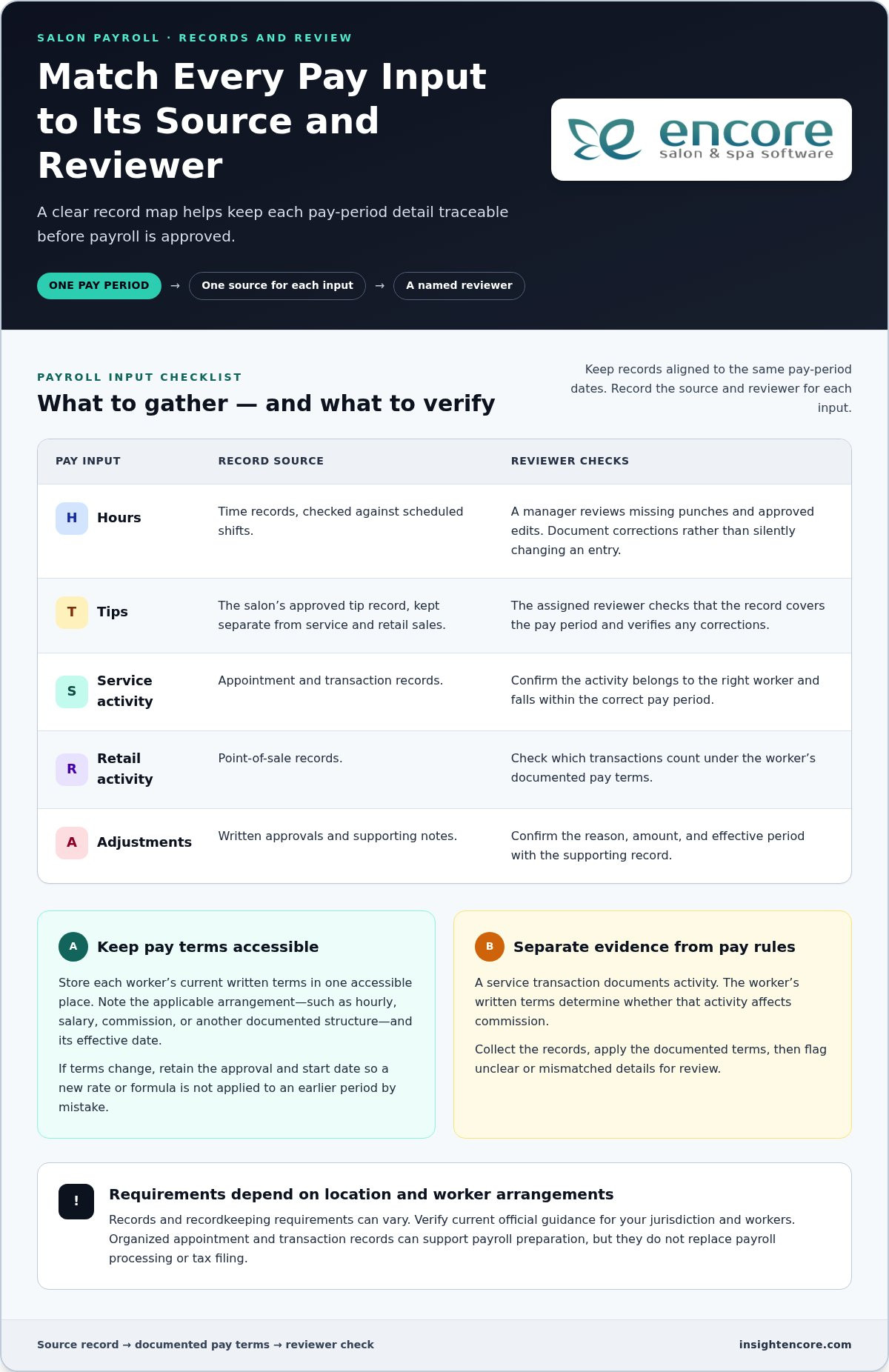
Running a commission salon means you’re responsible for the heavy lifting of payroll. You have to handle federal and state tax withholding, unemployment insurance, and Social Security contributions. It’s a lot to track manually. Many owners find that calculating salon staff commission automatically is the only way to stay compliant without losing hours to spreadsheets. Since these stylists are your employees, you also have the right to manage their growth. Using a structured employee performance review template helps you document their progress and maintain high service standards while keeping your records audit-ready.

1099 Compliance: The "Hands-Off" Rule

To keep your booth rental model safe from audits, you have to follow the "Hands-Off" rule. You cannot require renters to use your specific salon software unless you provide it as a free amenity included in their rent. They are independent business owners. This means they must have their own business licenses and individual tax IDs. Your rental agreement should be clear: you are providing the space, not managing their business. Establishing these boundaries early protects you if the IRS ever comes knocking. It’s about creating a professional environment where they can thrive as independent partners rather than subordinates.

Salon Commission vs. Booth Rental: The 2026 Owner’s Guide to Profitability

How to Choose and Implement the Right Structure for Your Salon

Deciding on salon commission vs booth rental isn’t a one-time choice. It’s a strategic evolution. To make the right move in 2026, follow a logical path that protects your peace of mind and your profits. Start by evaluating local market demand. If your city is flooded with solo suites, stylists might be craving the community of a commission house. Conversely, if high-end talent is looking for more freedom, a rental model might be your fastest path to growth.

  • Audit your finances: Review your overhead capacity. Can you handle the 7.65% employer FICA tax and the administrative weight of W-2 staff?
  • Define your vision: Decide if you want a curated, high-touch luxury brand or a collective of independent entrepreneurs.
  • Draft your contracts: Ensure your agreements reflect the 2026 legal standards for worker classification we discussed earlier.
  • Select your platform: Choose a management system that automates the specific burdens of your chosen model.

Transitioning from Commission to Rental (or Vice Versa)

Changing your business structure is a big shift, but it doesn’t have to be a crisis. Communication is everything. When you announce a change, focus on the benefits for the stylists. If you’re moving to commission, highlight the marketing support and lack of business overhead. If you’re moving to rental, celebrate their new independence. This is also the time to audit your salon pricing. A commission model often requires a price increase to maintain healthy margins after accounting for backbar and payroll costs.

Some owners find success with a hybrid model. This allows you to offer commission to new talent while providing rental chairs to your seasoned veterans. It’s a great way to retain top performers who might otherwise leave to open their own studio. Just remember that a hybrid salon requires strict legal boundaries to avoid "control" issues with your renters. You must treat them as separate businesses sharing one roof.

Setting Up Your Tech Stack for Success

Your software should be your biggest ally, not a source of frustration. In a rental or hybrid setup, each stylist needs a dedicated client management app. This ensures they can manage their own books and financial data independently. As the owner, you can still centralize the overall facility booking while keeping individual revenue streams separate. For barbershop owners navigating similar booth rental decisions, a dedicated barbershop scheduling app can automate bookings and eliminate no-shows while keeping each barber’s revenue stream clearly separated. For inventory, automation is key. Use a system that tracks usage by stylist so you can accurately charge for backbar supplies or manage shared inventory without the guesswork.

Streamline your salon management today

Streamlining Salon Payroll: Managing Every Model with Encore

Managing the administrative side of your business shouldn’t feel like a second job. Whether you’ve landed on the side of salon commission vs booth rental, the right tools turn a mountain of paperwork into a few clicks. Encore Salon & Spa Software has become the industry standard for 2026 payroll management because it removes the guesswork. It’s designed to handle the messy reality of salon life, from sliding scale commissions to independent rent tracking, all in one place.

We know that as a salon owner, your time is your most valuable asset. Spending hours every Sunday night on spreadsheets isn’t sustainable. Our system bridges the gap between your brand vision and the technical reality of local labor laws. It’s about giving you the peace of mind that your team is paid accurately and your renters are managed professionally. You can focus on the creative side of your business while we handle the data.

Automating Commission to Save 10+ Hours a Week

Manual spreadsheets are a recipe for errors and frustration. With Encore, you can automate even the most complex commission structures. Whether you use tiered splits, product bonuses, or sliding scales that increase as sales grow, the software does the math for you. Real-time performance dashboards give your stylists a clear view of their progress. This motivates them to hit their goals without you needing to play the role of a taskmaster. It’s a win-win for everyone involved.

Speed is essential in 2026. Direct integration with credit card processing allows for seamless payouts and transparent reporting. You’ll eliminate "back-of-the-napkin" calculations that lead to profit leaks. By automating these tasks, most owners reclaim at least 10 hours every week. That’s time you can spend behind the chair or growing your brand. It’s about working smarter, not harder.

The Landlord Toolbox: Managing Booth Renters

If you’ve chosen the rental path, you need a different set of tools. Our specialized Chair/Booth Renter module empowers independent stylists while protecting your facility’s organization. You can automate rent collection and send professional invoices automatically. This ensures you never have to have an awkward conversation about a late payment. It turns you into a professional landlord with minimal effort.

Renters get their own secure login to manage their clients and schedules independently. This keeps your financial data separate, which is a key requirement for IRS compliance. Plus, our integrated gift card management works across all staff types. Whether a client buys a card for a commission stylist or a booth renter, the system tracks the balance and ensures the right person gets paid when it’s redeemed. You get advanced analytics to monitor the overall health of your salon, giving you total control without the micromanagement.

Build a Profitable Future for Your Salon

You now have the roadmap to navigate the 2026 landscape with total confidence. Whether you lean toward the collaborative growth of a team or the streamlined efficiency of a rental space, your success depends on clear data and legal compliance. Choosing between salon commission vs booth rental is no longer a guessing game when you have the right financial and legal boundaries in place.

We’ve been supporting top salons and spas globally since 1991. Our specialized modules for both commission and rental models take the administrative burden off your shoulders. With integrated credit card processing for faster payouts and automated tracking, you can finally focus on what you love. You don’t have to handle the transition alone. We’re here to help you automate the hard parts so you can enjoy the rewards of a healthy, scaling business.

Try Encore Now – The All-in-One Solution for Any Salon Model
Take the first step toward a more organized and profitable business today. We’re excited to see your salon thrive and grow.

Frequently Asked Questions

Is salon commission or booth rental better for a new salon owner?

When weighing salon commission vs booth rental as a new owner, commission is often the better choice for building a strong brand. It allows you to set service standards and mentor your team to ensure a consistent guest experience. Booth rental is a lower-risk option if you prefer a landlord role with predictable income. Your decision should align with whether you want to manage a team or simply provide a professional space.

What is the average commission split for a hair stylist in 2026?

In 2026, the industry standard for W-2 stylists typically ranges between 40% and 60% of service revenue. Most modern salons land in the 45% to 55% range. Many owners are moving toward tiered or sliding scale models that reward higher productivity. This structure ensures the salon covers its overhead while giving stylists a clear path to increase their earnings as they grow their book of business.

Can I legally tell a booth renter what products to use in my salon?

No, you cannot legally dictate which products a booth renter uses. Under IRS guidelines, an independent contractor must have control over the tools and supplies they use to perform their work. If you require them to use specific brands, you risk misclassifying them as employees. You can offer products as an optional amenity, but the choice must ultimately remain with the renter to maintain a true 1099 relationship.

How do I calculate the break-even point for a rental chair?

To find your break-even point, add up the total fixed costs for the space, including rent, utilities, insurance, and maintenance. Divide this total by the number of chairs available for rent. This number represents the minimum weekly or monthly fee you must charge per renter to cover your expenses. Don’t forget to factor in a margin for vacancy periods to ensure your business remains profitable even when a chair is empty.

What are the biggest tax advantages of the booth rental model?

The primary tax advantage for owners is the elimination of employer-paid payroll taxes. You aren’t responsible for the 7.65% FICA tax, unemployment insurance, or workers’ compensation for independent renters. This significantly reduces your administrative overhead and tax liability. For the stylists, being a 1099 contractor allows them to deduct business expenses like tools and education, though they must pay the full 15.3% self-employment tax on their net earnings.

Can a salon have both commission stylists and booth renters?

Yes, many salons successfully operate using a hybrid model. This setup allows you to offer commission to new talent while providing rental chairs to your seasoned veterans. It’s a great retention strategy for top performers who want more independence. However, you must be extremely careful to maintain distinct legal boundaries. You cannot treat your renters like employees or use the same control measures for both groups without risking an audit.

How does salon software help with IRS compliance for 1099 contractors?

Specialized software like Encore provides clear financial separation between the salon owner and independent renters. It allows each professional to manage their own booking and payments through a secure login. This separation is a key factor in proving to the IRS that you don’t exert financial control over the contractor. Using a dedicated module helps document the independent nature of the relationship, which is vital for maintaining compliance in the salon commission vs booth rental debate.

Disclaimer

This article is general in nature and may contain errors, please verify all claims with your sales rep
Categories
Uncategorized

Calculating Salon Staff Commission Automatically: The 2026 Efficiency Guide

Imagine it’s late Sunday night. Instead of resting for the busy week ahead, you’re hunched over a laptop, cross-referencing messy spreadsheets with crumpled retail receipts. You know that one small typo could lead to a tense conversation with your top stylist on Tuesday morning. Calculating salon staff commission automatically isn’t just a luxury anymore; it’s a necessity for your peace of mind. We understand that the pressure of getting payroll exactly right, especially with complex tiered structures and new 2026 IRS tip reporting requirements, can feel like a second full-time job.

You’ve likely felt the frustration of manual entry errors and the awkwardness of stylist disputes over "missing" retail cuts. We agree that your time is better spent mentoring your team and growing your brand than playing accountant every weekend. This guide will show you how to eliminate those manual errors and build lasting staff trust through total automation. We’ll explore the latest 2026 efficiency strategies, from integrating your credit card processing to handling the new federal tip deductions, ensuring your payroll is both dispute-proof and lightning-fast.

Key Takeaways

  • Reclaim your Sunday nights by identifying the “time leaks” that cost the average salon owner over 100 hours of productivity every year.
  • Master the shift toward tiered and hybrid models to ensure your commission structure stays competitive and profitable in 2026.
  • Discover how calculating salon staff commission automatically eliminates payroll anxiety and creates a culture of transparency for your stylists.
  • Follow a clear, five-step roadmap to audit your current pay rules and move them into a reliable, automated “source of truth.”
  • Learn why all-in-one platforms provide better accuracy for niche businesses, including specific logic for tattoo studios and nail salons.

The Hidden Cost of Manual Commission Calculations

Managing a salon is hard enough without playing part-time forensic accountant every Sunday night. Many owners view manual entry as a standard part of the job, but the true cost is hidden in plain sight. Calculating salon staff commission automatically is the process of syncing your point-of-sale data directly with your payroll engine. It removes the middleman, usually a stressed-out owner with a calculator, and ensures that every dollar is accounted for the moment a transaction closes.

Consider the math. If you spend just two hours every week reconciling tickets and retail sales, you’re losing over 100 hours a year. That is more than two full work weeks dedicated to data entry. It’s time you could spend on education, marketing, or simply resting to avoid burnout. When you automate, you aren’t just buying software. You’re buying your weekends back.

Then there is the trust gap. A single manual error, even if it’s just a ten-dollar mistake, can damage a stylist’s confidence in your leadership for months. Beyond trust, manual math often leads to "margin creep." When you calculate by hand, it’s easy to overlook small deductions like integrated credit card processing fees or backbar costs. These tiny leaks can quietly drain thousands from your bottom line over a fiscal year because the math doesn’t account for the true cost of doing business.

Why Spreadsheets Are Your Salon’s Silent Profit Killer

Spreadsheets feel safe because they’re familiar, but they’re incredibly fragile. A single broken formula in a hidden cell can ripple through your entire staff’s pay without anyone noticing until the bank accounts don’t balance. You also face the nightmare of version control. Is "Commission_Final" the right file, or is it "Commission_Final_v2_Updated"? Without a central system, you lack an audit trail. If a stylist questions a payout from three months ago, finding the "why" behind the number becomes a digital needle in a haystack. Calculating salon staff commission automatically provides a permanent, unchangeable record that protects both you and your team.

The Psychology of Payroll Transparency

Waiting until payday to see earnings creates unnecessary anxiety for your team. When stylists can’t track their progress in real time, they feel disconnected from their performance. Transitioning to an automated system allows for a culture of self-management. Stylists can check their daily totals, see their retail progress, and adjust their effort mid-week to hit their goals. This transparency reduces end-of-month arguments because the data is visible and verified every single day. It shifts the conversation from "why is my check low?" to "how can I sell more retail tomorrow?"

Modern Salon Staff Commission Structures in 2026

The industry is moving away from the old-school 50/50 split. In 2026, salon owners are adopting structures that protect their margins while rewarding their hardest workers. Whether you use a flat rate, a tiered "slab" model, or a sliding scale, the goal remains the same: sustainability. We’re also seeing a rise in "Hybrid Models" where stylists receive a guaranteed base hourly pay plus performance incentives. Calculating salon staff commission automatically allows you to run these complex numbers accurately without needing a degree in finance or spending your entire weekend with a calculator.

Tiered vs. Flat: Which Protects Your Margins Better?

Flat rates are simple to understand, but they don’t always incentivize growth. Tiered models are now the gold standard for high-growth salons. In this structure, a stylist might move from a 45% to a 50% commission once they hit a specific weekly revenue goal. A sliding scale takes this a step further by applying different percentages to different revenue brackets. This ensures you aren’t overpaying during slow weeks while still generously rewarding high-performance periods. Using Encore Salon Software, you can simulate these changes to see how they impact your bottom line before you roll them out to the team. It’s a professional way to find the sweet spot where your stylists feel valued and your business remains healthy.

Handling Retail and Backbar Deductions

This is where many owners lose money without realizing it. Service revenue looks great on paper, but the cost of hair color, lightener, and specialized treatments can eat your profit alive if you aren’t careful. In 2026, smart salons are automating the deduction of these "backbar" product costs before the commission is calculated. This ensures the stylist is paid on the actual profit rather than just the gross ticket. Retail sales require a different approach entirely. Standard retail commission rates currently sit between 10% and 15%. By linking your inventory management directly to your payouts, you can set higher incentives for high-margin products without manually tracking every single bottle of shampoo. If you’re unsure which model fits your culture, you can connect with our support team to explore how different rules might work for your specific business.

How Automation Software Thinks: The Mechanics of Payouts

To understand the power of a modern system, you have to look at it as the ultimate "Source of Truth." In a busy salon, a single transaction involves more than just swiping a card. It triggers a chain reaction of data. When you are calculating salon staff commission automatically, the software looks at the service performed, the stylist’s specific tier, and any applicable deductions in milliseconds. In 2026, stylists expect instant visibility into their earnings. They want to see their commission balance grow on their personal dashboard the moment the client walks out the door. This real-time tracking eliminates the "payday surprise" and keeps your team motivated throughout the shift.

Modern automation also solves the headache of complex service splits. If a senior stylist performs a cut but an assistant handles the specialized color application, the software can automatically divide the commission based on your pre-set rules. It also factors in the nitty-gritty details that manual math often misses, such as integrated credit card processing fees. By deducting these small costs at the point of sale, you ensure that your salon’s profit margins remain protected without having to do the heavy lifting yourself.

From Appointment to Payout: The Data Journey

The journey starts long before the client sits in the chair. An online booking module captures the service type and assigned staff member, setting the foundation for accurate tracking. To prevent "stolen" commission or accidental double-entry, top-tier systems use unique staff logins or even RFID tech to verify who actually performed the work. Automated Sync is the digital bridge that carries transaction data from the chair directly to the bank account without human intervention. This seamless flow ensures that by the time you sit down to run payroll, the work is already 99% finished. For barbershop owners looking to eliminate no-shows and chaotic scheduling alongside their commission tracking, a dedicated barbershop scheduling app can work hand-in-hand with your payroll automation to turn every empty slot into a revenue opportunity.

Calculating Salon Staff Commission Automatically: The 2026 Efficiency Guide

5 Steps to Automating Your Salon Commission Today

Transitioning from a manual system to software is a significant milestone for your business. It’s the moment you stop being a data entry clerk and start being a CEO. However, the move shouldn’t be a "flip of the switch" overnight. Calculating salon staff commission automatically requires a thoughtful approach to ensure your data is clean and your team is ready for the change. Follow these five steps to make the transition smooth and stress-free for everyone involved.

  • Audit your current structure: Document every rule you currently use. Is it consistent across the team, or are there "special deals" that need to be standardized? Consistency is the foundation of trust.
  • Choose a flexible platform: Look for software that supports multiple rule sets. Calculating salon staff commission automatically is only effective if the system understands your unique business logic. We recommend looking for a partner that offers human-centric support during this critical setup phase.
  • Clean your data: Ensure every service and retail product has an assigned cost. This is essential for accurate backbar deductions. When your inventory tracking is integrated, these deductions happen without you lifting a finger.
  • Run a "Beta" cycle: For one pay period, run your automation alongside your manual spreadsheet. This verifies the software is configured correctly and gives you a safety net while you gain confidence in the new system.
  • Train your staff: Show your stylists how to access their personal performance dashboards. When they see their earnings grow in real-time, their skepticism usually turns into excitement.

Defining Your Commission Rules in the System

Every salon has unique needs that a basic spreadsheet just can’t handle. You might want to offer a higher percentage for specialty color services or trigger a "Step-Up" bonus when a stylist hits a specific monthly revenue goal. A professional system allows you to set these granular overrides without breaking the main payroll logic. You can see how Encore’s features provide the flexibility to handle these specific rules, ensuring your high-performers are always rewarded correctly for their hard work.

Book a personalized walkthrough of our commission engine

Onboarding Your Team Without the Friction

Change can be intimidating for stylists who are used to the old way of doing things. To make it easier, focus your communication on the "Why." Explain that this move is about two things: 100% paycheck accuracy and faster payouts. Providing a "Commission FAQ" helps address common concerns about retail splits or backbar costs before they turn into disputes. This transparency builds a culture of self-management. You can even use the data from these reports during your regular performance reviews to show stylists exactly where they can grow their income.

Why Encore is the Solution for Automated Salon Management

Using separate apps for booking and payroll creates data silos that lead to friction. If your transaction data doesn’t talk to your payroll engine, you’re forced to act as the middleman. Encore removes this barrier by serving as your all-in-one partner. Calculating salon staff commission automatically becomes a seamless part of your daily operations. This integration ensures that every haircut, color service, or retail sale is tracked accurately from the moment the client checks out. You don’t have to worry about missing tickets or manual entry errors ever again.

We understand that every business is unique. That’s why we’ve built specialized modules with tailored logic for tattoo studios and nail salons. These industries have specific needs that generic software often ignores. Whether you’re a solo artist or managing a large team, our platform scales with you. You can start with a single booth and grow into a multi-location franchise without ever needing to switch systems or learn new software from scratch. It’s a reliable foundation for your long-term growth.

The transition doesn’t have to be stressful. We pride ourselves on offering a human-centric support experience. When you move away from spreadsheets or older platforms, our experts are there to guide you through the setup. We act as a dedicated mentor, ensuring your commission rules are configured perfectly. It’s about providing you with professional confidence so you can focus on your craft instead of your computer screen. You’ll have a responsive ally by your side every step of the way.

Beyond Commission: The Full Management Suite

Commission tracking is just the beginning of what’s possible. Our suite ensures that gift cards and loyalty programs feed directly into your staff performance metrics. This gives you a clear view of which stylists are building long-term client value. Our automated marketing tools also work behind the scenes to re-engage clients, specifically targeting those who haven’t visited their favorite stylist in a while. This keeps your team’s books full and their commissions high without any extra effort on your part. It’s a complete ecosystem designed to empower your staff and grow your revenue.

Ready to Reclaim Your Sundays?

True peace of mind comes from knowing your payroll is dispute-proof. When you are calculating salon staff commission automatically, you eliminate the Sunday night spreadsheet fatigue that drains your energy. The ROI is clear. Saving just 8 hours of administrative work a month often pays for the system itself. You’re not just buying software; you’re investing in your own time and your team’s trust. We invite you to book a demo or view pricing today to see how easy automation can be for your business.

Take Command of Your Salon’s Financial Future

You’ve seen how manual math drains your energy and risks your team’s trust. By calculating salon staff commission automatically, you aren’t just modernizing your business; you’re protecting your peace of mind and your bottom line. Our integrated POS and inventory management systems ensure 100% accuracy, which means you can finally say goodbye to those awkward "missing retail" conversations with your stylists.

Since 1991, we’ve helped salon owners transition from spreadsheet fatigue to professional confidence. You can eliminate up to 90% of your payroll calculation time, giving those precious hours back to your family or your creative work. It’s time to stop surviving your Sunday nights and start thriving as a leader who prioritizes transparency and growth. We’re ready to help you build a more efficient, dispute-proof salon.

Start Automating Your Salon Payroll with Encore
We’re here to be your dedicated mentor through every step of this journey. Your success is our priority, and we can’t wait to see your business reach its full potential with a system that works as hard as you do. You’ve got this, and we’ve got you.

Frequently Asked Questions

Can salon software handle different commission rates for different stylists?

Yes, Encore is built to manage diverse team structures. You can assign unique commission percentages to every staff member based on their experience level or tenure. This granularity ensures that your senior stylists are rewarded for their expertise while new talent has a clear path for growth. Calculating salon staff commission automatically means the system recognizes these individual rule sets the moment a transaction is finalized at your point of sale.

How does automated commission handle product costs or backbar deductions?

Automation eliminates the guesswork of product costs by linking your inventory management system directly to your payroll engine. You can set specific "backbar" deductions for services like specialty color or keratin treatments. The software automatically subtracts these costs from the gross service revenue before applying the stylist’s commission percentage. This ensures your salon’s margins are always protected without you needing to manually cross-reference inventory usage or receipts every single weekend.

Is it possible to calculate commission for booth renters and employees in the same app?

Yes, you can manage both business models within a single platform using our specialized modules. For employees, the system tracks service and retail commissions based on your set percentages. For chair or booth renters, it can automatically deduct daily or weekly rent from their processed service earnings. This flexibility is perfect for hybrid salons that offer both employment and rental options, providing each professional with their own secure reporting dashboard for transparency. If you’re weighing the broader financial and legal implications of each approach, our guide on salon commission vs booth rental breaks down the key differences to help you choose the most profitable model for your business.

What happens if a client tips on a credit card? Does the software track that too?

Integrated credit card processing ensures that every tip is tracked and assigned to the correct staff member instantly. In 2026, this is critical for tax compliance. The software automatically prepares the data for reporting all employee tips in Box 12 of the W-2 form using the required code "TP". Stylists can see their tip totals in real-time on their personal dashboards, which builds trust and reduces questions about gratuities.

Can I set up tiered commission where the percentage increases after a sales target is met?

Absolutely. You can configure "Step-Up" triggers or sliding scale models that reward your high-performers. For example, a stylist might earn 45% on their first $1,000 of weekly revenue and 50% on everything after that. Calculating salon staff commission automatically removes the complexity of these calculations. The system monitors sales targets in the background and applies the higher rate the moment a stylist crosses their specific performance threshold for the month.

How do I prevent staff from seeing each other’s commission data in the software?

Security is a top priority, so the software uses unique staff logins and permission-based access levels. Stylists only have visibility into their own performance metrics, retail sales, and commission balances. They cannot see the earnings or client data of their coworkers. As the owner, you maintain full control over who sees what. This ensures a professional environment where sensitive financial information remains private and secure for every member of your team.

Will automating commission help me with my salon’s tax compliance?

Automating your commission significantly simplifies your tax reporting duties. The system maintains an unchangeable audit trail of all earnings, retail cuts, and tips. This is especially helpful for meeting 2026 IRS requirements, such as reporting employee tips in Box 12 with the new "TP" code. Having accurate, software-generated reports reduces the risk of manual filing errors and ensures you are ready for the new federal tip deduction rules that began in 2025. Before finalizing your staffing model, it’s also worth understanding the full financial picture by reviewing the 2026 owner’s guide to salon commission vs booth rental profitability, which covers how each model affects your tax obligations and overhead costs.

How long does it typically take to set up automated commission in Encore?

The initial setup time depends on the complexity of your current pay structure, but our team makes the transition smooth. Since we’ve been supporting salons since 1991, we provide human-centric guidance to help you configure your rules and import your data. Most owners find they can have their primary commission engine running within a few days, especially when utilizing our expert support to ensure every deduction and tier is set correctly from the start.

Disclaimer

This article is general in nature and may contain errors, please verify all claims with your sales rep
Categories
Uncategorized

Salon Employee Performance Review Template: The 2026 Management Guide

What if your next performance review was the exact reason your top stylist decided to stay for another five years instead of opening their own suite? Most salon owners dread review season. It feels like a mountain of manual math, awkward conversations about retail sales, and the constant fear that a critique might trigger a resignation. Using a structured salon employee performance review template ensures you aren’t just guessing about who’s performing. You want to mentor your team, but without clear data, it’s hard to be truly objective. It’s exhausting to manage by gut feeling when you’re trying to build a professional brand.

We’re here to help you turn those stressful meetings into a data-driven roadmap for stylist prosperity. This guide provides a professional framework that balances hard metrics with the soft skills that keep your chairs full. You’ll learn how to create clear growth paths that slash turnover and boost your bottom line through better retail and rebooking habits. We’ll show you how to use integrated reporting to remove the guesswork; making every conversation feel like a partnership rather than a test. It’s time to lead with confidence and give your team the organized, professional structure they need to thrive.

Key Takeaways

  • Stop the “salon drama” by turning annual reviews into a structured growth dialogue that keeps your team focused and happy.
  • Use our salon employee performance review template to objectively measure both revenue metrics and the soft skills that drive client loyalty.
  • Abandon the old “feedback sandwich” for a modern “growth loop” approach that motivates stylists without the typical performance review anxiety.
  • Discover how automated software removes the manual math from tracking retail commissions and rebooking percentages for total peace of mind.
  • Create clear, professional growth paths that help you retain top talent and increase your salon’s overall revenue.

Why Performance Reviews are the Heart of Salon Growth

A performance review isn’t a “gotcha” moment or a stressful report card. Think of it as a structured growth dialogue between you and your stylists. It’s a dedicated space to pause, look at the numbers, and plan the next chapter of a stylist’s career. In 2026, the industry is shifting away from the high-pressure annual sit-down. Instead, successful owners are using quarterly “pulse checks” to keep everyone aligned. This regular rhythm prevents minor frustrations from turning into “salon drama” that ends in a sudden resignation. By using a consistent salon employee performance review template, you remove the emotion from the equation and replace it with a supportive roadmap. This isn’t just about feelings; it’s about the bottom line. Clear reviews directly lead to higher rebooking rates and better retail sales because stylists feel empowered and accountable.

The Difference Between Feedback and a Review

Daily floor coaching is essential, but it isn’t a substitute for a formal review. Feedback is what you say when a stylist nails a balayage or misses a retail opportunity in the moment. A review is the formal documentation of those patterns over time. This paper trail is vital for both parties. It protects your business by documenting performance history and protects the employee by ensuring their hard work is officially recognized. When you use a salon employee performance review template, you create a non-punitive environment where the focus remains on professional development rather than past mistakes. Documentation builds trust because it proves you are paying attention to more than just the busy Saturdays.

Salon Culture and Employee Engagement

Stylists aren’t just looking for a chair; they’re looking for a professional home. Reviews foster this sense of belonging by showing that you are invested in their individual success. When you align a stylist’s personal income goals with your salon’s brand vision, magic happens. Transparency is the secret ingredient here. By being open about metrics like utilization rates and average ticket prices, you build long-term loyalty. Stylists who understand the “why” behind the numbers are far more likely to stay engaged and help the business grow. Using Encore Salon Software to provide these metrics ensures the conversation is based on a single source of truth, making the process fair for everyone on the team.

The 5 Essential Pillars of a Salon Performance Review

A high-performing team isn’t built on gut feelings or “vibes” alone. It requires a balanced look at five specific areas that define a stylist’s success. Using a comprehensive salon employee performance review template ensures you don’t miss the subtle details that drive long-term growth. When you evaluate a team member, you’re looking for a harmony between their technical skill, their financial impact, and their contribution to your salon’s culture. This holistic approach turns a standard meeting into a powerful mentorship session. It gives your stylists a clear picture of where they shine and where they can reach the next level of their career.

Quantitative KPIs: Tracking the Numbers

Numbers provide an objective window into a stylist’s productivity. You can’t improve what you don’t measure. Focus on service revenue versus retail-to-service percentages to see how well they are educating clients on home care. Rebooking rates are equally vital; they are the lifeblood of a sustainable chair. If a stylist isn’t rebooking at a high rate, you’re constantly spending money to acquire new clients just to keep them busy. You should also learn How to Calculate Salon Staff Utilization Rate to determine if they are using their scheduled hours efficiently. To make tracking these metrics effortless, you can explore our reporting features which pull this data automatically.

Qualitative Soft Skills: The Client Experience

The client experience is what keeps people coming back. It starts with the consultation quality. Is the stylist truly listening, or are they just going through the motions? You should also track client satisfaction scores and station cleanliness. A messy station reflects poorly on your entire brand and can dampen the “luxury” feel of a service. Beyond the chair, consider their contribution to team morale. A stylist who supports their peers and maintains a positive attitude is worth their weight in gold. These soft skills are often harder to teach than a new cutting technique, so acknowledging them in your salon employee performance review template is essential for a healthy culture.

Technical Excellence and Future Growth

2026 demands constant skill updates. Your reviews should document technical progression, such as new certifications or education credits earned during the quarter. This keeps your team at the forefront of industry trends. Finally, every review must end with future growth and goal setting. Where does the stylist want to be in six months? Whether it’s increasing their average ticket price or becoming a lead educator, setting clear, documented goals gives them a reason to stay and grow within your business. This forward-looking approach transforms the review from a look at the past into a roadmap for the future.

Your Salon Employee Performance Review Template [2026 Version]

Building a high-performing team starts with organization. A well-designed salon employee performance review template acts as the skeleton for your conversation. It ensures you cover everything from basic attendance to complex retail goals without missing a beat. Start your template with a clear header including the stylist’s name, the review period, and the date. Use a simple 1 to 5 scoring system to keep things objective; 1 being “needs immediate improvement” and 5 being “consistently exceeds expectations.” This scale removes the ambiguity of “doing okay” and gives you a concrete way to track professional growth over time. It makes the “why” behind your feedback much easier for the stylist to digest.

Section 1: Performance Metrics Table

The core of your review should be a clear, easy-to-read grid. This is where you list KPIs like rebooking percentages, retail-to-service ratios, and total service revenue. For 2026, setting a “Target” versus “Actual” figure for each metric is essential. It shows the stylist exactly where they hit the mark and where they fell short of the salon’s benchmarks. Visualizing progress over the last three review periods helps identify long-term trends. Are they steadily growing, or have they hit a plateau? Using Encore’s integrated reporting allows you to pull these numbers instantly. It saves you hours of manual math and ensures your “Actual” figures are 100% accurate every single time.

Section 2: The Stylist Self-Evaluation

A review shouldn’t be a monologue. Letting the stylist lead a portion of the meeting fosters ownership and professional maturity. Include a section for self-evaluation with questions like, “What was your biggest win this quarter?” This forces them to acknowledge and celebrate their own successes. Equally important is identifying roadblocks. Ask them, “What tool or training would help you grow?” This shifts the focus from what they did wrong to what they need to succeed. It transforms you from a boss into a mentor who is actively clearing the path for their career progression. When stylists feel they have a voice in their growth, they stay more engaged with your brand.

Close your salon employee performance review template with a space for manager’s comments. This is your opportunity to provide constructive, actionable feedback. Avoid vague praise like “good job.” Instead, use specific examples. If they hit their retail target, mention the specific product line they excelled with. If they need to work on rebooking, suggest a specific script for the chair. When your template combines hard data with empathetic coaching, you create a culture of excellence that stylists won’t want to leave. It turns a standard HR requirement into a powerful tool for retention and revenue.

Salon Employee Performance Review Template: The 2026 Management Guide

Turning Reviews into Results: Best Practices for Managers

A salon employee performance review template is only as effective as the person leading the conversation. If you treat this process like a chore, your stylists will treat it like a punishment. Successful managers use these meetings to transform raw data into a shared vision for the future. It’s about moving away from the old ways of critiquing and moving toward a partnership of progress. When you lead with empathy and professional confidence, you turn a standard HR requirement into a powerful tool for team retention. If you’re also evaluating whether your current staffing model is the right fit, understanding the key differences in salon commission vs booth rental can help you structure your team and your reviews more strategically.

The Pre-Review Data Pull

Never walk into a review without your reports. Relying on memory or “gut feelings” is a fast track to defensive reactions and hurt feelings. Objective data is your best ally. Use Encore Salon Software to generate performance dashboards that show exactly where a stylist stands. Compare their performance to salon averages fairly. If the entire salon saw a dip in retail during a slow month, it isn’t fair to penalize one person for that trend. Data removes the bias and ensures the conversation remains focused on facts rather than personalities.

See how automated reporting simplifies your review prep

The “feedback sandwich” of praise, critique, and more praise is officially dead. Stylists often find it insincere or walk away confused about what they actually need to improve. Try the “Growth Loop” instead. Focus on the observation, the impact on the salon, and the collaborative solution. This method keeps the focus on continuous improvement. It feels like coaching rather than a lecture, which is essential for maintaining a high-performing culture where everyone feels supported.

Conducting the Meeting

Environment matters more than you might think. Choosing a neutral, quiet space outside of busy salon hours ensures you have the stylist’s full attention. Practice active listening techniques; let them speak more than you do. Ask open-ended questions about their challenges on the floor. If a stylist gets defensive, stay calm and empathetic. Acknowledge their perspective, but use the data you’ve gathered to bring the conversation back to professional standards. This balance of kindness and authority builds long-term respect.

Close every meeting with a clear, signed action plan for the next 90 days. Set SMART goals that are specific and measurable. Instead of saying “sell more retail,” set a goal to “increase retail-to-service percentage by 5% by the next review.” When goals are clear, stylists know exactly how to win. This transparency creates a sense of organized control that lowers stress for everyone involved. It turns the review from a look at the past into a roadmap for a successful future.

Streamlining Reviews with Encore Salon & Spa Software

While a salon employee performance review template provides the necessary structure, manual data entry is a relic of the past. If you’re still spending Sunday nights with a calculator and a stack of service receipts, you’re losing valuable time that should be spent on salon strategy. Moving from paper templates to a digital management ecosystem isn’t just about saving trees; it’s about accuracy and peace of mind. Automated performance dashboards turn hours of “number crunching” into seconds of “one-click reporting.” This transition allows you to lead with facts rather than feelings. It ensures that every conversation you have with your team is grounded in reality.

Data transparency is the foundation of a healthy salon culture. When you track retail and commissions in real-time, you remove the “black box” of payroll. Stylists can even access their own performance portal to track their progress toward goals every single day. This autonomy encourages them to take ownership of their chair. They no longer have to wait for a quarterly meeting to see if they’ve hit their rebooking targets. Instead, they can adjust their approach in the moment, leading to a more proactive and engaged team. It’s a supportive way to foster professional maturity across your entire floor. For salon owners managing complex tiered structures, calculating salon staff commission automatically eliminates the manual errors that can damage staff trust and consume your weekends.

Automated Reporting Features

One-click reports for rebooking, retention, and utilization rates provide a “source of truth” that both management and staff can trust. Whether you are managing a team of employees or looking for Specialized Solutions for chair renters, having integrated reporting is essential. It ensures that every review is based on objective metrics. When stylists see that their hard work is being tracked accurately and fairly, their trust in management grows. This clarity is what transforms a simple job into a long-term professional home. It removes the friction that often leads to staff turnover and “salon drama.”

Next Steps for Your Salon

Now is the time to audit your current tracking system. Ask yourself: is it truly objective? If your performance data is scattered across spreadsheets and paper notes, it’s time for a change. Start by downloading a professional salon employee performance review template and scheduling your first “Pulse Review” with your team. This small step signals to your staff that you are invested in their growth and the salon’s future success. Organized leadership is the most effective tool you have for reducing turnover and increasing your bottom line. You don’t have to do it alone; the right tools make all the difference.

Book a demo with Encore to see how we automate your staff tracking and give you back your peace of mind.

Empowering Your Team for Long-Term Success

Your salon’s growth depends on the growth of your individual stylists. By moving from annual “report cards” to quarterly growth dialogues, you build a culture of transparency and trust. A professional salon employee performance review template serves as your roadmap; ensuring you never miss a chance to celebrate a retail win or coach a rebooking opportunity. It’s about turning daily frustrations into documented progress. When you balance hard metrics with genuine empathy, you create a professional home where stylists feel supported and inspired to stay.

Since 1991, we’ve helped owners move from manual chaos to organized control. You don’t have to spend your weekends calculating commissions or guessing at utilization rates. With all-in-one management from POS to performance tracking, you can lead with confidence while knowing our dedicated human support team is always here to help. It’s time to reclaim your peace of mind and focus on the artistry that makes your salon unique. You’ve built something incredible; now give your team the structure they need to help it thrive.

Ready to automate your staff performance tracking? Explore Encore Salon Software today.

Frequently Asked Questions

How often should I conduct salon employee performance reviews?

You should aim for quarterly “pulse checks” rather than waiting for a stressful annual meeting. Frequent check-ins allow you to address small issues before they become “salon drama.” This rhythm keeps stylists engaged and ensures their career goals stay on track. By reviewing your salon employee performance review template every 90 days, you provide a consistent roadmap that adapts to the fast-paced nature of the beauty industry.

What are the most important KPIs for a hair stylist?

The most vital KPIs include rebooking rates, retail-to-service percentages, and utilization rates. Rebooking measures client loyalty, while retail-to-service ratios reflect how well a stylist educates their clients on home care. You should also monitor average ticket prices and new client retention. Tracking these specific numbers helps you identify whether a stylist is maximizing their scheduled hours or if there is room to increase their efficiency and income.

How do I handle a stylist who is underperforming in retail sales?

Focus on education rather than criticism when a stylist misses their retail targets. Often, underperformance stems from a lack of confidence in recommending products. Provide them with specific scripts or host a product knowledge session to build their skills. Use your salon employee performance review template to set a small, achievable goal for the next 30 days. This supportive approach turns a stressful requirement into a collaborative path toward higher commissions.

Should I include client feedback in the performance review?

Yes, client feedback is a valuable qualitative metric that adds depth to your data. Look at online reviews, satisfaction scores, and direct feedback to gauge the “vibe” of the service. While hard numbers show revenue, client comments reveal the quality of the consultation and the overall experience. Just ensure you present this feedback constructively. It helps stylists understand how their soft skills directly impact their rebooking rates and long-term professional success.

What is the best way to track rebooking rates for my team?

The most accurate way to track rebooking is through automated salon management software. Manual tracking is prone to human error and takes up too much of your limited time. Encore Salon Software calculates these percentages instantly at the point of sale, giving you a “source of truth” for every review. Having this data ready at a click ensures your meetings are based on facts, which builds trust and accountability across your entire team.

How do I conduct a review for a booth or chair renter?

Reviews for chair or booth renters should feel like a professional partnership check-in rather than a traditional boss-employee meeting. Focus on shared goals like salon cleanliness, professional standards, and how their business contributes to the salon’s brand. Since they are independent, you aren’t managing their hours, but you can discuss how your specialized Chair/Booth Renter Software tools can help them track their own success and stay organized within your space. If you’re still deciding which model works best for your business, our guide on salon commission vs booth rental profitability breaks down the financial and operational differences in detail.

What should I do if a stylist disagrees with their performance score?

Stay calm and rely on objective documentation if a stylist disagrees with a score. Walk them through the specific reports from your software to show how the numbers were calculated. Listen to their perspective with empathy, as there might be roadblocks you aren’t aware of on the floor. Use the disagreement as a starting point for a collaborative action plan. This professional confidence helps resolve tension while keeping the focus on growth.

Can salon software replace the need for formal performance reviews?

Software provides the essential data, but it cannot replace the human connection of a formal review. While Encore Salon Software removes the manual math and tracks retail in real-time, the review is your chance to act as a mentor. It’s the time to discuss career dreams, offer emotional support, and align personal goals with the salon’s vision. Think of software as the evidence and the review as the inspiration for future growth.

Disclaimer

This article is general in nature and may contain errors, please verify all claims with your sales rep

Categories
Uncategorized

How to Calculate Salon Staff Utilization Rate: The 2026 Management Guide

What if those quiet gaps in your appointment book weren’t just a natural part of the day, but actually a hidden leak in your salon’s profitability? It’s a common frustration for owners who see high overhead costs but feel like their revenue isn’t quite reaching its potential. You shouldn’t have to wonder which stylists are carrying their weight or why your margins feel so thin despite a busy-looking floor. Learning exactly how to calculate salon staff utilization rate is the first step toward reclaiming control over your schedule and your bank account.

We know that managing a team is as much about people as it is about numbers. That’s why this guide focuses on mastering the math behind your productivity without losing the human touch your brand is known for. You’ll learn the exact formula for measuring efficiency, see where you stand against 2026 industry benchmarks, and discover actionable ways to fill empty chairs. We will also look at how automated tools can replace spreadsheet fatigue with clear, reliable insights that empower both you and your staff to succeed. It’s time to turn that idle time into a revenue-generating opportunity.

Key Takeaways

  • Master the fundamental math of your business by learning exactly how to calculate salon staff utilization rate to identify where your revenue is leaking.
  • Discover why a 100% booking rate is actually a sign of potential burnout and learn how to aim for the sustainable “sweet spot” of 75% to 85%.
  • Learn how to eliminate “Swiss cheese” gaps in your daily schedule using automated marketing tools that fill last-minute cancellations.
  • Stop wasting hours on manual performance tracking and see how real-time reporting can replace your spreadsheets with accurate data.
  • Understand the direct link between stylist productivity and rising overhead costs to ensure your salon stays profitable in the 2026 market.

Understanding Salon Staff Utilization: Why This Metric Matters in 2026

In the fast-paced world of hair and beauty, it’s easy to mistake a bustling floor for a profitable one. However, the true health of your business lies in a specific number. A utilization rate is the percentage of time your stylists spend performing services compared to the total hours they are available to work. As we move into 2026, understanding this metric is no longer optional. With rising overhead costs like rent and energy prices, every minute an employee is on the clock must be intentional. This is why learning how to calculate salon staff utilization rate is the first step in protecting your bottom line.

Many owners assume that if their team looks busy, the salon is doing well. This is a common misconception. A stylist might spend half their shift cleaning or folding towels. While these tasks are helpful, they don’t generate direct revenue. Knowing how to calculate salon staff utilization rate allows you to see past the activity on the floor and focus on the actual bookings that pay the bills. It’s the direct link to your break-even point. If your utilization is too low, you aren’t just losing potential profit. You’re actively paying for time that isn’t being sold.

Utilization vs. Productivity: What is the Difference?

While these terms are often used interchangeably, they measure different things. Utilization is a time-based metric. It tells you if your staff is being kept busy with clients. Productivity, on the other hand, is revenue-based. It tracks how much money a stylist generates during those booked hours. You might have a stylist with 90% utilization who only performs low-cost trims. Conversely, a senior stylist might have 60% utilization but generates massive revenue through high-end color services. You need both metrics to get a full picture of your salon’s health and to make informed management decisions.

The Financial Impact of Idle Time

Idle time is a silent profit killer. Think about the “cost of an empty chair.” Every hour a stylist sits without a client, you’re still paying for rent, utilities, and potentially their base wage. Low utilization rates eat into your margins. This makes it difficult to offer competitive commissions or invest in new equipment. By tracking this data, you can make smarter staffing choices. If utilization is consistently high, it’s time to hire. If it’s low, you might need to adjust your scheduling features or focus on marketing to fill those gaps. Using these insights helps you move from “guesstimating” to running a data-driven business. Of course, utilization is just one piece of the puzzle — pairing this data with a broader strategy to increase your salon profit margin ensures that every filled chair is also contributing meaningfully to your bottom line.

The Step-by-Step Formula for Calculating Stylist Utilization Rates

Ready to get into the numbers? Don’t worry. This isn’t complex calculus. The core formula for how to calculate salon staff utilization rate is straightforward: (Total Booked Hours / Total Available Hours) x 100. This simple equation gives you a percentage that represents how much of your staff’s time is actually being sold to clients. It’s the most reliable way to see if your team is truly productive or just staying busy with side tasks.

To get an accurate result, you must define your terms clearly. “Available Hours” are the hours a stylist is on the clock and ready to work. This should exclude unpaid lunch breaks or scheduled administrative time where they aren’t expected to take clients. “Booked Hours” refers to the time spent performing services. While some owners include cleanup time in this, it’s often better to keep cleanup as a separate operational buffer to avoid inflating your numbers. This ensures you’re measuring the actual revenue-generating capacity of your chairs.

Let’s look at a concrete example. Stylist Sarah works a 40-hour week. After deducting 5 hours for lunch and 2 hours for a weekly staff meeting, her “Available Hours” total 33. If Sarah has 25 hours of services booked on her calendar, her calculation looks like this: (25 / 33) x 100 = 75.7%. This tells you Sarah is performing services for roughly three-quarters of her available time. Knowing how to calculate salon staff utilization rate this way helps you spot performance trends across your entire team.

Accounting for Double Bookings and Overlaps

In busy salons, stylists often work on one client while another’s color processes. This can result in utilization rates exceeding 100%, which might look great on paper but can be confusing for reporting. While high utilization is positive, “weighted” utilization helps you understand if a stylist is multi-tasking effectively or simply overbooked. To keep your data clean, normalize double-booking by counting the total duration of the shift rather than stacking overlapping appointment times. This prevents your reports from suggesting a stylist worked 12 hours in an 8-hour shift, giving you a more realistic view of capacity.

Standardizing Your Data Collection

Consistency is the secret to reliable data. If one stylist clocks in early and another forgets until their first client arrives, your percentages will be skewed. Establish a firm rule for clock-in and clock-out times. You should also distinguish between “walk-in” time and “pre-booked” time. This helps you identify if your utilization is driven by loyal repeat clients or foot traffic. Setting a weekly reporting cadence is usually best for catching trends before they become problems. If you find manual tracking too tedious, you can explore integrated reporting features that handle these calculations for you automatically.

Analyzing Your Results: What Is a “Good” Utilization Rate for a Salon?

Now that you’ve mastered how to calculate salon staff utilization rate, it’s time to interpret what those percentages mean for your business. A common mistake is aiming for 100%. While it sounds efficient, a fully booked team is often a team on the brink of burnout. In the salon industry, the “sweet spot” for sustainable growth usually falls between 75% and 85%. This range allows for maximum revenue while leaving enough room for staff to breathe, clean their stations, and engage with clients about retail products.

If you see rates dipping below 60%, you’ve entered the danger zone. This level of idle time suggests that your marketing isn’t reaching the right people or your scheduling needs a serious overhaul. However, don’t panic if your junior stylists are in this bracket. It’s natural for newer team members to have lower utilization as they build their books. For your master colorists, you should expect to see them consistently hitting that 80% mark. Understanding the numbers is just as important as knowing how to calculate salon staff utilization rate in the first place. If persistent low utilization is squeezing your margins, reviewing your full operational costs through the lens of how to increase salon profit margin can reveal additional leaks that go beyond scheduling alone.

Utilization Benchmarks by Service Type

Expectations should shift based on your business model. High-volume environments like barber shops often thrive with utilization rates closer to 90% because services are quick and transitions are fast. Luxury spas or salons specializing in long-form services like extensions might target a slightly lower rate to ensure the client experience feels unhurried. Specialized businesses have their own rhythms too. For example, artists using Encore Tattoo Software often balance long sessions with significant prep time, which changes how you view a productive day.

Red Flags: When High Utilization Becomes a Liability

Consistency is key, but pushing for 95% or higher is a recipe for staff turnover. When stylists have zero “buffer time,” their stress levels skyrocket and the quality of their work can slip. It also kills your retail sales. A stylist who is rushing to clean up for the next client won’t have the time to explain which shampoo will preserve that fresh color. If your team is over-utilized, you’ll see it in their energy levels and your Google reviews. Sustainable success requires a balance between a full book and a supported team.

How to Calculate Salon Staff Utilization Rate: The 2026 Management Guide

4 Proven Strategies to Improve Low Utilization Without Increasing Burnout

Knowing how to calculate salon staff utilization rate is only half the battle; the real magic happens when you use that data to drive positive change. It’s common to feel a bit stuck when you see low percentages, but you don’t have to push your team to the point of exhaustion to see results. Improving utilization is about working smarter and refining your operations. Start by looking at your daily schedule for “Swiss cheese” gaps. These are those awkward 15 or 30 minute breaks between appointments that are too short for a new service but long enough to waste time. By nudging appointments together, you can reclaim hours of billable time every week.

Automated marketing is another powerful tool for your management toolkit. Instead of waiting for the phone to ring, you can send last-minute booking incentives to your most loyal clients as soon as a gap appears. Cross-training also plays a vital role in a modern salon. When a stylist is trained in multiple service types, they can step in to help with a busy nail tech’s overflow or handle a quick brow wax during a color processing break. Implementing online booking further supports this by allowing clients to fill those gaps themselves, often during the late night hours when your salon is closed.

Incentivizing Staff for Self-Filled Gaps

Your stylists are your best brand ambassadors and they’re often eager to help the business grow. Why not reward them for taking initiative? Offering a small bonus or a slightly higher commission for clients they bring in during their own idle hours can transform a slow afternoon into a productive one. You can encourage them to post “flash sales” on their professional social media pages to fill immediate openings. When you integrate these clear utilization goals into your salon employee performance review template, you turn a math problem into a shared win for the whole team.

Managing Client No-Shows and Cancellations

A single no-show can tank your daily utilization rate and leave a stylist feeling undervalued. Protecting your team’s time is a non-negotiable part of modern management. Implementing small deposits or firm cancellation fees ensures that clients value your schedule as much as you do. You can also use automated waitlists to instantly notify waiting clients the moment a slot opens up. This keeps your chairs full and your revenue steady without adding any extra stress or manual work to your staff’s busy day.

Try Encore for free and fill your empty chairs today

Beyond the Spreadsheet: Automating Performance Tracking with Encore

Many owners spend their Sunday nights hunched over a laptop, trying to figure out why their bank balance doesn’t match the activity they saw all week. While knowing how to calculate salon staff utilization rate manually is a foundational skill, relying on pen and paper or clunky spreadsheets often leads to “guesstimates” rather than solid facts. Spreadsheet fatigue is real, and human error is inevitable when you’re busy managing a team and serving clients. A missed clock-in or a forgotten walk-in can skew your data, leaving you with an inaccurate picture of your business health. Encore Salon Software removes this frustration by automating the entire process. It captures every booking and every minute on the clock to generate real-time reports that you can trust.

Automation doesn’t just save time; it connects your data in ways a manual system never could. When your utilization rates are integrated with your payroll and commission structures, you eliminate the need for stressful double-entry. For a deeper look at how to eliminate manual payroll errors entirely, explore how calculating salon staff commission automatically can build lasting trust with your team and protect your peace of mind. Your stylists can see exactly how their performance impacts their paycheck, which builds a culture of transparency and trust. You can also use these performance dashboards to make confident hiring decisions. If your team is consistently hitting that 85% mark, the data is telling you it’s safe to bring on a new team member. Learning how to calculate salon staff utilization rate through an automated system ensures every growth decision is backed by reliable evidence.

Real-Time Insights for Proactive Management

Stop waiting until the end of the month to realize you had too many empty chairs. With live data, you move from “looking back” at missed opportunities to “fixing today.” You can check staff utilization from anywhere using mobile access, whether you’re at the salon or grabbing a coffee down the street. Set up automated alerts to notify you when specific time slots are consistently under-utilized. This allows you to launch a quick marketing campaign or adjust your staffing levels before the week is even over. It’s about having total control over your schedule without being tied to a desk.

Scaling Your Business with Data

Scaling your business requires more than just a gut feeling. When you track utilization trends over months or years, you gain the clarity needed to plan for a second location or a major expansion. These data-backed reviews also improve staff morale. Instead of a vague conversation about “being busy,” you can show a stylist their growth through clear, visual charts. This professional approach fosters loyalty and keeps your best talent from looking elsewhere. If you’re ready to ditch the calculator and see what automation can do for your peace of mind, contact our team for a demo today. We’re here to help you turn those spreadsheets into a strategy for long-term success.

Take Control of Your Salon’s Future

Mastering how to calculate salon staff utilization rate is the key to identifying hidden profit leaks and protecting your team from burnout. You now have the clarity to target that 75% to 85% sweet spot where productivity meets sustainability. By replacing manual spreadsheets with automated insights, you can stop guessing and start making data-driven decisions that actually move the needle for your business.

Since 1991, we’ve provided salon owners with the specialized tools needed to manage everything from utilization to inventory in one place. Whether you’re an independent stylist or running a large spa, our all-in-one reporting is designed to give you back your Sunday nights. You’ve mastered the math. Now it’s time to let a reliable partner handle the tracking so you can focus on your craft.

Stop doing the math and start growing your salon with Encore Software.

Your journey toward a more efficient and profitable salon starts today. We’re here to help you turn your idle time into revenue and your stress into a feeling of organized control. Let’s get started.

Frequently Asked Questions

How do I calculate salon staff utilization rate manually?

To find this number, divide the total hours a stylist spent with clients by the total hours they were available to work, then multiply by 100. For example, if a stylist was available for 30 hours and performed services for 21 hours, their rate is 70%. Understanding how to calculate salon staff utilization rate manually is a great way to double-check your numbers before you transition to an automated reporting system.

What is a good staff utilization rate for a hair salon?

A healthy target for most salons is between 75% and 85%. While 100% might sound like the goal, it often leads to staff burnout and leaves no room for retail sales or cleaning. If your rates fall below 60%, it’s usually a sign that you need to ramp up your marketing or adjust your scheduling. Aiming for the sweet spot ensures your business stays profitable while your team remains happy.

Does double booking affect my utilization rate calculation?

Yes, double booking can skew your data and even push your utilization rate above 100%. If a stylist works on two clients at once, their booked hours might technically exceed their shift length. To keep your reports accurate, it’s best to normalize this data by counting the total duration of the shift as the maximum capacity. This prevents confusing spikes in your reports and gives you a more realistic view of your salon’s actual floor capacity.

How can I improve my stylists utilization without making them feel pressured?

Focus on filling the “Swiss cheese” gaps in your schedule through automated marketing rather than demanding more speed. Use incentives like small bonuses for stylists who fill their own idle time or offer flash sales to your loyal clients. When you frame utilization as a way for them to grow their own commissions, it feels like a partnership. It’s about optimizing the day to work smarter, not just pushing everyone to work harder.

Should I include unpaid lunch breaks in the available hours calculation?

No, you should always exclude unpaid lunch breaks and scheduled meetings from your “available hours” total. Your utilization rate should only reflect the time a stylist is actually on the clock and ready to accept clients. Including non-working time would artificially lower your percentages and give you an inaccurate picture of your team’s efficiency. Removing these hours ensures you’re only measuring the time that has the potential to generate revenue for your salon.

How often should I review my staff utilization reports?

Reviewing your reports once a week is the best way to catch scheduling trends before they turn into major profit leaks. A weekly check-in allows you to be proactive and adjust your marketing if you see a slow period coming up. You should also do a deeper dive once a month to look at long-term performance and seasonal patterns. Consistent reviews keep you in control and help your team stay aligned with your growth goals.

Can salon software calculate utilization for booth renters?

Yes, specialized tools like our Chair/Booth Renter Software are built specifically for independent professionals. Even if you don’t manage a full team, knowing how to calculate salon staff utilization rate for yourself is vital for managing your own time and income. The software tracks your specific bookings against your personal availability. This gives you the same level of professional insight that a large salon uses to stay profitable and organized every single day.

What is the difference between utilization and productivity in a spa?

Utilization measures the time a therapist spends with clients, while productivity measures the revenue they generate during those sessions. In a spa setting, a therapist might be 90% utilized with low-cost treatments but generate less revenue than someone who is 60% utilized with high-end facials. You need both numbers to see the full picture. High utilization is a great start, but it must be paired with strong productivity to ensure your spa remains truly profitable.

Disclaimer

This article is general in nature and may contain errors, please verify all claims with your sales rep
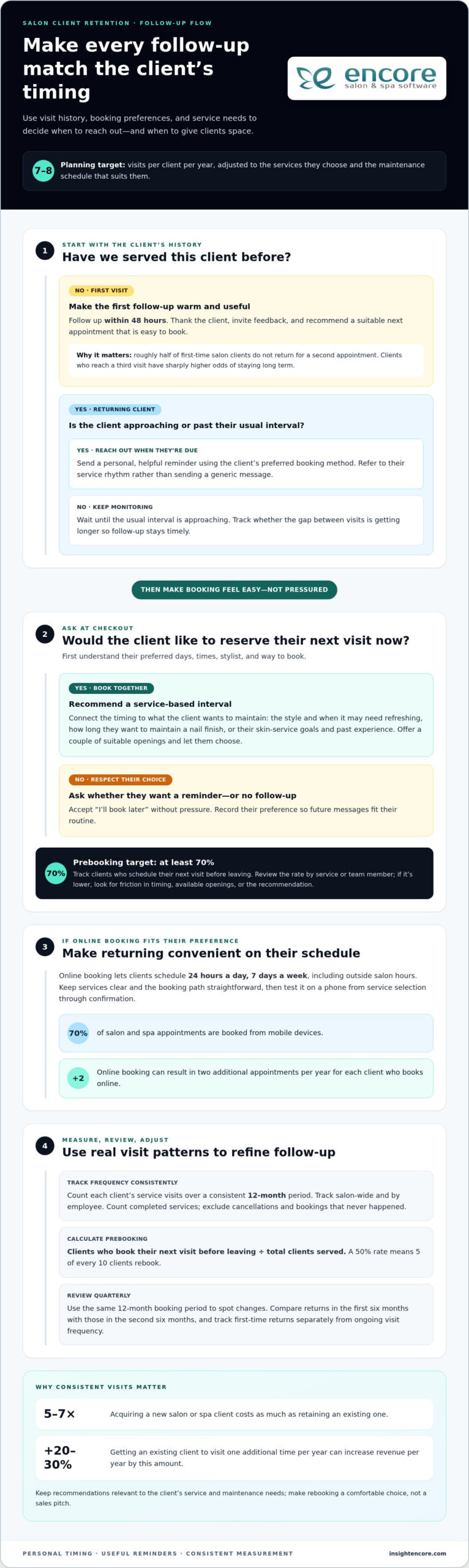
Categories
Uncategorized

How to Prevent Double Booking Appointments: The Ultimate 2026 Salon & Spa Guide

Imagine a busy Saturday morning where your top stylist is finishing a complex balayage, only to see another loyal client walk through the door for their scheduled haircut at the exact same time. Your heart sinks as you realize two different calendars allowed the same slot to be filled. Learning how to prevent double booking appointments isn’t just about avoiding an awkward apology; it’s about protecting the reputation you’ve worked so hard to build.

We understand that the mental load of manually cross-referencing staff schedules and room availability is exhausting. You started your business to create beauty and connection, not to spend your nights staring at a spreadsheet. It’s frustrating when simple human error leads to staff burnout or lost revenue. This guide promises to hand you the blueprint for a reliable, automated system. You’ll discover exactly how to eliminate scheduling overlaps and finally reclaim your peace of mind.

We’re diving into the latest 2026 software strategies, from real-time resource management to seamless mobile booking. You’ll learn how to fill your books accurately while keeping your team happy and your revenue growing. Let’s move from a state of scheduling stress to a feeling of organized control.

Key Takeaways

  • Stop the “ripple effect” by understanding how one scheduling overlap can disrupt your entire day and your bottom line.
  • Master how to prevent double booking appointments by implementing a real-time, multi-channel sync that eliminates human error.
  • Learn to configure essential buffer times and processing gaps to protect your team from burnout and ensure a smooth guest flow.
  • Gain professional communication scripts to resolve existing conflicts quickly while maintaining your salon’s reputation and client trust.
  • Discover how specialized automation handles the complexity of your schedule, allowing you to focus entirely on the guest experience.

The High Cost of Double Booking: Why It Is More Than a Minor Mistake

Double booking happens when two or more appointments occupy the same resource simultaneously. That resource might be a specific stylist, a massage room, or even a specialized piece of equipment like a laser. It is not just a simple calendar overlap; it’s a logistical knot that creates immediate tension for everyone involved. When your system allows two people to occupy the same space at the same time, you’re forced into a reactive mode that rarely ends well.

Think of your daily schedule as a row of dominos. This is the "Ripple Effect." When the first appointment of the day starts twenty minutes late because of a scheduling conflict, every client afterward feels the delay. By mid-afternoon, your team is exhausted from rushing, and your waiting room is full of frustrated guests. This chaos doesn’t just stay in the salon; it follows your staff home and affects their ability to provide high-quality care.

The financial impact of these errors is often underestimated. While it’s easy to see the cost of a 20% "apology discount," the real loss is much higher. Research shows that 87% of salon revenue comes from repeat clients. If a double booking causes a regular to switch to a competitor, you aren’t just losing today’s appointment fee. You’re losing the lifetime value of that guest. Mastering how to prevent double booking appointments ensures those high-value relationships remain intact and your revenue stays predictable.

Staff morale also takes a significant hit when scheduling is disorganized. Constant stress is a primary driver for stylist turnover in the beauty industry. Your best talent wants to focus on their craft and their clients, not apologize for errors they didn’t create. When you provide a reliable system, you’re telling your team that you value their time and their mental health as much as the bottom line.

The Psychology of Client Trust

Clients don’t just pay for a service; they pay for an experience and a sense of escape. When they arrive to find their slot taken, they feel undervalued and invisible. In 2026, a single negative review about "disorganized scheduling" on social media can deter dozens of potential new guests before they ever call you. One simple error can break years of brand loyalty in just a few minutes of frustration.

Hidden Operational Costs

Beyond the visible discounts, there are invisible drains on your business. Managers lose hours of productive time every week scrambling to move appointments, soothe angry clients, or find last-minute cover. You also have to consider the cost of complimentary add-ons used to fix the mistake. Every scheduling error acts as a direct leak in your 2026 profit margins, quietly siphoning away the capital you need to scale your business.

Why Manual Systems and Generic Calendars Fail Salons

Many salon owners start with a paper book or a simple digital calendar because it feels familiar. It’s comfortable; it’s what you’ve always used. However, as your business grows and the pace of 2026 demands increase, these manual methods become a significant liability. The "Human Error" trap is real. Even the most organized receptionist can’t compete with a computer when the phone is ringing, a client is checking out, and a walk-in is standing at the door. Mistakes aren’t a sign of a bad team; they’re a sign of a tired system.

The danger of the "Post-it Note" culture is especially high in busy spas. A quick note about a rescheduled massage might sit on the counter while another staff member books that same slot through an online portal. This lack of real-time updates creates a constant clash between your physical front desk and your digital presence. Understanding how to prevent double booking appointments starts with acknowledging that your tools need to talk to each other instantly.

The Limits of Paper Appointment Books

Paper books have a major physical limitation: only one person can use them at a time. If your manager is checking the schedule in the back office, your front desk is flying blind. There’s also the risk of data loss. A spilled coffee or a misplaced book can wipe out weeks of revenue data and client history. Plus, paper can’t talk. It won’t send an automated SMS to a client or remind a stylist about an upcoming color service. It’s a static tool in a dynamic industry.

The Gap in Generic Digital Tools

Generic tools like Google or Outlook are great for meetings, but they don’t understand the salon industry. They don’t know that a balayage requires processing time where the stylist is free but the chair is occupied. They can’t track room availability or specific equipment. If you want to see how specialized systems handle these complexities, you can explore our integrated booking solutions. These tools are built to recognize the unique rhythm of your floor.

Generic tools also fail to sync across all devices with the speed required today. In 2026, clients expect to book at midnight and see that slot disappear from your view immediately. If your software lags by even a few minutes, the double-booking cycle begins again. To see how a dedicated system can protect your time and peace of mind, you can explore our full range of scheduling features.

The 4-Step Strategy to Eliminate Double Bookings Forever

Transitioning away from the chaos of manual entries requires a structured approach. It isn’t just about getting a digital calendar; it’s about building a system that thinks for you. Learning how to prevent double booking appointments effectively means closing the gaps where errors usually hide. By following these four steps, you can create a seamless flow that protects your time and your team’s energy.

  • Step 1: Implementing Real-Time, Multi-Channel Sync. Your booking portal, mobile app, and front desk tablet must operate as one. If a client books a facial online at midnight, that slot must be blocked across all devices instantly.
  • Step 2: Configuring Buffer Times and Processing Gaps. Never book appointments back-to-back without a breather. Your system should automatically insert time for cleaning and preparation.
  • Step 3: Managing Resources as Independent Entities. You aren’t just scheduling people. You’re scheduling rooms, chairs, and specialized equipment.
  • Step 4: Centralizing All Booking Channels. Walk-ins, phone calls, and social media DMs must all end up in one "Source of Truth" to prevent data fragmentation.

Mastering Buffer Times and Gaps

A common mistake is forgetting the work that happens between guests. You need time to sweep the floor, sanitize the massage table, or grab a fresh set of tools. Automated software allows you to set "cleanup" windows that are invisible to the client but vital for your staff. This prevents the burnout mentioned earlier. Additionally, for hair services, you can schedule "processing time" gaps. This allows a stylist to take a quick haircut while another client’s color is setting, maximizing revenue without creating an overlap. Using software to automatically enforce these gaps means your team doesn’t have to remember to add them manually.

Resource-Based Scheduling Logic

Most basic calendars only look at staff availability. However, a spa or high-end salon often has more stylists than treatment rooms or specialized machines. If two stylists book a laser hair removal session at the same time, you have a conflict, even if both stylists are free. A truly modern system treats the room and the equipment as independent resources. You can check out the Encore features page for advanced resource management tools that prevent these specific conflicts. By booking the stylist and the room simultaneously, you ensure that every tool needed for the service is ready and waiting. This logic eliminates the "room scramble" that often stresses out even the most experienced managers.

How to Prevent Double Booking Appointments: The Ultimate 2026 Salon & Spa Guide

Damage Control: How to Resolve a Scheduling Conflict Professionally

Even with the best intentions, a glitch might occasionally slip through your defenses. The "Identification Phase" is your first line of defense in these moments. By reviewing your master schedule 24 to 48 hours in advance, you can spot overlaps before the client ever sets foot in your salon. Catching an error early transforms the interaction from an awkward apology at the front desk into a proactive, professional solution over the phone.

Proactive honesty is a powerful trust-builder. When you reach out to a guest before they’ve even left their house, you demonstrate that you value their time as much as your own. This builds more long-term loyalty than trying to hide the error or hoping they won’t notice a long wait in the lobby. Mastering how to prevent double booking appointments includes having a clear protocol for these rare moments of friction.

Reclaim your peace of mind today

The ‘Golden Bridge’ Communication Script

Taking full responsibility is essential for maintaining your reputation. Avoid blaming "the system" or a specific staff member. Instead, use a script that provides a "Golden Bridge" to a new appointment. You might say: "I’m calling because we’ve had a scheduling overlap for your visit tomorrow. I want to ensure you get the full, relaxed experience you deserve, so I have two solutions ready for you right now."

Always offer two clear alternatives to give the client a sense of control. You could suggest a different time on the same day with a complimentary service upgrade, or a move to another senior stylist who is equally skilled. For a modern touch, a 2026 SMS reminder can help prevent last-minute confusion: "We’re looking forward to seeing you tomorrow at 2 PM for your Balayage; please reply CONFIRM or call us if you have any questions about your stylist."

Turning a Mistake into a Loyalty Opportunity

Instead of just offering a standard discount, try a "Value-Add" solution. Upgrading a basic facial to a premium treatment or adding a deep-conditioning hair mask costs your business very little but feels like a significant win for the guest. You can also use your management system to issue gift cards or bonus loyalty points as a tangible "thank you" for their flexibility. This gesture often turns a frustrated client into a vocal advocate for your brand.

Finally, perform a brief internal review after the conflict is resolved. Don’t just fix the client’s day; fix the underlying cause. Ask if the error happened because of a manual override or a sync delay. This analysis helps you refine your settings so the same mistake doesn’t recur, keeping your team focused on what they do best.

Automating Your Peace of Mind with Encore Salon Software

Transitioning to a professional system is the final step in mastering how to prevent double booking appointments. Encore Salon Software acts as your silent partner, working behind the scenes while you focus on your artistry. Our Online Booking Module serves as a 24/7 digital receptionist. It never sleeps, never gets distracted, and never makes a manual entry error. It checks your real-time availability across all devices, ensuring that a midnight booking is just as accurate as one made at noon.

For those operating in shared spaces, our Chair and Booth Renter Software provides the perfect balance of independence and organization. Each professional can manage their own unique schedule without the risk of overlapping in a shared room or using the same piece of equipment. We also tackle the "I forgot" factor through automated reminders and confirmations. By sending a timely SMS or email, you significantly reduce the friction of last-minute rescheduling or accidental double bookings caused by client confusion.

Our system goes beyond just time management. By integrating POS and inventory, Encore ensures that every booking has the necessary supplies ready. If a specific color treatment is booked, the system tracks your stock in real time. This prevents the nightmare of having a client in the chair but no product on the shelf. It’s about creating a "set it and forget it" environment where the software handles the complexity so you can focus on the guest experience.

Tailored Solutions for Every Beauty Niche

Every business has a different rhythm. Tattoo Studios, for example, require different booking guardrails than a traditional day spa; they often need longer blocks for custom art or mandatory consultation gaps. High-volume nail salons need to move quickly without the risk of overlapping appointments during peak hours. You can find a complete breakdown of these specialized tools in our full 2026 management guide. We’ve built these modules to respect the specific needs of your niche.

Getting Started with Stress-Free Scheduling

Moving from a paper book or a generic app to Encore is a straightforward process. We’ve designed the transition to be as gentle as possible, removing the technical intimidation often associated with new software. Our team is here to support you at every step. One of the most effective ways to secure your schedule is through integrated credit card processing. By requiring a small deposit at the time of booking, you drastically reduce no-shows and protect your stylists’ time. Ready to end the scheduling chaos? Contact us for a demo today and see how easy it is to reclaim your peace of mind.

Step into a Stress-Free Scheduling Future

Your salon or spa should be a sanctuary of creativity and connection, not a source of logistical headaches. By moving away from outdated manual systems and embracing real-time, multi-channel sync, you protect your hard-earned reputation and your team’s energy. We’ve explored how to prevent double booking appointments through smart buffer times, resource-based scheduling, and professional damage control scripts.

Since 1991, we’ve been dedicated to building tools specifically for the beauty and wellness industry. Our all-in-one platform manages every detail from the first online click to the final POS transaction. You’re never alone in this transition; our human-centric support team is here to ensure your system works as hard as you do. It’s time to let the software handle the complexity so you can focus on your guests.

Start Your Stress-Free Scheduling Journey with Encore
You have the talent and the vision to grow your business. Now, you have the proven strategy to keep it running smoothly. Let’s make 2026 the year you finally reclaim your peace of mind.

Frequently Asked Questions

What is the best way to prevent double bookings in a multi-stylist salon?

The most effective method is implementing a centralized, real-time digital system that all staff can access simultaneously. Unlike paper books, digital platforms prevent two stylists from claiming the same time slot across different devices. You should look for a system that updates instantly when a booking occurs online or via mobile. This ensures everyone is on the same page, eliminating the confusion that leads to overlaps and protecting your team’s workflow.

Can I use Google Calendar to prevent double bookings for my spa?

While Google Calendar is great for basic meetings, it often fails spas because it doesn’t understand resource-based logic. It can’t track whether a specific massage room or facial machine is available alongside the therapist. Using generic tools is a common cause of scheduling errors. To truly master how to prevent double booking appointments, you need industry-specific software that manages staff, rooms, and equipment as independent, interlinked entities.

How do I handle a client who was double booked and is now angry?

Lead with a sincere apology and take full responsibility without making excuses. Offer an immediate solution, such as a different time or a senior stylist, and include a "Value-Add" like a complimentary deep-conditioning treatment. Proactive honesty is key. If you catch the error early, call them before they arrive. This shows you value their time, often turning a potentially negative review into a demonstration of excellent customer service and brand integrity.

What are buffer times and how do they help with scheduling?

Buffer times are automated gaps inserted between appointments to allow for cleaning, room resets, and staff breaks. For example, a 15 minute buffer after a massage ensures the therapist can sanitize the table and prep for the next guest without rushing. These gaps are invisible to clients but essential for your operation. They prevent the "ripple effect" of delays and ensure your team stays energized and focused on providing a high-quality experience.

Should I charge a deposit to prevent double booking and no-shows?

Yes, requiring a deposit is a highly effective strategy to secure your schedule. When clients have a financial stake in their appointment, they’re much more likely to show up or provide ample notice for changes. This reduces the gaps in your day and prevents the chaos of last-minute rescheduling. Using integrated credit card processing makes this a seamless part of your booking flow, protecting your revenue and ensuring your stylists’ time is respected.

Is it possible to sync my Instagram ‘Book Now’ button with my salon software?

Absolutely. Modern salon software allows you to link your Instagram and Facebook ‘Book Now’ buttons directly to your live calendar. When a client clicks that button, they see only your actual open slots. Once they book, that time disappears from your system across all platforms instantly. This multi-channel sync is a vital component in how to prevent double booking appointments, as it removes the need for manual data entry from social media messages.

How do I manage equipment conflicts when two stylists need the same tool?

You manage these by treating equipment as a specific "resource" in your scheduling software. If you only have one laser machine, the system will block that machine’s availability the moment it’s booked, regardless of how many stylists are free. This prevents the "room scramble" and ensures that the tools needed for a service are always ready. It’s a sophisticated way to handle high-volume environments where staff numbers exceed available specialty equipment.

What should I look for in salon management software to ensure no overlaps?

Look for an all-in-one platform that offers real-time calendar sync across all devices and specialized resource management for rooms and equipment. It should include automated SMS reminders to reduce no-shows and integrated point-of-sale for a smooth checkout. Ensure the provider has a long history of serving the beauty and wellness industry; Syntec Business Systems has done so since 1991. Reliable human support is also essential for helping you transition from manual systems.

Disclaimer

This article is general in nature and may contain errors, please verify all claims with your sales rep

Categories
Uncategorized

The Complete Guide to Managing Salon Inventory with a Spreadsheet in 2026

Imagine it’s 8:00 PM on a Sunday. Instead of unwinding, you’re crouched in the backroom, counting half-empty bottles of developer while your coffee goes cold. It’s a familiar scene for owners who feel buried under manual stock takes, yet managing salon inventory with a spreadsheet remains a reliable first step toward reclaiming your time and preventing mid-service shortages.

We understand how draining it is to juggle client expectations while worrying about shrinkage or missing retail numbers. You deserve a system that provides peace of mind and professional confidence. This guide is your roadmap to building a professional tracking system from scratch, setting up automatic low stock alerts, and streamlining your entire ordering process.

We’ll walk you through the essential steps to maintain your data and show you how to get a clear view of your total stock value. Finally, we’ll help you recognize the signs that your growing business is ready to graduate from manual entries to the ease of full salon automation.

Key Takeaways

  • Learn how to set up a logical framework in Google Sheets or Excel that turns a cluttered list into a functional management tool.
  • Discover the specific formulas needed for managing salon inventory with a spreadsheet, including conditional formatting for instant low-stock alerts.
  • Master the “First In, First Out” (FIFO) method and audit routines to ensure your stock levels are always accurate and products never expire.
  • Identify the hidden costs of manual tracking and learn how simple human errors can lead to expensive ordering mistakes.
  • Recognize the clear signals that your salon has outgrown manual sheets and is ready for the efficiency of an integrated inventory management system.

Building Your Salon Inventory Spreadsheet: The Essential Framework

Starting the journey of managing salon inventory with a spreadsheet can feel overwhelming, but it’s the first step toward total control. Without a structured layout, your data is just a digital pile of notes. A professional framework turns that list into a tool that protects your profit margins and prevents mid-service panic. You need a system that grows with your salon, not one that breaks the moment you add a new color line.

Your first decision is where your data will live. Google Sheets is a brilliant choice for collaboration. It allows your team to update stock levels from their phones in real-time. If you prefer working offline or need heavy-duty data processing, Excel remains the gold standard. Whichever you choose, stick to it. Consistency prevents the “which version is the newest?” headache that plagues many small businesses.

Organization relies on a golden rule for naming conventions: Brand, Line, Product, and Size. Instead of writing “Conditioner” or “Blue bottle,” use “Redken, All Soft, Conditioner, 1000ml.” This precision makes it impossible to order the wrong SKU. It also helps when you separate your Master List from your Daily Log. Your Master List acts as your permanent library, while the Daily Log tracks the actual movement of products in and out of the cabinet.

The 7 Non-Negotiable Columns Every Salon Needs

To keep your records accurate, every item needs specific data points. These columns provide the context your business needs for tax time and insurance purposes:

  • SKU/Barcode: This is the unique DNA of the product.
  • Product Category: This helps you filter your view instantly.
  • Minimum Stock Level (Par Level): This is your “danger zone” threshold. When you hit this number, it’s time to reorder.
  • Unit of Measure: Are you tracking by the tube, the ounce, or the bottle? Be specific to avoid counting errors.
  • Current Quantity: Your live count on the shelf.
  • Cost per Unit: Essential for calculating your total business value.
  • Supplier Name: Who do you call when the shelf is empty?

Categorizing for Success: Backbar vs. Retail

One of the biggest mistakes in managing salon inventory with a spreadsheet is mixing backbar and retail items. Backbar products are the tools of your trade, like developers and shampoos used at the sink. These are business expenses. Retail products are inventory meant for sale to clients, representing potential revenue.

Mixing these two categories leads to accounting nightmares. You need to know exactly how much stock is tied up in service costs versus retail profit. Keeping them separate allows you to track which side of your business is more efficient. It also ensures your insurance coverage reflects the true value of your sellable goods.

Advanced Tracking: Formulas and Thresholds for Stock Control

Managing salon inventory with a spreadsheet becomes truly powerful when you stop treating it like a static list and start using it as a diagnostic tool. By adding simple formulas, you transform rows of data into a live command center. This shift allows you to make decisions based on facts rather than gut feelings. It’s the difference between hoping you have enough color and knowing exactly when the next shipment needs to arrive.

Visual cues are your best friend during a busy shift. You can use conditional formatting to make your life easier. Set a rule where a cell turns bright red if the “Current Quantity” falls below your “Minimum Stock Level.” This visual “red alert” means you don’t have to scan every line to know what’s missing. You can also add an “Order Trigger” column. Use a simple IF statement to display “Yes” or “No” based on your stock levels. This creates an automatic shopping list for your weekly supplier run.

Tracking usage rates is the next level of professional management. If you record the date you opened a gallon of shampoo and the date it finished, you’ll learn exactly how long your supplies last. This data helps you predict future costs with pinpoint accuracy. If you find yourself spending more time fixing formulas than styling hair, exploring an integrated inventory management system might be the relief you need.

Calculating Inventory Valuation for Tax Season

Your accountant needs to know the exact wholesale value of your shelves, not the potential retail price. Wholesale cost is what you paid; MSRP is what the customer pays. Keeping these distinct ensures your tax filings are accurate and your insurance coverage is sufficient. You can calculate your total asset value instantly by using a SUMPRODUCT formula to multiply the quantity of every item by its individual wholesale cost. This single number represents the cash currently tied up in your stockroom.

Setting Accurate Par Levels (Minimum Stock)

Finding your “Minimum Stock Level” isn’t a one-time task. You must consider shipping times, your weekly service volume, and seasonal peaks. While managing salon inventory with a spreadsheet offers a clear view of your current situation, setting accurate par levels ensures you never run out of critical supplies. Avoid the “Overstock Trap” by remembering that too much inventory is just cash sitting on a shelf. Adjust your levels before the holiday rush to ensure you have enough color for every guest without cluttering your backroom.

The Spreadsheet Trap: Why Manual Tracking Often Fails Growing Salons

While managing salon inventory with a spreadsheet is a great starting point, it eventually becomes a bottleneck. Many owners fall into the “Spreadsheet Trap” without realizing how much it actually costs them. You might think you’re saving money by avoiding software fees, but the hidden expenses tell a different story. If you’re spending your Sunday nights manually counting bottles, you’re paying for that time with your own energy and business growth.

Consider the hourly rate of the person managing the file. If a manager spends just three hours a week on manual entry, that’s over 150 hours a year. That’s time that could be spent training staff or improving the client experience. Then there’s the risk of human error. A single mistyped digit can turn a small restock into a $500 ordering mistake. These errors are easy to make when you’re tired and staring at a grid of tiny numbers.

The biggest hurdle is the lack of POS integration. Your spreadsheet is a silent observer. It doesn’t know when a stylist uses a tube of color or when a client buys a retail bottle. This disconnect leads to “inventory ghosts” where your sheet says you have stock that isn’t actually on the shelf. Security is another concern. One accidental click or a disgruntled employee can delete months of data in seconds, leaving you with no backup and a lot of frustration.

Spreadsheet vs. Integrated Inventory Software

The difference between manual sheets and professional software comes down to speed and accuracy. Software provides real-time updates. The moment a sale is made, the stock is deducted. You don’t have to wait until the end of the week to see where you stand. Professional systems also handle automated ordering. Instead of typing out a list, the software generates purchase orders based on your par levels. It also builds staff accountability. You can track exactly which products are being used by which stylist, removing the guesswork from your backbar costs.

Signs Your Salon Has Outgrown Excel

It’s okay to move on when a system no longer serves you. You’ll know it’s time to upgrade when you see these red flags:

  • Your team has grown to more than 3 stylists sharing the same supplies.
  • You spend more than 2 hours every week updating stock levels manually.
  • Discrepancies between your sheet and your shelves are becoming a regular occurrence.
  • You feel anxious about the accuracy of your ordering list.

When you reach this stage, transitioning to Encore’s Inventory Management System provides the relief you’ve been looking for. It turns inventory from a stressful chore into a seamless part of your daily routine. You can finally stop counting bottles and start focusing on the creative work you love.

The Complete Guide to Managing Salon Inventory with a Spreadsheet in 2026

Best Practices for Maintaining Inventory Accuracy Every Week

Your spreadsheet is a living document. It needs regular attention to stay relevant. Managing salon inventory with a spreadsheet requires more than just a good template; it demands a consistent routine. Without regular updates, your data becomes a relic of the past, leading to the very stockouts you’re trying to avoid. Establishing a rhythm ensures your numbers reflect the reality of your shelves.

One of the most effective ways to protect your investment is the “First In, First Out” (FIFO) method. When new shipments arrive, place them behind the existing bottles. This simple habit prevents products from expiring at the back of the shelf. You should also create a clear process for handling shrinkage. Whether it’s a spilled bottle of developer or a damaged retail box, every loss must be documented. If it isn’t in the sheet, your stock value will never be accurate.

Success depends on your team. Make inventory management a part of your salon culture. When stylists understand that accurate tracking leads to better supplies and fewer headaches, they’re more likely to help. Encourage them to log every use immediately. This shared responsibility lightens your load and builds a sense of professional pride across the floor. It’s about working together to ensure nobody ever runs out of the tools they need mid-service.

The Sunday Night Audit: A Step-by-Step Checklist

A weekly audit is the heartbeat of a healthy salon. Start by comparing your physical count to what’s listed on your sheet. If there’s a discrepancy, ask why. Did someone forget to log a sale? Was there an unrecorded spill? Use this time to update wholesale prices if your suppliers have made changes. Finally, take five minutes to organize your stockroom. A tidy space makes next week’s count significantly faster and less stressful.

Inventory for Booth Renters and Independent Stylists

If you’re a chair renter or a solo professional, your needs are slightly different. You must keep your personal stock strictly separate from any salon-provided backbar. This clarity is essential for your own tax reporting. Use a simplified version of your spreadsheet to track your specific expenses. It ensures you maximize your deductions and stay organized without the complexity of a multi-chair operation. Managing your own supplies is the first step toward true business independence.

Streamline your inventory tracking today

Scaling Beyond the Grid: Moving to Integrated Salon Software

Growth brings new challenges that require more than just a static list. Managing salon inventory with a spreadsheet is a solid foundation, but as your business gains momentum, the effort required to maintain that sheet pulls you away from your clients. Scaling beyond the grid means choosing a system that works for you, rather than the other way around. Automation turns inventory into a profit center by giving you back your most valuable asset: time. It’s about moving from a state of potential stress to a feeling of organized control.

The real magic happens when your stockroom talks to your front desk. By using Integrated Credit Card Processing, every retail sale automatically updates your inventory levels. There’s no manual tally at the end of the day. This seamless flow reduces human error and ensures your records are always audit-ready. When you move beyond managing salon inventory with a spreadsheet, you unlock the power of “One-Click” reporting for instant business health checks. Your accountant will appreciate the clean data, and your staff will appreciate the fairness and transparency of a professional system.

The Encore Advantage: Inventory That Manages Itself

The Encore system is designed to remove industry frustrations and act as your dedicated mentor. It features automatic deductions from every service and retail sale, so you’re never guessing what’s left on the shelf. You can generate purchase orders with a single click based on your custom par levels, ensuring you never run out of backbar essentials mid-service. Plus, mobile access means you can check your stock from home or the distributor’s aisle. You’ll have the peace of mind that comes with knowing exactly where your business stands at all times.

  • Automatic deductions ensure your stock levels are always live.
  • One-click reports show you which products are actually driving profit.
  • Mobile tools let you manage your stockroom without being tied to a desk.

Transitioning from Sheets to Encore

Moving from a manual system doesn’t have to be a daunting task. We’ve made the process simple and encouraging for users of all technical levels. You can easily import your existing spreadsheet data to get started quickly, preserving all the hard work you’ve already done. We’ll help you set up barcodes for lightning-fast scanning, turning a three-hour Sunday night stock take into a twenty-minute walk-through. It’s time to stop counting bottles and start focusing on the creative work that inspired you to open your salon. Ready to stop counting and start growing? Discover Encore Salon Software today.

Take Control of Your Salon’s Future

Managing salon inventory with a spreadsheet is a commendable first step toward professional organization. You’ve learned how to build a structured framework and use formulas to prevent stockouts. These tools provide the initial clarity needed to protect your margins. However, as your business grows, the hours spent on manual audits can become a heavy burden that pulls you away from your creative passion and your clients.

Since 1991, we’ve helped beauty professionals navigate these transitions with confidence. Whether you run a spa, a tattoo studio, or a busy hair salon, our specialized modules are designed to replace frustration with flow. Our integrated POS and inventory features ensure that every sale is tracked automatically. This removes the “late-night audit” from your schedule and gives you the reliable data you need for your accountant and your own peace of mind.

Ready to ditch the spreadsheet? Explore Encore's automated inventory tracking.

You deserve a system that works as hard as you do. Empower your team and protect your profits by moving beyond manual entries. We’re here to support you every step of the way as you scale your business toward its full potential.

Frequently Asked Questions

Is it better to use Google Sheets or Excel for salon inventory?

Google Sheets is generally better for real-time collaboration among multiple staff members, while Excel offers superior offline capabilities and advanced data processing for larger datasets. Most modern salons prefer Sheets because stylists can update stock levels from their phones as they use products. This accessibility reduces the delay between usage and recording, which is a common failure point when managing salon inventory with a spreadsheet. Choose the platform that fits your team’s daily workflow.

How often should I do a full physical inventory count in my salon?

You should perform a full physical inventory count at least once a month, though high-volume salons often benefit from weekly spot checks on popular items. Regular counts help you identify shrinkage or recording errors before they become expensive problems. Consistency is the key to maintaining a reliable system. By setting a recurring “Stock Take” appointment in your calendar, you ensure that your digital records always reflect the actual bottles sitting on your backroom shelves.

What is a ‘Par Level’ and how do I calculate it for my hair color?

A par level is the minimum amount of a specific product you must have on hand to meet demand until your next shipment arrives. To calculate it for hair color, add your average weekly usage to the number of days it takes for a supplier to deliver your order. If you use four tubes of a specific shade per week and shipping takes seven days, your par level should be at least five tubes to ensure safety.

Can a spreadsheet automatically alert me when I’m low on stock?

A spreadsheet cannot send you an email or push notification like professional software, but you can use conditional formatting to create visual alerts. By setting a rule that turns a cell bright red when the current quantity drops below your par level, you create a clear signal for reordering. While this requires you to manually check the file, it provides a much-needed visual shortcut during the busy rush of your weekly ordering process.

What should I do if my spreadsheet count doesn’t match my physical stock?

When your numbers don’t match, you must first document the discrepancy as “shrinkage” and then investigate the cause to prevent it from happening again. Common reasons include unrecorded spills, forgotten retail sales, or staff members pulling backbar supplies without logging them. Use these moments as a teaching opportunity for your team. Updating the sheet immediately to reflect the physical reality ensures your ordering list remains accurate while you work on improving your salon’s tracking habits.

How do I track professional backbar use vs. retail sales in one sheet?

The most effective method is to use two separate tabs within your workbook or a dedicated “Category” column to filter your view. Since backbar items are business expenses and retail products are sellable assets, mixing them complicates your accounting. Managing salon inventory with a spreadsheet works best when you clearly label each item. This separation allows you to track service costs accurately while monitoring which retail lines are generating the most profit for your business.

Is there a way to scan barcodes into a spreadsheet?

Yes, you can scan barcodes into a spreadsheet using a USB barcode scanner or a mobile app that syncs with your digital files. When you click on a cell and scan a product, the SKU number appears instantly. While this speeds up the initial setup of your master list, remember that a spreadsheet still won’t automatically deduct that item from your total when a stylist uses it. It remains a manual entry process at its core.

At what point should I switch from a spreadsheet to salon management software?

You should consider upgrading to professional salon software when you’re spending more than two hours a week on manual data entry or if you have more than three stylists. If you consistently find that your manual sheet is out of sync with your actual stock, it’s a sign your business has outgrown the grid. Transitioning to an integrated system like Encore provides the automation needed to turn inventory management from a chore into a seamless profit center.

Disclaimer

This article is general in nature and may contain errors, please verify all claims with your sales rep
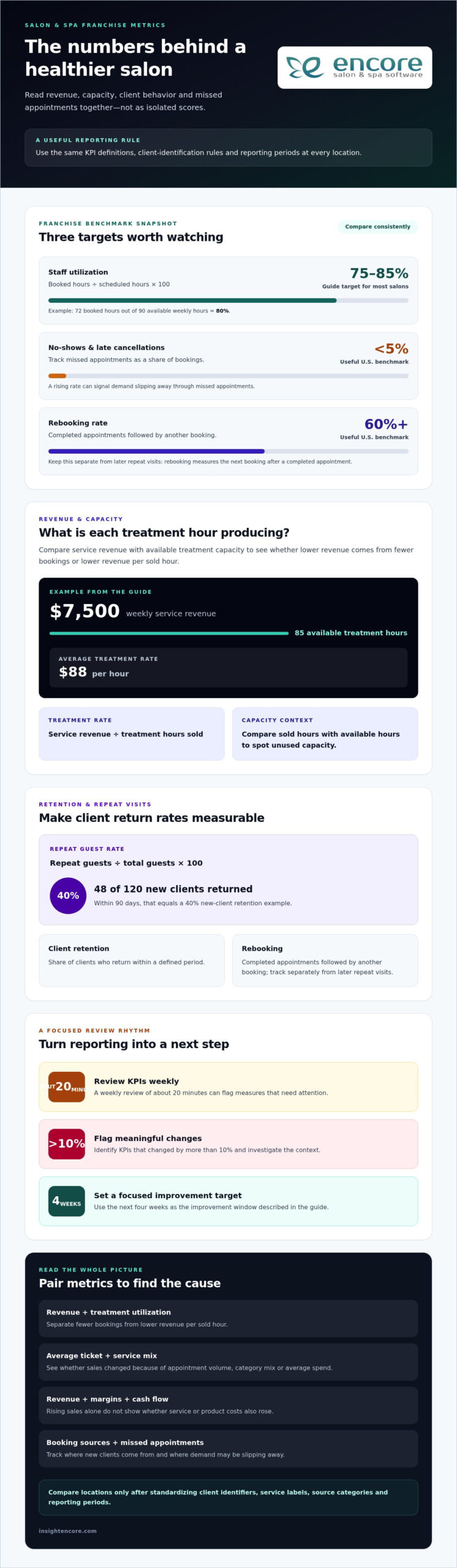
Categories
Uncategorized

The Ultimate Guide to Salon Credit Card Processing in 2026

Did you know that requiring a card on file for appointments can reduce your no-show rates by as much as 80%? If you’ve ever spent your evening squinting at a complex merchant statement or realized a manual entry error just cost you a morning’s profit, you aren’t alone. Most owners feel the weight of these recurring frustrations. It’s exhausting when your salon credit card processing feels like a hurdle instead of a help.

We believe your technology should work as hard as you do. This guide is designed to help you reclaim your time and protect your revenue. You’ll discover how the right integration can eliminate manual reconciliation, slash those high no-show costs, and simplify your daily operations. We’ll walk you through how to achieve lower effective rates and ensure every payment syncs perfectly with your client records. It’s time to trade the stress of hidden fees for a system that gives you total control and the peace of mind you deserve.

Key Takeaways

  • Moving beyond standalone terminals saves you hours of manual reconciliation and prevents costly data entry errors.
  • We’ll help you decode the difference between flat-rate and interchange-plus pricing so you stop overpaying as your salon grows.
  • Implementing salon credit card processing with card-on-file technology protects your time by automating no-show fees and deposits.
  • Specialized multi-merchant solutions allow you to manage booth renters or tattoo artists without the headache of manual payment splitting.
  • Linking your transactions to loyalty programs and gift cards transforms every checkout into a retention opportunity for your brand.

Beyond the Terminal: Why Your Salon Needs Integrated Credit Card Processing

The checkout should be the “golden hour” of your client’s visit. It’s the final moment to solidify that relationship and ensure they leave feeling pampered and valued. However, if your front desk team is frantically typing numbers into a separate terminal while your client waits, that magic disappears. Traditional standalone terminals create a wall between your appointment book and your bank account. This disconnect is more than just a minor annoyance; it’s a silent drain on your focus and your finances.

The Problem with Traditional Standalone Terminals

When your payment terminal doesn’t talk to your software, you’re forced into a “double-entry” workflow. You type the price into your management system, then type it again into the terminal. It sounds simple, but it’s a recipe for human error. A misplaced decimal point or a forgotten retail item can lead to mismatched totals that haunt you during end-of-day balancing. These errors often lead to lost revenue that you might not even notice until it’s too late to correct.

Manual reconciliation is the hidden thief of a salon owner’s time. You likely spend hours every week cross-referencing paper receipts against digital records to find out why your numbers don’t match. Standalone systems also make tracking stylist commissions a nightmare. Without a direct link, you’re stuck manually calculating who earned what for every service and product sold. This process is slow, frustrating, and prone to mistakes that can hurt your team’s morale and your bottom line. It’s a common industry hurdle that modern salon credit card processing is designed to solve.

What is Integrated Salon Credit Card Processing?

Integrated processing is the bridge between your client’s service and your financial data. Instead of two separate systems that ignore each other, your POS and your merchant account live in one unified ecosystem. When you click “checkout” in your management software, the total is automatically sent to the terminal. There’s no re-typing and no room for error. This setup ensures that service totals, retail purchases, and tips sync instantly with your client records.

By using Integrated Credit Card Processing, you eliminate the friction that leads to revenue leaks. You’ll gain better visibility into your actual costs, including the interchange fees that card networks charge for every swipe. This transparency allows you to see the true health of your business without digging through complex, hidden statements. Ultimately, integrated processing is the essential link that connects your daily appointments to your long-term financial growth and stability.

Interchange Plus vs. Flat Rate: Choosing the Right Model for 2026

Fees shouldn’t be a mystery. When you look at your monthly statement, you’re likely seeing a jumble of terms like interchange, assessment fees, and processor markups. Understanding these is the first step toward lower costs. Interchange is the base cost set by the card networks, while assessment fees go to brands like Visa or Mastercard. The markup is what the processor adds on top. Staying informed about FTC rules on electronic payments helps you stay ahead of these shifting costs. Choosing the right salon credit card processing model depends entirely on your current volume and future goals.

When Flat Rate Pricing Makes Sense

Predictability has a price. Flat-rate pricing is popular because it’s simple. You pay one consistent percentage, typically between 2.5% and 3.5%, regardless of the card type used. This model is often ideal for booth renters or new startups with unpredictable monthly income. You won’t have to worry about fluctuating costs when a client pays with a high-end rewards card. It makes your accounting straightforward and stress-free. As your business begins to scale, Encore Salon & Spa Software provides the flexibility to adapt your systems as your needs evolve.

The Advantages of Interchange Plus for High-Volume Spas

For established businesses, transparency leads to savings. High-volume salons often find that flat-rate models become expensive as they grow. Interchange Plus pricing passes the actual card costs directly to you with a small, fixed markup. This can result in lower effective rates, often between 1.8% and 2.2% for busy operations. You get a detailed breakdown of every transaction. This reporting helps you identify which cards cost you more and where you’re saving money. It’s about having total visibility into your overhead. You can check our pricing page to see how our software-led approach prioritizes your bottom line.

We believe you deserve a partner who values transparency as much as you do. Don’t let hidden fees in “low-cost” introductory offers eat into your hard-earned profits. Instead, look for a system that grows with you and offers clear, honest reporting. If you’re ready to see how the right model can transform your finances, you can see how it works for yourself and take the first step toward a more profitable future.

Revenue Protection: Card-on-File and No-Show Fees

An empty chair at 2:00 PM isn’t just a quiet moment. It’s a direct hit to your stylist’s paycheck and your salon’s daily goals. No-shows happen, but they don’t have to be a total loss. By implementing card-on-file as part of your salon credit card processing strategy, you create a layer of professional accountability. This setup allows for an “Uber-style” checkout experience where clients can simply wave goodbye while their payment is handled securely in the background. It feels high-end, seamless, and deeply respectful of everyone’s time.

Transparency is your best friend here. Before you charge a dime, you must ensure your clients understand and agree to your terms. Legally, you need to be clear about appointment deposits and cancellation fees. Most salons in 2026 find that a simple digital consent form during the booking process is enough to stay compliant and protect their revenue. It’s about setting expectations early so there are no surprises later. This approach protects your stylists from the emotional and financial sting of a missed appointment.

Eliminating No-Show Losses with Integrated Policies

Securing your schedule starts long before the client walks through the door. You can use automated appointment reminders to reinforce your cancellation policy 24 or 48 hours in advance. This “set it and forget it” approach ensures your team stays busy and your income stays predictable. Think of card-on-file as a digital handshake between your salon and your client; it signifies a mutual commitment to the appointment time. For high-value services like bridal packages or extensions, collecting an automated deposit ensures you aren’t left holding the bag if plans change.

The Rise of Surcharging: Offsetting Fees Legally in 2026

Processing costs are a reality, but in 2026, more salons are exploring surcharging to offset these expenses. As of August 2026, Visa and Mastercard cap these surcharges at 3% or your actual cost of acceptance. Keep in mind that regulations vary by location. For example, Colorado limits you to 2%, while Illinois caps it at 1%. Surcharging is still prohibited in states like Connecticut, Massachusetts, and Maine. Your salon credit card processing software must handle these complex calculations automatically to keep you compliant. When done with clear signage and open communication, it’s a practical way to protect your margins without losing your luxury appeal.

The Ultimate Guide to Salon Credit Card Processing in 2026

Specialized Solutions: Processing for Booth Renters and Tattoo Studios

Running a salon with independent contractors or booth renters adds a layer of complexity to your daily finances. You aren’t just managing one business; you’re often hosting several micro-businesses under your roof. The “Multi-Merchant” challenge is a common frustration for owners who want to provide a professional front-desk experience without the liability of handling another person’s money. If all payments go into a single account, you’re stuck manually calculating payouts and dealing with messy tax records. This is why booth renters need their own specialized management app. It ensures that every dollar earned by a stylist goes exactly where it belongs. It bypasses the salon owner’s bank account entirely, which is the cleanest way to operate.

Independent Contractor Payouts and Financial Independence

Maintaining clear financial boundaries is crucial for a healthy, long-term salon culture. Encore supports individual merchant accounts within a single, unified software system. This means funds from a haircut or color service go directly to the service provider’s account. It protects the landlord from unnecessary tax liability and gives the contractor total control over their cash flow. You won’t be digging through a year of mixed bank statements when tax season arrives. Integrated transaction histories make 1099 reporting a simple, automated process. It’s a professional way to manage salon credit card processing for a diverse team of independent professionals.

Tattoo Studios: Managing Deposits and Large Transactions

Tattoo studios face unique hurdles that standard retail shops rarely encounter. High-ticket transactions for full-day sessions or complex sleeves require a higher level of security to prevent chargebacks and fraud. This is where tattoo studio software becomes essential for your workflow. These systems allow you to handle large deposits securely and track them against the final bill. You can use digital intake forms to capture payment consent and liability waivers simultaneously. This creates a solid digital paper trail that protects your artists and your studio. For mobile artists or those working guest spots, salon credit card processing offers security on the go. You get the same level of encryption and reporting as a fixed terminal. This ensures your business stays protected and organized, no matter where you’re working.

See how Encore simplifies your specific business needs

The Encore Advantage: Seamless Payments Built for Growth

Choosing a salon credit card processing partner is about more than just a terminal. It’s about finding a guide who understands that your focus should be on your clients, not your software. With over 35 years of industry experience since our founding in 1991, we’ve designed our systems to act as the central hub for your entire operation. Our Integrated Credit Card Processing doesn’t just take payments; it closes the loop on your business management. It connects your front desk to your back office, ensuring every swipe or tap feeds directly into your growth strategy.

From Booking to Checkout: A Frictionless Journey

Imagine a journey where every step is effortless for both you and your client. It starts with a simple online booking where a deposit is collected to secure the spot. Automated reminders go out, and when the service is done, the checkout is a simple one-tap process. Because your payments are synced, your system automatically updates loyalty points and tracks gift cards without any extra steps. This integrated data fuels your marketing, letting you know exactly when to reach out to a client for their next visit. You get the peace of mind that comes from having a single point of contact for both your software and your payments.

PCI Compliance and Data Security in 2026

Security shouldn’t be something you lose sleep over. In 2026, “integrated” is synonymous with “more secure.” We use advanced tokenization and encrypted hardware to ensure that sensitive client data never actually touches your salon’s local network. This removes the heavy burden of technical data security from your shoulders. Our commitment to transparency means you’ll always know your records are safe and your business is compliant with the latest standards. It’s about creating a reliable environment where your financial technology works quietly and effectively in the background.

We know that switching systems can feel daunting. You might worry about disrupting your current bookings or losing client data. We’ve refined our transition process to be as smooth as possible. Our team acts as a dedicated mentor, helping you move your records and set up your new workflow without missing a beat. You aren’t just getting a software provider; you’re gaining a partner who is genuinely invested in your individual success. When you’re ready to simplify your life, we’re here to help you make the move with confidence.

Take Control of Your Salon’s Financial Future

Managing your business shouldn’t feel like a constant battle with your bank statement. By moving toward a fully integrated system, you’re doing more than just updating your hardware. You’re reclaiming hours of your week and protecting your team from the frustration of lost revenue. Whether you’re navigating the complexities of booth renter payouts or looking to slash your no-show rates with secure card-on-file policies, the right technology makes all the difference. Modern salon credit card processing should be a tool for your success, not a source of stress.

We’ve spent 35 years perfecting our approach to the wellness industry. From specialized modules for tattoo studios to seamless support for independent contractors, we understand the daily hurdles you face. Our goal is to provide the reliable, human-centric support you need to grow with confidence. You deserve a partner who is as invested in your success as you are.

Ready to simplify your checkout? Explore Encore’s Integrated Credit Card Processing today.

We’re here to help you every step of the way as you build a more organized and profitable business. It’s time to focus on what you love and let your software handle the rest.

Frequently Asked Questions

How do I choose the best credit card processor for my salon?

Look for a provider that offers Integrated Credit Card Processing to avoid manual entry errors. You should prioritize transparency in pricing, such as interchange-plus models for higher volume, and ensure the system supports card-on-file for no-show protection. A partner with industry-specific experience, like Encore’s 35 years of expertise, ensures they understand your unique daily hurdles. Choosing a partner who values human-centric support will make your transition much smoother.

What is the difference between integrated and non-integrated salon payments?

Integrated payments connect your software directly to your terminal, while non-integrated payments require you to type totals into a separate machine. With an integrated system, checkout totals and tips sync automatically with your client records. This eliminates the “double-entry” process that often leads to revenue-killing errors and hours of manual reconciliation. It’s the most efficient way to maintain organized control over your daily financial data.

Can I charge a no-show fee if I don’t have a card on file?

It is nearly impossible to collect a no-show fee without a card on file unless the client voluntarily pays it later. Requiring a card during the booking process acts as a digital handshake between you and your client. It allows you to automate the collection of fees according to your specific policy. Research shows that simply having a card on file can reduce no-show rates by 60% to 80%.

Is it legal for my salon to add a credit card surcharge to the bill?

Surcharging is legal in most states as of 2026, but specific rules apply depending on your location. Visa and Mastercard generally cap these fees at 3% or your actual cost of acceptance. You must provide clear signage at your entrance and the point of sale to stay compliant. Note that surcharging is currently prohibited in Connecticut, Massachusetts, and Maine, so check your local regulations before implementing this for your salon credit card processing.

Do independent booth renters need their own merchant account?

Yes, having a separate merchant account is the cleanest way for booth renters to manage their own finances and tax liabilities. This setup ensures funds go directly to the stylist instead of the salon owner’s bank account. It simplifies 1099 reporting and gives the renter total control over their cash flow. Integrated systems allow multiple merchant accounts to operate under one roof while maintaining a professional front-desk experience for every client.

How long does it take for salon credit card deposits to hit my bank account?

Most salon credit card processing deposits typically arrive in your bank account within one to two business days. Some modern processors offer “next-day” or even “same-day” funding for an additional fee or as part of a premium service tier. The exact timing often depends on your specific “batch-out” time and your bank’s schedule for electronic transfers. Having a reliable processor ensures your cash flow remains steady and predictable.

What hardware do I need for salon credit card processing in 2026?

You need a PCI-compliant terminal that supports contactless payments like Apple Pay and Google Pay. Modern hardware should be fully compatible with your salon management software to enable Integrated Credit Card Processing. Many salons now opt for sleek, handheld devices that allow for “chairside” checkout. This hardware uses encryption and tokenization to keep your client’s sensitive data safe from the moment they tap, swipe, or dip their card for payment.

How does integrated processing help with salon commission calculations?

Integrated processing automatically links every transaction to the specific stylist who performed the service. This removes the need for manual tallying or messy spreadsheet calculations at the end of the week. Because the software tracks the service total, retail sales, and tips in one place, it can instantly calculate accurate commissions for your team. This transparency builds trust with your staff and ensures everyone is paid correctly for their hard work.

Disclaimer

This article is general in nature and may contain errors, please verify all claims with your sales rep

Categories
Uncategorized

Salon Client No-Show Policy Template 2026: Protect Your Revenue & Time

Did you know that salons without automated reminders often face no-show rates as high as 20%? It’s heartbreaking to watch your hard-earned revenue vanish because of an empty chair and a silent phone. You want to be the supportive, welcoming professional your clients love, but losing $500 or more every month to missed appointments simply isn’t sustainable. Finding the right salon client no-show policy template 2026 is the first step toward ending the awkwardness of asking for fees and ensuring your time is finally respected.

We understand that your time is your most valuable asset. We’re here to help you reclaim your schedule and your peace of mind with professional, enforceable strategies that work. By implementing these proven templates and automation tools, you can stop the profit leak and lower your no-show rates by at least 50%. We’ll walk you through creating a clear policy for your booking portal and show you how to collect fees automatically; this allows you to focus on your craft instead of chasing down payments.

Key Takeaways

  • Protect your revenue from rising operational costs by establishing a formal agreement that values both your time and your clients’ access to premium slots.
  • Download a versatile salon client no-show policy template 2026 designed to handle everything from standard hair services to high-ticket specialty treatments.
  • Identify the best policy model for your brand, whether you prefer a tiered “three strikes” approach for loyalty or a secure “deposit only” system for new clients.
  • Eliminate uncomfortable conversations by automating fee collection through integrated credit card processing and secure card-on-file features.
  • Reduce missed appointments by up to 70% using a strategic sequence of automated 48-hour and 24-hour reminders tailored to modern client habits.

Why Your Salon Needs a Formal No-Show Policy in 2026

Think of your salon chair as prime real estate. Every hour is a finite resource. In the modern beauty industry, a no-show policy is a mutual agreement that protects your time while ensuring your most loyal guests have access to the best time slots. Understanding what a no-show policy is helps reframe the conversation from one of punishment to one of professional respect. It sets the stage for a relationship built on transparency.

The 2026 "Price of an Empty Chair" has never been higher. Rising booth rents and inflation mean your margins are thinner than ever. You can’t afford to let a prime afternoon slot stay empty just because a client changed their mind at the last minute. Moving from verbal promises to digital contracts is no longer optional; it’s a standard business practice that protects your livelihood. Clients actually respect clear boundaries. It signals that your services are in high demand and your expertise is valuable. Using a salon client no-show policy template 2026 ensures these expectations are set before the client even sits in your chair.

The Real Cost of a Cancelled Appointment

Calculating your Hourly Loss Rate is a sobering exercise. It isn’t just the lost service fee. You must account for several hidden drains on your business:

  • Wasted product and preparation time
  • Fixed overhead like rent, software, and utilities
  • The opportunity cost of the client you turned away

A single no-show creates a ripple effect. It disrupts your creative flow and can even delay your next guest if you’re scrambling to fill the gap. Research indicates that 62% of no-shows happen because clients simply forget. Without an automated system, filling that gap at the last minute is nearly impossible. Every minute you spend manually texting clients to find a replacement is a minute you aren’t behind the chair earning money.

Setting Professional Boundaries with Empathy

We believe in framing your policy around fair access for all guests. It’s about being a supportive partner to your clients. You aren’t "charging a fine." You are ensuring that someone else doesn’t miss out on a transformation they’ve been waiting for. This approach lowers the barrier to entry for new clients who might feel intimidated by strict rules.

A solid policy helps you differentiate between true emergencies and chronic no-shows. It removes the "awkward" factor from your daily interactions. When you use integrated credit card processing to hold a card on file, fee collection becomes a neutral, automated process. This builds trust because there’s no ambiguity. Your clients know exactly what to expect, and you can focus on providing a stellar experience instead of worrying about your bottom line.

Essential Components of a Professional Salon Cancellation Policy

Crafting a policy that sticks requires more than just a few sentences on a flyer. It needs a structural framework that balances firm boundaries with the empathy your brand is known for. A professional policy serves as a digital contract, ensuring both you and your guest are on the same page before the first bottle of color is even opened. Your salon client no-show policy template 2026 should clearly state that a valid credit card is required to secure any booking, acting as a digital signature of mutual respect.

The fee structure is the heartbeat of your policy. Many pros choose between a flat fee or a percentage of the total service. While a flat fee is simple to explain, a percentage based fee (typically 50% for late cancellations and 100% for no-shows) better protects your revenue for high-ticket services. You should also define a late arrival grace period. Typically, 15 minutes is the industry standard. Beyond that, the appointment may need to be rescheduled and treated as a late cancellation to keep your day on track.

Defining the Cancellation Window

While a 24 hour notice period is the traditional floor, 48 hours is becoming the 2026 premium norm. High volume, low complexity services like a quick trim can often function with a 24 hour window. However, chemical services, extensions, or balayage require more preparation and are harder to fill at the last minute. These "premium" slots deserve a 48 hour window. If your salon is closed on Sundays and Mondays, make sure your policy explains how to handle those appointments. A client with a Tuesday morning slot should know they need to reach out by Saturday to avoid fees.

Deposit and Pre-payment Terms

There is a subtle but important difference between a booking fee and a down payment. In 2026, "no-questions-asked" booking fees are standard for new clients. This isn’t a penalty; it’s a commitment. When setting these terms, it’s wise to stay informed about consumer cancellation rights to ensure your policy remains fair and legally sound. Most salons find success by making deposits non-refundable but transferable if the client reschedules within a specific timeframe.

Handling these transactions manually can feel awkward and intrusive. Using Encore’s integrated credit card processing allows you to securely store cards on file. This removes the friction of asking for money during a sensitive moment. By automating this step, the system handles the "business" side of things, leaving you free to focus on your client’s transformation. If you’re ready to modernize your booking flow, you can explore how automated tools protect your schedule.

Choosing the Right Policy Model for Your Business

Selecting the right framework for your business is about more than just numbers. It’s about aligning your rules with your brand’s unique personality. When you choose a salon client no-show policy template 2026, you are making a statement about how you value your craft and your time. The economic effects of no-shows can be devastating for a growing business, so your model must be both practical and sustainable. Finding a balance between firm protection and client empathy is the secret to long-term success.

The Three Strikes Model is excellent for building trust. It offers a tiered approach: a friendly warning for the first instance, a 50% charge for the second, and a 100% charge for the third. This gives your loyal guests a chance to adjust to your boundaries. Conversely, the Deposit Only Model works best for high-ticket services like extensions or balayage. It ensures your product costs are covered before the client even walks through the door. For elite salons with months-long waitlists, the Strict 100% Model is often the only way to manage intense demand. Finally, the Flexible Model relies on a "pay what you can" or "waived fee" approach for low-competition, community-focused shops where personal relationships are the primary business driver.

Policy Comparison for Different Business Types

Independent professionals often prefer a direct, personal policy. Since you are both the owner and the stylist, your clients feel a closer connection to your personal time. Luxury spas should focus on the "Experience Reservation." This frames the time block as a curated event rather than just a slot on a calendar. For nail salons, a simple late fee structure is often more effective than a complex cancellation policy due to the high frequency of visits and shorter service times.

When to Waive the Fee

Empathy is your greatest retention tool. A "One-Time Forgiveness" rule maintains goodwill when a reliable client has a true emergency. You don’t want to lose a lifelong guest over a single flat tire or a sudden illness. Using Encore’s Client Management System allows you to see a client’s history at a glance. You can identify patterns of chronic no-shows versus isolated incidents. This data-driven approach removes the guesswork. It helps you make fair decisions that protect your business without sacrificing your brand’s heart.

Salon Client No-Show Policy Template 2026: Protect Your Revenue & Time

5 Salon Cancellation and No-Show Policy Templates for 2026

Having a clear, written agreement is the bridge between a casual request and a professional commitment. This salon client no-show policy template 2026 collection provides the exact wording you need to protect your business while maintaining a welcoming atmosphere. Whether you’re an independent stylist or a high-volume studio, these templates help set expectations from the very first click.

The Standard 24-Hour Notice Template

This is the most versatile option for traditional hair salons. It balances firmness with a welcoming tone. Copy and paste this into your booking portal or website:

"Your appointments are very important to the [Salon Name] team. We reserve this time specifically for you. We understand that schedule changes are sometimes necessary; therefore, we respectfully request at least 24 hours’ notice for cancellations. Please understand that when you forget or cancel your appointment without giving enough notice, we miss the opportunity to fill that appointment time, and clients on our waiting list miss the opportunity to receive services. Less than 24 hours’ notice will result in a charge equal to 50% of the reserved service amount. ‘No shows’ will be charged 100% of the reserved service amount. You may cancel via our online booking portal, our mobile app, or by calling us directly at [Phone Number]."

The Deposit-Based Policy for Specialty Services

For Tattoo Studios, med-spas, or balayage specialists, a non-refundable booking fee is the gold standard. This model ensures your preparation time is covered even if the client doesn’t arrive. Focus your wording on the "Booking Fee" rather than a "penalty." Explain that this fee covers the artist’s dedicated setup time and the lost opportunity of a multi-hour block. Remind guests that this amount applies directly toward their final service total, making it a "down payment" on their transformation.

SMS and Email Notification Templates

Automation is your best ally in reducing no-shows. Short, friendly appointment confirmation texts keep your schedule top-of-mind without feeling aggressive. For SMS, try: "Hi [Name]! Reminder of your visit to [Salon] on [Date] at [Time]. Reply ‘C’ to confirm. Note our 24hr cancellation policy. See you soon!" For emails, use a soft reminder that mentions the policy as a way to ensure "fair access for all guests." During the online booking process, include a mandatory checkbox with the following Acknowledgement Clause: "I have read and agree to the cancellation and no-show policy terms for this reservation."

Start your free trial to automate your policy enforcement today

For independent professionals, a direct approach works best: "As a small business owner, missed spots impact my ability to serve everyone fairly. I appreciate your respect for my time." If you run a busy urban hybrid shop, combine your cancellation rules with a 15-minute grace period. This ensures your walk-in flow remains steady while protecting your scheduled slots. Finally, for new clients, consider a "New Guest Only" policy where a card on file is mandatory to secure their introductory experience, significantly mitigating the risk with unknown guests.

Automating Policy Enforcement with Encore Salon Software

A great salon client no-show policy template 2026 is only effective if you have the tools to back it up. We know that manually tracking missed appointments and chasing fees is the least favorite part of your job. It feels confrontational and drains your creative energy. That’s why we’ve built the infrastructure to handle these logistics for you, turning your policy from a static document into a living, breathing part of your workflow. By integrating your agreement directly into the online booking process, you ensure that every guest acknowledges your terms before the "Book Now" button even becomes active.

Automated reminders are your first line of defense. By sending strategic alerts at 48 and 24 hours before an appointment, you can reduce no-shows by up to 70%. These aren’t just notifications; they are gentle nudges that respect your client’s busy life while prioritizing your schedule. If a client still misses their slot, our secure, PCI-compliant Encore Credit Card Processing allows you to hold fees safely using a card-on-file system. Our reporting and analytics tools also help you identify "Red Flag" clients who have a history of late arrivals. By seeing these patterns early, you can make informed decisions before they cost you another hour of revenue.

The "Silent Enforcer": How Encore Removes the Awkwardness

One of the biggest hurdles in salon management is the discomfort of asking for a cancellation fee. Our system acts as a "silent enforcer" by automating the entire collection process. When a no-show occurs, the system can process the charge based on your pre-set rules without you having to say a word. It then sends an automated receipt that clearly states the reason for the charge, referencing the digital signature the client provided during booking. This transparency significantly reduces the risk of credit card chargebacks and keeps your professional relationship intact. You don’t have to be the "bad guy" when the software handles the business side for you.

Rewarding Reliability with Loyalty Programs

While it’s important to protect your time, it’s equally vital to celebrate your most dependable guests. Using Encore’s Loyalty Programs, you can reward clients who consistently show up on time and respect your boundaries. You might even choose to use "VIP status" to automatically waive a cancellation fee for your top 10% of clients if a rare emergency arises. This approach reinforces that your salon client no-show policy template 2026 is about mutual respect, not punishment. It builds a culture of reliability that benefits your entire salon community and ensures your peace of mind.

Ready to reclaim your time and stop the profit leak? See how Encore automates your business.

Reclaim Your Schedule and Your Peace of Mind

Your time is your most valuable asset. Protecting it doesn’t mean being rigid or cold; it means setting a standard of mutual respect that allows your business to thrive. By choosing the right salon client no-show policy template 2026 and supporting it with the right technology, you can stop the revenue drain and focus on what you love most. We’ve shown you how clear boundaries combined with automated reminders can transform a salon’s culture and bottom line. You no longer have to choose between being a supportive stylist and a savvy business owner.

Since 1991, Syntec has been a trusted partner for thousands of beauty professionals looking to grow their brands with confidence. Our Encore system provides 24/7 online booking with built-in policy enforcement and integrated PCI-compliant card processing to keep your transactions secure. You can finally let the software handle the "silent enforcement" while you concentrate on delivering stellar transformations. You deserve a schedule that works for you and a business that respects your expertise.

Automate your salon’s no-show protection with Encore Salon Software today.
Take the first step toward a more organized and profitable future. Your empty chairs are waiting to be filled by clients who value your craft as much as you do.

Frequently Asked Questions

Is a salon cancellation policy legally enforceable in 2026?

Your policy is enforceable as long as you clearly communicate the terms and obtain the client’s agreement at the time of booking. Modern standards rely on digital agreements within your online booking portal. When a client checks a box to acknowledge your rules, they are entering a valid contract. Ensure your salon client no-show policy template 2026 is easily accessible on your website and booking page to avoid any legal disputes.

How much should a salon charge for a no-show fee?

The industry standard for a true no-show is 100% of the scheduled service price. If a client cancels late but provides some notice, a 50% fee is the common benchmark. Some businesses prefer a flat rate, typically ranging from $25 to $50, depending on the service type. These fees should be reasonable and clearly disclosed upfront to ensure they are viewed as a recovery of lost costs rather than a penalty.

Can I charge a cancellation fee if the client didn’t sign a physical paper?

You absolutely can charge a fee without a physical signature. Digital "click-wrap" agreements, where a client clicks a box during the booking process, are legally binding in 2026. This digital contract proves the guest was aware of the terms before finalizing their reservation. By using a salon client no-show policy template 2026 integrated into your booking flow, you create a secure audit trail that protects your business from chargebacks and disagreements.

What is the best way to tell a client they are being charged a no-show fee?

Automation is the most professional way to handle this sensitive conversation. An automated email or text receipt that cites the policy and the specific appointment time removes the personal friction between you and the guest. If you must speak with them directly, lead with empathy. Explain that the fee helps cover the overhead and lost time for that specific slot, which ensures the salon can continue providing high-quality services to everyone.

Should I require a deposit for every single appointment?

While not mandatory for every guest, deposits are highly effective for new clients and high-ticket services like extensions or chemical treatments. Many salons find a hybrid approach works best. You might require a non-refundable booking fee for anyone you haven’t seen before, while letting long-term, reliable regulars book with just a card on file. This strategy mitigates risk with unknown guests without adding hurdles for your most loyal community members.

How do I handle a regular client who suddenly starts no-showing?

Start with a personal check-in rather than an immediate charge. If a reliable guest misses an appointment, there might be a genuine emergency or a health issue involved. Use your client management system to review their history. If it’s their first offense in years, a "one-time forgiveness" gesture builds immense loyalty. However, if the behavior becomes a pattern, it’s time to have a gentle but firm conversation about your time.

How does salon software help with no-show protection?

Software acts as your dedicated administrative assistant by automating the entire enforcement process. It sends out a sequence of reminders at 48 and 24 hours, which research shows can reduce no-shows by 60% to 80%. Beyond reminders, it securely stores credit card information and processes fees automatically. This ensures you aren’t stuck chasing payments manually and allows you to focus entirely on the creative work happening behind the chair.

What happens if a client’s card on file is declined for a no-show fee?

If a card is declined, your software will typically alert you immediately. You can then reach out to the client to update their payment information or let them know the balance will be added to their next visit. For future bookings, it’s wise to require a full pre-payment or a larger deposit from that specific guest. This protects your revenue and ensures that your time is fully secured before they return to your salon.

Disclaimer

This article is general in nature and may contain errors, please verify all claims with your sales rep
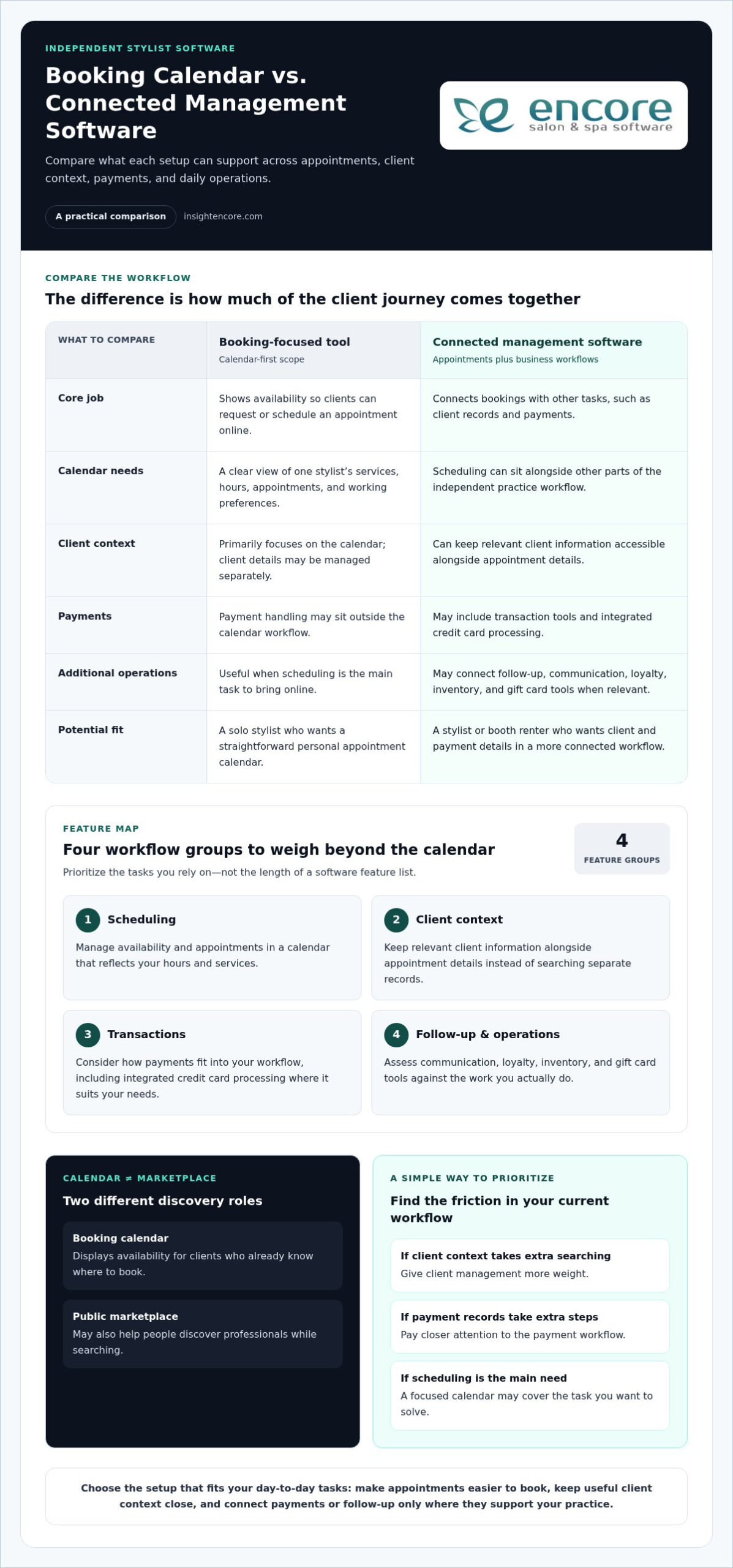
Categories
Uncategorized

The Ultimate Guide to Salon POS Software with Inventory Management in 2026

Last Saturday, Sarah realized her salon was out of its bestselling shampoo right as a client reached for their wallet. It’s a sinking feeling that every owner knows too well. You shouldn’t have to spend your Sunday nights manually counting bottles or wondering why your backbar supplies are disappearing. It’s exhausting to have your hard-earned cash tied up in slow-moving products while your favorites vanish without warning. This is exactly why implementing modern salon POS software with inventory management is the most important step you can take for your peace of mind.

The good news is that you can turn this daily stress into a streamlined, automated process. We’re going to show you how to unify your checkout and stockroom to eliminate waste, prevent stockouts, and boost your bottom line. We’ll explore how real-time visibility and automated reordering can give you back your evenings and keep your shelves full. This guide covers everything you need to know to gain organized control and see higher profit margins in 2026. Let’s get your business running as smoothly as your best blowout.

Key Takeaways

  • Stop losing money to manual entry errors and high shipping fees by connecting your front desk and backroom data.
  • See how salon POS software with inventory management uses automatic stock level adjustments to keep your shelves full without the guesswork.
  • Learn to manage the “two-headed beast” of retail products and backbar supplies to protect your profit margins.
  • Follow a clear implementation strategy to move from exhausting spreadsheets to a unified platform with confidence.
  • Discover why a human-centric approach to technology makes the transition easy for you and your entire team.

The Silent Profit Killer: Why Disconnected POS and Inventory Systems Fail Salons

Many salon owners treat their front desk and their stockroom as two different worlds. This gap is where profit goes to die. When your sales data doesn’t talk to your supply levels, you’re dealing with "data fragmentation." It’s a technical term for a very practical headache. You end up with "emergency ordering" and paying high overnight shipping fees just to keep your bestsellers on the shelf. This isn’t just about the money; it’s about the stress. Your team feels the weight when they have to apologize to a loyal client because a promised product isn’t there. In 2026, relying on "good enough" spreadsheets is a risk you don’t need to take. Moving toward Inventory management software that integrates directly with your sales is the only way to stay competitive.

The Friday Night Crisis: Stockouts and Manual Overrides

It usually happens during the busiest shift. A barcode won’t scan, so your stylist performs a manual price override just to keep the line moving. While the client is happy in the moment, your records are now broken. The system doesn’t know that specific bottle of volumizing spray is gone. This leads to replenishment failures. Inventory shrinkage is the loss of products between the point of purchase from a supplier and the point of sale, usually caused by theft, damage, or record-keeping errors. Over a year, these small gaps can slash your annual margins by thousands. When a client leaves empty-handed, you don’t just lose a sale. You lose the retail loyalty that keeps your business stable. Implementing a modern salon POS software with inventory management allows you to see these gaps before they become crises.

Data Fragmentation and the Difficulty of True ROI

You can’t grow what you can’t measure. Without integrated backbar tracking, calculating your true cost per service is nearly impossible. Are your stylists using two ounces of color or four? If your backroom isn’t synced, you’re just guessing at your profit. Reconciling the till at the end of the day becomes a nightmare when the physical stock doesn’t match the digital report. This is where Encore Salon Software steps in. By using a unified salon POS software with inventory management, you eliminate the friction between your sales and your supplies. You get a clear, honest look at your business health every single day. This visibility helps you make decisions based on facts rather than feelings.

Core Features of Modern Salon POS Systems with Integrated Inventory

Choosing the right salon POS software with inventory management isn’t just about bells and whistles. It’s about building a foundation that works while you’re busy with clients. You need a system that handles the details so you don’t have to. Without these core features, you risk the dangers of disconnected inventory systems, which often lead to wasted resources and lost sales. Modern platforms act as a silent partner. They can manage stock across different chairs or studio branches from one dashboard, ensuring your multi-location synchronization is seamless and accurate.

Automated Stock Level Adjustments at Point of Sale

A truly integrated system understands the difference between a bottle of retail conditioner and the gallon of shampoo used at the sink. Every time a product is scanned at checkout, the software should trigger an immediate update across your entire business. This real-time syncing is vital for online booking portals where products might be pre-sold or reserved. When your payments are linked through integrated credit card processing, the inventory-to-income cycle speeds up significantly. You get paid, the stock is deducted, and your records stay perfect without a single manual entry. If you’re curious about how this could work for your space, you can explore our comprehensive management features to see the logic in action.

Barcode Scanning and Mobile Management

Gone are the days of being tethered to a desktop computer with a massive binder of spreadsheets. Modern tools allow you to perform walking audits using a mobile device or tablet. You can scan bottles right on the shelf to verify counts in minutes instead of hours. This mobility is especially helpful for variant tracking. If you carry a hairspray in three different sizes or a color line with fifty shades, the software keeps each one distinct. It’s a simple change that makes a massive impact. Industry experts often note that barcode scanning can reduce human error by as much as 90% in busy salon environments compared to manual typing. This accuracy ensures that your par levels, the minimum amount of stock you need to have on hand, are always reliable. Your system will send you a low-stock alert before you ever have to tell a client no.

Managing the Two-Headed Beast: Retail vs. Backbar Inventory Tracking

Managing a salon involves balancing two completely different types of inventory. First, you have your retail products. These are high-margin items meant for client purchase and prominent display. Then, there is the "backbar." These are the professional-use supplies like color, developers, and shampoos that keep your services running. While retail is visible, backbar costs are often hidden. They can quietly drain your profits if they aren’t tracked with precision. Using a unified salon POS software with inventory management allows you to oversee both categories without overwhelming your front-desk team. It keeps the data separate but accessible, ensuring you have a full picture of your studio’s health.

The real challenge often lies in the "Service Cost" problem. If you aren’t tracking your supplies down to the gram or milliliter, you can’t truly know if your color services are profitable. A stylist might use three ounces of color for one client and five for another. Without digital tracking, that variation remains a mystery. Modern software solves this by allowing your team to log usage during the service, which the system then reconciles automatically. This ensures your professional supplies are always accounted for and your margins stay protected. You stop guessing and start growing based on real numbers.

Optimizing Retail Margins with Sell-Through Analytics

Your retail shelves should be a source of income, not a graveyard for "dust collectors." These are slow-moving products that sit on your shelves and tie up your cash flow. By reviewing sell-through analytics, you can identify exactly which brands are performing and which are just taking up space. You can even use this data to trigger automated marketing campaigns for your highest-margin items. This turns your inventory into a proactive sales tool. For more details on how this works in specialized environments, check out The Complete Guide to Choosing a Spa Inventory Management System in 2026.

Reducing Waste in the Backbar

Waste is the enemy of a healthy stockroom. One of the most effective ways to combat this is by implementing "formula notes" within your CRM. This allows you to predict exactly how much product a recurring client needs based on their history. You can also adopt a "parts and labor" pricing model. This ensures the cost of professional supplies is always accounted for in the final bill. This level of detail is especially important for specialized businesses. For example, specialized modules for nail salons are designed to track specific liquids and powders that are easily wasted without strict oversight. A robust salon POS software with inventory management turns these tiny measurements into clear profit data.

The Ultimate Guide to Salon POS Software with Inventory Management in 2026

Implementation Strategy: Moving from Spreadsheets to a Unified Platform

Switching from a binder of papers or a messy spreadsheet to a digital system can feel like a mountain to climb. It doesn’t have to be. By following a logical path, you can transition your business without the stress. The right salon POS software with inventory management is designed to make this move simple, but it starts with a clean slate. You’re not just moving data; you’re setting up a more profitable future for your team. Here is how you can get started:

  • The Master Audit: Physically count every bottle, tube, and foil box in your building. This is your baseline. Without an accurate start, your digital records will never be right.
  • Categorization: Organize your products by brand and type. Clearly separate retail items from backbar supplies to keep your reports clean.
  • Data Import: Use CSV templates to move thousands of SKUs in minutes. Most modern systems allow you to upload your entire list at once, saving you hours of manual typing.
  • Team Training: Build a culture where "scan everything" is the rule. Whether it is at the station or the front desk, every item must be tracked.

Preparing Your Data for a Seamless Transition

Before you hit the import button, take a moment to clean your digital house. Don’t bring "dead stock" into your new system. If a product hasn’t sold in twelve months, it doesn’t need to be in your active inventory. During this setup phase, you should also set your minimum and maximum stock levels for every SKU. These par levels tell the system when to send you an alert. Adding high-quality product photos to the interface also helps your staff identify items at a glance, which reduces errors during a busy shift.

Building Staff Accountability for Inventory Accuracy

Accuracy is a team effort. By using individual staff logins, you can see exactly who is checking out products or performing updates. This isn’t about micromanaging; it’s about transparency and support. When everyone is responsible, accuracy goes up. You can also move away from those exhausting five-hour monthly audits. Instead, create a weekly audit schedule that targets specific brands or sections. It takes fifteen minutes and keeps your data fresh. You can explore the specific Encore features that support this level of staff management and accountability.

Start your stress-free transition today

Why Encore Salon Software is the Strategic Choice for Growth-Minded Studios

Encore isn’t just another software vendor. We’ve been a supportive partner to the beauty industry since 1991. Our roots with Syntec Business Systems mean we understand the daily rhythm of a busy shop. When you choose our salon POS software with inventory management, you aren’t just buying a tool. You’re gaining an ally that values your peace of mind as much as your growth. We’ve spent decades refining our workflows to remove the frustrations that keep you up at night. This long-term expertise allows us to offer a system that feels human-centric and reliable.

Specialized Inventory Logic for Niche Beauty Services

Different studios have different needs. A one-size-fits-all approach doesn’t work for a high-volume barber shop or a custom tattoo studio. Our tattoo studio software is built to manage the unique mix of single-use disposables and expensive ink sets. Meanwhile, barber shops benefit from a rugged interface designed for fast walk-ins. We also provide specialized tools for independent professionals. These tools allow booth renters to manage their own mini-inventory without getting lost in an enterprise-level system. For more on this, read The Independent Stylist’s Guide: Why You Need a Booth Renter Client Management App in 2026.

We know that technology can feel intimidating. That’s why we prioritize the human touch. Our support team doesn’t treat you like a ticket number in a queue. We approach every interaction with a "can-do" attitude and a commitment to your success. Whether you’re upgrading from an old system or starting a new studio, we are here to guide you every step of the way. You deserve a salon POS software with inventory management that is as dedicated to your craft as you are. Let’s build something great together.

Take Control of Your Salon’s Future Today

You’ve poured your heart into building your studio. Don’t let manual inventory counts or unexpected stockouts slow your progress. Moving to a unified system means you can finally stop guessing and start making decisions based on real data. You’ll gain real-time visibility into your stockroom while providing a faster, more professional checkout experience for your clients. It’s about more than just software. It’s about giving yourself the freedom to focus on your artistry while your business runs itself.

By integrating your payments and tracking every ounce of backbar usage, you protect your hard-earned margins and eliminate waste. The right salon POS software with inventory management turns your daily stress into an organized, automated flow. We’ve been a trusted partner to the beauty industry since 1991, offering specialized modules for every niche and integrated payments designed for 2026 efficiency.

Streamline your studio today with Encore Salon Software
You deserve a business that runs as smoothly as your best services. We’re excited to help you take this next step toward a more profitable and peaceful future.

Frequently Asked Questions

How does salon POS software with inventory management save me money?

Salon POS software with inventory management saves you money by stopping profit leaks from over-ordering and high shipping fees. It helps you identify slow-moving products so you don’t tie up cash in items that don’t sell. By tracking every bottle and tube, you also reduce inventory shrinkage from theft or unaccounted usage. This precision ensures your capital stays in your pocket rather than sitting idle on shelves.

Can I track both retail products and professional backbar supplies?

You can easily track both retail products and professional backbar supplies within the same system. The software keeps these categories separate so your sales data doesn’t get cluttered. Retail items are monitored for high-margin sales, while backbar supplies are tracked for service costs like color or developer. This level of detail allows you to calculate your true ROI for every service you provide to your clients.

Does the software work on mobile devices and tablets?

Our software works perfectly on mobile devices and tablets to give you freedom of movement. You can perform audits or check stock levels while walking through your studio instead of being stuck at a desktop. Stylists can even log usage at their stations in real time. This mobility makes inventory management a quick, natural part of your day rather than a long task after closing.

What happens to my current inventory data if I switch to Encore?

Switching to Encore is a smooth process because we help you import your current data using CSV templates. You can move thousands of SKUs into your new account in minutes without tedious manual entry. Our supportive team acts as a guide to ensure your records are clean and organized from the start. It’s a simple way to upgrade your business without the stress or data loss.

Is it possible to set up automatic ordering of low-stock items?

You can set up automatic ordering of low-stock items by choosing "par levels" for every item you carry. When a product hits that minimum level, the system automatically adds that product to your next purchase order so you can reorder before you run out. This prevents the frustration of telling a client that their favorite product is out of stock. It keeps your retail shelves profitable and your backroom fully prepared for every appointment.

How does integrated credit card processing help with inventory accuracy?

Integrated credit card processing links your payments directly to your stock levels. Every time you scan a product and process a payment, the system automatically updates your inventory records. This removes the need for manual overrides or end-of-day reconciliations that often lead to errors. It ensures your digital reports are always 100% accurate, giving you peace of mind even during your busiest shifts.

Can I manage inventory for multiple salon locations from one account?

You can manage inventory for multiple locations from a single, unified dashboard. This feature allows you to see stock levels at every branch and even transfer products between sites if one location is running low. It’s a powerful way to maintain control over your entire brand while managing the specific needs of each studio. You get a clear picture of your total business health at once.

Does Encore offer specialized inventory tracking for tattoo or nail studios?

We offer specialized modules for tattoo studios, nail salons, and barber shops that are tailored to your specific tools. Our tattoo logic tracks single-use disposables and ink sets, while our nail salon tools monitor liquids and powders with precision. These niche-specific features ensure that your salon POS software with inventory management fits your unique workflow. We understand your craft and provide the exact tracking tools you need to succeed.

Disclaimer

This article is general in nature and may contain errors, please verify all claims with your sales rep