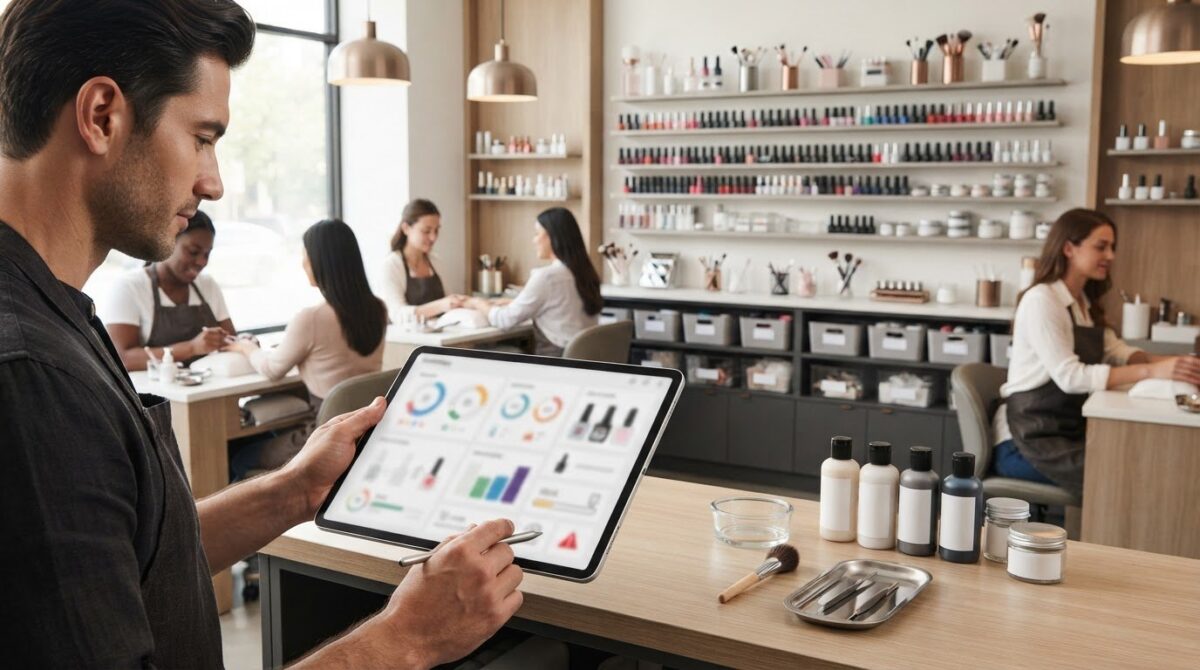
A salon app should do more than fill the appointment book. A mobile app for salon owners to manage their business can bring scheduling, client histories, payment tools, and reports together in one place. Look for features that also help track inventory and manage missed appointments, two everyday challenges that can affect workflow and revenue.
It’s reasonable to expect appointment booking and payment tools to save time. Look for features that let clients book online around the clock, keep appointment slots up to date, and make it easier to follow up on missed visits. Client profiles can also help you review service history and preferences before an appointment.
This guide explains the features to look for, from scheduling and payments to reports, inventory tracking, and missed-appointment management. It covers how these tools work together, what to consider when comparing salon apps, and how an all-in-one system can simplify daily operations.
Key Takeaways
- Choose scheduling tools that keep bookings visible and update availability as appointments are made, helping reduce double-booking risks.
- Use payment records and reminders to make outstanding balances easier to track and follow up on.
- Keep client profiles and service histories organized so you can prepare for appointments with useful details at hand.
- Review financial reports alongside inventory records to spot business patterns and keep product levels in view.
- Track missed appointments consistently and use the information to shape a clear, fair no-show process.
1. Appointment scheduling and double-booking prevention
For a solo stylist, a mobile calendar should make personal availability and client bookings easy to manage. A salon with multiple employees needs staff-specific calendars, clear service assignments, and shared visibility. If you manage multiple locations, choose a system with multi-location support. Match the setup to the way appointments move through your business.
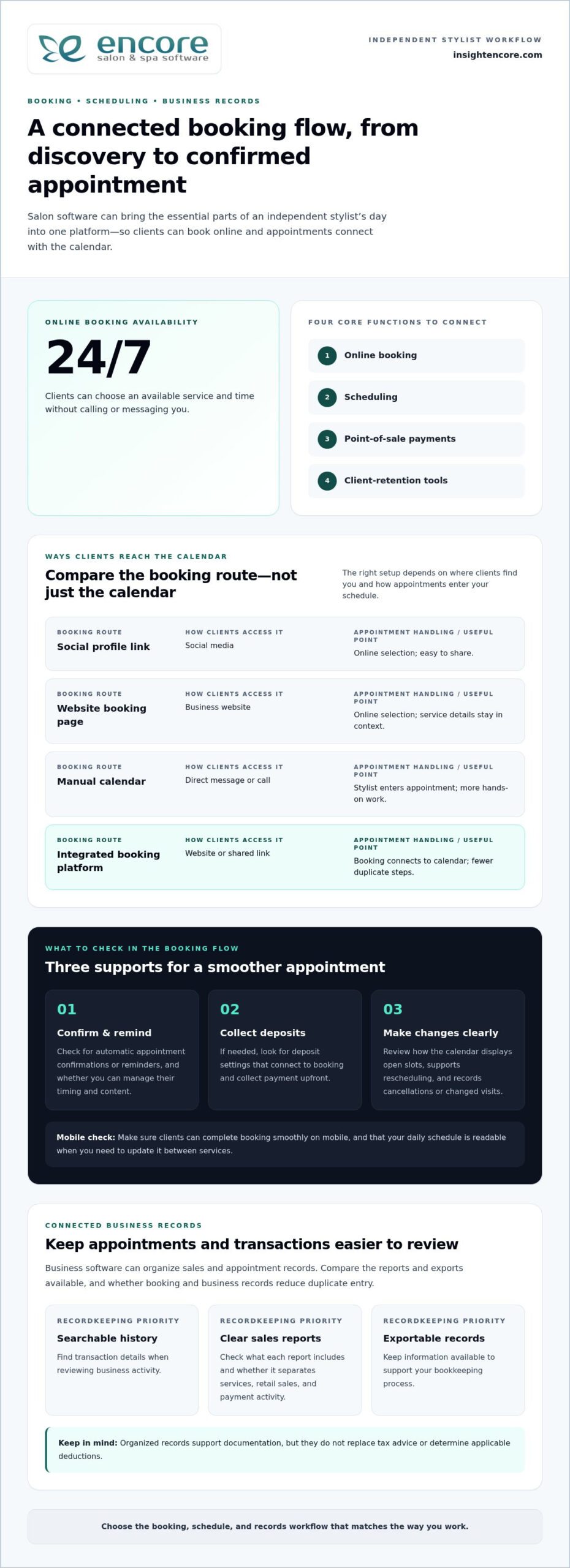
Online booking lets clients request appointments without waiting for the salon to respond. Some salon apps support booking 24 hours a day, 7 days a week, through a personalized booking website. When a client reserves a time, the system can block that slot on the calendar. This helps prevent another client or staff member from booking the same time.
Use the mobile calendar to review the day, make changes, and see upcoming appointments while away from the front desk. Web and mobile access can work alongside each other, so a change entered on one interface is visible on the other. For example, if a stylist moves a colour appointment, the updated time should appear in the shared schedule.
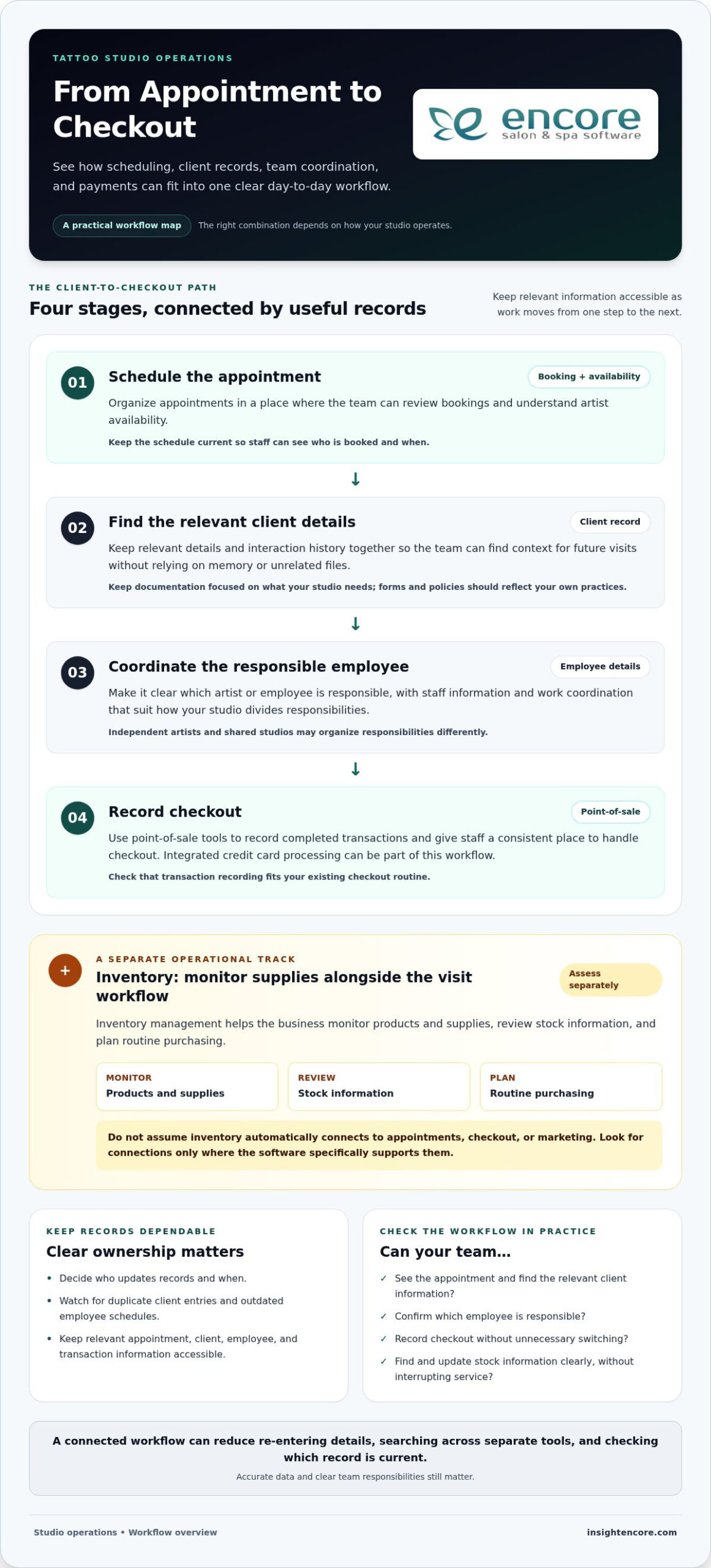
Appointment booking and payment tools can connect a reservation to checkout. Depending on the setup, clients may pay when booking or at the salon, while staff can see appointment details in the calendar. An online booking module helps salons accept appointments online and organize them for staff to manage.
Compare salon software by its included tools, employee management, and payment processing. Encore pricing is per location and based on the number of employees. Integrated credit-card processing comes with guaranteed lowest rates. Review how online booking, checkout, and payment processing fit your salon’s workflow.
In the United States, privacy requirements depend on the information a salon collects and applicable federal and state rules. Limit access to client profiles, protect staff accounts, and handle contact, service, and payment details carefully. These practices help keep appointment management organized without exposing more client information than staff need.
Set up the calendar before moving every appointment. First, list services, appointment lengths, staff schedules, breaks, and business hours. Then enter upcoming bookings and client contact details, checking for duplicates and overlapping appointments. Test the booking flow with a sample appointment, including a change and cancellation, before directing clients to the new calendar.
Before relying on the schedule, compare it with the salon’s current bookings. Confirm that each employee sees the right appointments and that online availability reflects actual working hours. A clear setup makes daily booking easier to manage and gives clients a reliable way to reserve time.
When implementing Encore Salon & Spa Software, confirm that the free personalized website is available to clients and that they can book appointments online through it. When a booking is made, the software blocks that time slot, helping prevent a second booking for the same time. This connection between the online booking route and the calendar gives staff a clearer view of reserved availability.
Check that a reserved time no longer appears open so staff can rely on the schedule when reviewing requests or managing existing appointments. Keep online booking and calendar information aligned so clients and staff see the same availability.
2. Credit ledgers and payment reminders
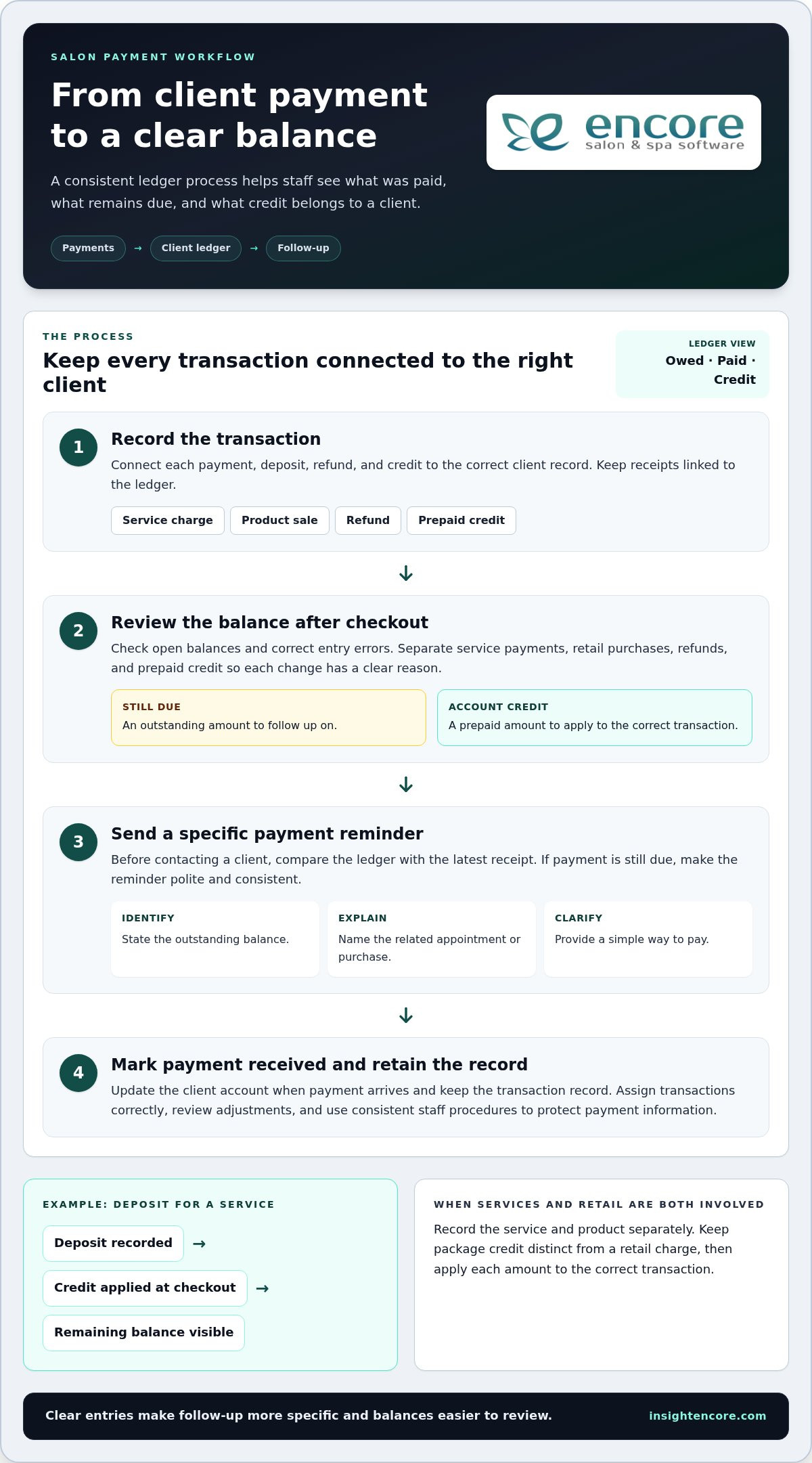
A client ledger shows what a client owes, has paid, or holds as account credit. It connects service payments, retail purchases, deposits, and adjustments to the client record. For example, if a client pays a deposit before a colour service, record it against the appointment. At checkout, apply the credit and leave any remaining balance visible.
Separate transactions by type. A service charge, product sale, refund, and prepaid credit affect an account differently. Clear labels help staff understand why a balance changed without searching through receipts. For beauty services that include retail products, record the service and product separately. This makes it easier to see what remains unpaid and what has been settled.
Payment reminders work best when they identify the balance and explain the next step. A reminder can say that payment remains due, name the related appointment or purchase, and provide a simple way to pay. Keep the wording polite and consistent. Before sending it, compare the ledger with the latest receipt to avoid reminding clients about balances they have already paid.
Build a repeatable follow-up process inside your payment workflow:
- Record each payment, deposit, refund, and credit against the correct client.
- Review open balances after checkout and correct any entry errors.
- Send a clear reminder for an outstanding amount through the system’s available communication tools.
- Mark the account when payment arrives, then retain the transaction record.
This process distinguishes an unpaid balance from account credit. For instance, a client may have prepaid for a package and later bought retail items. Keep the package credit separate from the product charge, then apply each amount to the correct transaction. Staff can explain the account clearly, and owners can review outstanding balances without relying on memory or scattered notes.
Use access controls and consistent staff procedures to protect payment records. Assign each transaction to the correct client, review adjustments, and keep receipts connected to the ledger. For card payments, integrated credit card processing can connect payment activity with salon operations. A tidy ledger makes payment follow-up more specific, while reminders help keep the next step visible to both staff and clients.
3. Customer profiles and service history
A client profile gives staff useful context before a service. Salon software can record previous hair dye formulas and allergy histories, helping stylists review relevant details before mixing colour. Profiles can also bring visits, services, preferences, and notes together. For example, a returning client’s record might show their last colour service and preferred finish.
Keep entries clear and specific. “Prefers a cool brown” gives a stylist more context than “likes brown.” Record the date and service with each note so staff can distinguish a current preference from an older one. When a client changes their mind, update the profile rather than leaving conflicting instructions in separate places.
Build a consistent profile routine around the appointment:
- Match the client to an existing profile before creating another record.
- Review service history and relevant notes before the consultation.
- Add the service performed and any client-approved preference afterward.
- Correct outdated details when the client provides an update.
Accurate records help prevent duplicate profiles and scattered notes. For example, if a client books under a shortened name, search their contact details before opening a new record. If two records already exist, follow the platform’s process for merging or correcting them. A clean record makes the client’s service history easier for the team to follow.
Profiles can support a personal consultation without turning notes into assumptions. A stylist might see that a client previously requested a shorter finish, then ask whether they want the same result again. Treat past preferences as useful context, not a substitute for a fresh conversation. Confirm the current service details with the client before proceeding.
Keep notes focused on service delivery. Record details that help staff prepare, such as a preferred appointment approach or products used during a past visit. Avoid unrelated personal commentary. Clear, respectful entries help another team member understand the record without guessing what a note means.
Access matters when several employees use the same platform. Make it easy for staff to find the right profile, and include record updates in the appointment workflow. If a client shares a new preference at checkout, add it while the visit is still fresh in mind. A well-maintained history helps the next consultation start with relevant context, not a search through old messages.
Review profile quality as part of routine salon administration. Look for duplicate entries, incomplete service records, and notes that no longer reflect a client’s preferences. Correcting these details keeps histories useful for future visits and supports consistent service across the salon.
4. Financial reports and profitability
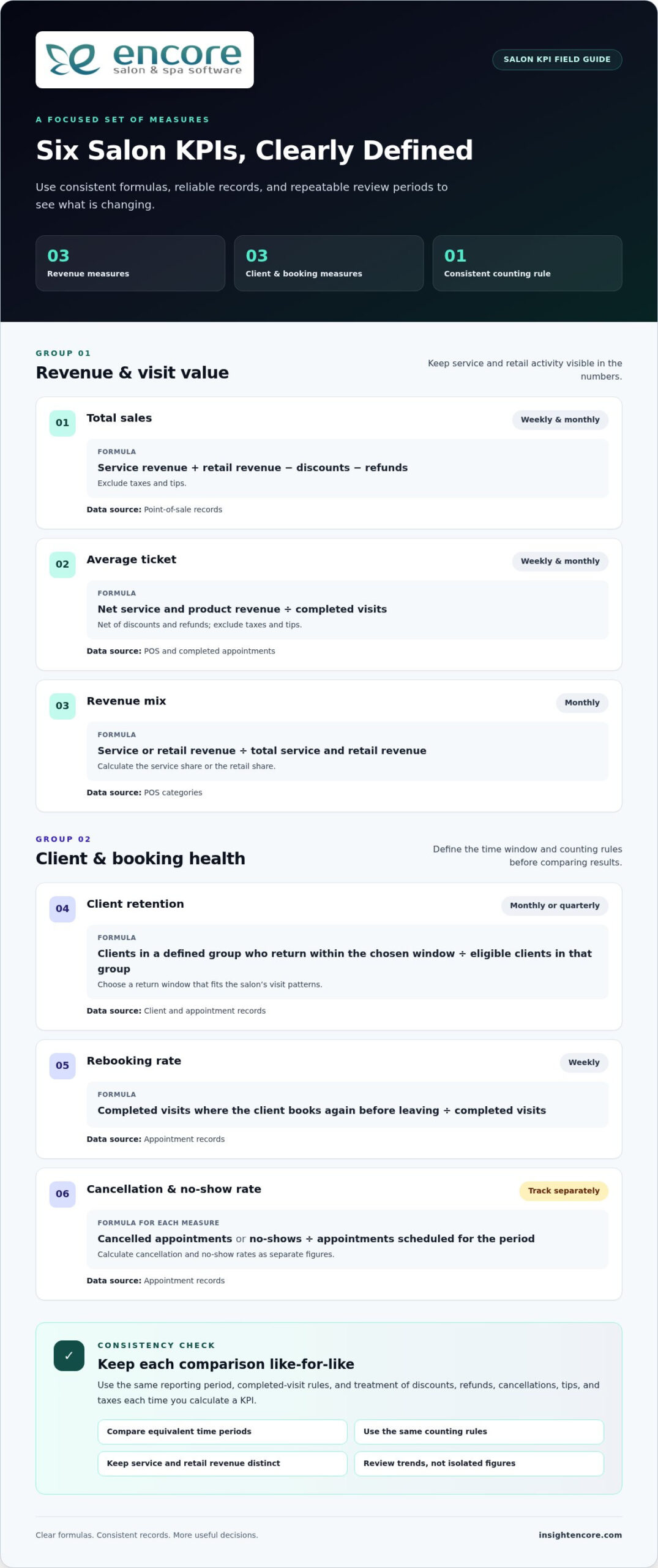
Salon software can generate daily, weekly, and monthly financial reports. Each view answers a different management question. A daily report can help you review recent sales and expenses. A weekly view shows whether activity is consistent across the workweek. A monthly statement helps you compare broader business patterns and plan decisions.
Start by checking how the platform groups revenue. Service income, retail sales, and other recorded transactions should be easy to distinguish. If a report combines different income streams, it becomes harder to see what customers are buying. Separate service and retail totals, for example, can show whether product sales contribute to the salon’s overall performance.
Then review the expense categories included in the report. Rent, supplies, payroll, and marketing are examples of costs that affect profitability. Consistent categories make comparisons more useful across reporting periods. If supply purchases are recorded differently each month, a change in the report may reflect inconsistent bookkeeping rather than a real business shift.
Use a simple review routine for each reporting period:
- Choose the daily, weekly, or monthly statement that fits the decision.
- Compare service revenue with retail sales and recorded expenses.
- Look for a change in a category, then review its underlying transactions.
- Record the question or action you want to revisit in the next report.
For example, a weekly report might show lower retail sales alongside steady service activity. That gives you a focused question: are clients buying fewer products, or are sales being recorded under another category? Review transactions before changing inventory or marketing plans to distinguish a reporting issue from a business trend.
Marketing activity also needs context. A report can help you compare recorded sales across periods, while campaign records can help explain what changed. Timing alone does not prove that a promotion caused a sales increase. Review the offer, audience, and related transactions together before deciding whether to repeat it.
Tax records need care, too. The Internal Revenue Service receives income taxes from self-employed beauty professionals and business owners. Keep business transactions organized and retain the records needed for tax preparation. A salon report can summarize business activity, but its figures should match the underlying accounting records.
Make reporting a repeatable management habit. Review the same categories in each daily, weekly, or monthly statement, and investigate unusual changes before acting. Clear reports help you identify questions worth exploring, such as whether service revenue, retail activity, expenses, or marketing results shifted. That gives your next business decision a concrete starting point.
Include client records and service activity in the broader review. Salon owners can use client profiles to view previous hair dye formulas and allergy histories. These records can provide context for recorded services and details to review before a future appointment. Treat profile information as a reference alongside transaction records, not as a substitute for accurate sales and expense entries. A consistent review connects financial summaries to the work behind them.
5. Inventory tracking and no-show management
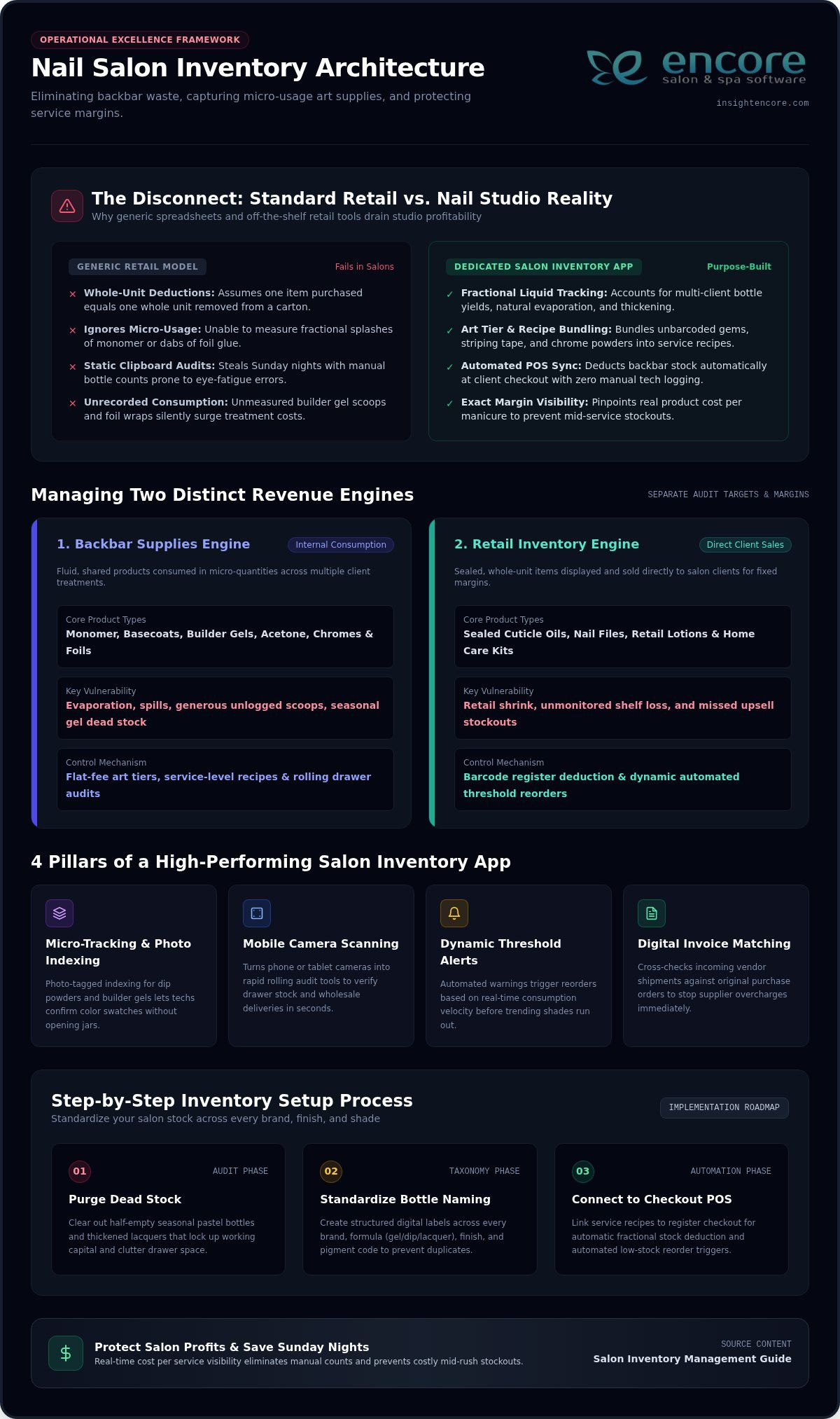
Inventory control matters during services and retail checkout. Salon inventory software can update stock when a product is used or sold. For example, recording colour products used during a service keeps the stock count current. Recording a retail sale should reduce the available quantity as well.
Start by entering each product with a clear name and category. Separate back-bar supplies from retail items so staff know which products are used for services and which are for sale. Update product records when stock arrives. During checkout or service completion, record what leaves the shelf. Consistent entries make stock levels more useful for purchasing decisions.
Set a regular stock review that fits the salon’s workflow. Compare the system count with the shelf, then investigate differences before reordering. A mismatch might come from an unrecorded product sale, service use, or delivery. Correct the transaction record first to make the next inventory review more reliable and help prevent repeated counting errors.
Which apps manage salon inventory, client records, marketing, and loyalty programs? Look for salon management software that connects these functions, keeping product activity and client engagement in one platform. An all-in-one system can help owners track stock, maintain customer records, and coordinate marketing and loyalty activity without switching between separate tools.
No-shows need a clear record, not just a blank space in the calendar. Mark missed appointments consistently and distinguish them from cancellations or rescheduled visits. That history helps the owner see whether missed bookings are isolated or recurring. Staff can then follow the salon’s established policy and apply it consistently across future appointments.
Use appointment reminders as one part of no-show management. A reminder gives clients a chance to confirm, cancel, or request a new time before their appointment. When a client does not arrive, record the outcome and any follow-up. Avoid treating every missed visit the same way: a first-time absence and a recurring pattern may call for different conversations.
Connect the records. A client profile can show appointment history, while inventory records show products used or sold. Reviewing both can help staff prepare for a returning client’s service and identify products to replenish. Marketing and loyalty tools can then support relevant follow-up, such as sharing a product update with clients who previously purchased it.
Make the routine practical: record product use, log retail sales, review stock discrepancies, and document missed appointments. These steps turn inventory and attendance records into useful operating information rather than disconnected notes.
Encore Salon & Spa Software: Encore Salon Software
Encore Salon & Spa Software is a practical next step if you want salon operations organized in one management platform. Encore Salon Software brings together online appointment booking, client management, inventory tracking, and point-of-sale transactions.
Consider Encore when separate systems make it harder to keep bookings, client records, product stock, and checkout activity aligned. Encore Spa Software, Chair/Booth Renter Software, and Tattoo Studio Software provide management tools for those business formats.
To explore whether Encore Salon Software fits your salon’s workflow, contact Encore Salon & Spa Software.
Choose a system that fits your next step
Turn the feature checklist into a practical decision. Identify the daily task that causes the most friction, then consider how a connected system could fit your team’s routine. A mobile app for salon owners to manage their business should support the way you work now and help keep essential operations organized as your needs change.
Encore Salon & Spa Software offers Encore Salon Software, Encore Spa Software, and Chair/Booth Renter Software. These options give salons, spas, and independent renters a starting point for matching management software to their business setup. Focus on the workflows you want to bring together, then explore how the right fit could support your business.
Small, thoughtful improvements can make daily work more manageable. Choose a clear, achievable next step and move forward with confidence.
Frequently Asked Questions
What are the best mobile apps for salon owners to manage their business?
The best fit is a platform that matches your salon’s daily workflow and works on your devices through a current web browser. Encore Essentials and Encore Elite support salon operations, with every Encore feature available at all pricing tiers and Elite adding extra modules. Compare how each option handles booking, employee management, checkout, and records. A solo stylist may prioritize straightforward scheduling, while a team may need tools for employee coordination.
What salon management app features are essential for appointments, payments, and staff scheduling?
Prioritize online appointment booking, point of sale, integrated credit-card processing, and employee management. These tools connect client bookings with checkout and staff operations. For example, a salon with commission-based pay may need payroll and commission tracking, while teams tracking attendance can benefit from an employee time clock. Encore Essentials includes booking, point of sale, and employee management; Encore Elite adds modules such as an employee time clock and payroll or commission tracking.
Which salon apps support online booking, reminders, and waitlists?
Look for online booking, appointment confirmations, and a way to manage openings after cancellations. Every Encore subscription includes online appointment booking and free SMS appointment confirmations. Encore Elite also includes an appointment cancellation list and email notifications for online bookings and appointment changes. A cancellation list and a waitlist are not automatically the same feature, so consider how your salon wants to offer newly opened times to clients.
Disclaimer
This article is general in nature and may contain errors, please verify all claims with your sales rep