
window.dataLayer = window.dataLayer || []; function gtag(){dataLayer.push(arguments);} gtag('js', new Date()); gtag('config', 'UA-206511945-1');
Search
Categories
Uncategorized

Appointment Scheduling for Multiple Stylists at Salons

What makes booking the right stylist easy? A clear appointment scheduling system lets clients choose a preferred stylist, then select from that stylist’s available times and services. For salons, appointment scheduling for multiple stylists also means coordinating work hours, service lengths, and bookings so appointments fit without overlapping.

It’s natural to want a stylist you know and trust while finding a time that works. A shared schedule makes those choices clearer for clients and gives the salon team one place to manage each stylist’s availability and appointments.

Here, you’ll learn how clients can book a preferred stylist and how salons organize availability, match services to stylists, set appointment times, and prevent conflicts. The result is a smoother booking process, with fewer surprises for clients and staff.

Key Takeaways

  • Use a shared schedule to coordinate stylist appointments and reduce the risk of overlapping bookings.
  • Let clients select a preferred stylist, then see appointment times that fit that stylist’s availability.
  • Keep each stylist’s working hours and time off up to date so unavailable slots aren’t offered for booking.
  • Match services to stylists who can perform them, and set appointment lengths to reflect the work involved.
  • Choose salon scheduling software that supports the way your team manages its calendars, services, and bookings.

Preventing double bookings

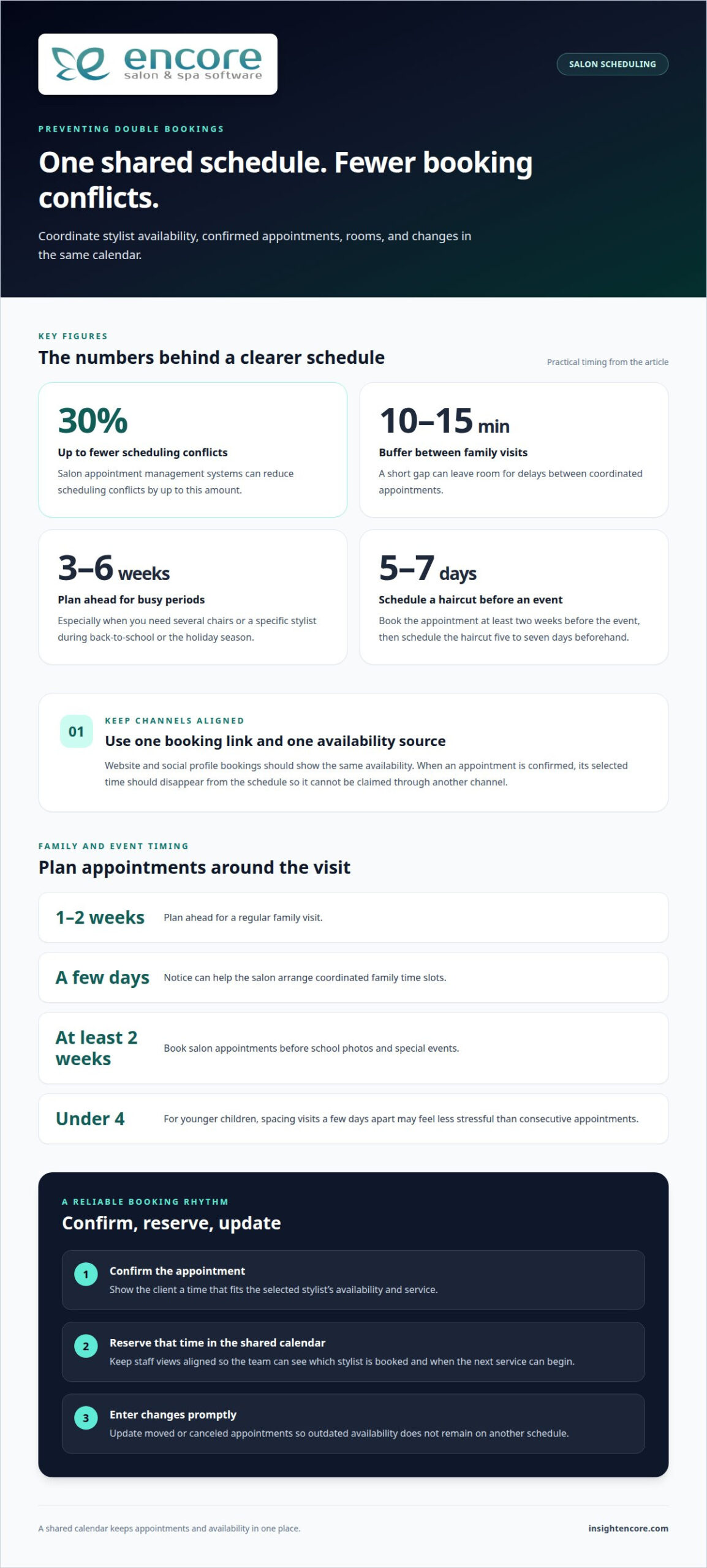
Double bookings often happen when separate booking channels show different availability. A shared calendar gives the salon one schedule for coordinating every stylist’s appointments.

Website and Social Platform Bookings

A salon website can direct clients to available appointment slots, while social profiles can make the booking page easier to find. Use the same booking link and availability information on both channels. When a client books online, the selected slot should disappear from the schedule so another household member can’t claim it through a different channel.

For example, a client who finds a haircut through a salon’s social profile can follow its booking link and choose a time. The salon can manage that reservation alongside appointments booked directly with staff, rather than relying on separate lists.

Salon Booking Rules

For day-to-day scheduling in U.S. salons, keep availability accurate, reserve each confirmed appointment, and follow the salon’s stated booking and change terms. These are practical operating habits, not a single timetable for every salon. A shared calendar helps staff see which stylist is booked and when the next service can begin.

Families booking together should tell the salon each member’s requested service and preferred stylist. Staff can then coordinate the appointments instead of treating each booking separately. For a regular family visit, plan one to two weeks ahead. For coordinated family time slots, a few days’ notice can help the salon arrange the schedule.

Plan ahead for school photos and special events. Book salon appointments at least two weeks before the event, then schedule a haircut five to seven days beforehand so the hair has time to settle. During busy periods, such as back-to-school or the holiday season, book three to six weeks ahead, especially when you need several chairs or a specific stylist.

To prevent overlap, the salon can use a digital booking tool that blocks a stylist’s reserved time as soon as an appointment is confirmed. For family appointments, a 10 to 15-minute buffer between visits can leave room for delays. The salon should also enter changes promptly; otherwise, a canceled or moved appointment may still appear unavailable to clients.

For younger children, back-to-back appointments may feel tiring. If a child is under four years of age, spacing visits a few days apart may be less stressful than consecutive appointments. If the family needs a single visit, staff can use each person’s service and stylist preferences to organize the sequence and keep the shared schedule clear.

01 What is the best salon appointment scheduling software?

Choose software that combines a shared team calendar with individual stylist schedules. It should also coordinate rooms and locations, sync changes, and make staff access clear.

Shared Calendars and Staff Access

A shared calendar lets reception staff and stylists view the same salon appointments. Look for updates across staff views when a booking is created, moved, or canceled. That way, the team can see which times are taken without relying on separate notes or messages.

Access permissions matter, too. A stylist may need to view their own schedule, while a manager may need to coordinate the full team calendar. Clear permissions help staff work from the same schedule while keeping controls appropriate to their roles.

Stylist, Room, and Location Scheduling

When a salon has several stylists, the calendar should make it easy to see who is assigned to each appointment. Room scheduling adds another layer: a service may need a particular space, so the calendar should show whether that room is in use. At salons with multiple locations, each booking should be tied to the correct site.

These views help staff spot conflicts before confirming a salon appointment. Salon appointment management systems can reduce scheduling conflicts by up to 30%. During a software review, test a realistic example: book one stylist in a room, then try to assign another appointment to that same resource and time.

Individual Calendars and Integrations

Individual calendars help stylists see their own bookings while giving managers a broader view of team availability. If the salon uses multiple calendars, check how changes carry across them. A moved appointment should not remain marked as available in another view, or the team could accidentally double-book that time.

Ask how calendar connections handle edits, cancellations, and new bookings. Also consider whether payment status can be reviewed alongside an appointment without obscuring the schedule. A straightforward setup makes it easier to track what is booked and which details still need attention.

Before choosing, map a typical day: several stylists, shared rooms, and appointments at each location. Check whether staff can find a booking quickly, understand who can edit it, and see schedule changes in the right calendar. Testing those steps is more useful than judging a system by a long feature list. A clear scheduling workflow can support faster decisions, sometimes within seconds. Explore a salon scheduling workflow that fits how your team coordinates calendars.

How can clients book appointments with their preferred hairstylist?

Clients can select a service, choose a stylist, and pick an available time through the salon’s online booking page. A well-organized appointment scheduling for multiple stylists system shows openings that match the selected provider, rather than every appointment time at the salon. For returning clients, a profile with their preferred stylist can make booking easier. Before confirming, review the service and stylist in the booking details.

The booking flow should guide clients through clear choices. First, they select a service. Next, they choose a stylist and review times that fit both. If their preferred stylist has no suitable opening, they can choose another available time or return to the calendar later. This keeps the stylist preference visible instead of assigning an appointment without the client’s choice.

Service selection matters because different appointments need different time blocks. A client booking a haircut should see openings that fit the service and the selected stylist’s schedule. For a color appointment, the booking page should show only times that accommodate the service. Clear service names help clients choose the right appointment before confirming.

Client profiles can make repeat visits easier to prepare for. A shared booking system can store notes about past styles, preferences, and special requests. For example, a client who wants to maintain a particular length can have that preference recorded for the stylist. This gives the team useful context without asking the client to repeat the same details at every visit.

Keep client notes practical and relevant to the appointment. Staff can record the service performed, preferred stylist, and a request to discuss a change next time. If the client books with another team member, shared notes can help that stylist understand the request. Text or email reminders can also prompt clients about upcoming appointments.

Reminders can be sent by text or email, and booking systems may let clients cancel or reschedule online. Salons can explain their cancellation and no-show policies during booking. Systems can track no-show rates and help assess which reminders are working. Where deposits or cancellation fees apply, integrated salon payment systems can process them using securely stored, tokenized card information.

Marketplace-based discovery can introduce clients to a salon or stylist. If a client starts there, their booking details should reach the salon’s central schedule with the chosen stylist and service attached. This gives staff one record to manage instead of separate information to reconcile after the appointment is booked.

For appointment scheduling for multiple stylists, keep the client’s service, chosen provider, contact details, and appointment together in one record. This helps clients see who they’re booked with and gives the stylist useful context before the visit. A clear booking flow makes every step easier to follow, from selecting a service to confirming a time.
Appointment Scheduling for Multiple Stylists at Salons

Individual stylist availability and working hours

Each stylist needs an individual schedule reflecting their working hours, appointments, and time away. A salon booking system can show clients openings based on their selected stylist, rather than treating every chair as available whenever the salon is open. According to the U.S. Bureau of Labor Statistics, salon schedules may vary and often include evenings and weekends, so one set of shared hours may not represent the whole team.

Set each stylist’s regular working hours in the calendar, then update exceptions such as lunch, time off, or a sick day. Digital booking systems can hide appointment slots from clients when a stylist blocks out time. That way, the booking page reflects the stylist’s actual availability, and clients don’t see a slot they can’t take.

Consider a simple example: one stylist works evenings on certain days, while another finishes earlier. The booking page should show evening appointments for the first stylist without implying the second is also available. Separate schedules help clients choose the right person and help staff assign appointments based on current availability.

Live availability depends on keeping the calendar current. When staff add a booking, move an appointment, or block out time, the client-facing view should reflect the change. Otherwise, a client could select a slot that’s already taken. A useful salon booking process connects each stylist’s calendar to the openings shown online and makes changes visible to the team.

An AI receptionist can support availability checks when it reads from the same current schedule used for online bookings. For example, a client asking for an evening appointment with a specific stylist should see times drawn from that stylist’s open slots, not general salon hours. The system should also distinguish between a stylist who is working and one who has an opening for the requested service.

Before publishing availability, review each stylist’s calendar for working hours, blocked time, and existing appointments. Then compare the client-facing booking page with the internal schedule. If a stylist changes shifts, update the calendar first to prevent the system from offering an outdated time.

These checks keep booking accurate without forcing every stylist into identical hours. Clients can choose a preferred person and see relevant openings, while staff retain a clear view of who is available. Keeping individual schedules current is especially important for salons with evening or weekend shifts, when the team’s hours may not overlap.

Matching services with eligible stylists and appointment durations

Good scheduling software connects each service to eligible stylists and a realistic time block. Clear service details also help clients select the right appointment through online booking.

Service and Stylist Matching

Set up each service with the stylists who provide it. For example, if only certain team members perform color treatments, show those providers when a client chooses that service. This prevents clients from booking an unavailable combination and helps staff assign appointments accurately. Keep the preferred stylist visible when eligible, while showing other qualified options if the client wants a different time.

Service Details and Client Needs

Before arranging appointments, capture each family member’s age, hair type, requested service, and sensory needs. A parent might note that one child has long hair and prefers a quieter appointment. These details help staff plan the visit and share relevant context with the stylist. They can also clarify whether family members need different services or separate appointment times.

For a family booking, list each member and their service separately. A request for a haircut and a color service needs different timing and stylist assignments. Specific notes help the salon understand the visit before clients arrive, rather than sorting out the details at the chairs.

Service Setup and Scheduling

AI-assisted setup can help organize service names, eligible providers, and schedule details, but staff should review each entry. Start with the service list, assign the stylists who perform each service, then set the appointment duration. For example, check that an online color service connects to the right team members and calendar availability.

Review settings when the salon adds a service or changes provider responsibilities. A quick check of the service, stylist, and time settings keeps appointment scheduling software aligned with the salon’s actual workflow.

Durations, Prices, and Scheduling Order

Set a duration for each service, then adjust it when client details call for extra time. For a client with particularly long hair, a salon can add 10 minutes to a haircut appointment. Keep prices tied to the service settings, and make any relevant pricing details clear during booking.

For appointments involving several family members, book the longest service first. For example, place a parent’s 90-minute color treatment before shorter services, then fit other family appointments around it. This gives the salon a stable starting point for arranging stylists, chairs, and the remaining time blocks.

Review the full booking sequence against each member’s service and stylist before confirming the schedule.
Explore appointment scheduling options

Encore Salon and Spa Software

Encore Salon & Spa Software gives salons a practical way to coordinate stylist schedules, client bookings, and service details across the team. Its salon and spa management tools include online appointment booking and client management to help keep appointments and client information organized.

Encore can suit salons that want to bring scheduling and client records into their daily workflow, as well as businesses looking for software designed for spa, chair and booth rental, or tattoo studio operations. The right setup depends on how your team handles bookings and client information.

To discuss how Encore Salon & Spa Software can support your salon’s scheduling needs, contact Encore Salon & Spa Software.

Build a Scheduling Workflow Your Team Can Grow With

In your next scheduling review, identify where coordination slows down: setting up services, assigning stylists, or keeping booking information current. Choose a workflow that fits how your salon operates and can adapt as your team, services, or appointment patterns change. A clear process gives staff a consistent way to manage bookings and clients a simpler path to their preferred stylist.

Reliable appointment scheduling for multiple stylists depends on more than a calendar. The right system should support how your salon organizes appointments and client information. Encore Salon and Spa Software offers Encore Salon Software, Encore Spa Software, and Chair/Booth Renter Software for businesses with different operating needs.

Take the next step when you’re ready to bring your scheduling process into a more organized workflow. A thoughtful setup can help your team manage its day with greater clarity.

Contact Encore Salon and Spa Software

Make scheduling work for your team, one well-organized appointment at a time.

Frequently Asked Questions

How can clients book appointments with a specific stylist online?

Clients can select a service, choose a stylist, and pick an available time through the salon’s online booking page. For a returning client, a profile with their preferred stylist can make the next booking easier. Before confirming, review the service and stylist in the booking details. This helps avoid choosing a time that works for the service but not the requested provider.

How do salon scheduling systems manage multiple stylists’ calendars and availability?

Scheduling software organizes appointments around each stylist’s schedule, service eligibility, and assigned resources. For example, a salon manager can use the calendar to see whether a stylist is booked while reviewing the relevant room or location. If a stylist’s work hours change, updating their schedule helps keep future appointment options aligned with the team’s current plan.

What are the best appointment scheduling platforms for salons with multiple stylists?

The best fit is a platform that matches how your salon handles staff schedules, services, client records, and bookings. Encore Salon Software combines online appointment booking with employee management tools for work schedules and service eligibility, plus client management. This can suit salons that want scheduling and client information organized within the same management platform, rather than relying on disconnected records.

How do salons set different services, durations, and prices for each stylist?

Salons can organize service menus with pricing grids, then associate services with eligible stylists. Appointment lengths should reflect the work involved, and prices should match the salon’s chosen service pricing. For instance, list a stylist who performs a particular color service for that service, while showing another stylist only the services they’re eligible to provide.

How can salons prevent double bookings and manage overlapping appointments?

Use one current appointment calendar for bookings made through the salon and online. If a client changes an appointment by phone, update the calendar promptly so the original time doesn’t remain open elsewhere. Resource reservations can help staff account for rooms or other shared spaces. Reviewing overlaps by stylist and resource makes conflicts easier to catch before confirming changes.

What is the process for setting up online booking for multiple stylists?

Start by adding the salon’s services and assigning eligible stylists to each one. Next, enter each person’s work schedule and set the available appointment times. Then connect the booking page to the salon’s appointment calendar and review the client-facing service choices. Test a sample booking with a particular stylist to make sure the service, provider, and time appear together correctly.

Disclaimer

This article is general in nature and may contain errors, please verify all claims with your sales rep

Categories
Uncategorized

Appointment booking system for Instagram and Facebook

Your Instagram profile can do more than start a conversation: it can guide customers from browsing to booking. With an appointment booking system for Instagram, customers can use a booking button to choose a service and available time, while you keep appointments organized through the connected booking software.

It’s natural to want a clear view of bookings from Instagram and Facebook without losing track of appointments in messages. This guide explains how the booking flow works, how to add a Book Now button, and how to keep appointments in sync with your calendar. You’ll also learn how to share booking options with followers and connect your social profiles to an online booking system.

Key Takeaways

  • Connect your booking page to your Instagram profile so customers can choose a service and available time from a booking button.
  • Learn where to add the Book Now action in your Instagram profile and how to make the booking option easy to find.
  • Keep appointments easier to follow by managing bookings through a connected system rather than relying only on social messages.
  • Understand how appointment confirmations and calendar updates fit into the booking flow across Facebook, Instagram, and calendar apps.
  • See how an online booking module can bring social bookings into a more organized appointment process.

How can customers book appointments via Facebook or Instagram?

Customers can book through a connected business profile when it gives them a clear route to online booking. A Book button can take them to a booking page where they select a service and an available time.

Profile and Booking Site Requirements

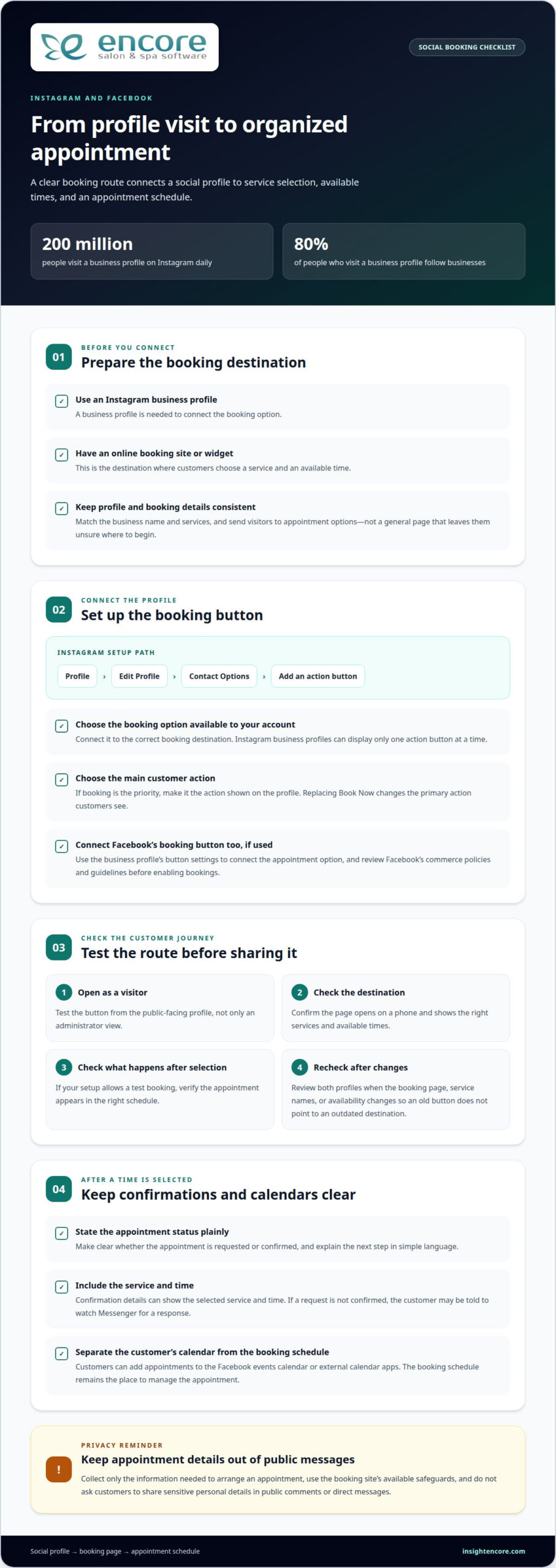
Start with an Instagram business profile and an online booking site or widget. The widget gives customers a destination from your profile. An appointment booking system for Instagram connects that route to the profile, so customers can move from browsing to choosing a service and time.

To connect a booking option, you need a business profile and a booking destination that can be linked to it. Keep the profile details consistent with the booking page, including the business name and services. For example, a salon profile should direct visitors to its appointment options, not a general page that leaves them unsure where to start.

Booking Button Setup

To add an action button on Instagram, open your profile, choose Edit Profile, then Contact Options, and select Add an action button. Choose the booking option available to your account and connect the booking destination. Instagram business profiles can display only one action button at a time, so choose the one that best supports your main customer action.

Before connecting, make sure the booking page loads and shows the services and times customers can select. Test the button from your profile to confirm it opens the right page. This sends customers to your booking site instead of asking them to arrange everything through direct messages.

Facebook business profiles can also have a booking button connected to an appointment option. When profiles and booking tools are connected, customers can select a service, choose an available time, and confirm through the button on Facebook or Instagram. Review Facebook’s commerce policies and guidelines before enabling bookings.

The profile can help customers discover the booking route. Two hundred million people visit a business profile on Instagram daily, and 80% of people who visit a business profile follow businesses. After adding the button, share a post that tells followers they can book through Instagram.

How much do Instagram appointment booking tools cost? Costs depend on the booking system and its features, so compare what each option includes before choosing one.

For privacy and security, collect only the information needed to arrange an appointment, and use the booking site’s available safeguards. Don’t ask customers to share sensitive personal details in public comments or direct messages.

Adding an Instagram Book Now button

A Book Now button takes visitors directly from your Instagram profile to appointment selection. Set it up once your booking page is ready, then test the customer journey before promoting it. The button should lead to the right destination, not an unrelated page or outdated service list.

On Instagram, open your profile and select Edit Profile. Choose Contact Options, then Add an action button, and follow the prompts to connect your booking destination. Instagram business profiles can display only one action button at a time, so decide whether booking is the main action you want visitors to take.

After saving, view your profile as a visitor would. Tap the Book Now button and check that the page opens, the service choices are clear, and available times are visible. Complete a test booking if your setup allows it, then confirm the appointment appears in the right schedule. If the destination is wrong, update the connected booking details before sharing the button.

For Facebook, use the business profile’s button settings to connect its booking option to the right appointment page. Test the button from the public-facing profile, not just an administrator view. Check that the page opens on a phone and that customers can identify the next step. A Facebook button should support the same booking route you share elsewhere, even if its setup controls differ from Instagram’s.

Review both profiles whenever you change your booking page, service names, or availability. If you replace your booking page, for example, an old profile button may still send visitors to the previous destination. Testing each profile helps catch a mismatch before customers rely on the link.

To remove or replace the Instagram button, return to Edit Profile and the action-button controls. Choose the option to remove the button or select a different action. Because Instagram allows one action button at a time, replacing Book Now changes the primary action shown on your profile.

For Facebook, open the business profile’s button controls and remove or change the booking action. Then view the profile as a visitor and confirm the old booking route is gone. To keep appointments easy to find, replace the button with another clear booking path, such as a link in the profile’s website field.

A connected online booking setup can help keep the destination organized as you manage appointments across social profiles.

Automatic calendar updates and confirmations

Bookings are easier to manage when both the customer and the business know what happens next. Customers can add appointments to calendars, including the Facebook events calendar or external calendar apps. That gives customers a personal reference, while the booking schedule remains the place to manage the appointment. Clear confirmation details help prevent confusion about the date, service, and booking status.

After a customer selects a time, the booking flow should clearly explain the result. State whether the appointment is requested or confirmed, then give the next step in plain language. For example, a confirmation can show the selected service and time, while an unconfirmed request can tell the customer to watch Messenger for a response. Appointment requests may transfer to Messenger, where the business and customer can discuss questions.

Customers receive a Messenger notification when the business confirms an appointment. This matters because a request and a confirmed appointment have different statuses. Keep the calendar and booking record aligned when a time changes or an appointment is canceled. Update the appointment record after a cancellation so the time is no longer treated as booked.

What payment, cancellation, and reminder features should an Instagram booking system offer? Look for clear payment options, straightforward cancellation or rescheduling instructions, and reminders that include the appointment details. Explain any payment step before customers submit a booking, and make instructions for changing an appointment easy to find.

Test calendar handling in practice. Make a sample booking, add it to an external calendar app, and review the event details. Check that the date, start time, service, and business name are easy to recognize. Then change or cancel the sample appointment and confirm the booking record reflects the update. Customers shouldn’t have to interpret an outdated calendar entry after leaving the booking page.

Before choosing an appointment booking system for Instagram, consider how it handles calendar access and status changes. A useful setup lets customers add appointments to a calendar and gives the business one clear place to manage requests and confirmed bookings. Don’t rely on a calendar event alone as proof of confirmation. The booking status and any Messenger message should give customers consistent information.

Keep the process clear from the first request to the final calendar entry. A customer booking a haircut, for example, should know whether the appointment is confirmed, how to find its details later, and what to do if plans change. Clear messages and accurate records make every step easier to manage.

Appointment booking system for Instagram and Facebook

24/7 Appointment booking

A booking page can let customers request appointments outside your business’s staffed hours. That doesn’t mean your team is available around the clock. Customers can view the booking options and submit a request at a convenient time instead of waiting until opening hours to send a message.

For example, someone browsing an Instagram business account in the evening can open its booking link, review services, and select an available slot. The system should show only times included in the schedule you’ve set. Customers can submit their selection without a live conversation beforehand.

Set up your schedule before promoting after-hours booking. Define which services customers can choose, when appointments are available, and which times are blocked. If a stylist works on certain days, make sure the booking page reflects those hours. If a service takes longer, set its duration so the next booking doesn’t overlap.

Availability also needs to reflect changes during the workday. If a team member becomes unavailable or a time is reserved, update the schedule so customers can’t select that slot. A booking system is only as useful as the schedule it displays. An outdated calendar can make online booking confusing.

Make the next step clear after submission. Customers should see whether the appointment is confirmed or awaiting approval. If requests need staff review, explain that in the booking flow. For instance, someone selecting a time outside staffed hours should know whether the system confirms it immediately or records a request for later.

Test the full journey from the business account before sharing the link. Open the booking page as a customer, choose a service, and review the available times. Submit a test request if possible, then confirm it appears in the right schedule. Check that the confirmation explains what happens next, especially if staff need to respond during business hours.

After-hours booking works best when the page answers common questions without relying on an immediate staff reply. Use clear service names, appointment details, and cancellation instructions. For example, a customer choosing a nail appointment should be able to identify the right service before selecting a time. Clear options reduce uncertainty during self-service booking.

Keep the booking destination on your Instagram profile up to date. If the booking page changes, update the profile link and test it again. This helps customers reach the active schedule, whether they book during the day or after closing.

Instagram appointment booking integration

Integration connects your Instagram profile to an online booking destination. The key is keeping the profile link, booking page, and appointment schedule aligned.

Booking System Selection

Choose a system that gives customers a clear path from Instagram to appointment confirmation. Check that its booking page shows your services and available times, and that you can manage appointments in one schedule. The right fit supports your booking process and connects cleanly to your profile. Compare the booking steps, schedule controls, and confirmation flow.

To connect a booking page, open the page showing its booking widget and copy the widget URL from the browser’s navigation bar. Add that destination to the Instagram profile’s Website field. If the URL is long, Tiny or Bitly can shorten it before you add it. Then view the profile as a visitor and follow the link to make sure it reaches the right booking page.

Make sure the destination does more than load. Customers should be able to select a service, choose an available time, and confirm the appointment. Check each step from the customer view. If the profile link leads to a general page, customers may have to search again for the booking option.

DMs and Automated Replies

Instagram DMs can help with customer questions during the booking journey. Appointment requests can transfer to Messenger, where customers and businesses discuss details; customers receive a notification there when the business confirms. When customers ask how to schedule, direct them to the booking page, while keeping availability and booking status current in the connected schedule.

A reply can point someone to the profile’s booking link, but it shouldn’t suggest that an appointment is already confirmed. If a customer asks about a service in a message, for example, share the booking route so they can select an available time. If the question needs discussion first, continue the conversation and make the confirmation status clear.

Businesses can manage schedules within Facebook and Instagram or use third-party software and apps. Whichever route you choose, keep booking records consistent. If staff confirm an appointment in Messenger, update the schedule so the time is no longer shown as available. That link between conversation and calendar makes integration useful beyond simply placing a link.

Test the full route after changing the widget URL, profile link, or booking settings. Start on Instagram, open the booking page, select a service and time, then review the confirmation. Repeat the test from Facebook if it has a separate booking path. This helps catch broken links and mismatched destinations before customers encounter them.

Explore an Instagram-ready booking workflow

Encore Salon and Spa Software: Online Booking Module

Encore Salon & Spa Software’s Online Booking Module is a natural next step when you want customers to book online and manage appointments in one place. Add your booking page as the destination on your Instagram profile, then use the module to support an appointment booking system for Instagram. It’s especially relevant for salons and spas that want social profile visitors to move from discovery to scheduling through a clear booking path.

For salon-specific or spa-specific operations, Encore Salon Software and Encore Spa Software provide related management options. Choose the approach that fits your business and how you handle appointments. To discuss the Online Booking Module, contact Encore Salon & Spa Software.

Build a booking path that fits your business

Choose a next step that suits how your team handles appointments. Decide which services customers should be able to book online, how you’ll manage requests, and who will keep availability current. A clear process helps turn social profile visits into a booking journey that works for customers and staff.

Encore Salon and Spa Software offers Encore Salon Software, Encore Spa Software, and Chair/Booth Renter Software. These options serve different business settings, so consider which one aligns with your operation as you plan your booking workflow.

An appointment booking system for Instagram is most useful when it fits how you schedule and manage clients, not just how your profile looks. Align your social booking route with your day-to-day appointment process. A thoughtful setup gives customers a clear next step and helps your team manage bookings in an organized way.

Contact Encore Salon and Spa Software

Make your next booking step a manageable one, and build from there.

Frequently Asked Questions

Can I track bookings made from Facebook and Instagram?

Yes, you can track appointments from both platforms when their booking routes feed into the same schedule. Review each appointment’s service, time, and status, keeping requests separate from confirmed bookings. To see which profile prompted a booking, use a consistent source label in your records if your setup doesn’t capture that automatically. This keeps appointment tracking separate from measuring marketing results.

What is an appointment booking system for Instagram?

An appointment booking system for Instagram connects a profile’s booking route to a process for selecting and managing appointments. Customers follow a booking link or button to view services and available times. The system records the appointment so the business can manage its schedule. This differs from handling every booking in DMs, where availability and appointment status can be harder to track consistently.

How do you add a booking link or appointment button to an Instagram profile?

Add a booking destination through the profile’s website field or, where available, its action-button settings. Choose a destination that opens directly to the relevant booking page, rather than a general homepage. After saving, view the profile as a customer and follow the route through to the service choices. This walk-through helps catch a misplaced link or an unclear next step.

Which scheduling tools integrate with Instagram for appointment booking?

Look for scheduling software with an online booking page or widget URL you can connect from your Instagram profile. A useful system lets customers find services and available times, while giving the business a clear place to manage appointments. Compare the customer booking steps and how appointment status is recorded. The connection method depends on the scheduling tool and the options available to your account.

Can customers book appointments directly through Instagram, or do they need an external booking page?

Customers can start on Instagram, but the booking route may open an external page. With a connected business profile, they can select a service, choose an available time, and confirm through the booking button. The profile is the entry point; the booking destination handles appointment selection. Make the transition clear so customers know they’re continuing to the booking page.

Are Instagram booking features available for all account types and business categories in the United States?

You need an Instagram business profile and a booking option that can connect to it.

Disclaimer

This article is general in nature and may contain errors, please verify all claims with your sales rep

Categories
Uncategorized

Compare Massage Therapist Scheduling Software for iPad Costs

The best massage therapist scheduling software for iPad isn’t necessarily the one with the most features. It’s the one that makes booking and managing client visits easier without adding unnecessary steps to your day.

Appointments are a natural starting point, but client records and payment processing also affect how well a system fits your practice. Whether you work solo or manage a clinic, the right tools can help organize your day and make it easier for clients to book.

This comparison focuses on iPad scheduling for massage therapists, including client management, solo and clinic workflows, pricing structures, and payment processing. Use the criteria below to weigh your options against the way your practice operates.

Key Takeaways

  • Compare scheduling tools by how smoothly they handle online booking and the day-to-day needs of a massage practice.
  • Look at how client forms, profiles, and notes fit into your appointment workflow and support continuity between visits.
  • Match solo-practitioner or clinic features to the way your team manages calendars and client records.
  • Assess the full cost structure by considering subscription plans alongside payment-processing fees.
  • Understand the practical difference between a dedicated iPad app and a browser-based interface before choosing how you’ll work.

What is the best scheduling software for massage therapists?

The right fit keeps booking, availability, and client visits manageable on your iPad. Compare how each system handles online scheduling, reminders, calendar updates, and recurring appointments before deciding.

IPad App and Browser Interfaces

A dedicated iPad app is designed for tablet use, while a browser-based service opens in a web browser. Either approach can support massage booking, but the experience depends on the interface and booking steps. Try viewing a full day, adding an appointment, and adjusting availability to see how easily each task works.

For a solo practice, a clear appointment calendar may be enough. A clinic may need staff calendars and a shared view of bookings. Consider whether the iPad is your main work device or one of several devices you use to manage scheduling.

Booking, Reminders, and Calendar Sync

Online booking lets clients choose from the appointment times you make available, reducing the need to arrange every visit by phone. Massage therapy software can send appointment reminders 24-48 hours before appointments. Look for scheduling tools that connect booking changes with the calendar you use, so a new appointment or edit is reflected in the right place.

App-based and browser-based platforms may offer online booking, reminders, and calendar syncing on iPad. Compare the booking flow and calendar tools together, and consider how client information is protected. Use access controls and keep records focused on information needed for scheduling and care.

Offline and Internet-Dependent Scheduling

Offline access depends on the app and its features. A calendar stored on a device may remain visible without a connection, but online booking and live syncing require updates to pass between the iPad and the service. Opening an app offline does not necessarily mean clients can book or changes will sync.

If your massage practice relies on online bookings, internet access is essential for keeping availability current. Find out how the scheduling workflow handles a lost connection, including whether an appointment edit waits to sync or must be entered again.

IPad Booking Setup and Availability

Set up booking by adding the services clients can schedule and defining available appointment times. Block breaks and other unavailable periods so clients can’t select times you can’t accept. Then review the booking page on your iPad and test a sample appointment from the client’s perspective.

Recurring massage appointments can suit clients who prefer regular visits. Scheduling tools may support repeat visits every 2, 3, or 4 weeks. For a salon or spa that also manages appointments, salon and spa management software can bring booking into a broader business workflow.

Option Booking access Calendar use Best fit
Dedicated iPad app App-based booking tools Designed for tablet use Practitioners who work mainly on iPad
Browser-based platform Booking through a web browser Access through the browser Practices using different device types
Practice management software Booking alongside practice tools May connect scheduling with other workflows Clinics coordinating more than appointments

Choose the option whose booking, reminder, and calendar workflow best matches how you manage appointments on iPad.

Client intake forms, profiles, and notes

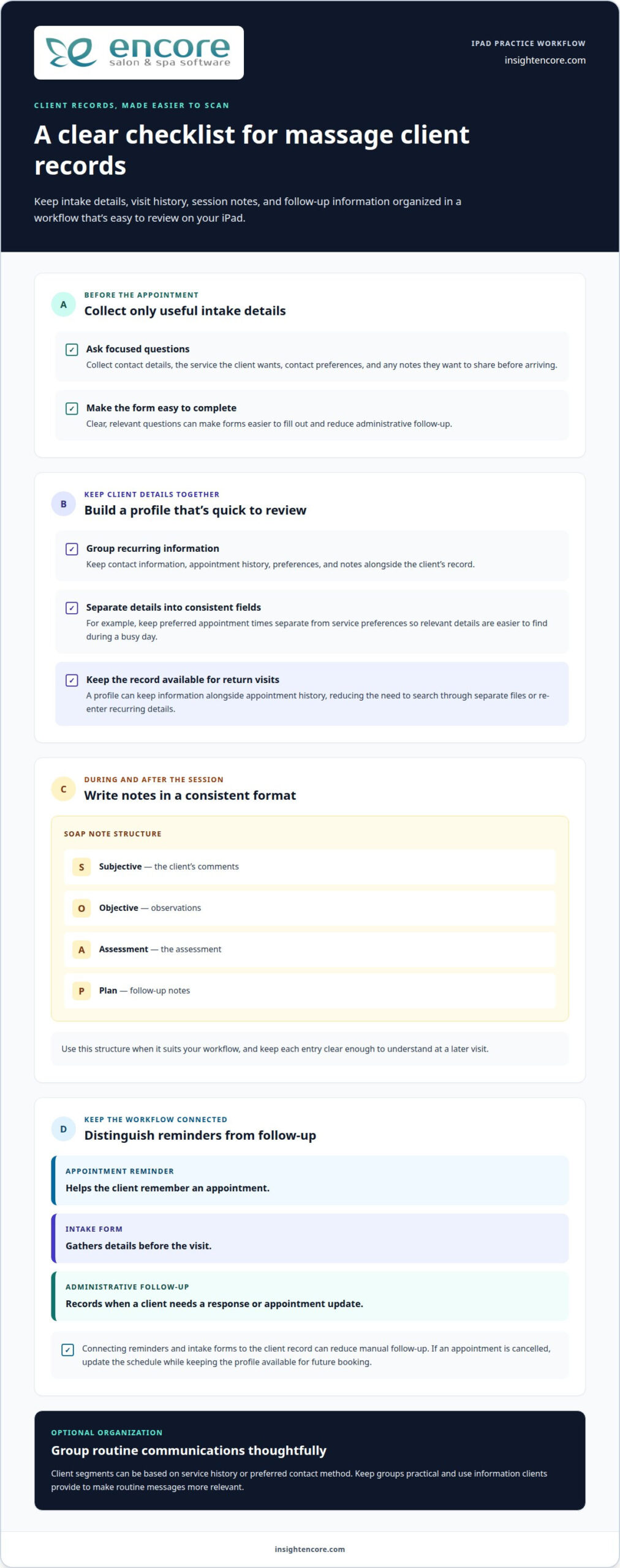
An organized client record makes it easier to prepare for a return visit. An intake form can collect contact details and service preferences, while a profile keeps information alongside appointment history. On an iPad, you can review the profile before a session instead of searching through separate files.

Keep intake forms focused on information that helps with appointments and the requested service. Ask how clients prefer to be contacted, which service they want, and whether they have notes to share before arriving. Clear questions make forms easier to complete and reduce administrative follow-up.

Profiles are most useful when key details are easy to scan. Organize contact information, appointment history, preferences, and notes into consistent fields. For example, record preferred appointment times separately from service preferences so staff can find relevant details during a busy day.

SOAP notes organize session documentation into subjective, objective, assessment, and plan sections. This structure can distinguish a client’s comments from observations and follow-up notes. Use it when it suits your workflow, and write each entry clearly enough to understand at a later visit.

  • Intake: Collect contact details and relevant preferences before the appointment.
  • Profile: Keep recurring details together instead of re-entering them for each visit.
  • Session note: Record concise details using a consistent format, such as SOAP.
  • Follow-up: Add an administrative reminder when a client needs a response or appointment update.

Reminders and intake forms have different jobs: a reminder helps clients remember an appointment, while an intake form gathers details before the visit. Connecting both to the client record can reduce manual follow-up. If an appointment is cancelled, update the schedule while keeping the profile available for future booking.

Client segmentation can make routine communications more relevant. A practice might group clients by service history or preferred contact method, then tailor messages to those groups. Keep segments practical and based on information clients provide. A client management system can bring profiles and related administrative tasks into one workflow.

Choose software that makes records easy to update on the iPad and supports the way you document visits. If you want to see how client management fits into a broader workflow, explore Encore’s software.

Software options for solo therapists and clinics

A solo therapist and a clinic need different levels of control. A solo practitioner may manage a calendar, appointments, and client records on an iPad. A clinic may need shared scheduling, staff access, room assignments, and team reports. The right fit depends on who uses the system and which tasks they handle.

For a solo practice, start with the daily workflow. Can you view appointments, update availability, and find a client record without switching between tools? A straightforward interface keeps routine administration manageable. If you work in multiple locations, consider whether the calendar can distinguish appointments by location.

Clinic software has more to coordinate. A receptionist might manage bookings while therapists view their own schedules and client details. Staff permissions define who can see or change particular records. Set access by role so handling scheduling does not automatically give every employee the same controls.

Reports can help clinic owners see how appointments translate into business activity. Reports by therapist, service, or location can reveal open capacity. Revenue reports offer another view of operations, while cancellation records show how schedule changes affect the day. Look for reports that make these details easy to interpret.

Multi-location clinics need to manage separate calendars while retaining an overall view. A manager may review availability across branches while each team sees its daily schedule. Look for location filters, consistent service names, and clear staff assignments to help spot conflicts and coordinate coverage.

Integrations matter when a clinic uses separate tools for payments, client records, or reporting. Connecting scheduling with payment processing can reduce duplicate entry. Map a common task, such as booking a client, recording payment, and reviewing the appointment later. Fewer disconnected steps make it easier to keep records aligned.

  • Solo therapist: Prioritize a manageable calendar, client access, and simple appointment updates.
  • Small clinic: Compare team calendars, role-based permissions, and therapist-level reports.
  • Multi-location clinic: Look for branch-specific views alongside an overall schedule.

Software plans also differ in how they support a business. Some focus on individual scheduling, while others support multi-location operations and broader staff coordination. Compare included features, such as reporting, permissions, and integrations, rather than choosing by plan label alone.

To narrow your choices, list who needs access, which calendars they manage, and what the clinic needs to report. Then compare each option against those tasks using the same sample appointment workflow.

Compare Massage Therapist Scheduling Software for iPad Costs

Starting prices and payment-processing costs

Compare the full cost of scheduling software, not just its advertised starting price. A subscription may cover appointment management, while payment processing adds transaction costs. For a fair comparison, list the plan, included features, billing period, and payment charges for each platform.

Can iPad scheduling software process payments, deposits, and cancellation fees? It can when the platform includes those functions. Compare each payment feature separately: accepting a session payment does not automatically mean the system handles deposits or cancellation charges.

Plans may differ in their focus, from core scheduling to tools for teams, reporting, or multiple locations. Choose based on what your practice will use. A solo therapist may need appointment booking and payment records, while a clinic may also need staff access and revenue reports.

Payment processing may involve a fee for each card transaction. Rates and other charges depend on the processor and account terms, so compare them alongside the software subscription. Even a small difference can matter when card payments are a regular part of checkout.

For each option, map a client visit from booking to billing. Check whether the client can pay a deposit online, how the remaining balance is recorded, and where the receipt appears in the client’s account. Include a cancellation in the comparison to spot extra tools or manual steps that could affect the total cost.

  • Subscription: Identify the billing period and which scheduling features the plan includes.
  • Processing: Separate card transaction charges from the software subscription.
  • Checkout: Compare deposits, session payments, receipts, and cancellation handling.
  • Growth: Consider whether adding staff or locations changes the plan you need.

Review point-of-sale (POS) payments separately. A therapist might take payment after a session, while another practice collects a deposit at booking. Compare how each workflow records the transaction and links it to the appointment. If your business also uses Google Calendar, include calendar handling in the comparison, separate from payment costs.

Before choosing a platform, make a cost worksheet covering subscription charges, processing fees, and any paid features your workflow requires. Compare the same booking and checkout example across options for a clearer picture than starting prices alone can provide.

Which massage scheduling apps offer a dedicated iPad app versus a browser-based interface?

The iPad experience depends on how you access each scheduling platform. A dedicated app is installed on the device; a browser-based interface opens in a browser such as Safari. Compare each option’s access method rather than assuming every massage scheduling service offers both.

With a dedicated app, test the actual appointment workflow on iPad. Open the calendar, view a client record, and edit an appointment. Check that controls are easy to reach and the screen shows the information you need without unnecessary steps. An app icon alone says little about how smoothly those tasks work.

A browser-based interface can help if you manage scheduling across devices. Sign in through your iPad browser and try the same tasks: find a client, adjust an appointment, and review the day’s schedule. Compare its display and navigation with the dedicated-app experience. Browser access may suit a practice that values consistency across devices.

An app does not mean scheduling works without internet access. Access to live bookings, client records, and calendar changes depends on the service’s design and connection requirements. Test what happens if the iPad loses connectivity, then reconnect and check that any saved changes appear correctly. This matters if you rely on the iPad during sessions or between rooms.

Access type How it opens What to compare
Dedicated iPad app Installed on the iPad Calendar readability, navigation, appointment edits
Browser-based interface Opened in a browser such as Safari Page layout, sign-in flow, device-to-device access
Both access methods App or browser, depending on the service Whether records and schedule changes stay aligned

Use the same sample appointment to compare options fairly. Start with a booking, open the client details, change the schedule, and review the updated calendar. Repeat the sequence in the app and browser if both are available. Note differences in visibility, editing, and access to the information you need.

Choose based on how you use the iPad, not just the interface label. A therapist who works from one device may prefer an app-based workflow; a clinic using different device types may favor browser access. Either way, compare appointment management and client information through the same practical test.

Explore scheduling software options

Encore Salon and Spa Software

Encore Salon & Spa Software helps massage businesses manage appointment booking, client records, and point-of-sale tasks in one platform. Encore Spa Software and Encore Salon Software support businesses coordinating services alongside broader spa or salon operations. Chair/Booth Renter Software is designed for independent professionals managing their own business workflow.

Consider Encore when you want scheduling to work alongside client records and transactions, rather than as a standalone calendar. The right setup depends on how your practice operates and which tasks you want to manage together. Explore an option that fits your business, then contact Encore Salon & Spa Software to discuss your needs.

Make your next scheduling choice with confidence

Choose a system that fits the way you want your practice to run, then plan the transition around a real appointment workflow. Consider what clients and staff need to do and how you want to manage those tasks on your iPad. Starting with a clear workflow makes it easier to build a more organized routine.

If you’re comparing massage therapist scheduling software for iPad with broader salon or spa management, Encore Salon and Spa Software offers Encore Salon Software, Encore Spa Software, and Chair/Booth Renter Software. These options support different setups, from salon and spa operations to independent renters.

Take the next step at a pace that feels right for your business.

Contact Encore Salon and Spa Software

A more manageable schedule starts with a system that fits your work.

Frequently Asked Questions

Can massage booking software help grow a massage practice?

Yes, booking software can help new and returning clients schedule without coordinating by phone. After a first visit, for example, a therapist can share an online booking page and use appointment history to plan relevant follow-up messages. Software organizes booking and communication, but growth also depends on available appointment capacity and the experience clients receive.

What scheduling software for massage therapists works well on iPad?

Choose massage therapist scheduling software for iPad based on how comfortably you can use its calendar, booking tools, and client records on a tablet. Encore works in a current browser on iPad and requires an internet connection. Test a routine task, such as moving a client visit to another available time, to assess the workflow.

How much do massage therapist scheduling software plans cost?

Plan costs depend on the software tier and the practice’s setup, while payment processing may add separate transaction costs. For a useful comparison, estimate the subscription and processing expenses together using your typical booking and checkout workflow. Encore pricing is based on location and employee count, so the plan structure depends on the business rather than iPad use alone.

Which massage scheduling software includes client records, intake forms, and SOAP notes?

Feature sets vary. Encore includes client management tools, and Client Intake Forms are available as an add-on. SOAP notes are a distinct documentation format, so compare whether a platform has separate subjective, objective, assessment, and plan fields. General client notes are not necessarily a structured SOAP template; choose a record layout that suits your documentation workflow.

How do massage practice scheduling platforms compare on ease of use and features?

Compare platforms by completing the same real task in each, such as changing an appointment after a client requests another time. Notice how many screens it takes and how easy the updated booking is to find. Then consider the tools you’ll use regularly, such as client records, reports, or payment tracking, rather than choosing by feature count alone.

Which scheduling apps support multiple therapists, rooms, and locations?

Look for scheduling tools that show separate therapist calendars and assign appointments to treatment rooms. Multi-location support helps manage branch schedules, but room assignments and staff views are separate capabilities. A clinic, for example, may need to see which therapist and room are available at a particular location before offering an appointment.

Disclaimer

This article is general in nature and may contain errors, please verify all claims with your sales rep
Categories
Uncategorized

Pet grooming business software for Mac pricing and tools

A Mac can run a grooming business smoothly when its software supports Mac access and brings daily tasks into one place. Look for booking, appointment reminders, client communications, and marketing tools, then compare whether billing is monthly or yearly. The right pet grooming business software for Mac should make it easier to manage the schedule and stay in touch with clients.

It’s understandable to focus on the monthly or yearly price first, but the useful comparison is what each plan includes and how it fits your workflow. Pricing depends on the tools and plan, and the price is provided after a quote request.

This guide explains what to look for in Mac-compatible grooming software, how booking and reminders support a more organized day, and how client communication and marketing fit into the picture. You’ll also learn what can affect pricing and how an all-in-one management platform can help bring appointments, client records, inventory, and point-of-sale tasks together.

Key Takeaways

  • Compare appointment calendars and online booking tools to find a setup that fits how you schedule grooming visits.
  • Review how reminder options support client follow-through, and how communication tools help you keep messages organized.
  • Assess marketing features by how they support repeat visits and client engagement, not just by the number of tools included.
  • Compare monthly and yearly plans by their billing cadence and included features to understand which structure suits your business.
  • Check how browser-based access works on your Mac, and consider whether an integrated platform for bookings, client records, inventory, and transactions fits your workflow.

Appointment calendar and online booking

A grooming calendar should make appointments, assigned staff, and available times easy to see. Online booking lets clients choose from available slots without having to call.

Appointment Scheduling and Management

Review how the calendar handles different services, appointment lengths, staff assignments, and changes. A bath and brush, for instance, may need a different time slot from a full groom. Check that staff can see scheduling conflicts and update cancellations or rescheduled visits. Clear appointment details help the team prepare for each dog’s visit.

Online booking should guide clients through the choices your business needs, such as selecting a service, choosing an available time, and entering contact details. Look for a process that presents open slots clearly and gives staff control over the schedule. A useful appointment booking and calendar system connects client-facing booking with the business’s scheduling workflow.

Which grooming software integrates with QuickBooks, payment processors, and calendar apps? Check the specific connections you need rather than assuming that online booking includes them all. Encore offers QuickBooks Integration as an add-on feature and integrated credit-card processing. Confirm that the calendar and accounting tools you rely on fit your workflow.

Before switching systems, list the information you rely on, such as client names, contact details, pet profiles, appointment dates, and service notes. Export records from your current system, organize them into consistent fields, and import them into the new one where supported. Compare sample client records and upcoming appointments with the originals to catch missing or mismatched information.

Recurring Appointment Setup

For clients who book grooming visits regularly, appointment series can reduce repeated scheduling work. Look for options to set the repeat pattern, service, preferred staff member, and time. A client might want the same weekday and groomer for each visit. Review the series when a holiday, cancellation, or schedule change affects a future booking.

Recurring bookings work best when staff can see each appointment and its place in the series. This makes it easier to adjust one visit without overlooking later dates. Before relying on a repeat schedule, check how the system handles availability conflicts and whether a change affects only the selected visit or future appointments too.

For a Mac-based workflow, assess the calendar from both sides: how clients book a time and how staff manage the day. Test a booking, move it to another time, and check that the update appears correctly. This walkthrough shows whether scheduling, client details, and appointment series fit the way your grooming business operates.

Automated text and email reminders

Appointment reminders prompt clients before a grooming visit. A useful reminder identifies the pet, states when to arrive, and explains how to contact the business about a change. Encore includes free SMS appointment confirmations with every subscription. Consider email separately if you want to share more detailed information.

Email and Text Reminders

Start by listing the appointment details clients need. A text can provide a brief prompt with the date, time, and business name. An email can include those details alongside preparation notes, such as bringing a dog’s vaccination record if your business requests it. Keep each message focused so the key information is easy to find.

Before enabling automated messages, review the timing, channel, and wording. For example, you might send an email when an appointment is booked and a text closer to the visit. Treat this as a sample workflow, not a universal schedule. Choose timing that suits your clients and booking process, and avoid sending multiple messages with the same details.

Check that reminders use current contact details and match the appointment record. If a client changes their phone number or email address, update the profile before the next message goes out. When an appointment moves, confirm that the reminder reflects the new time. A test booking lets staff review how the message appears on a phone and in an inbox.

  • Useful details: Include the pet’s name, appointment time, and grooming business name.
  • Clear next steps: Explain how clients can respond or reach the business about a change.
  • Consistent wording: Use a friendly, direct tone across text and email templates.

Ask how the software handles failed or outdated contact details. Some systems may show message status or provide a way to review communication history; assess these options during a product walkthrough. If staff can see whether a reminder was sent, they can choose a personal follow-up for a client who needs extra help. Don’t assume a sent message was read.

Keep appointment confirmations distinct from promotions. A visit message should focus on the existing booking, while a marketing message might share a seasonal grooming offer or encourage a future visit. Clear separation helps staff choose the right message and keeps appointment details from getting buried in promotional copy.

Finally, review templates whenever business details or booking steps change. Update the wording, create a test appointment, and check the resulting text and email before relying on the revised message. This practical review helps keep reminders accurate and useful for clients.

Client communications and marketing

Client profiles connect communication and promotions to useful grooming details. A record for Bella, for example, could include her owner’s contact information, coat notes, preferred style, and past services. With those details together, staff can personalize a follow-up instead of sending a generic message.

Keep client and pet records useful

Look for records that distinguish the client from each pet. One household may book visits for several dogs, so a client record should connect to multiple pet profiles. Useful details include breed, grooming preferences, sensitivities reported by the owner, and service history. Staff should be able to update information after a visit, such as noting a new trim preference.

Client and pet records support continuity between appointments. Before a returning dog’s visit, staff can review the last service and the owner’s instructions. Search tools and clear profile layouts matter when staff need to find a client by name, phone number, or pet. Choose records that help staff use information, rather than store details no one needs.

Use communication tools with purpose

Separate service messages from marketing messages. A service message might confirm a grooming detail, while a marketing message could announce a seasonal coat-care promotion. Encore’s automated marketing and loyalty tools can help organize campaigns around client groups or past visits. For example, a business could prepare a follow-up for clients whose pets received a particular service.

Before sending a campaign, define its audience, message, and desired next step. A reminder to book again should make the booking action clear. A loyalty message should explain how clients can participate. Review the recipient list and message preview first, so a promotion intended for dog owners doesn’t go to unrelated contacts.

Are there U.S. tax, payment-processing, or recordkeeping requirements for grooming business software? Software features don’t determine a business’s tax obligations; these depend on its circumstances and applicable jurisdiction. Choose tools that organize transaction and client records to support your existing business processes.

Understand free-plan client limits

A free plan may limit stored clients, features, or access, so compare the client cap with the records your business needs. Count active households and consider whether each household may have several pets. Then review what happens as your client list grows, including whether older profiles remain accessible and which tools are included.

For example, a solo groomer with a compact client book may value basic records, while a growing team may need shared access and marketing functions. Compare the free plan’s client allowance with its communication and profile tools. The best fit depends on the records you manage and the work you expect the software to support.

Pet grooming business software for Mac pricing and tools

Monthly and yearly subscription pricing

Compare monthly and yearly billing by looking at the full plan, not just the payment interval. A monthly subscription can make ongoing expenses easier to review, while yearly billing groups payments across a longer term. The useful choice depends on your cash flow, expected software use, and whether the included tools suit your grooming workflow.

Compare plan contents before billing periods

List the features your business needs before comparing plans. A solo groomer may prioritize client records and appointment management, while a team may also need staff access, reporting, and marketing tools. Check which features come with each plan and which require a different tier. A lower starting price may not represent the complete setup you intend to use.

Build a simple comparison for each option: billing frequency, included features, user access, client capacity, and any separately charged services. Use the same requirements for every plan. For example, compare the monthly and yearly options using the same number of staff accounts and the same communication tools. That makes differences easier to understand without focusing on one headline figure.

Account for additional staff

Check how employee count affects the subscription. Encore’s monthly pricing is per location and based on the number of employees. Essentials has tiers for one employee, two to three, four to six, seven to twelve, and unlimited employees. Elite uses the same employee groups, with a separate price for each tier. List who needs access so you can compare the right options.

Include likely staffing changes in your review. If a business adds a groomer or receptionist, the plan may need more access or different features. Compare the current setup with that possible workflow, then identify how plan changes are handled. The price depends on the case and is given after a quote request; cost factors include selected features, staff access, and billing term.

  • Monthly billing: Compare the recurring payment with the features and access included.
  • Yearly billing: Review the full commitment and whether the plan still fits expected operations.
  • Staff access: Include each person who needs to manage appointments or client records.

Before choosing, read the plan terms for renewal, cancellation, and changes to user access. Keep a copy of the selected plan details with your business records. If the software supports a client management system, confirm that the chosen plan includes the records and workflows you need. A side-by-side comparison helps you judge the ongoing value without assuming that monthly or yearly billing is automatically the better choice.

Browser-based access on Mac

Browser-based grooming software opens through a web browser on your Mac instead of relying on a locally installed program. That can make the workflow easier to access from different devices, provided the software supports the browser and operating system you use. Start by reviewing its published technical requirements, then test the tasks your team performs each day.

Use a practical walkthrough to assess the experience. Sign in, open the appointment calendar, find a client profile, and update a sample record. Check that menus are easy to use on your Mac’s screen and that the text is readable without repeated zooming. If staff use more than one device, try the same steps there too. Encore includes unlimited device logins.

Browser-based access requires an internet connection, so consider how your team will manage a temporary outage. Identify tasks that depend on live information, such as checking the day’s schedule or updating a client record. Plan a manual fallback for essential details, then reconcile changes once access returns.

Review security and privacy controls

What security and privacy risks should groomers consider when choosing cloud-based software? Client contact details, pet profiles, grooming notes, and transaction records can be sensitive business information. Review how access is controlled, how data is protected, and what recovery options exist if an account or device becomes unavailable.

On a shared Mac, give each staff member an individual login if the software supports separate accounts. Limit access to the tasks each person needs, and sign out before leaving a shared workstation. Strong, unique passwords and a screen lock reduce the risk of someone viewing an open client profile. Keep your browser and operating system updated through their normal update settings.

Review the product’s security information before choosing a system. Look for details on data encryption, backup practices, account permissions, and steps for restoring access. Also review how staff access is handled when someone leaves. These details help you assess information management without assuming every cloud service offers the same safeguards.

For a useful Mac trial, test a complete work sequence rather than just opening the dashboard. Find a client, review a pet’s grooming notes, move between the calendar and records, then sign out. Repeat the test using the browser your team plans to use. Note any slow screens, confusing controls, or missing information, and compare the results with your daily workflow.

Browser access can suit a grooming business that wants to work on a Mac without installing a desktop program. The fit depends on browser compatibility, how the interface works on your device, internet access, and the way staff use client information. Test these points against your schedule before making the software part of your routine.

Explore the software workflow

Encore Salon & Spa Software: Encore Salon Software

Encore Salon & Spa Software offers Encore Salon Software for businesses that want to bring core management tasks together. Businesses evaluating salon software can consider whether they need appointment booking, client management, inventory tracking, and point-of-sale tools. If separate systems make it harder to coordinate appointments, records, and transactions, Encore can bring these tasks into one management platform.

Consider how those tools align with the needs outlined above, including booking and keeping client information organized. Encore Salon Software is one option in the platform, alongside Encore Spa Software, Chair/Booth Renter Software, and Tattoo Studio Software. Explore the Encore Salon Software details to learn more, or contact Encore Salon & Spa Software with your questions.

Choose a system that can grow with your workflow

Start by deciding which part of the grooming day needs the most attention. You might want to coordinate staff, keep client records easy to access, or make booking simpler for pet owners. Use that priority to assess whether the platform fits your current routine and plans for growth. Pet grooming business software for Mac should support your workflow without adding unnecessary complexity.

Encore Salon & Spa Software offers Encore Salon Software, Encore Spa Software, and Chair/Booth Renter Software. These options serve different business models, so consider which one aligns with the way your team operates. A focused conversation can help you explore the relevant fit and next steps.

Contact Encore Salon & Spa Software

With a clear priority and a thoughtful comparison, you can take the next step with confidence and build a more organized grooming business.

Frequently Asked Questions

What pet grooming business software works on Mac?

Browser-based grooming software can work on a Mac when it supports a current browser. Some browser-based pet grooming platforms may work on a Mac if they support a current browser and have an internet connection. Try a typical task, such as opening a pet’s profile and reviewing its service history, to assess the interface against your daily needs.

Which grooming software runs natively on macOS versus in a web browser?

Native software is installed as a macOS application, while browser-based software opens in a browser. Encore’s platform is accessed through a current web browser and requires an internet connection. Consider whether your team prefers an installed app or browser access, then assess how that choice fits your Mac setup and whether staff need to move between devices.

What features should pet grooming business software include?

Choose tools that match the work your grooming business needs to coordinate. Appointment management linked with searchable client and pet records lets staff review service history before a visit. Online booking, integrated credit-card processing, inventory tracking, and marketing tools can support other parts of the workflow. Consider recording a grooming product sale alongside a client’s visit, then decide which functions matter most.

What hardware and macOS versions are required for popular grooming software?

Hardware and macOS requirements depend on the software, so review the requirements for the platform you plan to use. Encore Salon & Spa Software works with a current web browser and internet connection. Check that your Mac can run an up-to-date browser, connect reliably, and display the calendar and client records clearly. Test these screens on the device staff will use.

Which grooming software integrates with QuickBooks, payment processors, and calendar apps?

Choose a grooming platform that explicitly supports the specific accounting, payment, and calendar connections you need. Compare each integration individually rather than assuming online booking includes them all.

Disclaimer

This article is general in nature and may contain errors, please verify all claims with your sales rep
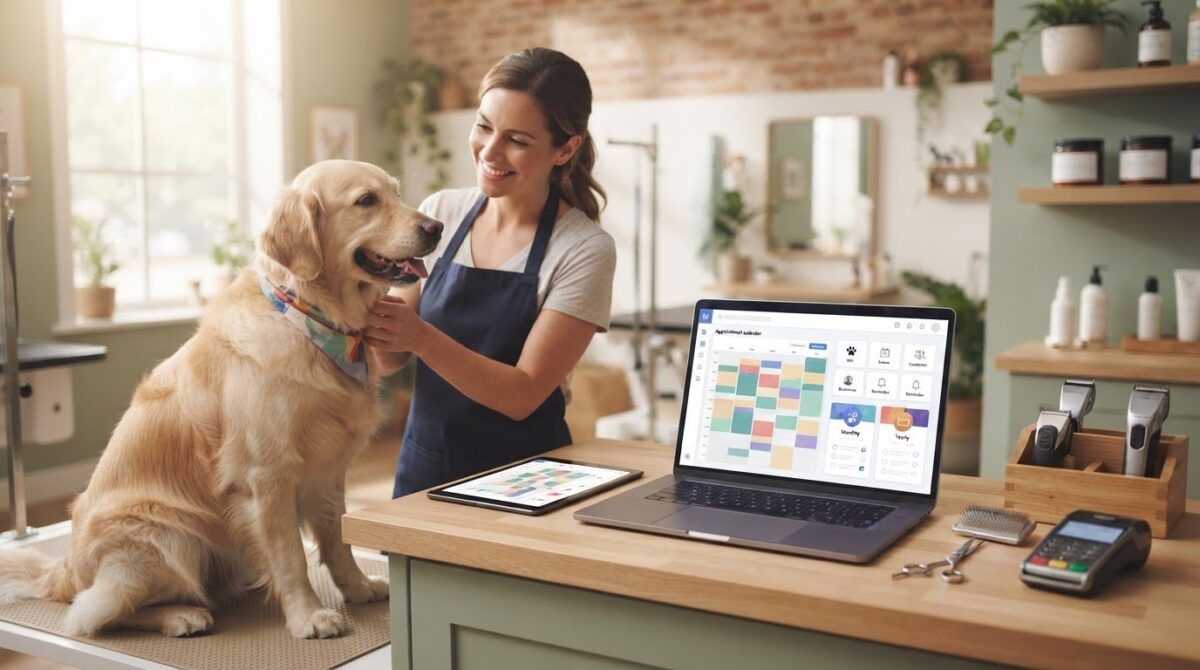
Categories
Uncategorized

Salon App Features for Scheduling, Payments and Business Operations

A salon app should do more than fill the appointment book. A mobile app for salon owners to manage their business can bring scheduling, client histories, payment tools, and reports together in one place. Look for features that also help track inventory and manage missed appointments, two everyday challenges that can affect workflow and revenue.

It’s reasonable to expect appointment booking and payment tools to save time. Look for features that let clients book online around the clock, keep appointment slots up to date, and make it easier to follow up on missed visits. Client profiles can also help you review service history and preferences before an appointment.

This guide explains the features to look for, from scheduling and payments to reports, inventory tracking, and missed-appointment management. It covers how these tools work together, what to consider when comparing salon apps, and how an all-in-one system can simplify daily operations.

Key Takeaways

  • Choose scheduling tools that keep bookings visible and update availability as appointments are made, helping reduce double-booking risks.
  • Use payment records and reminders to make outstanding balances easier to track and follow up on.
  • Keep client profiles and service histories organized so you can prepare for appointments with useful details at hand.
  • Review financial reports alongside inventory records to spot business patterns and keep product levels in view.
  • Track missed appointments consistently and use the information to shape a clear, fair no-show process.

1. Appointment scheduling and double-booking prevention

For a solo stylist, a mobile calendar should make personal availability and client bookings easy to manage. A salon with multiple employees needs staff-specific calendars, clear service assignments, and shared visibility. If you manage multiple locations, choose a system with multi-location support. Match the setup to the way appointments move through your business.

Online booking lets clients request appointments without waiting for the salon to respond. Some salon apps support booking 24 hours a day, 7 days a week, through a personalized booking website. When a client reserves a time, the system can block that slot on the calendar. This helps prevent another client or staff member from booking the same time.

Use the mobile calendar to review the day, make changes, and see upcoming appointments while away from the front desk. Web and mobile access can work alongside each other, so a change entered on one interface is visible on the other. For example, if a stylist moves a colour appointment, the updated time should appear in the shared schedule.

Appointment booking and payment tools can connect a reservation to checkout. Depending on the setup, clients may pay when booking or at the salon, while staff can see appointment details in the calendar. An online booking module helps salons accept appointments online and organize them for staff to manage.

Compare salon software by its included tools, employee management, and payment processing. Encore pricing is per location and based on the number of employees. Integrated credit-card processing comes with guaranteed lowest rates. Review how online booking, checkout, and payment processing fit your salon’s workflow.

In the United States, privacy requirements depend on the information a salon collects and applicable federal and state rules. Limit access to client profiles, protect staff accounts, and handle contact, service, and payment details carefully. These practices help keep appointment management organized without exposing more client information than staff need.

Set up the calendar before moving every appointment. First, list services, appointment lengths, staff schedules, breaks, and business hours. Then enter upcoming bookings and client contact details, checking for duplicates and overlapping appointments. Test the booking flow with a sample appointment, including a change and cancellation, before directing clients to the new calendar.

Before relying on the schedule, compare it with the salon’s current bookings. Confirm that each employee sees the right appointments and that online availability reflects actual working hours. A clear setup makes daily booking easier to manage and gives clients a reliable way to reserve time.

When implementing Encore Salon & Spa Software, confirm that the free personalized website is available to clients and that they can book appointments online through it. When a booking is made, the software blocks that time slot, helping prevent a second booking for the same time. This connection between the online booking route and the calendar gives staff a clearer view of reserved availability.

Check that a reserved time no longer appears open so staff can rely on the schedule when reviewing requests or managing existing appointments. Keep online booking and calendar information aligned so clients and staff see the same availability.

2. Credit ledgers and payment reminders

A client ledger shows what a client owes, has paid, or holds as account credit. It connects service payments, retail purchases, deposits, and adjustments to the client record. For example, if a client pays a deposit before a colour service, record it against the appointment. At checkout, apply the credit and leave any remaining balance visible.

Separate transactions by type. A service charge, product sale, refund, and prepaid credit affect an account differently. Clear labels help staff understand why a balance changed without searching through receipts. For beauty services that include retail products, record the service and product separately. This makes it easier to see what remains unpaid and what has been settled.

Payment reminders work best when they identify the balance and explain the next step. A reminder can say that payment remains due, name the related appointment or purchase, and provide a simple way to pay. Keep the wording polite and consistent. Before sending it, compare the ledger with the latest receipt to avoid reminding clients about balances they have already paid.

Build a repeatable follow-up process inside your payment workflow:

  • Record each payment, deposit, refund, and credit against the correct client.
  • Review open balances after checkout and correct any entry errors.
  • Send a clear reminder for an outstanding amount through the system’s available communication tools.
  • Mark the account when payment arrives, then retain the transaction record.

This process distinguishes an unpaid balance from account credit. For instance, a client may have prepaid for a package and later bought retail items. Keep the package credit separate from the product charge, then apply each amount to the correct transaction. Staff can explain the account clearly, and owners can review outstanding balances without relying on memory or scattered notes.

Use access controls and consistent staff procedures to protect payment records. Assign each transaction to the correct client, review adjustments, and keep receipts connected to the ledger. For card payments, integrated credit card processing can connect payment activity with salon operations. A tidy ledger makes payment follow-up more specific, while reminders help keep the next step visible to both staff and clients.

3. Customer profiles and service history

A client profile gives staff useful context before a service. Salon software can record previous hair dye formulas and allergy histories, helping stylists review relevant details before mixing colour. Profiles can also bring visits, services, preferences, and notes together. For example, a returning client’s record might show their last colour service and preferred finish.

Keep entries clear and specific. “Prefers a cool brown” gives a stylist more context than “likes brown.” Record the date and service with each note so staff can distinguish a current preference from an older one. When a client changes their mind, update the profile rather than leaving conflicting instructions in separate places.

Build a consistent profile routine around the appointment:

  • Match the client to an existing profile before creating another record.
  • Review service history and relevant notes before the consultation.
  • Add the service performed and any client-approved preference afterward.
  • Correct outdated details when the client provides an update.

Accurate records help prevent duplicate profiles and scattered notes. For example, if a client books under a shortened name, search their contact details before opening a new record. If two records already exist, follow the platform’s process for merging or correcting them. A clean record makes the client’s service history easier for the team to follow.

Profiles can support a personal consultation without turning notes into assumptions. A stylist might see that a client previously requested a shorter finish, then ask whether they want the same result again. Treat past preferences as useful context, not a substitute for a fresh conversation. Confirm the current service details with the client before proceeding.

Keep notes focused on service delivery. Record details that help staff prepare, such as a preferred appointment approach or products used during a past visit. Avoid unrelated personal commentary. Clear, respectful entries help another team member understand the record without guessing what a note means.

Access matters when several employees use the same platform. Make it easy for staff to find the right profile, and include record updates in the appointment workflow. If a client shares a new preference at checkout, add it while the visit is still fresh in mind. A well-maintained history helps the next consultation start with relevant context, not a search through old messages.

Review profile quality as part of routine salon administration. Look for duplicate entries, incomplete service records, and notes that no longer reflect a client’s preferences. Correcting these details keeps histories useful for future visits and supports consistent service across the salon.

Salon App Features for Scheduling, Payments and Business Operations

4. Financial reports and profitability

Salon software can generate daily, weekly, and monthly financial reports. Each view answers a different management question. A daily report can help you review recent sales and expenses. A weekly view shows whether activity is consistent across the workweek. A monthly statement helps you compare broader business patterns and plan decisions.

Start by checking how the platform groups revenue. Service income, retail sales, and other recorded transactions should be easy to distinguish. If a report combines different income streams, it becomes harder to see what customers are buying. Separate service and retail totals, for example, can show whether product sales contribute to the salon’s overall performance.

Then review the expense categories included in the report. Rent, supplies, payroll, and marketing are examples of costs that affect profitability. Consistent categories make comparisons more useful across reporting periods. If supply purchases are recorded differently each month, a change in the report may reflect inconsistent bookkeeping rather than a real business shift.

Use a simple review routine for each reporting period:

  • Choose the daily, weekly, or monthly statement that fits the decision.
  • Compare service revenue with retail sales and recorded expenses.
  • Look for a change in a category, then review its underlying transactions.
  • Record the question or action you want to revisit in the next report.

For example, a weekly report might show lower retail sales alongside steady service activity. That gives you a focused question: are clients buying fewer products, or are sales being recorded under another category? Review transactions before changing inventory or marketing plans to distinguish a reporting issue from a business trend.

Marketing activity also needs context. A report can help you compare recorded sales across periods, while campaign records can help explain what changed. Timing alone does not prove that a promotion caused a sales increase. Review the offer, audience, and related transactions together before deciding whether to repeat it.

Tax records need care, too. The Internal Revenue Service receives income taxes from self-employed beauty professionals and business owners. Keep business transactions organized and retain the records needed for tax preparation. A salon report can summarize business activity, but its figures should match the underlying accounting records.

Make reporting a repeatable management habit. Review the same categories in each daily, weekly, or monthly statement, and investigate unusual changes before acting. Clear reports help you identify questions worth exploring, such as whether service revenue, retail activity, expenses, or marketing results shifted. That gives your next business decision a concrete starting point.

Include client records and service activity in the broader review. Salon owners can use client profiles to view previous hair dye formulas and allergy histories. These records can provide context for recorded services and details to review before a future appointment. Treat profile information as a reference alongside transaction records, not as a substitute for accurate sales and expense entries. A consistent review connects financial summaries to the work behind them.

5. Inventory tracking and no-show management

Inventory control matters during services and retail checkout. Salon inventory software can update stock when a product is used or sold. For example, recording colour products used during a service keeps the stock count current. Recording a retail sale should reduce the available quantity as well.

Start by entering each product with a clear name and category. Separate back-bar supplies from retail items so staff know which products are used for services and which are for sale. Update product records when stock arrives. During checkout or service completion, record what leaves the shelf. Consistent entries make stock levels more useful for purchasing decisions.

Set a regular stock review that fits the salon’s workflow. Compare the system count with the shelf, then investigate differences before reordering. A mismatch might come from an unrecorded product sale, service use, or delivery. Correct the transaction record first to make the next inventory review more reliable and help prevent repeated counting errors.

Which apps manage salon inventory, client records, marketing, and loyalty programs? Look for salon management software that connects these functions, keeping product activity and client engagement in one platform. An all-in-one system can help owners track stock, maintain customer records, and coordinate marketing and loyalty activity without switching between separate tools.

No-shows need a clear record, not just a blank space in the calendar. Mark missed appointments consistently and distinguish them from cancellations or rescheduled visits. That history helps the owner see whether missed bookings are isolated or recurring. Staff can then follow the salon’s established policy and apply it consistently across future appointments.

Use appointment reminders as one part of no-show management. A reminder gives clients a chance to confirm, cancel, or request a new time before their appointment. When a client does not arrive, record the outcome and any follow-up. Avoid treating every missed visit the same way: a first-time absence and a recurring pattern may call for different conversations.

Connect the records. A client profile can show appointment history, while inventory records show products used or sold. Reviewing both can help staff prepare for a returning client’s service and identify products to replenish. Marketing and loyalty tools can then support relevant follow-up, such as sharing a product update with clients who previously purchased it.

Make the routine practical: record product use, log retail sales, review stock discrepancies, and document missed appointments. These steps turn inventory and attendance records into useful operating information rather than disconnected notes.

Explore salon management features

Encore Salon & Spa Software: Encore Salon Software

Encore Salon & Spa Software is a practical next step if you want salon operations organized in one management platform. Encore Salon Software brings together online appointment booking, client management, inventory tracking, and point-of-sale transactions.

Consider Encore when separate systems make it harder to keep bookings, client records, product stock, and checkout activity aligned. Encore Spa Software, Chair/Booth Renter Software, and Tattoo Studio Software provide management tools for those business formats.

To explore whether Encore Salon Software fits your salon’s workflow, contact Encore Salon & Spa Software.

Choose a system that fits your next step

Turn the feature checklist into a practical decision. Identify the daily task that causes the most friction, then consider how a connected system could fit your team’s routine. A mobile app for salon owners to manage their business should support the way you work now and help keep essential operations organized as your needs change.

Encore Salon & Spa Software offers Encore Salon Software, Encore Spa Software, and Chair/Booth Renter Software. These options give salons, spas, and independent renters a starting point for matching management software to their business setup. Focus on the workflows you want to bring together, then explore how the right fit could support your business.

Explore Encore Salon & Spa Software

Small, thoughtful improvements can make daily work more manageable. Choose a clear, achievable next step and move forward with confidence.

Frequently Asked Questions

What are the best mobile apps for salon owners to manage their business?

The best fit is a platform that matches your salon’s daily workflow and works on your devices through a current web browser. Encore Essentials and Encore Elite support salon operations, with every Encore feature available at all pricing tiers and Elite adding extra modules. Compare how each option handles booking, employee management, checkout, and records. A solo stylist may prioritize straightforward scheduling, while a team may need tools for employee coordination.

What salon management app features are essential for appointments, payments, and staff scheduling?

Prioritize online appointment booking, point of sale, integrated credit-card processing, and employee management. These tools connect client bookings with checkout and staff operations. For example, a salon with commission-based pay may need payroll and commission tracking, while teams tracking attendance can benefit from an employee time clock. Encore Essentials includes booking, point of sale, and employee management; Encore Elite adds modules such as an employee time clock and payroll or commission tracking.

Which salon apps support online booking, reminders, and waitlists?

Look for online booking, appointment confirmations, and a way to manage openings after cancellations. Every Encore subscription includes online appointment booking and free SMS appointment confirmations. Encore Elite also includes an appointment cancellation list and email notifications for online bookings and appointment changes. A cancellation list and a waitlist are not automatically the same feature, so consider how your salon wants to offer newly opened times to clients.

Disclaimer

This article is general in nature and may contain errors, please verify all claims with your sales rep
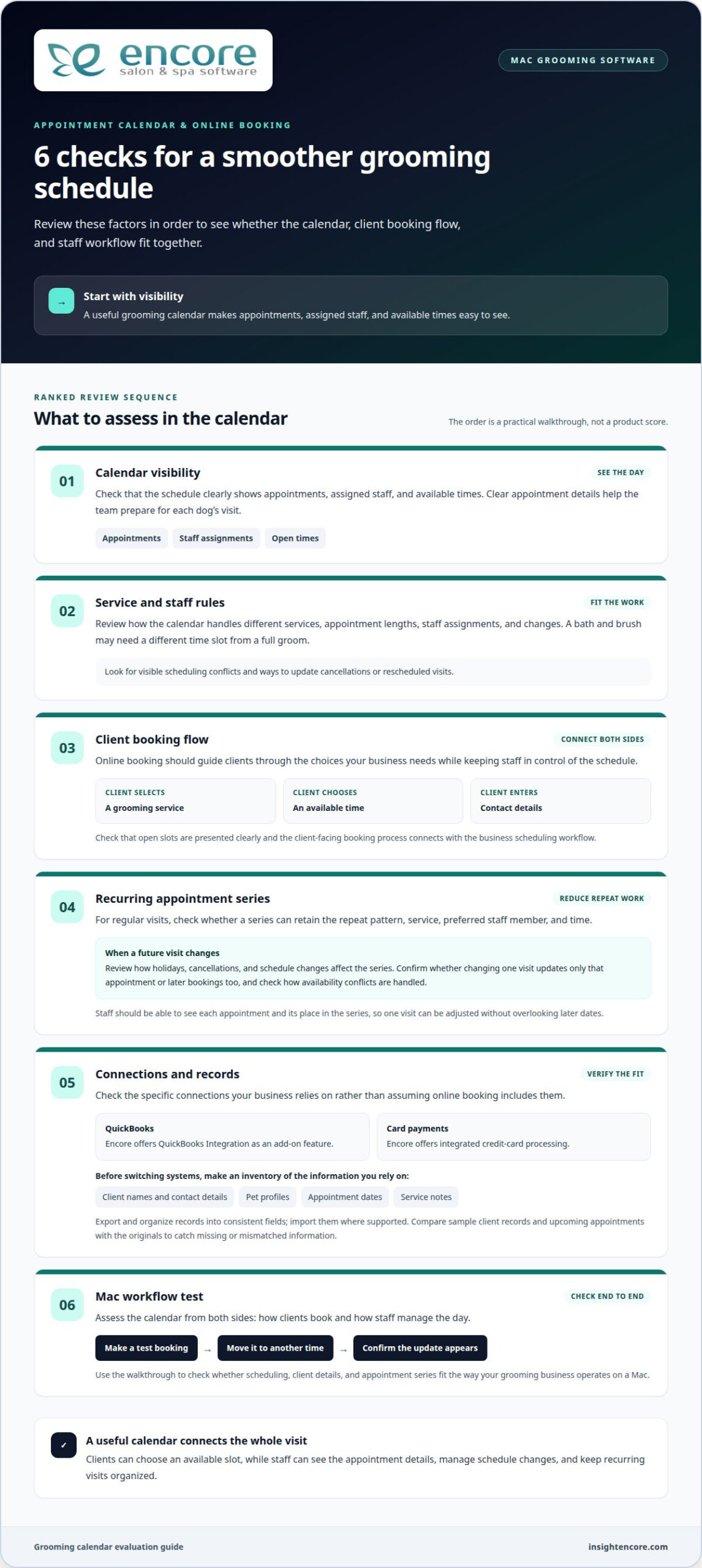
Categories
Uncategorized

Tattoo Studio Management System: How to Choose the Right Software in 2026

The best tattoo studio management system isn’t necessarily the one with the longest feature list. It’s the one that fits the way your studio works, from handling appointments and client details to processing payments and tracking stock.

If those tasks live in separate places, staying organized can take time away from your clients and your work. Generic business software may also overlook the repeat visits and ongoing client relationships that are part of running a tattoo studio. Look for a system that brings key tasks together without adding unnecessary complexity.

This guide explains how to identify the daily operations your software should support and compare options using practical criteria. You’ll learn what to look for in booking, client and employee management, point-of-sale, inventory, and support, so you can choose a system that fits your studio.

We’ll also look at how Encore supports connected day-to-day management, and why ease of use and accessible, live support matter as much as features.

Key Takeaways

  • Map your scheduling, client-record, checkout, and inventory processes before comparing software, so you can focus on what your studio actually needs.
  • Choose a tattoo studio management system by how well it fits your everyday workflow, not by the length of its feature list.
  • Compare usability, support, access, and feature fit to find a platform your team can use with confidence.
  • Plan adoption in clear steps, from documenting current processes to orienting staff and reviewing how the system works in practice.
  • Encore brings appointment booking, client and employee management, inventory, and point-of-sale together. Its 30-day free trial requires no credit card, has no obligation, and includes live support.

What Does a Tattoo Studio Management System Actually Manage?

Appointments in one calendar, client details in another file, payments in a separate system, and stock tracked on a clipboard. When information is scattered, it takes extra steps to answer basic questions, such as which artist is booked with a client or whether a supply needs replenishing.

A tattoo studio management system brings selected business tasks into one operational workflow, helping a studio organize scheduling, client and employee information, sales, and inventory.

That’s broader than an online booking tool. A booking tool helps clients request or reserve appointment times. A management system can connect the schedule with other studio tasks, giving staff a clearer path from booking to service and checkout. The right combination depends on how your studio operates.

Why tattoo studios have different management needs

A client relationship may extend beyond one appointment. A project can involve planning, multiple visits, and follow-up conversations, so a useful record may need to provide context across interactions rather than capture only a time slot. Tattooing also carries personal and cultural meaning, as outlined in this overview of Tattoo.

Studios also differ in how artists work together. An independent artist may manage their own schedule, while a shared studio may coordinate several artists alongside common checkout or stock processes. Choose tools that support how responsibilities are divided. Forms, deposits, and client documentation should reflect your studio’s own policies, not an assumed industry-wide template.

Which everyday tasks can software bring together?

Consider your main operational needs. A studio may want software to support:

  • Scheduling: Organize appointments and make artist availability easier to understand.
  • Client management: Keep relevant client details and interaction history together.
  • Point-of-sale: Record transactions as part of the checkout process.
  • Inventory: Track supplies and keep stock information accessible.
  • Employee management: Organize staff details and coordinate work across the team.

These tasks don’t have to be managed in one place, but separate tools can mean entering the same information more than once or switching systems to find it. A booking may be easy to locate while the related client record or payment history sits elsewhere. A connected workflow can reduce that searching and help staff follow consistent steps without forcing every studio into the same process.

As you explore tattoo studio software, list the tasks your team handles repeatedly and where the information for each one lives. This map helps you identify which tasks a system should bring together and which workflows should remain specific to your studio.

How Tattoo Studio Software Supports the Client-to-Checkout Workflow

A studio’s daily workflow doesn’t end when an appointment is booked. The next steps may include preparing for the visit, coordinating the right artist, recording the transaction, and keeping business records current. Software can help organize these stages, but it works best when each step reflects how your team operates.

From appointment scheduling to client records

Scheduling tools give the team a place to review appointments and artist availability. Once a visit is booked, client management can keep relevant business details organized for future interactions. Together, these functions help staff find information without relying on memory or searching through unrelated files.

Accuracy matters. A duplicate client entry or outdated employee schedule can cause avoidable confusion, so decide who updates records and when. Keep information focused on what your studio needs to manage its service and administration. Software should support your client documentation practices rather than assume every studio uses the same forms or policies.

From service delivery to payments and stock

After a service, point-of-sale tools help record completed transactions and give staff a consistent place to handle checkout. Integrated credit card processing can be part of that workflow. Consider how transactions are recorded and how the process fits your existing checkout routine.

Inventory management serves a different purpose. It helps the business monitor products and supplies, review stock information, and plan routine purchasing. Don’t assume inventory tracking automatically connects to appointments, checkout, or marketing. Assess each need separately and look for connections where the software specifically supports them.

Where connected records make a difference

When a tattoo studio management system keeps relevant appointment, client, employee, and transaction records accessible in one workflow, staff can spend less time re-entering details, searching across separate tools, and checking which record is current. Accurate data and clear team responsibilities still matter. The benefit is that information is easier to maintain as work moves from one stage to the next.

Test the workflow using a typical visit: Can the team see the appointment, locate the relevant client information, confirm which employee is responsible, and record checkout without unnecessary switching? Then consider inventory separately. If a staff member needs to update stock, is the task clear, and can they find the relevant information without interrupting service?

These questions help you assess how scheduling, records, checkout, and stock fit together before changing your day-to-day process. To explore Encore in practice, you can try Encore for 30 days. The trial requires no credit card, has no obligation, and includes live support.

How to Compare Tattoo Studio Management Systems Without Missing the Fit

A broader service-business platform can suit a tattoo studio if its tools match the studio’s actual work. A long feature list doesn’t prove that fit. Start with tasks your team handles every day, then compare how each system supports them. Separate essentials, such as scheduling and checkout, from specialist processes that vary by studio. This keeps your decision grounded in your workflow rather than marketing language.

A practical checklist for evaluating software

Use the same criteria for each option. This comparison helps you look beyond feature count and consider whether a system will work for your team in practice.

Workflow
Usability
Support
Access
Total feature fit
Can it support your scheduling, client, employee, inventory, and checkout processes?
Can staff learn the key tasks and use them consistently?
Is help available in a format your team can use when questions arise?
Can your team use it on the devices and with the internet access your setup requires?
Does it cover the essentials without making optional features the deciding factor?

Make the comparison specific. Note whether employees share scheduling duties, who updates client records, and how checkout is recorded. Then compare the software’s stated features with those tasks. A feature matters when it supports a real process, not simply because it appears in a product description.

  • Test common tasks: Consider how staff would book an appointment, find a client record, update employee details, record checkout, or review stock.
  • Consider consistency: Look for a straightforward flow the whole team can follow, not just one staff member.
  • Include support and access: Compare the available support and the devices or internet connection needed to use the system.

When tattoo-specific workflows call for closer scrutiny

Some studio processes may not be clear from a general feature list. Treat each as a separate evaluation question rather than assuming it comes with scheduling or client management. For example, consider whether your workflow requires particular forms, how your studio handles deposits, where artwork is managed, and what session documentation your team maintains. These needs differ between studios.

Write down what each process needs to accomplish, then compare that requirement with the product’s stated capabilities. Don’t infer that a tool stores artwork, captures signatures, or tracks session details unless that function is specifically described. This helps distinguish core business management from specialist requirements and makes it easier to choose a tattoo studio management system that fits without adding unnecessary complexity.

Tattoo Studio Management System: How to Choose the Right Software in 2026

Prepare Your Tattoo Studio for a Management System

A smoother rollout starts before you enter information into a new platform. First, agree on how your studio handles daily work. When staff understand who updates records and how the system fits into their routine, information is more likely to stay organized and useful.

Use this sequence to prepare your team and keep setup focused:

  1. Map the current workflow. Write down how appointments are scheduled, client records are maintained, checkout is handled, inventory is monitored, and employee information is updated.
  2. Assign responsibility. Identify who manages each task now and who will own routine updates once the system is in use. In a shared studio, clarify how artists and other staff coordinate those responsibilities.
  3. Spot repeated manual steps. Note where the team re-enters information, searches across files, or relies on informal reminders. Choose a few priorities to simplify first, rather than trying to set up every feature at once.
  4. Prepare the information and routines. Decide what information needs to be entered, how staff will keep it current, and what each person should do during a typical workday. Use your existing studio policies to guide the process.
  5. Orient the team and review. Walk staff through the tasks they’ll use, invite questions, and set a time to review the workflow after the team has used it.

Map current processes before setup

Be specific about what happens from opening the schedule to closing out a transaction. Record who books appointments, who updates client and employee details, how completed payments are recorded, and who checks stock. This gives you a practical setup plan and helps distinguish essential information from details that can wait.

Keep the first phase manageable. If the team’s biggest need is reliable scheduling and clearer records, prioritize those routines before adding less urgent tasks. A tattoo studio management system should support the process your team has agreed to follow, not create a complicated new one.

Introduce the system with clear team routines

Before staff begin using the system, agree on simple shared habits: who enters new information, when updates happen, and where employees should look for current details. Consistent routines help prevent duplicate or outdated records. A straightforward orientation gives each team member a chance to practice tasks relevant to their role, while live, real-person support can help answer questions as they come up.

Once the system is in use, ask staff where they encounter friction. Review whether agreed updates are happening and whether the workflow still reflects how the studio operates. Adjust responsibilities or steps where needed. A rollout is a process, not just a setup task.

Start your 30-day Encore trial

How Encore Fits Tattoo Studio Management: How to Try It

Once you’ve mapped your studio’s routines, compare them with what a system supports. Encore, operated by Syntec Business Systems, offers management software for tattoo studios and other service businesses, bringing key operational tools into one platform. Focus on practical fit: whether your team can use the system to manage everyday work, rather than judging it by the length of its feature list.

What Encore brings to daily studio management

Encore supports online appointment booking, client and employee management, inventory management, and point-of-sale, including integrated credit card processing. These capabilities help studios organize core business tasks in one place. Review the details of tattoo studio management software and Encore’s features against the processes your team identified, then consider how each tool would fit into a typical day.

  • Appointments: Organize booking as part of the studio’s daily schedule, with free SMS appointment confirmations included with every subscription.
  • Client and employee management: Keep business and team information organized.
  • Inventory: Manage stock information alongside other studio operations.
  • Point-of-sale: Record transactions as part of checkout with integrated credit card processing.

Encore Essentials and Encore Elite both include the full feature set available at their respective tiers. Elite adds extra modules, so the distinction is about those additional modules, not missing core features in Essentials. Syntec Business Systems brings more than 30 years of industry experience, and live, real-person support is available. Encore requires an internet connection and a current web browser, so include those requirements in your assessment.

Try the system with a low-pressure next step

A trial gives you a chance to compare the platform with your actual routines. Test how the team would handle appointments, records, inventory, and checkout, and whether the workflow feels straightforward for everyday use. Every subscription includes unlimited device logins and free SMS appointment confirmations, useful details to consider as you assess access and scheduling.

Encore offers a 30-day free trial with no credit card required and no obligation, with live support available. Use the trial to focus on your studio’s priorities and see how the platform’s capabilities fit your workflows.

Ready to see how Encore fits your studio’s workflow? Start the 30-day free trial, with no credit card required, no obligation, and live support.

Take the Next Step With Confidence

Choosing a tattoo studio management system is a chance to shape a smoother way of working, not just replace the tools you use now. Try the system with real studio routines, notice what feels clear, and gather staff feedback. That experience can help you decide whether it suits your day-to-day needs.

Encore is backed by Syntec Business Systems’ more than 30 years of industry experience. Every subscription includes live, real-person support, unlimited customer support, unlimited device logins, and free SMS appointment confirmations. The 30-day free trial requires no credit card, has no obligation, and includes live support.

Start your 30-day free trial

Choose a system that helps your team manage daily details with confidence and gives you more room to focus on the work that makes your studio yours.

Frequently Asked Questions

What is a tattoo studio management system?

A tattoo studio management system helps organize the business side of studio operations, such as scheduling, client and employee information, transactions, and stock. It can do more than provide a booking calendar, though the tools included vary by platform. To assess fit, consider a typical workday and identify which tasks the software helps your team manage in one place.

Is salon management software suitable for a tattoo studio?

Yes, salon management software can suit a tattoo studio when its capabilities match the studio’s daily processes. Encore offers a specialized solution for tattoo studios, with tools for appointment booking, client and employee management, inventory, and point-of-sale. Note any studio-specific needs, such as forms or session documentation, and assess them separately from core business tasks.

Can a tattoo studio management system work without an internet connection?

Encore requires an internet connection and a current web browser, so it doesn’t operate offline. If your studio’s connection is interrupted, consider how that affects access to the platform and plan your routine accordingly. Keep the system’s access requirements in mind when deciding which devices and connection your team will use during business hours.

Do I need a credit card to try Encore?

No. Encore offers a 30-day free trial with no credit card required, no obligation, and live support available. Use the trial to explore the platform with tasks that matter to your studio, such as locating a client record or reviewing appointment details. This hands-on experience can help you decide whether the workflow suits your team.

Can I use Encore on multiple devices?

Yes. Unlimited device logins are included, so Encore isn’t restricted to a fixed number of devices. The software requires an internet connection and a current web browser. Decide which team members need access and agree on how they’ll keep information up to date. Clear routines help everyone work from current records across devices.

Are all Encore features included in the lower-priced tiers?

Every pricing tier includes the full feature set available at that tier, and Elite adds extra modules. Essentials does not lose core features because it is a lower-priced tier. Compare Essentials and Elite based on whether your business needs Elite’s additional modules. Free SMS appointment confirmations and unlimited customer support are included with every subscription.

Disclaimer

This article is general in nature and may contain errors, please verify all claims with your sales rep

Categories
Uncategorized

Salon Owner Dashboard App: A 2026 Buying Guide

What makes the best salon owner dashboard app useful isn’t the number of charts. It’s whether the information helps you decide what to do next. When bookings, client details, inventory, and sales sit in separate tools, it’s harder to get a clear picture of the day. A long feature list doesn’t make the right choice any clearer.

Look beyond booking. A helpful system should make relevant business activity easier to review and connect that visibility with the work you need to manage. To compare options, start with the decisions you make regularly, then identify what information would help you make them. This keeps you focused on what your salon needs, rather than features you may never use.

This guide explains which business information is worth reviewing, how to compare dashboard capabilities, and how to assess whether software fits your daily workflow. We’ll look at booking, client management, inventory, point of sale, and marketing as parts of salon operations. Encore brings these capabilities together for beauty and wellness businesses, so you can evaluate the platform against the way your salon runs, not just its dashboard label.

Key Takeaways

  • Distinguish between reviewing information on a dashboard and the operational tools that record appointments, sales, and client activity.
  • Focus on business signals that help answer real management questions across appointments, clients, sales, inventory, and marketing.
  • Compare each salon owner dashboard app by workflow fit, usability, relevant capabilities, and how it handles everyday salon needs.
  • Test common tasks with the people who will use the system instead of judging it by dashboard design alone.
  • Assess how Encore’s booking, client management, inventory, and point-of-sale capabilities fit your salon’s daily workflow.

What should a salon owner dashboard app help you see?

A dashboard is a place to review selected business information and use it to guide decisions. It can bring key signals into view, but the charts aren’t the business itself. Appointments, sales, client activity, and stock information first need to be recorded in the underlying software. They’re useful only when those records are accurate and relevant to the questions you’re trying to answer.

A dashboard is the review surface; salon management software is the operational system that records and supports the work behind what you see. That distinction matters when comparing tools. A polished display can look helpful, but it won’t tell you much if the information behind it is incomplete or disconnected from your daily processes.

Which salon decisions can a dashboard support?

Start with decisions you make repeatedly, then identify the business activity that could inform them. Appointment information, for example, can help you review the day’s schedule and consider whether available time is being used as intended. A useful signal prompts a next question, such as whether the schedule needs attention, rather than encouraging you to react to every change.

Client and inventory information can support other kinds of planning. A client record can help staff review service history before a return visit or plan follow-up. Stock information can help you spot items that need attention before they interrupt routine work. Customer appointment management software covers core functions such as booking and scheduling, which are part of the operational information a salon may want to review.

  • Appointments: What does the schedule suggest about daily capacity and workflow?
  • Clients: What service history or follow-up details are useful for the next interaction?
  • Inventory: Which stock decisions need attention to keep routine services moving?

These are prompts, not a universal scorecard. A solo stylist, a multi-staff salon, and a spa may need different information to make sound decisions. Focus on what you’ll do with a signal, not how attractive it looks as a chart.

Dashboard app or salon management platform: what is the difference?

A dashboard helps you review information. A salon management platform supports the work that creates it, such as managing bookings, client records, inventory, and point-of-sale transactions. Some products combine both roles; others focus on only part of the workflow. Capabilities vary, so look at what each system actually does instead of assuming the word “dashboard” guarantees particular screens, reports, or measures.

Encore is a salon and spa software platform with operational tools for booking, client management, inventory, and point-of-sale activity. Explore its salon software features to see how its workflows fit your business. A salon owner dashboard app is most useful when the information you review connects clearly to the operations your team needs to manage.

Which salon dashboard metrics and capabilities deserve attention?

The most useful information is what helps you make a decision. A salon owner dashboard app may present appointment, client, sales, inventory, and marketing activity, but not every salon needs to review every measure. A solo stylist may focus on upcoming bookings and client follow-up, while a larger team may also review sales activity and stock routines. Start with the questions you need answered, then assess whether the software makes the relevant information clear.

A metric is actionable only when you understand what it measures, where the information comes from, and which time period it covers. Before relying on a number, check its definition, date range, filters, and source. A booking total might refer to appointments made during a period or appointments scheduled to take place during it. Those answer different questions. Clear definitions help you compare like with like instead of reacting to a figure that looks precise but means something else.

Appointment and client visibility

Check how easily you can find upcoming bookings and understand the schedule. Can you focus on a particular day, team member, or service when that view matters to your workflow? Treat this as a usability check, not evidence that the software calculates capacity or performance measures.

Client profiles and service histories can help staff prepare for returning clients and plan appropriate follow-up. Consider whether the information your team needs is straightforward to locate and maintain. If a system includes performance reporting, assess those claims separately from basic appointment visibility, and understand how each reported figure is defined.

Sales, inventory, and marketing visibility

Point-of-sale activity, inventory, marketing, and loyalty programs support different operational questions. You might review sales transactions as part of a regular business check-in, keep stock decisions connected to inventory records, or manage client communications and loyalty activity alongside other salon work. The right combination depends on your services, team roles, and routines. Prioritize capabilities that support those tasks instead of choosing a tool simply because it lists many metrics.

Encore brings booking, client management, inventory, point-of-sale transactions, integrated card processing, automated marketing, and loyalty programs together for beauty and wellness businesses. Explore the salon and spa software features in relation to the work you want to manage. This gives you a practical way to evaluate platform fit without assuming a particular dashboard screen, report, or metric is included.

  • Appointments: Check whether booking information is easy to review in the views your team needs.
  • Clients: Consider how service history supports preparation and follow-up.
  • Sales and stock: See whether transaction and inventory tools fit your regular review routine.
  • Marketing: Assess whether marketing and loyalty activity belongs in the same operational workflow.

Keep your first evaluation focused. Choose a few real management questions, then see whether the system’s available information and tools help you address them. If you’re considering Encore, explore Encore as an option for your salon’s workflow.

How to compare salon owner dashboard apps without getting distracted by feature lists

A long list of features can make every option look capable. A more useful comparison starts with your salon’s actual work: what your team does often, which decisions take time, and where information gets hard to find. Apply the same criteria to each option, including Encore. That keeps your evaluation focused on workflow fit rather than the number of items on a product page.

A practical salon software comparison checklist

Choose a simple rating scale, such as “fits,” “partly fits,” and “doesn’t fit,” then use it consistently. Base each rating on a task you can describe, not an assumption about what a feature name means. If staff need several workarounds to complete a routine task, note that too. Ease of use matters because a tool helps only when the people responsible for the work can use it comfortably.

Comparison area What to assess Useful question
Workflow fit Booking, client management, inventory, and point-of-sale tasks Can the team handle its common tasks in a clear sequence?
Usability Steps, navigation, and ease of finding relevant information Can the intended users complete routine work without unnecessary steps?
Relevant features Functions that match your service mix and management needs Does each feature solve a real operational need?
Support expectations Available training, access arrangements, and routine support Do the support and learning options suit how your salon operates?

Distinguish what’s included from what you’re inferring. A system may list booking, inventory, or client tools without showing how they work together in everyday use. Review the product’s capabilities, then test representative tasks where possible. For instance, follow a booking through the steps your team uses and consider how client details or a point-of-sale transaction fit into that process. Don’t treat a dashboard label as proof of specific reports or data connections.

Questions to ask before choosing a dashboard app

As you evaluate each option, identify which records feed each displayed figure or summary, how often information is updated, and how filters or date ranges affect its meaning. Consider how staff access is managed, what learning options are available, and what routine support looks like. These details help you compare both the visible information and the process behind it.

  • Booking: Does the workflow match how appointments are created and managed?
  • Client management: Can staff maintain and use client information as part of service?
  • Inventory: Does stock management fit the salon’s regular routines?
  • Point of sale: Can transactions fit naturally into the client visit?

Use this same checklist to assess Encore Salon & Spa Software. Encore combines booking, client management, inventory, and point-of-sale capabilities, making those operational workflows useful comparison points. A strong fit supports your salon’s real tasks, gives staff a manageable way to complete them, and makes its information clear enough to use with confidence.

Salon Owner Dashboard App: A 2026 Buying Guide

How to assess fit for your salon, team, and daily workflow

A salon owner dashboard app should suit the way your business runs, not just look clear in a product demonstration. Before comparing systems, write down who handles bookings, client records, stock, and transactions, along with the decisions you make most often. Note where information lives now and where routine tasks slow down. This gives you a practical picture of what a new system needs to support.

Match software to your salon’s operating model

Your setup shapes what “good fit” means. A single-location salon may prioritize a straightforward daily schedule, while a team with multiple staff may need clear workflows for shared responsibilities. Independent renters may have different needs around managing their own bookings and client records. Consider your service mix, too. A business that tracks products or handles varied transactions may place more weight on inventory and point-of-sale workflows than one with different priorities.

Map the work from start to finish. For a typical client visit, consider how an appointment is booked, how staff find relevant client details, whether inventory plays a role, and how the transaction is handled. The goal is to identify the steps software needs to support without adding avoidable friction. Encore offers specialized solutions for salons and other beauty and wellness businesses, including chair and booth renters, so compare the capabilities that relate to your operating model.

Plan a realistic evaluation before committing

Choose representative tasks and invite the people who perform them to assess each option using the same criteria. Ask a staff member who handles bookings to walk through a typical scheduling task; have the person responsible for stock or transactions review their routine. Testing consistent tasks makes systems easier to compare fairly, while staff feedback can reveal steps an owner might not notice.

Look beyond the demonstration. Identify which records would need to move, which current habits may change, and what time or guidance the team would need to get comfortable with new routines. These are planning questions, not assumptions about any particular implementation process. Pay attention to everyday usability: can users find the information they need, understand the next step, and complete the task without confusion?

  • Document: List recurring tasks, decision needs, users, and services before evaluating software.
  • Test: Have relevant staff complete realistic tasks rather than judging a system by its dashboard appearance.
  • Plan: Note records, routines, and team learning that may need attention during a transition.

If staff scheduling and capacity are central to your evaluation, define the management question first. For example, decide whether you want to understand how scheduled time relates to your team’s work, rather than assuming a software label tells the whole story. Then assess whether the information and workflow available in each system support that question. The right choice depends on your service mix, users, and daily priorities.

Use the same workflow-based criteria to assess Encore Salon Software alongside other options. Its booking, client management, inventory, and point-of-sale capabilities give you operational areas to consider against your salon’s needs.

Explore Encore for your salon’s workflow

Choose a salon dashboard app that connects visibility with action

The right choice isn’t necessarily the app with the fullest dashboard. Look for a system that helps you understand relevant business information and supports the work your team needs to do next. A salon owner dashboard app is a good fit when its available information, operational capabilities, and day-to-day workflows make sense together for your business.

Before deciding, return to the tasks and questions you identified during your evaluation. Can the system support the workflows your salon depends on? Is the information your team needs understandable? Can the people who will use it manage routine tasks comfortably? These practical points matter more than an impressive feature list or an attractive display.

When an all-in-one salon platform may be a better fit

If booking, client management, inventory, and transactions are spread across separate routines, consider whether a platform covering those operational areas could make everyday work easier to manage. Bringing capabilities together may reduce the need to move between disconnected tools, although the exact workflow depends on how the system’s functions work in practice. Evaluate how each task is handled instead of assuming that “all-in-one” means every process is automatically connected.

Encore offers salon and spa software alongside solutions for barbers, nail salons, tattoo studios, and chair or booth renters. These options give beauty and wellness businesses operational capabilities to assess against their service mix and team structure. Compare the plan details and included capabilities with the tasks your business needs to manage.

Take the next step with a focused product evaluation

Make a short list of essential tasks, such as managing bookings, maintaining client information, handling inventory, or processing transactions. Compare each task with the capabilities available in Encore’s salon software, then consider whether the workflow suits your staff and business priorities. Keep the decision grounded in fit: the best option is the one that addresses your actual needs and is practical for your team to use.

You don’t need to settle every question at once. A focused evaluation of common tasks can help you see whether the platform’s operational tools belong in your salon’s workflow, without assuming specific dashboard screens or reporting functions. Encore has focused on software for beauty and wellness businesses since 1991, offering a platform to consider against your evaluation criteria.

Ready to explore whether Encore fits the way your salon works?

Try Encore now

Turn your next software decision into a practical test

Before choosing a salon owner dashboard app, pick one recurring decision you’d like to handle with more confidence. Write down what information you need, who uses it, and what action might follow. Use that question to guide your product evaluation. This keeps the next step manageable and gives your team a clear way to judge whether a system supports important work.

A useful evaluation doesn’t need to answer every question at once. Start with a familiar task and notice whether the process makes sense to the people who’ll use it. If the information is clear and the workflow suits your salon, you’ll have a stronger basis for deciding whether to explore further. If it isn’t, you’ll know what needs a closer look.

Try Encore now

Focus on the work your salon does every day, then choose software that supports it. Explore Encore’s salon software to evaluate its fit for your team.

Frequently Asked Questions

What should a salon owner dashboard app show?

A salon owner dashboard app should make information for regular decisions easy to find and understand. Depending on your priorities, that could include upcoming appointments, client activity, sales transactions, or inventory records. Check what each figure represents and whether you can narrow it to a useful date range or team member. A focused view is more helpful than a crowded screen full of numbers you won’t use.

How do I choose the best dashboard app for my salon?

Match the software to real tasks your salon handles, then involve the people who perform them. For example, have a receptionist try a booking task and a staff member who handles stock review an inventory task. Compare how each option supports those activities, how easy it is to learn, and whether its capabilities suit your services. The best fit is the one your team can use consistently.

Can a salon dashboard app track appointments, sales, and inventory?

Some salon software includes tools for appointments, point-of-sale transactions, and inventory, but available functions differ by system. Encore Salon & Spa Software includes online booking, point-of-sale transactions, and inventory management capabilities. Before relying on a displayed total or summary, understand which records it uses and what period it covers. For example, distinguish appointments booked during a month from appointments scheduled to happen during that month.

Is a salon dashboard app different from salon management software?

Often, yes. “Dashboard” usually refers to a way to view selected information, while salon management software supports daily activities such as scheduling, managing client records, and processing transactions. Some platforms combine operational tools with ways to review business information, but labels alone don’t establish which functions are included. Look at the tasks the system supports and how information is entered, updated, and accessed by your team.

Do small salons need a business dashboard app?

Not necessarily. A small salon may be able to manage its priorities with a simple schedule and reliable records, while a dashboard can be useful if it saves time finding information or makes a recurring decision easier. Consider how often you need to review appointments or stock. If a separate app adds little value, prioritize software that supports essential work without unnecessary complexity.

Can salon software help me understand business performance?

Salon software can help organize business records, and reporting or analytics tools may help you review performance when the system offers them. Start with a focused question, such as whether a change in bookings coincides with a change in sales. Check that the information covers the same time period and uses consistent definitions. A total doesn’t explain itself; context helps you decide what it means.

What should I check before switching to a salon dashboard app?

Before switching, list the records you rely on, the tasks your team completes, and the information they need during a client visit. Identify what may need to be transferred or re-entered, and decide who will help staff learn the new workflow. Test typical tasks before making a choice, including correcting a booking or finding a client record. A small, realistic evaluation can reveal practical issues that a feature list won’t show.

Disclaimer

This article is general in nature and may contain errors, please verify all claims with your sales rep
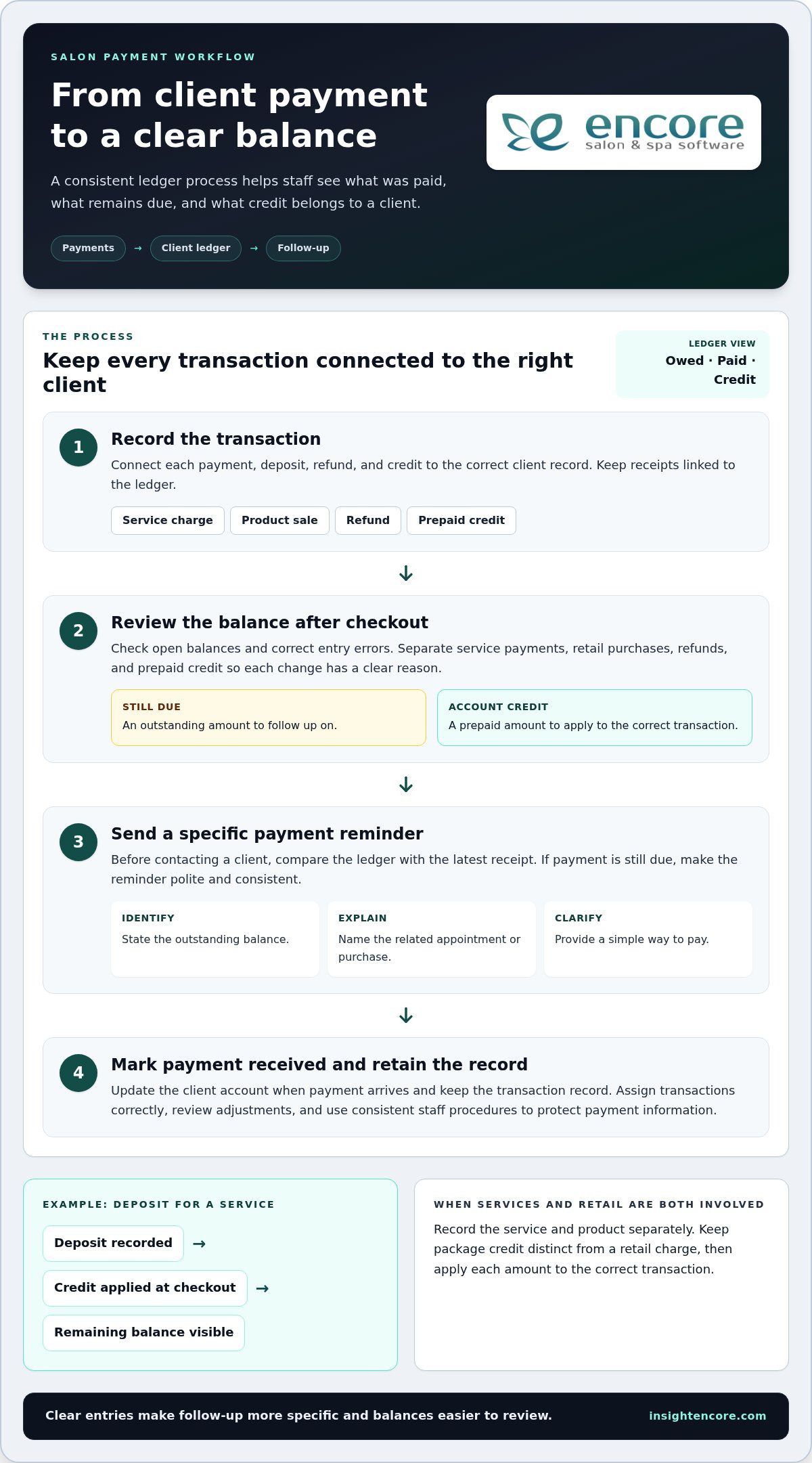
Categories
Uncategorized

Tattoo Studio Software: How to Choose the Right System in 2026

The tattoo studio software with the most features isn’t necessarily the best fit for your shop. If a system doesn’t match how you schedule artists, manage client information, and handle transactions, it can add steps instead of taking work off your plate.

When artist availability is hard to coordinate or client and payment details are spread across separate tools, it can be difficult to know which features matter most. Start with your studio’s day-to-day workflow, not a long list of capabilities.

This guide shows how to compare tattoo studio software against the tasks your team actually handles, from booking and client management to payments and inventory. You’ll learn what to assess for solo artists and multi-artist shops, which tattoo-specific features to verify, and how to look beyond the subscription when comparing options. By the end, you’ll have a practical way to narrow the field and choose a platform that supports your artists and clients without unnecessary complexity.

Key Takeaways

  • Map how appointments, client details, and transactions move through your studio to find avoidable admin gaps.
  • Use scheduling, records, payments, inventory, and client retention to define your essential tattoo studio software requirements.
  • Compare platforms by how well they support real studio workflows, not by the length of their feature lists.
  • Test realistic booking and client-management tasks, then confirm feature availability, plan limits, and terms with each vendor.
  • Encore may suit studios looking to bring several management tools together. Verify which capabilities are included in its tattoo software offering.

What Tattoo Studio Software Does for Your Day-to-Day Operations

Tattoo studio software helps organize appointments, client information, and business transactions in one place. A booking-only tool mainly handles appointment requests and schedules, while studio management software may also bring together other daily tasks. Capabilities vary by platform, so check exactly what’s included before choosing.

This distinction matters when a studio uses separate systems for artist availability, client details, and transactions. Staff may have to search for or enter the same information more than once. A connected platform can make these handoffs easier to manage, but it won’t determine how your studio should operate.

Which everyday studio tasks can software help organize?

Online booking gives clients a way to request appointments and helps the studio coordinate its schedule. Client management tools organize relevant records in one system, much like a Customer Relationship Management (CRM) system supports organized customer information and interactions. Point-of-sale tools can connect service transactions with business records, keeping operational information together.

Assess how these tasks work together, not just whether each feature appears on a list. After a client books, for example, can staff find the appointment and the related client record without switching between separate tools? Ask the provider to demonstrate that workflow and clarify any plan limits.

Who benefits from tattoo studio management software?

Owners coordinating several artists may value a shared way to manage appointments, client-facing processes, and transactions. Independent artists can consider whether a broader platform would simplify their routine or whether a booking-focused tool better suits their setup. In either case, check that the system fits your team size and the way you handle scheduling and records.

Software organizes information and processes. It doesn’t set studio policies or deliver tattoo services. Owners remain responsible for decisions such as how appointments are handled and what procedures the team follows. If a system appears to support a particular policy or tattoo-specific process, verify that capability directly rather than assuming it’s included.

Encore serves tattoo parlours alongside other beauty and wellness businesses. Its listed platform tools include online booking, client management, inventory tracking, and point-of-sale transactions. Check which capabilities apply to its tattoo studio software and your intended setup on the tattoo studio software page.

Tattoo Studio Software Features: Build Your Essential Requirements List

Build your requirements list around your studio’s actual workflow, not the platform with the longest feature list. Core capabilities to assess include scheduling and online booking, organized client records, point-of-sale transactions and payment processing, and inventory tracking. Retention tools such as automated marketing, loyalty programs, and gift cards may also be useful. Confirm which features are available in the specific product and plan you’re considering.

Scheduling and client records for tattoo appointments

Start with the schedule. Can clients request appointments online? Can your team see artist availability and manage bookings in a way that matches current studio processes? A feature name alone won’t show whether a system can handle how your artists share, assign, or update bookings. Ask vendors to demonstrate the scheduling tasks your team performs regularly.

Next, look at client records. Check how information is stored, updated, and accessed by authorized team members. If your workflow depends on deposits, reminders, forms, or appointment-specific notes, verify each capability directly. Don’t assume these are included under a general “client management” or “booking” label.

Payments, inventory, and client retention tools

Review how point-of-sale transactions fit with your studio’s payment process, and confirm what integrated credit card processing includes. For inventory, ask whether the system can track the supplies and products your studio actually manages. A tool that doesn’t match your inventory needs may add work instead of reducing it.

Automated marketing, loyalty programs, and gift cards can support client retention, but may be optional rather than essential. Prioritize them based on how your studio communicates with returning clients. If the platform stores client information, ask vendors how they protect it and review the FTC cybersecurity guidelines for practical steps businesses can take to safeguard information.

  • Scheduling: online booking, artist availability, and appointment visibility.
  • Client management: organized records and appropriate team access.
  • Transactions: point-of-sale tools and integrated payment capabilities.
  • Inventory: tracking that fits the supplies and products you manage.
  • Retention: marketing, loyalty, and gift card tools if they suit your client approach.

Rank each requirement as essential, useful, or optional. A studio coordinating several artists may prioritize shared scheduling, while an independent artist may focus on straightforward booking and accessible client records. Encore lists online booking, client management, inventory tracking, point-of-sale transactions, integrated credit card processing, automated marketing, loyalty programs, and gift card management among its platform capabilities. Check which are included in the tattoo software offering and applicable plan, then explore Encore as a possible fit.

How to Compare Tattoo Studio Software Beyond the Feature List

A broad platform can bring daily tasks together, but only if it fits the way your studio works. Separate tools may suit a team with an established process, while connected tools may reduce repeated data entry and switching between systems. Neither setup is automatically better. Compare each option against your real workflows, and confirm feature availability, limits, and plan applicability with the vendor.

Area What to compare
Workflow fit Can the system support how your studio assigns, updates, and tracks work?
Booking Can clients request appointments, and can staff view and manage schedules as needed?
Records Can authorized team members find and update relevant client information?
Transactions Do point-of-sale and payment capabilities match how the studio handles transactions?
Inventory Can you track the supplies and products your studio actually manages?
Support What help is available, through which channels, and during what hours?

What should a tattoo studio ask during a software demo?

Ask the vendor to demonstrate a typical client journey, from requesting an appointment to finding the client record and handling the transaction. Make the walkthrough practical: ask how staff find information during a working day, who can access or update it, and what happens when an appointment changes. Get clear answers about included features, implementation steps, data handling, and available support. A direct walkthrough can reveal gaps that a feature list won’t.

How can you assess cost and value without guessing?

Compare each provider’s current plan details, included features, limits, and transaction fees where applicable. Don’t assume a feature is included just because it appears on a general product page. Ask which plan supports your needs and whether additional charges apply.

Then consider the operational trade-off: could consolidating tools reduce duplicate work, or would separate systems remain easier for your team? Assess value against the tasks staff perform without assuming a particular financial return. For Encore’s current plan details, review the Encore pricing information, and confirm which capabilities apply to its tattoo studio software offering.

Tattoo Studio Software: How to Choose the Right System in 2026

A Practical Checklist for Choosing Tattoo Studio Software

Use a consistent process to compare platforms before moving appointments or client records. A focused evaluation helps you determine whether tattoo studio software fits your studio’s routines, rather than relying on a feature list or polished demo alone.

  1. Map your current workflow. Write down how clients book, how artists manage their schedules, and where client records are kept. Note repeated admin tasks, handoffs, or moments when staff have to search across tools. Include tattoo-specific needs, such as deposits or forms, as items to verify with vendors rather than assumed features.
  2. Rank what matters. Sort requirements into essential, useful, and optional. Ask artists and staff what slows them down and what information they need to find quickly. Review current records and processes too, so you understand what may need to move or change.
  3. Shortlist platforms. Compare providers against your priorities, team size, and daily tasks. Review Encore platform features alongside other vendors’ information, and confirm that any required capability applies to the specific product and plan you’re considering.
  4. Test realistic tasks. Use the same sample workflow for every shortlisted platform, such as handling an appointment request, finding a client record, updating details, and completing a transaction. Ask staff to try the steps and assess whether they can find the information they need without unnecessary detours.
  5. Confirm the terms. Ask each vendor about data migration, onboarding, available support, feature limits, and contract terms. Clarify what your team needs to prepare and which records or processes may require manual attention during a changeover.

Make the evaluation practical

A feature may sound useful but still be awkward in daily use. During a demo or trial, ask staff to complete the same tasks they handle at the studio, then gather their feedback. Can they follow the workflow and find and update the right information? Does the system support the process your studio wants, or would the team need to change how it works?

Before switching, check that current records are organized and identify what should be transferred, retained, or reviewed. A clear view of existing processes makes it easier to ask specific questions and plan the transition. The right choice should meet your priorities without adding features or complexity your studio won’t use.

Explore Encore for your studio

Is Encore Tattoo Studio Software a Fit for Your Business?

Encore is a management platform for beauty and wellness businesses, including tattoo parlours. It may be worth considering if you want to assess several everyday studio tools together rather than evaluate booking in isolation. The fit depends on whether the available features match your team’s workflow, not simply on how many capabilities the platform lists.

Which Encore capabilities may support a tattoo studio?

Encore lists online booking, client management, inventory tracking, and point-of-sale transactions among its platform capabilities. Other listed tools include integrated credit card processing, automated marketing, loyalty programs, and gift card management. These may be relevant to studios reviewing appointment coordination, client records, transactions, stock, and client retention.

Confirm which capabilities are included in the tattoo studio software offering and the plan you’re considering. If your process depends on a specific tattoo-related feature, such as digital forms, deposits, appointment reminders, artist-level access, or particular reporting, ask Encore directly whether it’s available and how it works. Don’t assume a capability is included based on a general feature description.

For product-specific details, review Encore tattoo studio software. Use your list of essential workflows to assess whether the listed tools address your needs, and ask for clarification wherever the details aren’t clear.

How can you take the next step with confidence?

Before exploring the trial, write down your must-have tasks and questions. These might include how your team handles booking requests, updates client records, tracks inventory, and processes transactions. Compare those workflows with the capabilities available in the tattoo offering. A clear checklist helps you focus your evaluation and identify what still needs confirmation.

Ask about feature availability, plan details, onboarding, data handling, and support arrangements that matter to your studio. If the fit isn’t clear, ask more questions rather than rushing a decision. Evaluate the platform against your real process and involve the people who will use it.

If you’re ready to explore the next step, see how Encore’s trial fits your studio’s requirements.

Try Encore and explore whether it fits your studio

Choose a System That Works for Your Studio

The strongest choice isn’t the platform with the longest feature list. It’s the one that supports your real workflow, helps keep bookings and client records organized, and fits your team’s needs. Before deciding, test routine tasks and confirm which features are included in the product and plan you’re considering.

Encore offers tattoo studio software for tattoo parlours, with listed platform capabilities including online booking, client management, inventory tracking, and point-of-sale transactions. Integrated credit card processing and automated marketing are also listed offerings. Check directly which capabilities are available for your studio and whether they support your tattoo-related requirements.

Use your checklist to explore the option at your own pace. A practical evaluation can help you move forward with confidence.

Try Encore and explore whether it fits your studio

Frequently Asked Questions

What is tattoo studio software?

Tattoo studio software helps organize business tasks such as appointment booking, client management, and transactions. Some platforms also offer inventory tracking, marketing, loyalty programs, or gift card tools. Capabilities vary by provider, so compare them with your studio’s daily workflows. A useful system should support the way you manage appointments and records, rather than require changes to essential studio practices without a clear reason.

What features should tattoo studio software include?

Start with the tools your studio needs most, such as online booking, artist scheduling, client records, and payment handling. Inventory tracking and client-retention features may also be useful. Ask vendors to confirm any tattoo-specific requirements, including forms, deposits, reminders, or session notes. Don’t assume a feature is included just because a platform serves tattoo businesses. Check availability, plan limits, and how each tool works in your actual workflow.

Can tattoo studio software manage multiple artists?

Some platforms may support team scheduling and shared studio workflows, but capabilities vary by product and plan. Ask the vendor to demonstrate how your team can view artist availability, manage appointments, and access client information. If you need artist-level permissions or reporting, confirm those details directly. Before choosing, test a realistic multi-artist scenario, such as updating an appointment and checking that the right team members can find the relevant information.

How does online booking help a tattoo studio?

Online booking gives clients a way to request or schedule appointments without relying entirely on back-and-forth messages. It can also help keep booking information organized for the studio. Check whether the system supports your preferred process, including consultations or other steps before an appointment is confirmed. Ask how booking requests are reviewed, updated, and confirmed, and whether the workflow suits the way your artists manage availability.

Is tattoo studio software suitable for a solo tattoo artist?

It can suit a solo artist if its booking, client-management, and payment tools match the way you work. You may not need every team or inventory feature, so compare the available capabilities and plan details against your actual requirements. Consider whether you can manage the system independently and find the client information you need. A simpler tool may be a better fit if a broader platform adds steps you won’t use.

How much does tattoo studio software cost?

Pricing depends on the provider, included capabilities, and applicable plan terms. Compare current vendor information rather than relying on generic estimates. Ask whether setup, payment processing, or optional features involve additional charges for your situation, and review contract terms before deciding. Look beyond the headline price to consider which tools are included and whether they support your workflow. That gives you a clearer basis for comparing value.

How do I switch to tattoo studio software?

Start by documenting your current booking process, client records, and routine business tasks. Shortlist platforms, ask vendors about data migration and onboarding, then test realistic workflows before committing. Confirm what information can be transferred, what your team needs to do, and what support is available. Review your records before the change and plan staff training. Choose a transition time that gives your team room to adjust and address questions.

Disclaimer

This article is general in nature and may contain errors, please verify all claims with your sales rep

Categories
Uncategorized

Mindbody vs Vagaro for Salons: 2026 Comparison Guide

The biggest names in software might be the very thing holding your salon back from its true profit potential. You’ve likely spent hours weighing mindbody vs vagaro for salons, trying to decide if you want the massive marketplace reach of one or the modular flexibility of the other. It’s exhausting to watch a 20% marketplace commission or a stack of monthly add-ons eat into your margins. You’re looking for a partner, yet it often feels like you’re just another data point in a giant corporate database.

We believe your software should empower your team, not complicate their day. This 2026 comparison guide promises to show you exactly how these giants stack up and why a human-centric alternative might be the best path to a streamlined business. We’ll preview the latest pricing shifts, from Mindbody’s $79 base tier to Vagaro’s unbundled feature costs, helping you find a solution that offers transparent pricing and reliable support. It’s time to move from a state of stress to organized control and find a tool that actually feels like a partner.

Key Takeaways

  • Understand the real impact of “marketplace taxes” and hidden fees on your bottom line before signing a long-term contract.
  • Evaluate mindbody vs vagaro for salons based on your specific team size and whether you need bundled automation or a la carte features.
  • See how industry-specific modules for nail salons and tattoo studios offer more precision than general wellness platforms.
  • Discover why human-centric technical support is the key to reducing staff burnout and streamlining your daily operations.
  • Learn how to protect your client relationships by choosing a software partner that puts your brand’s growth first.

The Salon Software Dilemma: Comparing Mindbody and Vagaro in 2026

Running a salon today requires a delicate balance between high-tech efficiency and high-touch service. When weighing the options for mindbody vs vagaro for salons, most owners feel forced to choose between two very different corporate philosophies. One offers an enterprise-level ecosystem designed for massive scale; the other provides a bustling marketplace that promises instant visibility. Both have shaped the industry, but they also bring specific friction points that can leave boutique owners feeling overwhelmed or overlooked. In 2026, the choice isn’t just about features. It’s about who actually owns your client relationships and how much of your margin you’re willing to give away.

Mindbody: The Enterprise-Level Giant

Mindbody remains the heavy hitter for multi-location wellness centers and fitness-hybrid salons. Looking at the Mindbody platform history, it’s clear the software was built with a fitness-first mindset. This heritage brings incredible power for memberships and class scheduling, but it often creates “feature bloat” for hair and beauty professionals who just need intuitive booking. While the Mindbody app connects you to over 3 million consumers, it comes with a cost. You’ll likely face a 20% commission on new clients discovered through their marketplace. For a growing salon, this “all-in-one” weight can lead to a steep learning curve that frustrates staff and eats into valuable service time. If you’ve ever wondered why people leave Mindbody in growing numbers, escalating subscription tiers and a cluttered interface that complicates routine staff onboarding are among the most cited reasons.

Vagaro: The Marketplace-First Contender

Vagaro won over the mid-market by focusing on simplicity and a “pay-as-you-go” modular model. It’s an attractive fit for independent stylists who want to be discovered without the high upfront cost of enterprise software. Their marketplace is a major draw because it doesn’t charge commissions on new bookings, which helps with initial visibility. However, this convenience has a downside. Your salon is listed right alongside every competitor in your zip code. The interface often encourages clients to shop for the next available opening rather than staying loyal to your specific brand. When you add up the costs for essential modules like branded apps and custom forms, that “affordable” base price can quickly climb.

The core friction in 2026 centers on three main issues: cost, complexity, and client ownership. You want a system that feels like a partner, not a corporation that treats your business as just another database entry. If you’re tired of feeling like a number, it’s time to look at how Encore Salon Software prioritizes your brand over a crowded marketplace.

Core Feature Showdown: Booking, Client Management, and Marketing

Choosing between mindbody vs vagaro for salons often comes down to how these tools handle the daily rush. Your calendar is the heartbeat of your business. If it’s clunky or difficult for staff to navigate, it creates a ripple effect of stress that clients definitely notice. You need a system that feels like a supportive partner, allowing you to focus on your craft rather than fighting with a screen. Both giants offer robust tools, but they approach the user experience with very different philosophies.

Scheduling and Calendar Flexibility

Vagaro is widely praised for its intuitive drag and drop interface. It’s built for speed, making it easy to shuffle appointments when a stylist runs late or a client arrives early. Mindbody offers deep functionality, but its interface can feel heavy, often requiring more clicks to complete simple tasks. Both platforms provide mobile apps to manage your day on the go, which is essential for modern flexibility. They also help you protect your time with automated deposits and cancellation fees. If you are looking for specialized insights beyond hair services, you might find similar logic applied in our guide to the Best Spa Booking Software in 2026.

Client Relationship Management (CRM)

A great CRM should do more than just store phone numbers; it should tell your client’s story. Mindbody excels at tracking memberships and class attendance, which is great for hybrid wellness centers. Vagaro focuses heavily on the individual service history, making it a favorite for traditional salons. However, specialized businesses often find these general tools lacking. A tattoo studio, for example, needs to track detailed ink preferences and medical waivers that a standard hair salon doesn’t require. Proper data management ensures you’re aligning with the U.S. Bureau of Labor Statistics industry overview regarding core managerial duties like client tracking and professional record-keeping.

Marketing and staff management are where you truly reclaim your time. Automated marketing tools like SMS reminders and birthday greetings keep your chairs full without manual effort. On the back end, tracking commissions and performance shouldn’t be a headache. Salon staff utilization rate measures the percentage of available working hours actually filled with client appointments, serving as a vital health check for your business growth in 2026. If you want to see how a human-centric system handles these complex details, consider exploring the specialized Encore features designed for your specific niche.

Beyond the Subscription: Analyzing Pricing and Marketplace Dynamics

When you’re comparing mindbody vs vagaro for salons, the sticker price is rarely the final number you see on your bank statement. It’s easy to get caught up in the promise of a low entry cost, but the true cost of ownership often hides in the fine print. You’ve worked hard to build your business. You shouldn’t have to guess where your money is going or feel like your software is taking a cut of your hard earned success. Understanding these operational costs is part of your broader responsibility, as noted in the Bureau of Labor Statistics occupational outlook for hairstylists and cosmetologists, which highlights the importance of managing inventory and scheduling systems effectively.

The Hidden Costs of Big-Box Software

Mindbody’s public starting tier is $79 per month for small businesses, but this is just the beginning. To access advanced marketing or automation, you’ll likely find yourself looking at quotes for their $279 or $499 tiers. Then there’s the 20% marketplace commission on new clients, which can feel like a heavy tax on your growth. Vagaro takes a different approach by unbundling its features. While a $30 base for one calendar sounds affordable, the “nickel and diming” starts quickly. You’ll pay $10 for digital forms, $20 for SMS marketing, and $100 per month for a custom branded app. Before you know it, that budget friendly tool is costing you hundreds more than you planned.

Marketplace vs. Brand-First Growth

One of the biggest risks with marketplace driven platforms is the “marketplace trap.” When you train your clients to book through a generic directory, you’re helping the platform grow its own brand, not yours. If a client opens an app to find you and sees a competitor’s “introductory offer” right next to your profile, you’ve lost control of the relationship. Setting up a dedicated salon client booking portal ensures your clients stay connected to your brand. It protects your business from being just another listing in a corporate database.

Data ownership is another critical factor. If you ever decide to move to a different provider, some platforms make it difficult to export your client history or formula notes. You should always own your data. It’s your most valuable asset. Choosing a partner that prioritizes transparency and brand loyalty over marketplace commissions is the only way to ensure long term peace of mind. If you’re looking for a simpler way to handle transactions without the corporate complexity, our integrated credit card processing provides the clear, honest pricing you deserve.

Mindbody vs Vagaro for Salons: 2026 Comparison Guide

Industry-Specific Solutions: Tailoring Software to Your Niche

A “one size fits all” approach often feels like wearing a uniform that doesn’t quite fit. While you’re weighing mindbody vs vagaro for salons, it’s easy to see how these platforms try to be everything to everyone. However, a hair salon’s workflow is vastly different from a tattoo studio or a booth rental space. You deserve software that understands the specific nuances of your niche, not a generic system that forces you to change how you work. Choosing the right fit in the mindbody vs vagaro for salons debate depends on how much you value these specialized features.

Specialized Tools for Tattoo and Nail Studios

Nail salons and professional spas have very different inventory needs. A nail studio might need to track thousands of polish shades, glitters, and dipping powders with high precision. Meanwhile, a spa focuses on professional backbar products and retail skincare. Generic platforms often miss these distinctions. Tattoo studios face even stricter requirements, needing integrated digital waivers and health record compliance to meet safety standards. Specialized tools like Encore’s specialized modules outperform generic platforms because they’re designed for these exact scenarios. They remove the friction of manual tracking, giving you more time to focus on your clients.

Specialized businesses require specific features to thrive:

  • Integrated health waivers and consent forms for tattoo and spa services
  • High-precision inventory tracking for thousands of nail supplies and retail items
  • Financial partitioning to keep booth rental income separate from salon overhead
  • Mobile-first management tools for independent contractors on the move

Booth Renters and Independent Stylists

Booth renters and independent stylists face their own set of hurdles. They need individual logins and complete financial separation from the main salon owner while maintaining a professional appearance. It’s about balancing salon wide branding with individual autonomy. Independent pros shouldn’t have to settle for a system that treats them like a standard employee. They need a dedicated booth renter client management app that lets them run their business their way. This level of specialization is what separates a partner from a service provider.

Barbershops also have a unique rhythm, often balancing high turnover with a mix of scheduled appointments and walk-ins. Managing that flow requires a specific strategy. If you’re looking to sharpen your operations, explore these 15 Barbershop Management Tips to stay ahead of the curve in 2026. Whether you’re running a multi-chair shop or working as a solo contractor, the right software should feel like a natural extension of your hands.

See how Encore fits your niche today

Encore: The Professional Alternative for Human-Centric Salons

Deciding between the trade-offs of mindbody vs vagaro for salons often feels like picking the lesser of two corporate evils. You’re either a tiny fish in a massive enterprise pond or a single listing in a crowded marketplace. After exploring the hidden costs and feature gaps of these giants, many owners realize they need a third path. You deserve a platform that prioritizes your peace of mind and business growth without the corporate coldness. Encore stands apart as a dedicated, human-centric ally that treats your success as its own.

Human Support in a Digital World

We reject the trend of automated bots and endless email ticketing systems. When you have a question or a technical hiccup, you deserve to speak with a real expert who understands the daily hurdles of running a busy shop. Our team provides personalized training to ensure your staff actually uses the software to its full potential rather than feeling intimidated by it. This hands-on guidance removes the stress of learning a new system. We approach every challenge with a “can-do” attitude, acting as a supportive partner that remains deeply invested in your individual success.

All-In-One Without the Overwhelm

You don’t need software that’s too difficult for your team to master. Encore brings together online booking, inventory management, and integrated credit card processing into a single, intuitive interface. You can drive repeat business with branded gift cards and loyalty programs that feel like a natural extension of your brand. It’s about having professional power without the unnecessary complexity that leads to staff burnout. We focus on removing industry frustrations so you can get back to what you love. Ready to see a better way? Try Encore Salon Software today.

Moving your data from Mindbody or Vagaro doesn’t have to be a nightmare. We specialize in seamless data migration, handling the technical heavy lifting so you don’t have to worry about losing your history. Your client records, formula notes, and inventory data are too valuable to leave behind. By choosing a partner that values reliability and simplicity, you’re investing in a tool that finally feels like it’s on your side. In the final analysis of mindbody vs vagaro for salons, the best choice is the one that values your brand over its own marketplace.

Choose a Software Partner Built for Your Salon’s Future

Deciding between mindbody vs vagaro for salons doesn’t have to be a choice between two corporate extremes. You’ve seen how the “marketplace tax” can eat into your profits and how generic tools often fail specialized niches like tattoo studios or booth rental shops. The right software should feel like a partner that simplifies your day, not a vendor that treats you like a database entry. By prioritizing transparent pricing and specialized modules, you protect your brand and your peace of mind.

We provide the professional power you need with a human touch that big-box companies often lack. With integrated credit card processing and dedicated support from real experts, we help you move from a state of stress to organized control. You deserve a system that understands the daily hurdles of your industry and is genuinely eager to help you overcome them.

Experience the Human-Centric Alternative to Big-Box Software—Try Encore Now

Take the next step toward a more streamlined and supportive business environment today. Your success is our priority, and we’re ready to help you thrive.

Frequently Asked Questions

Is Mindbody or Vagaro better for a small salon?

Choosing between mindbody vs vagaro for salons depends on your specific growth goals. Mindbody offers deep automation for large wellness centers but often feels too complex for boutique teams. Vagaro is easier to start with but relies heavily on its own marketplace. For a small salon, you want software that feels like a partner, not a giant corporation. Encore provides specialized tools that simplify your day without the enterprise-level learning curve or hidden marketplace commissions.

Can I migrate my client data from Mindbody to Encore?

Yes, moving your client history and formula notes is a seamless process with our team. We handle the technical heavy lifting so you don’t have to worry about losing years of valuable data. Whether you are coming from Mindbody or Vagaro, we ensure your records are transferred accurately. This hands-on support removes the typical stress of switching systems, letting you focus on your craft while we set up your new digital home.

Does Vagaro charge fees for every booking made through their marketplace?

Unlike Mindbody, which charges a 20% commission on new clients found through its app, Vagaro currently offers its marketplace with $0 commission per booking. However, while the marketplace is free, Vagaro unbundles its features. You might find yourself paying extra monthly fees for essential tools like digital forms, SMS marketing, or a custom branded app. These add-ons can quickly increase your total monthly spend beyond the initial base subscription price.

What is the best alternative to Mindbody for a high-end spa?

Encore Spa Software is the premier alternative for high-end spas that value a personalized touch. While Mindbody focuses on fitness and wellness conglomerates, our platform is built specifically for the high-touch requirements of a professional spa. We offer specialized inventory management and client relationship tools that big-box software often generalizes. You get the professional power of an enterprise system with the dedicated human support that ensures your team feels confident and supported.

Do these platforms include integrated credit card processing?

Yes, both Mindbody and Vagaro offer integrated payments, and Encore provides Integrated Credit Card Processing as well. Having payments tied directly to your booking system reduces manual entry errors and speeds up the checkout process. Our solution offers transparent pricing without the corporate complexity. It allows you to manage deposits, memberships, and gift cards in one place, ensuring your financial tracking is as streamlined as your appointment calendar.

How does Encore’s support differ from big-box software companies?

We reject the trend of automated chatbots and delayed email tickets used by many big-box software companies. Our support is handled by real experts who understand the daily hurdles of the beauty industry. You get a dedicated ally with a “can-do” attitude, ready to solve problems over the phone. This human-centric approach ensures you never feel like just another number in a database, providing a level of reliability that corporate giants simply don’t match.

Can I manage booth renters with salon software?

Yes, managing booth renters requires specific tools that maintain individual autonomy while keeping the salon organized. Encore offers specialized Chair/Booth Renter Software that provides separate logins and financial partitioning. This ensures that independent contractors can manage their own schedules and income without it getting tangled in the salon’s overhead. It’s the perfect balance of professional salon branding and the individual freedom that modern independent stylists require to thrive.

Is there a contract required for salon management software in 2026?

Software contracts vary across the industry, but the trend in 2026 is moving toward more flexible, month-to-month arrangements. We believe in earning your business every day through reliability and excellent support rather than locking you into restrictive long-term commitments. When comparing mindbody vs vagaro for salons, always check for hidden cancellation fees or data export costs. We prioritize transparency, ensuring you always own your data and feel empowered in your software partnership.

Disclaimer

This article is general in nature and may contain errors, please verify all claims with your sales rep
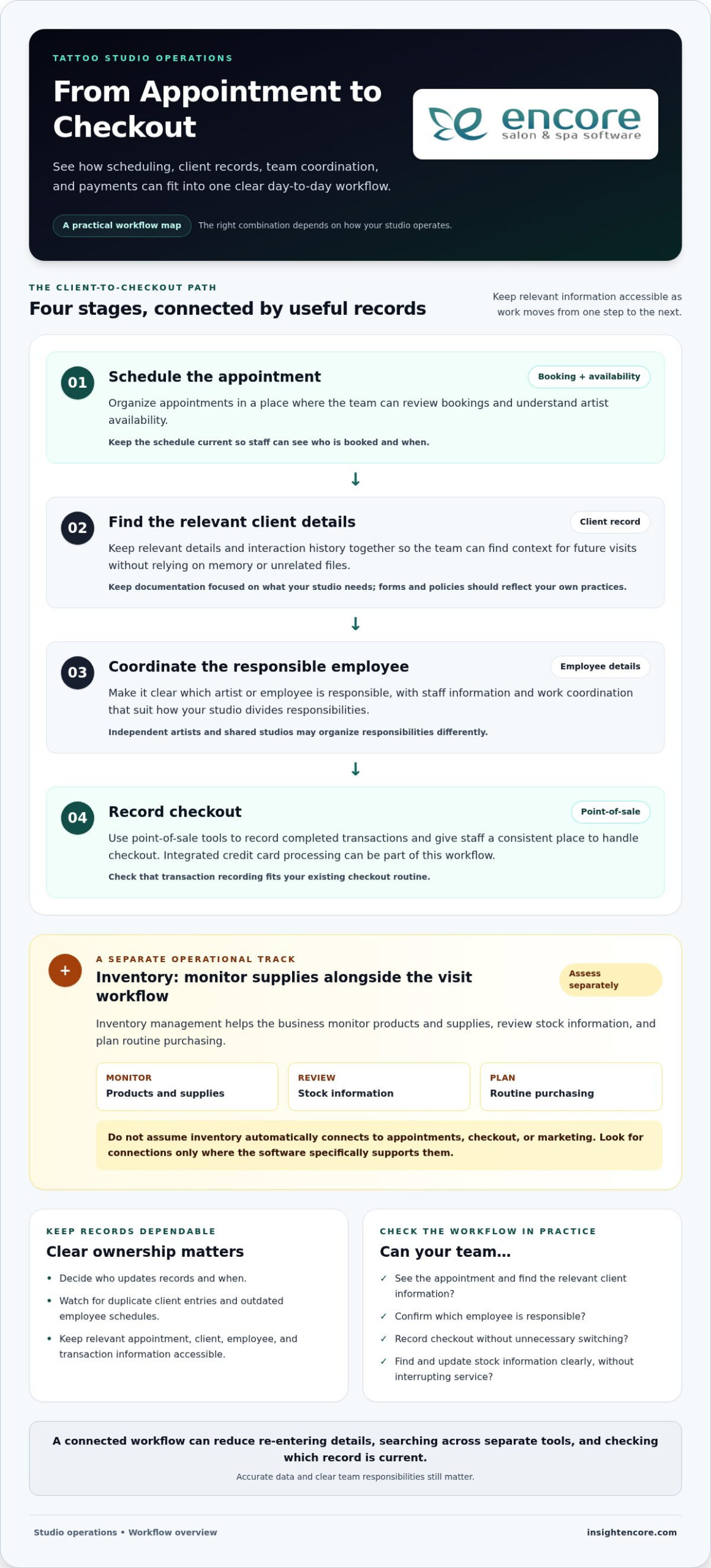
Categories
Uncategorized

How to Calculate Salon Staff Utilization Rate: The 2026 Management Guide

What if those quiet gaps in your appointment book weren’t just a natural part of the day, but actually a hidden leak in your salon’s profitability? It’s a common frustration for owners who see high overhead costs but feel like their revenue isn’t quite reaching its potential. You shouldn’t have to wonder which stylists are carrying their weight or why your margins feel so thin despite a busy-looking floor. Learning exactly how to calculate salon staff utilization rate is the first step toward reclaiming control over your schedule and your bank account.

We know that managing a team is as much about people as it is about numbers. That’s why this guide focuses on mastering the math behind your productivity without losing the human touch your brand is known for. You’ll learn the exact formula for measuring efficiency, see where you stand against 2026 industry benchmarks, and discover actionable ways to fill empty chairs. We will also look at how automated tools can replace spreadsheet fatigue with clear, reliable insights that empower both you and your staff to succeed. It’s time to turn that idle time into a revenue-generating opportunity.

Key Takeaways

  • Master the fundamental math of your business by learning exactly how to calculate salon staff utilization rate to identify where your revenue is leaking.
  • Discover why a 100% booking rate is actually a sign of potential burnout and learn how to aim for the sustainable “sweet spot” of 75% to 85%.
  • Learn how to eliminate “Swiss cheese” gaps in your daily schedule using automated marketing tools that fill last-minute cancellations.
  • Stop wasting hours on manual performance tracking and see how real-time reporting can replace your spreadsheets with accurate data.
  • Understand the direct link between stylist productivity and rising overhead costs to ensure your salon stays profitable in the 2026 market.

Understanding Salon Staff Utilization: Why This Metric Matters in 2026

In the fast-paced world of hair and beauty, it’s easy to mistake a bustling floor for a profitable one. However, the true health of your business lies in a specific number. A utilization rate is the percentage of time your stylists spend performing services compared to the total hours they are available to work. As we move into 2026, understanding this metric is no longer optional. With rising overhead costs like rent and energy prices, every minute an employee is on the clock must be intentional. This is why learning how to calculate salon staff utilization rate is the first step in protecting your bottom line.

Many owners assume that if their team looks busy, the salon is doing well. This is a common misconception. A stylist might spend half their shift cleaning or folding towels. While these tasks are helpful, they don’t generate direct revenue. Knowing how to calculate salon staff utilization rate allows you to see past the activity on the floor and focus on the actual bookings that pay the bills. It’s the direct link to your break-even point. If your utilization is too low, you aren’t just losing potential profit. You’re actively paying for time that isn’t being sold.

Utilization vs. Productivity: What is the Difference?

While these terms are often used interchangeably, they measure different things. Utilization is a time-based metric. It tells you if your staff is being kept busy with clients. Productivity, on the other hand, is revenue-based. It tracks how much money a stylist generates during those booked hours. You might have a stylist with 90% utilization who only performs low-cost trims. Conversely, a senior stylist might have 60% utilization but generates massive revenue through high-end color services. You need both metrics to get a full picture of your salon’s health and to make informed management decisions.

The Financial Impact of Idle Time

Idle time is a silent profit killer. Think about the “cost of an empty chair.” Every hour a stylist sits without a client, you’re still paying for rent, utilities, and potentially their base wage. Low utilization rates eat into your margins. This makes it difficult to offer competitive commissions or invest in new equipment. By tracking this data, you can make smarter staffing choices. If utilization is consistently high, it’s time to hire. If it’s low, you might need to adjust your scheduling features or focus on marketing to fill those gaps. Using these insights helps you move from “guesstimating” to running a data-driven business. Of course, utilization is just one piece of the puzzle — pairing this data with a broader strategy to increase your salon profit margin ensures that every filled chair is also contributing meaningfully to your bottom line.

The Step-by-Step Formula for Calculating Stylist Utilization Rates

Ready to get into the numbers? Don’t worry. This isn’t complex calculus. The core formula for how to calculate salon staff utilization rate is straightforward: (Total Booked Hours / Total Available Hours) x 100. This simple equation gives you a percentage that represents how much of your staff’s time is actually being sold to clients. It’s the most reliable way to see if your team is truly productive or just staying busy with side tasks.

To get an accurate result, you must define your terms clearly. “Available Hours” are the hours a stylist is on the clock and ready to work. This should exclude unpaid lunch breaks or scheduled administrative time where they aren’t expected to take clients. “Booked Hours” refers to the time spent performing services. While some owners include cleanup time in this, it’s often better to keep cleanup as a separate operational buffer to avoid inflating your numbers. This ensures you’re measuring the actual revenue-generating capacity of your chairs.

Let’s look at a concrete example. Stylist Sarah works a 40-hour week. After deducting 5 hours for lunch and 2 hours for a weekly staff meeting, her “Available Hours” total 33. If Sarah has 25 hours of services booked on her calendar, her calculation looks like this: (25 / 33) x 100 = 75.7%. This tells you Sarah is performing services for roughly three-quarters of her available time. Knowing how to calculate salon staff utilization rate this way helps you spot performance trends across your entire team.

Accounting for Double Bookings and Overlaps

In busy salons, stylists often work on one client while another’s color processes. This can result in utilization rates exceeding 100%, which might look great on paper but can be confusing for reporting. While high utilization is positive, “weighted” utilization helps you understand if a stylist is multi-tasking effectively or simply overbooked. To keep your data clean, normalize double-booking by counting the total duration of the shift rather than stacking overlapping appointment times. This prevents your reports from suggesting a stylist worked 12 hours in an 8-hour shift, giving you a more realistic view of capacity.

Standardizing Your Data Collection

Consistency is the secret to reliable data. If one stylist clocks in early and another forgets until their first client arrives, your percentages will be skewed. Establish a firm rule for clock-in and clock-out times. You should also distinguish between “walk-in” time and “pre-booked” time. This helps you identify if your utilization is driven by loyal repeat clients or foot traffic. Setting a weekly reporting cadence is usually best for catching trends before they become problems. If you find manual tracking too tedious, you can explore integrated reporting features that handle these calculations for you automatically.

Analyzing Your Results: What Is a “Good” Utilization Rate for a Salon?

Now that you’ve mastered how to calculate salon staff utilization rate, it’s time to interpret what those percentages mean for your business. A common mistake is aiming for 100%. While it sounds efficient, a fully booked team is often a team on the brink of burnout. In the salon industry, the “sweet spot” for sustainable growth usually falls between 75% and 85%. This range allows for maximum revenue while leaving enough room for staff to breathe, clean their stations, and engage with clients about retail products.

If you see rates dipping below 60%, you’ve entered the danger zone. This level of idle time suggests that your marketing isn’t reaching the right people or your scheduling needs a serious overhaul. However, don’t panic if your junior stylists are in this bracket. It’s natural for newer team members to have lower utilization as they build their books. For your master colorists, you should expect to see them consistently hitting that 80% mark. Understanding the numbers is just as important as knowing how to calculate salon staff utilization rate in the first place. If persistent low utilization is squeezing your margins, reviewing your full operational costs through the lens of how to increase salon profit margin can reveal additional leaks that go beyond scheduling alone.

Utilization Benchmarks by Service Type

Expectations should shift based on your business model. High-volume environments like barber shops often thrive with utilization rates closer to 90% because services are quick and transitions are fast. Luxury spas or salons specializing in long-form services like extensions might target a slightly lower rate to ensure the client experience feels unhurried. Specialized businesses have their own rhythms too. For example, artists using Encore Tattoo Software often balance long sessions with significant prep time, which changes how you view a productive day. If you run a high-volume barbershop and want to maximize those strong utilization numbers, reviewing proven barbershop management tips for new owners can help you build the operational foundation needed to sustain that pace.

Red Flags: When High Utilization Becomes a Liability

Consistency is key, but pushing for 95% or higher is a recipe for staff turnover. When stylists have zero “buffer time,” their stress levels skyrocket and the quality of their work can slip. It also kills your retail sales. A stylist who is rushing to clean up for the next client won’t have the time to explain which shampoo will preserve that fresh color. If your team is over-utilized, you’ll see it in their energy levels and your Google reviews. Sustainable success requires a balance between a full book and a supported team.

How to Calculate Salon Staff Utilization Rate: The 2026 Management Guide

4 Proven Strategies to Improve Low Utilization Without Increasing Burnout

Knowing how to calculate salon staff utilization rate is only half the battle; the real magic happens when you use that data to drive positive change. It’s common to feel a bit stuck when you see low percentages, but you don’t have to push your team to the point of exhaustion to see results. Improving utilization is about working smarter and refining your operations. Start by looking at your daily schedule for “Swiss cheese” gaps. These are those awkward 15 or 30 minute breaks between appointments that are too short for a new service but long enough to waste time. By nudging appointments together, you can reclaim hours of billable time every week.

Automated marketing is another powerful tool for your management toolkit. Instead of waiting for the phone to ring, you can send last-minute booking incentives to your most loyal clients as soon as a gap appears. Cross-training also plays a vital role in a modern salon. When a stylist is trained in multiple service types, they can step in to help with a busy nail tech’s overflow or handle a quick brow wax during a color processing break. Implementing online booking further supports this by allowing clients to fill those gaps themselves, often during the late night hours when your salon is closed.

Incentivizing Staff for Self-Filled Gaps

Your stylists are your best brand ambassadors and they’re often eager to help the business grow. Why not reward them for taking initiative? Offering a small bonus or a slightly higher commission for clients they bring in during their own idle hours can transform a slow afternoon into a productive one. You can encourage them to post “flash sales” on their professional social media pages to fill immediate openings. When you integrate these clear utilization goals into your salon employee performance review template, you turn a math problem into a shared win for the whole team.

Managing Client No-Shows and Cancellations

A single no-show can tank your daily utilization rate and leave a stylist feeling undervalued. Protecting your team’s time is a non-negotiable part of modern management. Implementing small deposits or firm cancellation fees ensures that clients value your schedule as much as you do. You can also use automated waitlists to instantly notify waiting clients the moment a slot opens up. This keeps your chairs full and your revenue steady without adding any extra stress or manual work to your staff’s busy day.

Try Encore for free and fill your empty chairs today

Beyond the Spreadsheet: Automating Performance Tracking with Encore

Many owners spend their Sunday nights hunched over a laptop, trying to figure out why their bank balance doesn’t match the activity they saw all week. While knowing how to calculate salon staff utilization rate manually is a foundational skill, relying on pen and paper or clunky spreadsheets often leads to “guesstimates” rather than solid facts. Spreadsheet fatigue is real, and human error is inevitable when you’re busy managing a team and serving clients. A missed clock-in or a forgotten walk-in can skew your data, leaving you with an inaccurate picture of your business health. Encore Salon Software removes this frustration by automating the entire process. It captures every booking and every minute on the clock to generate real-time reports that you can trust.

Automation doesn’t just save time; it connects your data in ways a manual system never could. When your utilization rates are integrated with your payroll and commission structures, you eliminate the need for stressful double-entry. For a deeper look at how to eliminate manual payroll errors entirely, explore how calculating salon staff commission automatically can build lasting trust with your team and protect your peace of mind. Your stylists can see exactly how their performance impacts their paycheck, which builds a culture of transparency and trust. You can also use these performance dashboards to make confident hiring decisions. If your team is consistently hitting that 85% mark, the data is telling you it’s safe to bring on a new team member. Learning how to calculate salon staff utilization rate through an automated system ensures every growth decision is backed by reliable evidence.

Real-Time Insights for Proactive Management

Stop waiting until the end of the month to realize you had too many empty chairs. With live data, you move from “looking back” at missed opportunities to “fixing today.” You can check staff utilization from anywhere using mobile access, whether you’re at the salon or grabbing a coffee down the street. Set up automated alerts to notify you when specific time slots are consistently under-utilized. This allows you to launch a quick marketing campaign or adjust your staffing levels before the week is even over. It’s about having total control over your schedule without being tied to a desk.

Scaling Your Business with Data

Scaling your business requires more than just a gut feeling. When you track utilization trends over months or years, you gain the clarity needed to plan for a second location or a major expansion. These data-backed reviews also improve staff morale. Instead of a vague conversation about “being busy,” you can show a stylist their growth through clear, visual charts. This professional approach fosters loyalty and keeps your best talent from looking elsewhere. If you’re ready to ditch the calculator and see what automation can do for your peace of mind, contact our team for a demo today. We’re here to help you turn those spreadsheets into a strategy for long-term success.

Take Control of Your Salon’s Future

Mastering how to calculate salon staff utilization rate is the key to identifying hidden profit leaks and protecting your team from burnout. You now have the clarity to target that 75% to 85% sweet spot where productivity meets sustainability. By replacing manual spreadsheets with automated insights, you can stop guessing and start making data-driven decisions that actually move the needle for your business.

Since 1991, we’ve provided salon owners with the specialized tools needed to manage everything from utilization to inventory in one place. Whether you’re an independent stylist or running a large spa, our all-in-one reporting is designed to give you back your Sunday nights. You’ve mastered the math. Now it’s time to let a reliable partner handle the tracking so you can focus on your craft.

Stop doing the math and start growing your salon with Encore Software.

Your journey toward a more efficient and profitable salon starts today. We’re here to help you turn your idle time into revenue and your stress into a feeling of organized control. Let’s get started.

Frequently Asked Questions

How do I calculate salon staff utilization rate manually?

To find this number, divide the total hours a stylist spent with clients by the total hours they were available to work, then multiply by 100. For example, if a stylist was available for 30 hours and performed services for 21 hours, their rate is 70%. Understanding how to calculate salon staff utilization rate manually is a great way to double-check your numbers before you transition to an automated reporting system.

What is a good staff utilization rate for a hair salon?

A healthy target for most salons is between 75% and 85%. While 100% might sound like the goal, it often leads to staff burnout and leaves no room for retail sales or cleaning. If your rates fall below 60%, it’s usually a sign that you need to ramp up your marketing or adjust your scheduling. Aiming for the sweet spot ensures your business stays profitable while your team remains happy.

Does double booking affect my utilization rate calculation?

Yes, double booking can skew your data and even push your utilization rate above 100%. If a stylist works on two clients at once, their booked hours might technically exceed their shift length. To keep your reports accurate, it’s best to normalize this data by counting the total duration of the shift as the maximum capacity. This prevents confusing spikes in your reports and gives you a more realistic view of your salon’s actual floor capacity.

How can I improve my stylists utilization without making them feel pressured?

Focus on filling the “Swiss cheese” gaps in your schedule through automated marketing rather than demanding more speed. Use incentives like small bonuses for stylists who fill their own idle time or offer flash sales to your loyal clients. When you frame utilization as a way for them to grow their own commissions, it feels like a partnership. It’s about optimizing the day to work smarter, not just pushing everyone to work harder.

Should I include unpaid lunch breaks in the available hours calculation?

No, you should always exclude unpaid lunch breaks and scheduled meetings from your “available hours” total. Your utilization rate should only reflect the time a stylist is actually on the clock and ready to accept clients. Including non-working time would artificially lower your percentages and give you an inaccurate picture of your team’s efficiency. Removing these hours ensures you’re only measuring the time that has the potential to generate revenue for your salon.

How often should I review my staff utilization reports?

Reviewing your reports once a week is the best way to catch scheduling trends before they turn into major profit leaks. A weekly check-in allows you to be proactive and adjust your marketing if you see a slow period coming up. You should also do a deeper dive once a month to look at long-term performance and seasonal patterns. Consistent reviews keep you in control and help your team stay aligned with your growth goals.

Can salon software calculate utilization for booth renters?

Yes, specialized tools like our Chair/Booth Renter Software are built specifically for independent professionals. Even if you don’t manage a full team, knowing how to calculate salon staff utilization rate for yourself is vital for managing your own time and income. The software tracks your specific bookings against your personal availability. This gives you the same level of professional insight that a large salon uses to stay profitable and organized every single day.

What is the difference between utilization and productivity in a spa?

Utilization measures the time a therapist spends with clients, while productivity measures the revenue they generate during those sessions. In a spa setting, a therapist might be 90% utilized with low-cost treatments but generate less revenue than someone who is 60% utilized with high-end facials. You need both numbers to see the full picture. High utilization is a great start, but it must be paired with strong productivity to ensure your spa remains truly profitable.

Disclaimer

This article is general in nature and may contain errors, please verify all claims with your sales rep