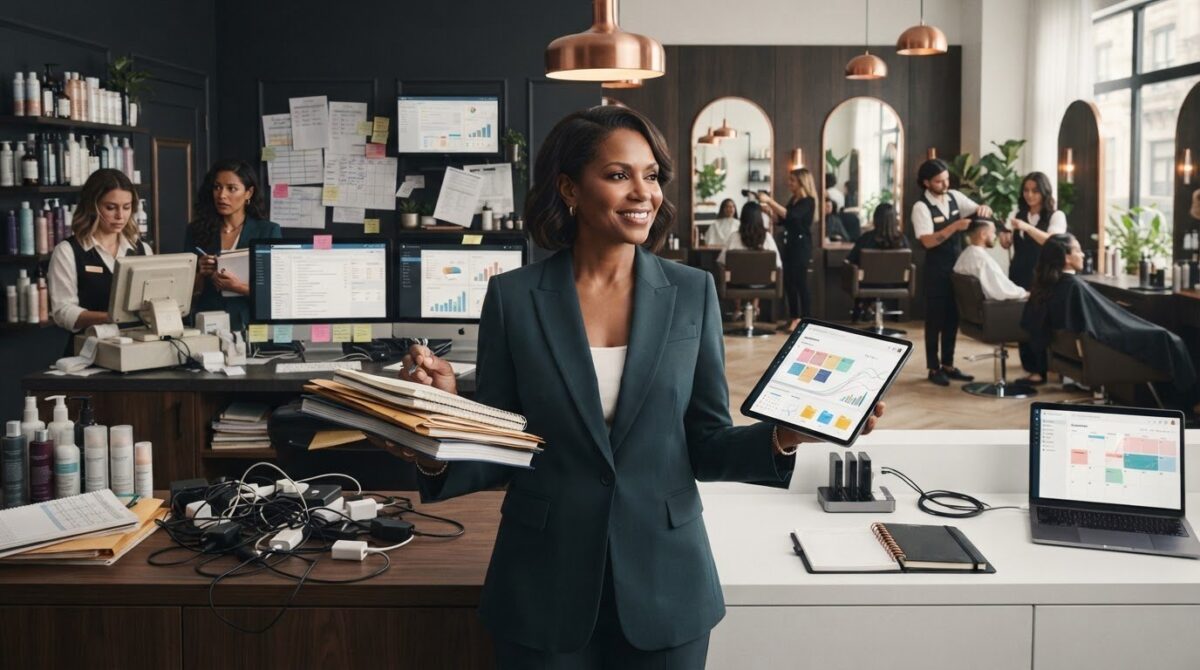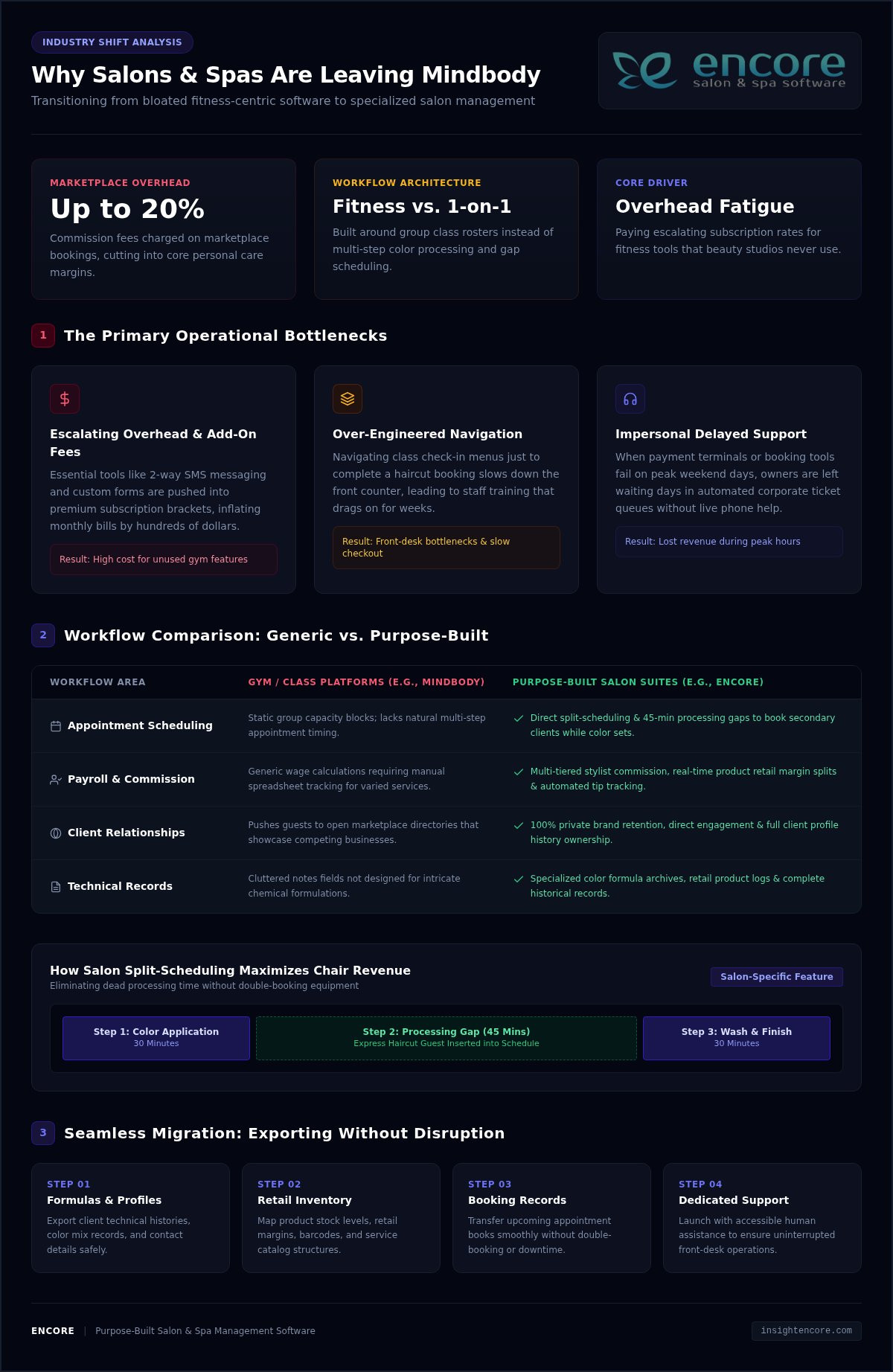
What if adding another salon location didn’t mean adding another set of disconnected schedules, client records, and inventory headaches? Learning how to manage multiple salon locations starts with identifying where daily routines differ and deciding which differences affect the client experience or make it harder to understand how each salon is performing.
You need shared standards, but a single rigid rulebook can overlook what makes each local team and its clients unique. Decide which processes must stay consistent, give managers clear ownership of daily operations, and make key information easier to compare. This approach supports oversight while leaving teams room to serve clients well.
This guide covers practical ways to align core processes, coordinate schedules and client information, manage inventory, and review performance across locations. It also explains how connected booking, client management, inventory, and point-of-sale tools can reduce fragmented workflows. The goal is a repeatable approach that helps you spot differences, ask better questions, and support each location without managing every detail yourself.
Key Takeaways
- Map how each salon currently handles daily work to see which processes align and where they differ.
- To learn how to manage multiple salon locations, set shared standards for essential client-facing tasks while leaving room for local decisions.
- Give each manager clear responsibility for team training and daily follow-through. Focus owner oversight on progress, recurring issues, and decisions that need escalation.
- Roll out changes in stages. Use a pilot and a small set of relevant measures to learn what works before expanding.
- Assess whether connected tools for booking, client records, inventory, payments, and other daily tasks can support your operating model across locations.
How to Manage Multiple Salon Locations Without Losing Operational Clarity
Managing multiple salons means coordinating people, processes, client experience, and performance across every site. Growth brings more than extra appointments and staff. It also raises questions about how work gets done, who owns each decision, and how you’ll recognize when a location needs support.
The practical answer to how to manage multiple salon locations is not to make every salon identical. Set shared expectations for essential work, then give managers clear authority to respond to local needs. This helps protect the client experience and makes differences in performance easier to interpret. Comparisons are useful only when every salon defines and records the information in the same way.
This approach can support different ownership structures. For example, a franchise is a particular business growth strategy with defined relationships between franchisors and franchisees. Whatever your structure, clear standards and decision rights help teams work together without relying on the owner to resolve every routine question.
What changes when a salon grows beyond one location?
At one salon, the owner can often spot a scheduling problem, explain checkout steps, or notice stock running low in person. Across locations, those informal check-ins become harder to maintain. One team might confirm appointments the same way each time, while another handles changes differently. Client records may be updated inconsistently, and stock counts may follow different routines.
Not every difference signals a problem. Appointment patterns may vary because clients, services, or local demand differ. The important task is to distinguish local variation from gaps in the process. If teams handle checkout records or inventory counts differently, comparisons may reflect inconsistent routines rather than actual business performance.
Which responsibilities should be clear from the start?
Make decision ownership visible before small issues start bouncing between teams. A simple responsibility guide can show who sets expectations, who handles day-to-day choices, and when an unresolved issue should be escalated.
- Owner: Sets business priorities, approves core policies, and reviews performance across locations.
- Central operations lead: Turns shared policies into practical procedures, supports managers, and tracks recurring issues across sites.
- Location manager: Runs daily operations, coaches the local team, and makes decisions within agreed boundaries.
- Frontline team: Follows shared steps for client-facing tasks and flags issues that can’t be resolved locally.
Define escalation paths with practical examples. A manager might resolve a routine scheduling exception locally, while a system-wide issue that keeps recurring goes to the operations lead. The owner can then focus on policy or resource decisions instead of being pulled into every daily adjustment.
How to Build Repeatable Processes Across Every Salon Location
Shared processes are easier to teach, follow, and improve. They also help clients receive dependable service, whether they book online, update their details, or pay at checkout. A useful multi-location standard sets a clear minimum, not a script for every interaction.
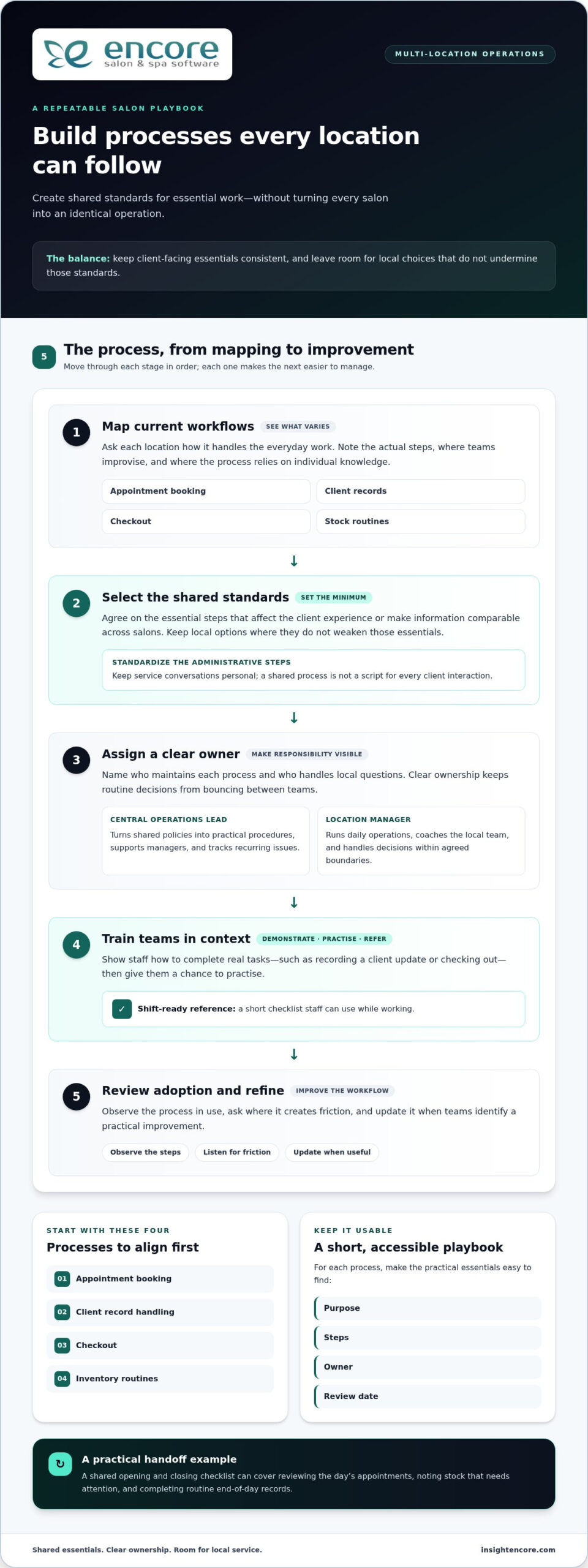
Build your process playbook in manageable steps:
- Map current workflows. Ask each location to describe how it handles booking, client records, checkout, and stock. Note the steps and where teams improvise or rely on individual knowledge.
- Select the standards. Agree on essential steps that should be consistent, especially those that affect clients or make information comparable. Leave room for local choices that don’t undermine those essentials.
- Assign owners. Name someone responsible for each process. For example, the operations lead can maintain the shared procedure while a location-level owner handles questions and feedback.
- Train the teams. Demonstrate the steps in context, then give staff a short checklist they can refer to during a shift.
- Review adoption. Observe the workflow, ask where it creates friction, and update the process when teams identify a practical improvement.
Keep procedures in a short, accessible playbook. Include each process’s purpose, steps, owner, and review date. The U.S. Chamber of Commerce offers guidance on creating Standard operating procedures, which can help you write usable instructions instead of lengthy documents that staff struggle to apply.
Which salon processes should be standardized first?
Start with appointment booking, client record handling, checkout, and inventory routines. These tasks connect the client experience with day-to-day business information, so inconsistent steps can lead to avoidable confusion. A shared opening and closing checklist can cover practical handoffs: reviewing the day’s appointments, noting stock that needs attention, and completing routine end-of-day records. Keep service conversations personal. Standardize the necessary administrative steps, not the stylist’s relationship with each client.
How can managers train teams to follow shared processes?
Use realistic examples. Show staff how to record a client update or complete checkout, then give them a chance to practise using the checklist. Each location should have a process owner who can answer questions and flag recurring obstacles. Managers can check adoption through coaching and workflow observations, not just by distributing a policy document. Their feedback can reveal whether a step is unclear, difficult to use, or ready for refinement.
As you define these routines, consider whether connected booking, client management, inventory, and point-of-sale tools can support the same workflow across sites. Explore Encore’s salon management tools to see how a shared system could fit your processes.
How to Balance Central Control and Local Flexibility Across Salons
Consistency doesn’t mean every salon has to operate identically. Set shared expectations for what protects the brand and makes performance comparable, then let managers adapt decisions that depend on local clients, schedules, and team needs. Clear boundaries give staff room to act without turning every choice into a head-office approval.
What should be decided centrally, and what can managers adapt?
Use the examples below as decisions to assess, not universal rules. The right split depends on your services, locations, and operating model.
| Shared standards set centrally | Choices managers may adapt |
|---|---|
| Brand-wide principles for presenting services and supporting clients | How the team brings those principles to life in local conversations |
| Definitions for reports, such as what counts as a completed appointment | Scheduling choices that respond to local appointment patterns |
| Core workflows for booking, client records, checkout, and inventory tracking | Day-to-day team coordination and shift handoffs |
| Guidelines for local promotions and shared brand requirements | Which locally relevant promotion to run, within those guidelines |
For each flexible choice, clarify the boundary: what a manager can decide independently, what needs approval, and what information to record. If a location adjusts a routine to meet a local need, log the reason, decision owner, and review date. This makes flexibility visible and gives you a basis for deciding whether an exception should stay local, become a useful practice for other salons, or prompt an update to the shared process.
How can owners compare locations fairly?
Start with comparable information. Use the same metric definitions and reporting periods across salons, then interpret results in context rather than ranking teams by a single number. A difference in appointment volume, for example, may reflect staffing levels or appointment mix, not simply how well a location is managed. Local demand and operating context matter, too.
Staff utilization can help you understand how scheduled team time relates to appointments and service activity. Before comparing locations, define which time and activity the measure includes, and apply that definition consistently. Then look for patterns: does a result change alongside a different appointment mix, or does it persist across reporting periods? Consistent definitions make comparisons a starting point for useful questions, not a verdict on a manager.
This is a practical part of how to manage multiple salon locations: centralize the rules that create shared understanding, and let managers adapt within clear boundaries. Review logged exceptions alongside performance results so local learning informs decisions without quietly changing the process at each site.
How to Roll Out Multi-Location Salon Management Step by Step
A clear rollout gives staff time to understand a change, practise it, and share what needs adjustment before it reaches every location. Keep the process manageable: establish a baseline, test one workflow, learn from the pilot, and then expand.
How should a salon group prepare for a new operating process?
Before changing a routine, document how it works today. Note the systems teams use, handoffs between roles, differences between locations, and known bottlenecks. A booking workflow, for example, may look consistent on paper but involve different follow-up steps at each salon. Capture what staff actually do, including where they need to use their judgment.
Next, choose one process to pilot. Look for a workflow with a visible effect on clients or daily operations, but keep the change manageable enough for managers to support. Assign a rollout lead to coordinate instructions, training, questions, and follow-up. Before implementation, explain what’s changing, why it matters, what staff need to do differently, and how they can raise concerns.
How can owners know whether the rollout is working?
Set a baseline before the pilot so you have a fair point of comparison. Choose a small group of measures tied to the process, such as whether required booking steps are completed or whether checkout records are entered consistently. Define each measure clearly, use the same approach throughout the pilot, and compare results with the baseline rather than relying on impressions alone.
Adoption also depends on how the process works in practice. Schedule check-ins with the pilot manager and invite frontline team members to share confusion, extra steps, or client concerns. Keep a simple record of feedback, decisions, and process updates. If the workflow needs adjustment, make the change clear and update the shared instructions before expanding to other salons.
Once the pilot is working as intended, train the next location, name its process owner, and repeat the review. This staged approach to how to manage multiple salon locations builds on tested routines instead of asking every team to adapt to an untested change at once. For a related look at tools that can support shared salon workflows, explore Encore salon software.
How Salon Management Software Can Support Multiple Locations
Software can help put your operating model into everyday practice. The aim isn’t to add another tool for its own sake. It’s to connect key tasks, reduce repeated data entry, and make the information managers and owners use easier to work with. As you assess options, map each need to a tool, a user, and a routine.
Which software capabilities matter when managing several salons?
Start with workflows that affect clients and daily operations. Use this checklist to connect capabilities to practical needs:
- Appointment booking: Consider how clients book and how staff review upcoming appointments and changes.
- Client management: Identify which client details teams need to access and maintain throughout the client journey.
- Inventory tracking: Map how teams record product movement and identify items that need attention.
- Point-of-sale transactions: Review how checkout information is recorded and used in routine closeout work.
- Integrated credit card processing: Consider whether connecting payment processing with checkout fits your payment workflow.
- Marketing, loyalty, and gift cards: Decide which tools are relevant to your client communication and retention plans.
Encore Salon & Spa Software brings appointment booking, client management, inventory, and point-of-sale tools together. The platform also includes integrated credit card processing, automated marketing, loyalty programs, and gift cards. Match each capability to a process your team needs to perform, rather than adopting features without a clear operational purpose.
How can salon owners evaluate whether a platform fits their workflow?
Make the assessment specific. For each task, name who uses the tool, what information they need, and what should happen next. For example, trace a booking from the client’s first appointment request through team preparation and the completed visit. Then map checkout from the transaction to the records managers use in their work. This helps show where connected tools may reduce handoffs or duplicated work.
Consider managers’ and owners’ needs separately. Managers may need practical access to booking, client, inventory, and transaction information for daily decisions. Owners need consistent definitions and a usable way to review operations across the business. For payments, consider how integrated credit card processing fits into the salon’s checkout routine.
Use this checklist to assess how software could support how to manage multiple salon locations without assuming every location needs identical settings. Encore’s connected salon management tools bring booking, client records, inventory, and payments together to support established workflows.
Build a Stronger, More Connected Salon Group
Knowing how to manage multiple salon locations comes down to creating clarity without limiting local teams. Set repeatable standards for essential processes, give managers clear decision-making responsibilities, and use consistent measures to understand how each location is doing. Roll out changes in stages, listen to staff feedback, and refine the approach as your salons grow.
The right tools can help bring those routines together. Encore combines online appointment booking, client management, inventory tracking, and point-of-sale transactions. Integrated credit card processing, automated marketing, loyalty programs, and gift cards can also support how you serve and retain clients. Map these capabilities to your operating needs and workflows.
Shared standards, thoughtful local flexibility, and connected operations give each team room to serve clients while helping you keep a clearer view of the whole business. Explore Encore’s salon management software to see how its tools can support your multi-location workflows.
Frequently Asked Questions
How do you manage multiple salon locations effectively?
Manage multiple salons effectively by clarifying responsibilities, documenting shared processes, and giving each location manager defined decision-making authority. Standardize essential workflows such as booking, client records, checkout, and inventory routines. Review the same operational measures across locations on a regular schedule. If one salon’s results differ, consider local demand, staffing, and workflow context before deciding what support or coaching may help.
What should be standardized across salon locations?
Standardize core processes that support a dependable client experience and reliable business records. These often include appointment handling, client record practices, checkout steps, inventory routines, and reporting definitions. Document the minimum expected process, name who owns it, and explain where managers can adapt. Set shared requirements without scripting every client interaction or local decision.
How can salon owners compare performance across multiple locations?
Compare locations using a small set of measures with consistent definitions and reporting periods. Depending on your goals, you might review appointment activity, service mix, or inventory movement. Interpret differences alongside staffing, local demand, and each salon’s operating context. A change in service mix, for example, could affect appointment activity. Use comparisons to ask questions and identify where managers need support, rather than treating a ranking as a complete explanation of performance.
How do you keep each salon location consistent without making it feel impersonal?
Keep administrative steps consistent while giving staff room to build genuine client relationships. Shared booking and checkout routines can make the experience familiar without requiring identical conversations or service choices. Be clear about which standards are essential and which decisions managers can adapt to local needs. Feedback from clients and salon teams can show where a process needs adjustment, helping you protect dependable service while preserving each location’s character.
What software do salon groups need to manage multiple locations?
Look for software that supports the workflows your salon group needs to coordinate, including appointment booking, client management, inventory tracking, and point-of-sale transactions. Integrated credit card processing, automated marketing, loyalty programs, and gift cards may also fit your needs. Map each requirement to the people who use it and the process it supports. Encore Salon & Spa Software brings these management capabilities together for beauty and wellness businesses.
How should a salon group roll out new processes across its locations?
Start by documenting current workflows, then choose one process for a manageable pilot. Assign a rollout owner, explain what’s changing and why, and give staff practical training. Set a review date before the pilot begins. Gather feedback from managers and frontline teams, document decisions, and update the process instructions. Once the workflow is clear and workable, expand it to other locations and share what you learned.
How often should salon owners review results from each location?
Choose a review rhythm that lets you respond at the pace your business requires, then apply the same reporting periods and metric definitions across locations. Regular check-ins can help owners and managers discuss emerging trends, operational barriers, and needed support. Avoid drawing conclusions from one unusual period without context. Pair the numbers with manager feedback so each review reflects measurable activity and what’s happening in the salon.
Disclaimer
This article is general in nature and may contain errors, please verify all claims with your sales rep