window.dataLayer = window.dataLayer || []; function gtag(){dataLayer.push(arguments);} gtag('js', new Date()); gtag('config', 'UA-206511945-1');
Search
Categories
Uncategorized

Point of Sale for Booth Renters: A 2026 Buying Guide

What if checkout could do more than take a payment? The right point of sale for booth renters can connect each transaction with client records and appointment activity, helping you keep your independent business organized without adopting a salon-wide system you don’t need.

As a booth renter, you manage your own clients and daily workflow. A basic payment terminal may feel too limited, while software built around an entire salon may seem like more than you need. A practical setup should make payments straightforward and keep useful client and transaction details easy to find.

This guide covers the POS features that can support independent day-to-day operations, from integrated payment processing to client management and online booking. You’ll learn how to compare payment-only tools with connected software, what to prioritize, and which extras may add complexity without helping your routine. Encore’s specialized chair and booth renter software brings POS transactions, credit card processing, client management, and online booking together. Use the criteria below to assess what fits the way you work.

Key Takeaways

  • Start with the daily tasks your POS needs to support, including checkout and organized transaction records.
  • Choose a point of sale for booth renters that suits an independent workflow instead of adding tools designed mainly for salon-wide management.
  • Compare a payment-only setup with connected software to decide whether combining checkout, client records, and booking would simplify your routine.
  • Map your booking, checkout, client, and product workflows before comparing features, so you can focus on tools you’ll use.
  • Encore’s chair and booth renter software brings POS transactions, integrated payments, client management, and online booking together.

What Does Point of Sale for Booth Renters Need to Handle?

A point-of-sale (POS) system combines the tools and software used to record and complete purchases. For a booth renter, that can mean processing payment after a service, recording a retail sale, and keeping the transaction organized alongside client and appointment activity. A basic payment terminal records a sale; a more connected POS can help make that sale part of a broader client workflow.

POS systems can include more than checkout. The Point of Sale (POS) Systems overview explains how these systems bring together components and functions used to complete transactions. For an independent beauty professional, the practical question is how well those functions support the work around each sale, from recording the service to organizing the next visit.

How a booth renter’s checkout differs from a salon-wide POS

A salon-wide system may be organized around the owner’s view of staff, services, and the business as a whole. A booth renter needs a clear view of their own transactions and client activity. When comparing systems, look for a workflow that lets you identify what was sold and keep relevant information with your own client records. Salon arrangements differ, so focus on the way you manage your own work rather than assuming every business handles checkout the same way.

A booth renter’s POS is a checkout and recordkeeping tool for managing their own client purchases, services, products, and appointment context. This distinction helps you look beyond whether a system accepts payment. The right fit depends on whether it supports your independent workflow.

Which transactions and client interactions should POS support?

Begin by listing the transactions you handle. Your setup should make it possible to process service payments and record retail purchases clearly enough to review later. If a client buys a product during a service visit, consider whether you can record both parts of the sale together or whether you would need to track one elsewhere.

Client and appointment details can add useful context. Consider whether client information can be kept alongside service and purchase activity, and whether appointment details are easy to access during the visit. When checkout, booking, and client records work together, you may spend less time switching between separate tools.

Gift cards may also matter if they’re part of your business. Treat them as a specific checkout requirement, not a must-have for every renter. The goal is a point of sale for booth renters that keeps essential transactions and client activity organized without introducing unnecessary steps.

Which POS Features Matter Most for Booth Renters?

Start with the tasks that happen at checkout. A useful POS should make it straightforward to process a payment, record what the client purchased, and complete the visit without unnecessary steps. Then consider whether client management and appointment booking should connect with checkout. The best point of sale for booth renters supports daily work first; extra tools matter only when they serve a real need.

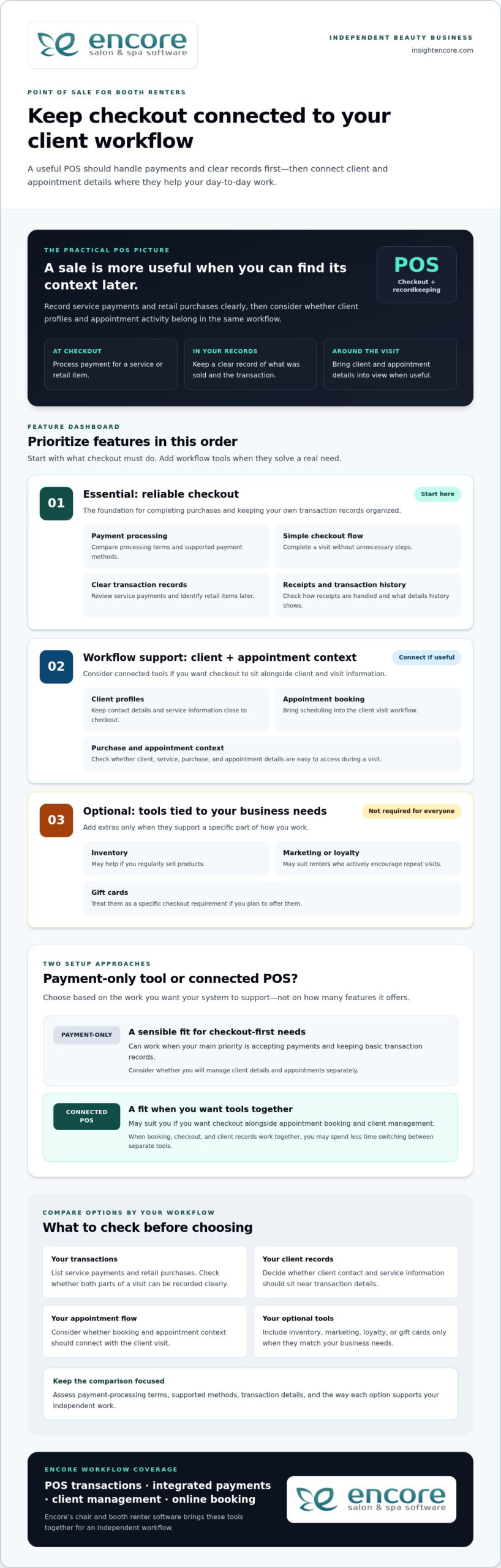
Core POS checklist: compare payment processing, clear transaction records, a simple checkout flow, client profiles, and appointment context before weighing optional business tools.

Payments, receipts, and transaction records

Payment processing and accurate records are the foundation. A service payment should be easy to enter and review later, and a retail item should be identifiable if it’s part of the same visit. Consider how receipts are handled and whether the transaction history provides the details you need to keep your business records organized.

Compare payment-processing terms, supported payment methods, and the transaction information available for review. These details vary between systems, so assess each option rather than assuming they’re the same. Also consider how integrated credit card processing fits into the checkout workflow you want.

Client management, booking, and business-building tools

Client profiles can keep contact details and service information close to checkout, while online booking can bring appointment scheduling into the client visit workflow. If you’re considering how client records fit into a solo workflow, read this guide to booth renter client management apps.

Other features depend on how you run your business. Inventory tools may be useful if you regularly sell products; automated marketing or loyalty programs may suit renters who actively encourage repeat visits. Gift cards are another option if you plan to offer them. You don’t need every feature. Prioritize tools that solve a specific workflow problem.

  • Essential: payment processing, clear transaction records, and an easy checkout flow.
  • Workflow support: client profiles and appointment booking that connect with your visit process.
  • Optional: inventory, marketing, loyalty, and gift card tools that match your business needs.

Encore’s chair and booth renter software brings POS transactions together with integrated payments, client management, and online booking. Explore Encore for your booth renter workflow as you compare the features that matter to you.

Standalone Payment Tool or Connected Booth Renter POS?

A payment-only tool can be a sensible fit if your main need is accepting payments and keeping basic transaction records. Connected software may suit you better if you want checkout alongside appointment booking and client management. Neither setup works for every renter. Compare how each handles your actual tasks, not just how many features appear on a list.

Workflow area Standalone payment tool Connected booth renter POS
Checkout Focused on processing and recording payments. Can place payment within a broader service and client workflow.
Client records May require a separate client record system. May connect checkout with client profiles.
Booking Appointments may be managed in another tool or process. May bring online booking into the same workflow as checkout.
Reporting Review the transaction information the payment tool provides. May connect transaction activity with other business information.
Business tools Typically focuses on payment needs. May include optional tools such as inventory, marketing, loyalty, or gift cards.

When a payment-only POS may be enough

If you mainly need to accept payment after each service and record the transaction, a focused tool may cover your essentials. You can keep appointments and client notes in separate systems if that arrangement works for you. The trade-off is managing information across those tools, but that doesn’t automatically make the setup unsuitable. Ask yourself how quickly you can find the details you need during a busy day.

When connected salon software may make daily work easier

Connected software can bring related tasks closer together. Booking establishes the appointment, client management helps organize client information, and POS transactions record purchases. If you regularly move between all three tasks, it may be useful to manage them within one broader workflow. Specialized booth renter software supports a setup designed around independent beauty businesses.

An all-in-one platform can feel like too much if it adds steps or tools you won’t use. Keep the comparison practical: start with payments, records, booking, and client details. Then consider extras only when they address a real need, such as tracking products you sell or offering gift cards. A point of sale for booth renters should fit your work, not require you to adopt every available feature.

Encore offers specialized chair and booth renter software with POS transactions, integrated credit card processing, client management, and online booking. Explore Encore’s booth renter software as you consider which workflow best fits your business.
Point of Sale for Booth Renters: A 2026 Buying Guide

How to Evaluate POS Options for Your Booth Rental Business

A useful comparison starts with your actual work, not a feature list. Before choosing a point of sale for booth renters, trace how a client moves from booking to checkout. Note where you currently record payments, client details, and product sales. This simple workflow map helps you identify what should connect and what can stay separate.

A practical five-step POS evaluation checklist

  1. Start with payments and records. List how clients pay, what you sell, and which transaction details you need for your records. Note any payment methods that are essential to your checkout routine.
  2. Map your current workflow. Write down how you handle booking, appointments, client notes, checkout, and product sales. Mark where information moves between tools and where you intentionally keep tasks separate.
  3. Decide what needs to connect. Identify whether you want appointments linked to client profiles, service details available at checkout, or product sales connected to inventory. Focus on links that would make your daily process clearer.
  4. Compare the must-haves first. Check that each option supports your payment and recordkeeping needs. Then assess ease of use and the transaction or business information you can review. Don’t let optional features distract from essentials.
  5. Consider future needs selectively. If you plan to sell retail products, use online booking, or offer gift cards, include those requirements in your comparison. Choose tools that suit your plans rather than judging an option by feature count alone.

Assess cost, setup, and everyday usability

Compare software charges separately from payment-processing terms. Look at what each charge covers and how processing terms fit the transactions you expect, rather than judging a system by one number. Weigh costs against the capabilities you need and the workflow you mapped.

Ease of use matters, too. Think through a typical appointment: Can you find client details, complete checkout, and keep the transaction record without awkwardly switching between tools? Consider the setup steps and whether the available information helps you manage your business day to day. A system should support your routine, not make it more complicated.

Once you’ve identified your priorities, compare them with Encore’s specialized chair and booth renter software, which includes POS transactions, integrated credit card processing, client management, and online booking.

Explore Encore and see whether it fits your booth renter workflow

How Encore Supports a Booth Renter’s POS Workflow

Once you know which tasks your POS needs to handle, look for software designed for independent booth and chair renters. Encore’s specialized chair and booth renter software brings POS transactions together with integrated credit card processing, client management, and online booking. These capabilities let you consider checkout as part of your client workflow, rather than as a separate payment step.

Bring booth renter tasks into a more connected platform

Consider a client’s visit from start to finish. Online booking supports appointment scheduling, client management helps organize client information, and POS transactions record purchases. Bringing these capabilities into a broader platform can help you think through how those tasks fit together during your day. The right fit depends on the workflow you want, not simply the number of tools available.

Encore also includes inventory tracking, automated marketing, loyalty programs, and gift cards. These capabilities may suit you if you sell retail products, want to encourage repeat visits, or plan to offer gift cards. They’re options to weigh against your needs, not a checklist every booth renter must adopt. For a broader look at the platform, visit Encore Salon & Spa Software.

Explore the next step at your own pace

Use the priorities you established to assess Encore: payment processing and transaction records, client management, and booking. Consider which capabilities you’ll rely on regularly and which optional tools match your business plans. This keeps the decision focused on a practical point of sale for booth renters, not features that add complexity without serving your routine.

Encore is part of Syntec Business Systems, founded in 1991. Compare the software’s capabilities with the workflow you mapped, then visit Encore’s booth renter software page to explore the solution.

Try Encore and explore a POS workflow for booth renters

Choose a POS That Fits the Way You Work

The best point of sale for booth renters should make daily business easier to manage, not add complexity. Begin with straightforward checkout and clear transaction records. Then decide whether connecting payments with client management and appointment booking would make your workflow more organized. Inventory tracking, marketing, loyalty programs, and gift cards matter when they support goals you already have.

Encore offers specialized chair and booth renter software with POS transactions, integrated credit card processing, client management, and online booking. As you compare options, focus on which tasks you want to handle in one place and which features you’ll use in your independent business. A practical fit can help you manage client visits and keep important activity organized.

Try Encore and explore software built for booth renters

Start with a clear picture of your workflow and the tasks you want your POS to support. Explore Encore’s chair and booth renter software to see how its connected tools fit those priorities.

Frequently Asked Questions

What is the best point of sale for booth renters?

The best point of sale for booth renters is one that matches how you handle payments, client information, and appointments. If you only need to accept and record payments, a focused payment tool may be enough. If you want checkout connected with booking and client management, consider specialized booth renter software. Encore offers a chair and booth renter solution with POS transactions, integrated credit card processing, client management, and online booking.

Do booth renters need their own POS system?

Not every booth renter needs a separate POS, but you do need a clear way to process and track the transactions you manage. Your setup could be a payment-only tool or a broader system that supports client and appointment tasks, too. Consider how you handle checkout and records now, and whether your current process gives you a clear view of your own business activity.

Can booth renters use salon software to manage payments and clients?

Yes. Salon software can help booth renters manage payments and client information, especially when it supports independent workflows as well as salon operations. Encore offers specialized chair and booth renter software with POS transactions, integrated credit card processing, and client management. Online booking is also available within the platform, bringing appointment tasks into the software workflow.

What features should a booth renter look for in POS software?

Prioritize payment processing, clear transaction records, and an easy checkout flow. Then consider whether client profiles and appointment booking should connect with checkout, so visit details are easier to manage. If you sell products or offer gift cards, inventory and gift card tools may be useful. Marketing and loyalty features are optional; include them when they serve your business goals, not simply because they’re available.

How much does point-of-sale software for booth renters cost?

Costs vary by software plan and payment-processing terms, so compare those separately rather than relying on a single headline price. Consider whether a system includes the functions you need, such as client management or booking, or whether you’d use separate tools for those tasks. Review each option’s pricing details and weigh them against your workflow. A higher feature count doesn’t automatically mean better value.

Can a booth renter use one system for appointments and payments?

Yes. Some salon software combines online booking and POS transactions, allowing you to manage appointment activity and record payments within one platform. This may suit you if you prefer to keep those tasks connected. Encore’s software includes online booking and POS transactions, alongside client management and integrated credit card processing. Whether one system is right for you depends on how you prefer to organize your daily work.

Is integrated credit card processing useful for independent stylists?

Integrated credit card processing can be useful if you want payment handling as part of a broader business-management workflow. It brings payment processing alongside POS transactions, so you can manage these tasks within the same platform. Compare processing terms and supported payment methods as part of your decision, since they can vary. Encore includes integrated credit card processing in its software for chair and booth renters.

Disclaimer

This article is general in nature and may contain errors, please verify all claims with your sales rep

Categories
Uncategorized

Chair/Booth Renter Software: A 2026 Guide to Choosing the Right System

What if the software meant to make salon work easier left you feeling less in control of your own business? For independent stylists, chair/booth renter software should simplify daily admin while leaving client relationships and business decisions in your hands.

If client details live in one place, appointments in another, and payments require extra steps, keeping everything straight can take time away from your services. A system built for a full salon may not fit the way you work as an independent renter. Look for an organized workflow that supports your business without adding tools you won’t use.

This guide explains how to compare chair/booth renter software based on daily needs: managing client records, handling bookings and payments, understanding costs, and keeping track of who can access your information. You’ll also find practical questions to ask before choosing a platform and learn how to evaluate Encore’s chair and booth renter software. By the end, you’ll have a clearer way to find a system that fits your workflow and keeps your business organized.

Key Takeaways

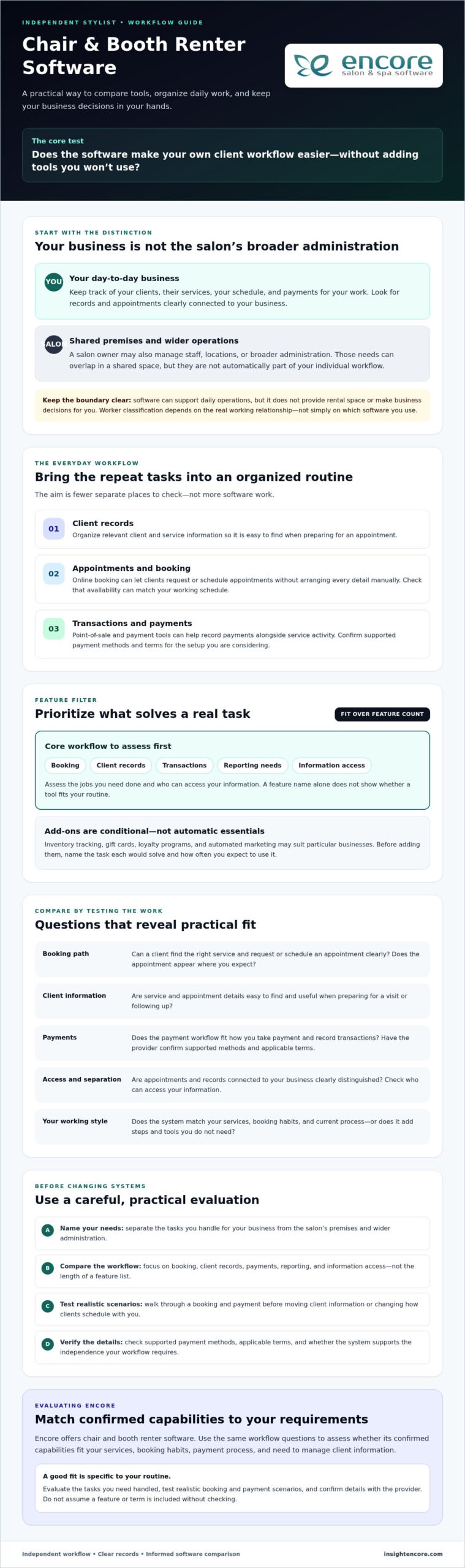
  • Separate the tasks you handle for your own business from the salon’s premises and broader administration.
  • Assess software by the jobs you need done, from booking and client records to payments and reporting, rather than by the length of its feature list.
  • Compare chair/booth renter software with your services, booking habits, and current process, and check that it supports the level of independence you need.
  • Test realistic booking and payment scenarios before moving client information or changing how clients schedule with you.
  • Use your requirements to assess whether Encore’s renter-focused software and confirmed capabilities fit your workflow.

What Chair/Booth Renter Software Should Help You Manage

Chair/booth renter software helps an independent beauty professional manage their service business while working in a shared salon or barbershop. It can bring client records, appointments, and transactions into a more organized workflow, reducing the need to check separate calendars, messages, and payment records.

Software can support your day-to-day operations, but it doesn’t provide rental space or make business decisions for you. The premises and shared arrangements are separate from how you manage your clients and services. Your legal status as an independent contractor depends on the real working relationship, not simply on which software you use.

How a renter’s workflow differs from a salon owner’s

Your daily focus is usually personal and direct: keep track of clients, the services they book, your schedule, and payments for your work. A salon owner may also need tools for managing staff, locations, or broader business administration. Some needs can overlap in a shared space, but they aren’t automatically part of your individual workflow.

For example, you and the salon owner may work from the same premises while maintaining separate client interactions and routines. Check whether the system clearly distinguishes appointments and records connected to your business. That separation can help you maintain continuity with clients if your work arrangements change, rather than treating those relationships as part of salon staff management.

Which everyday tasks can software bring together?

Focus on how software handles the tasks you repeat throughout the week:

  • Client management: Organize relevant client and service information so it’s easy to find when preparing for an appointment.
  • Appointment handling: Online booking can let clients request or schedule appointments without arranging every detail manually.
  • Transactions: Point-of-sale and payment tools can help you record payments alongside service activity. Check the supported payment methods and terms rather than assuming they’re the same across systems.

The goal is to reduce the effort of switching between tools, not to create more software tasks. Encore offers chair and booth renter software. Review its salon software information on the Encore Salon Software page and compare it with the workflow you need.

Which Chair Renter Software Features Make Daily Work Easier?

A long feature list can look impressive without solving the tasks that slow you down. Start by naming those tasks, then compare how each system handles them. Encore software features can help you identify common categories, but check how each one fits your routine.

Renter-focused software should bring core tasks such as booking, client records, and transactions into a workflow you can manage yourself. A solo professional may need those essentials first. Inventory tracking, loyalty tools, or broader marketing features may suit a business with different needs, but extra options aren’t automatically useful if they add steps you won’t use.

Booking and client management for independent professionals

Test the booking process from a client’s perspective. Can someone find the right service and request or schedule an appointment clearly? Can you set availability to match your working schedule? A practical test is to follow the full booking path, then check whether the appointment appears where you expect and whether the process creates avoidable back-and-forth.

Client records should be easy to find and useful in practice. Organized service and appointment details can help you prepare for a visit and follow up consistently. For a closer look at choosing tools for those records, read this booth renter client management guide.

Payments, marketing, and add-on tools

Check how point-of-sale and payment processing fit the way you take payment and record transactions. Ask providers to confirm the supported payment workflows and applicable terms for the specific setup you’re considering. A feature name alone doesn’t show whether it will work smoothly during your service day.

Other tools depend on your business. Inventory tracking may help if you manage products or supplies. Gift cards, loyalty programs, and automated marketing may be useful if they fit how you serve and reconnect with clients. Before adding them, identify the task each feature would solve and how often you expect to use it.

Software can support your workflow, but it doesn’t determine your worker classification. If you have questions about the distinction between an employee and an independent contractor, refer to the IRS guidelines on worker classification. As you compare chair/booth renter software, confirm features and terms directly with each provider. You can also explore Encore as an option against the tasks you’ve identified.

How to Compare Chair/Booth Renter Software Without Losing Independence

Sharing a salon space doesn’t have to mean sharing every client interaction or business routine. The right chair/booth renter software depends on how you work. Don’t assume, however, that separate accounts automatically mean private records or independent control. Confirm the details with each provider before deciding.

Use the comparison below to frame your questions. Check what you can actually do in the system, not just the feature names on a product page.

Area What to check
Booking Can you manage your own availability and see appointments connected to your services?
Client records Who can view, edit, export, or otherwise access your client information?
Payments Can you record and review transactions for your work, and what terms apply?
Reporting Can you review information relevant to your own appointments and transactions?
Renter usability Does the workflow make sense for one professional, or is it built around salon-wide staff and administration?

There isn’t one best fit for every renter. Your services, booking volume, and current process all matter. A solo professional may prioritize personal scheduling and straightforward records. Several renters sharing a workspace may also need clear separation between each professional’s bookings and information. Shared software can support distinct workflows, but its settings and policies need to allow for them.

Questions to ask about client records and access

Ask who can view, edit, export, or otherwise access client information, and whether permissions can be set for individual professionals. Find out whether you can manage your own availability and records. Then review the provider’s current privacy and data-handling documentation. Don’t rely on assumptions or verbal descriptions alone. Check that the written terms address access to records and what happens to them if your arrangement changes.

Matching features to your rental setup

Separate essentials from extras. Booking, client records, payments, and useful reporting may be core needs; inventory or loyalty tools may matter only if they fit your services. Consider the setup, too. One renter needs a workable individual routine, while a shared workspace may need each professional’s activity to be easy to distinguish.

Before choosing, test one realistic client journey: select a service, book based on your availability, find the relevant client record, record the payment, and check what information is available for follow-up. Note any unclear steps and ask the provider to demonstrate how permissions and data access work. This practical check can reveal more than a feature list.

Chair/Booth Renter Software: A 2026 Guide to Choosing the Right System

How to Choose and Set Up Software for Your Booth Rental

A good setup starts with your actual workday, not a long list of features. Before committing to chair/booth renter software, identify what it needs to handle, test those tasks in a realistic workflow, and clarify practical details with the provider. This makes it easier to compare systems and plan a change without disrupting client bookings.

A practical checklist before you choose

  1. Map your current tasks. List the tools you use for appointments, client details, payments, and follow-up. Note where you enter the same information twice or handle routine tasks manually.
  2. Shortlist your must-haves. Decide which jobs the system needs to support from day one. Separate them from features you may not need yet.
  3. Test the workflow. Walk through a typical client journey, from booking a service to recording payment and finding the information you need afterward. Try the steps yourself instead of relying only on a feature overview.
  4. Verify terms and access. Ask about data export, account permissions, payment terms, and how client records are handled. Request current details in writing, and clarify anything that could affect your control of business information.
  5. Plan the setup. Ask the provider what information can be transferred, who is responsible for setup tasks, and what onboarding or training support is available. Confirm these details rather than assuming they’re included.

A smoother transition into a new system

Choose a transition point that gives you time to check the setup around your appointment schedule. Before changing how clients book, confirm which records can be moved and how they’ll appear in the new system. If other renters will use the same platform, decide who needs access and which permissions are appropriate for each person.

Test the basics before relying on the new process: make a sample booking, review a client record, and check how a payment is entered and displayed. If anything is unclear, pause and ask the provider before moving more information or directing clients to a new booking routine. Preparation can help you catch gaps while your existing process is still available.

Encore offers specialized software for independent chair and booth renters. After defining your requirements, review the Encore Salon Software page as one option, and confirm current feature availability, setup, and payment details for the renter configuration.

Explore Encore for your booth rental workflow

How Encore Chair/Booth Renter Software Can Support Your Next Step

Once you’ve identified the tasks your system needs to handle, assess Encore against those requirements. Encore offers specialized chair/booth renter software within a broader beauty and wellness management platform. Its capabilities include online booking, client management, point-of-sale transactions, and integrated credit card processing, which can bring key parts of a renter’s day-to-day workflow together.

Don’t choose a platform based on a feature list alone. Consider whether its booking, client, and transaction tools fit the way you manage services and business information. Confirm the details for the specific chair or booth renter configuration you’re considering.

Where Encore may fit in a renter’s workflow

For a professional looking to bring core management tasks together, online booking can support appointment scheduling, while client management can help organize customer records. Point-of-sale transactions and integrated credit card processing may also suit renters who want to manage service payments within their broader workflow. Check how these functions work together in the configuration available to you, and whether its record-access settings match your needs.

Encore provides software, not booth rental listings or physical salon space. Its offerings don’t make it a substitute for your own decisions about client relationships or how you run your independent business. Evaluate the system against the requirements you’ve already defined.

What to confirm before moving forward

Ask which features are included in the chair or booth renter configuration and whether the system supports the booking, client-record, and transaction steps you want to use. Confirm current payment processing terms, account permissions, and how client data can be accessed or exported. These details affect how well the software can support your workflow.

Also ask about onboarding and support arrangements, including what guidance is available during setup and which tasks you’ll need to complete. Compare the answers with your must-have criteria rather than assuming every feature or service applies to every configuration. Reviewing terms directly with Encore can help you make an informed decision and identify questions to resolve before changing your routine.

Explore Encore and take the next step

Choose a System That Keeps Your Business in Your Hands

The right chair/booth renter software should make everyday tasks easier without blurring who manages your clients, schedule, and business records. Start with your workflow, compare booking, client management, payments, and reporting, then confirm data access and terms directly with each provider.

Before switching, test realistic client scenarios and plan how records, payment setup, and booking routines will move into the new system. A careful setup helps you make a confident choice and avoid unnecessary disruption to your day.

Encore offers a specialized solution for chair and booth renters. Its broader platform includes online booking, client management, and point-of-sale transactions. Explore how these capabilities may fit your needs, and verify current features, configuration, and terms before deciding.

Explore Encore and take the next step

You’re building a business around your skills and client relationships. Choose tools that support that independence. To see whether Encore fits your renter workflow, explore Encore and take the next step.

Frequently Asked Questions

What is chair or booth renter software?

Chair or booth renter software helps an independent salon professional manage business tasks while working in a shared salon or barbershop. It may bring appointment booking, client records, and transactions into one workflow. Unlike tools focused on running an entire salon, renter software should suit an individual professional’s routine. It supports business operations, but it doesn’t provide rental space or make business decisions for you.

Do booth renters need their own salon software?

Not every booth renter needs a separate system, but software that supports your own workflow can make it easier to manage appointments, client information, and payments. Before using a salon-wide platform, find out whether you can manage your availability and records independently. Ask who can access client information and what happens to your data if you leave the shared space. Choose based on your arrangement and business needs.

Can chair renter software keep each professional’s clients separate?

It can, depending on the software’s account setup, permissions, and data-handling rules. Don’t assume separate logins mean records are private or that you can export them. Ask who can view, edit, or access client details, and whether each professional can manage their own bookings. Review the provider’s current privacy documentation and terms to understand how client information is handled before entering or moving records.

What features should booth renter software include?

Start with the tasks you handle regularly. Useful core features may include online booking, organized client records, appointment management, and point-of-sale or payment tools. Depending on your services, inventory tracking, gift cards, loyalty programs, or marketing features may also help. Check that the software supports your actual workflow, including how you schedule clients and record transactions. Confirm current feature availability for the renter configuration you’re considering.

How much does chair or booth renter software cost?

Pricing depends on the provider and the plan or configuration, so ask for current details directly rather than relying on a general estimate. Compare the full cost, not just a subscription fee. Check payment processing terms, any per-booking charges, and whether the tools you need are add-ons. Contact Encore to confirm current pricing and terms for its chair and booth renter software.

Is salon software different from booth renter software?

They can overlap, but they may be designed around different day-to-day needs. Salon-wide software may include tools for managing staff or broader business operations, while renter-focused software should support an individual professional’s appointments, clients, and transactions. The labels alone don’t tell you whether a system fits. Check how it handles your records, booking availability, permissions, and payments, especially if you share a platform with the salon.

How do I switch to new booth renter software?

Start by listing your current tools and deciding which tasks the new system must support. Ask what client and appointment information can be transferred, how to export records later, and who will handle setup. Test a realistic booking, client-record, and payment workflow before changing your routine or directing clients to a new booking process. Plan the transition around your schedule, and confirm account access, payment terms, and available onboarding guidance.

Disclaimer

This article is general in nature and may contain errors, please verify all claims with your sales rep
Categories
Uncategorized

Best POS for Small Barber Shops: 2026 Buyer’s Guide

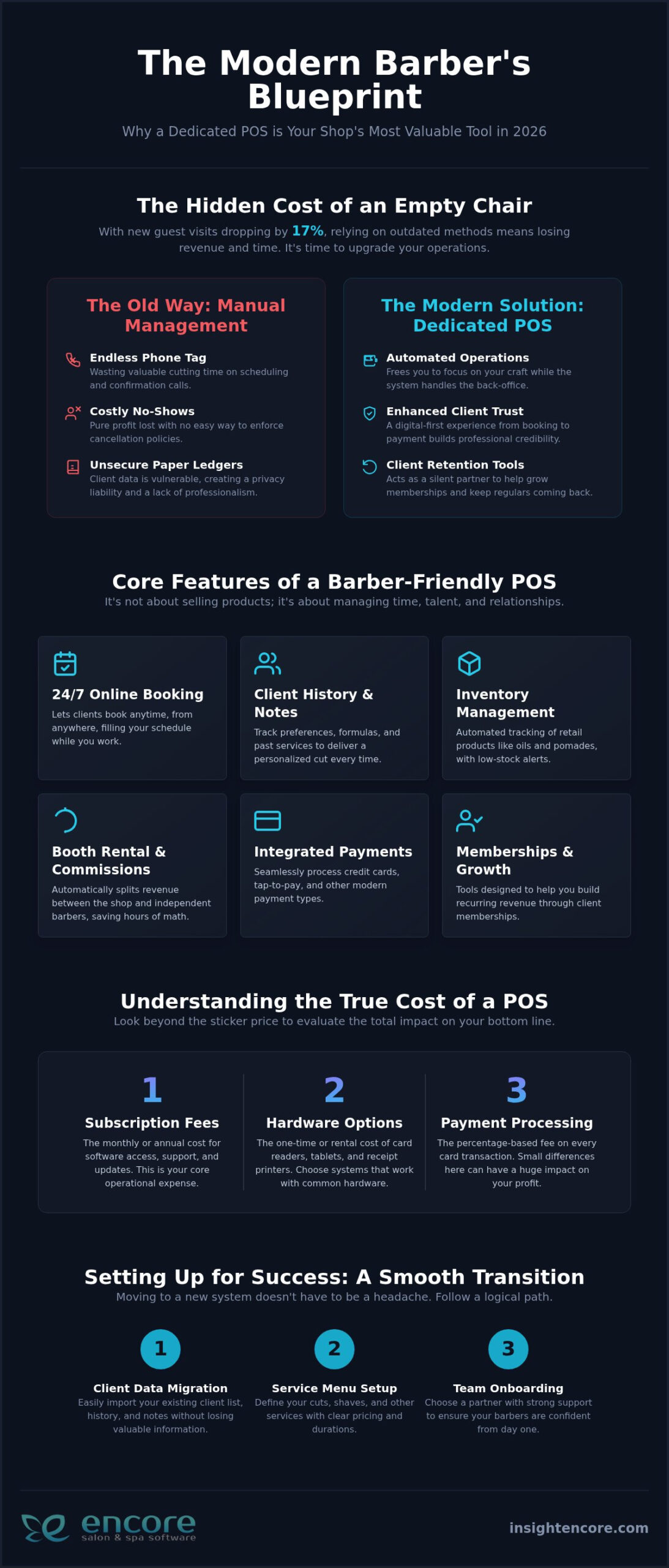
What if the most expensive chair in your shop isn’t the one with a client in it, but the one sitting empty because of a last-minute no-show? With new guest visits in the industry dropping by 17 percent recently, finding the best pos system for a small barber shop is no longer just about taking payments. It’s about survival and growth. It is frustrating to watch your revenue slip away while you’re stuck juggling complex booth rentals and high credit card fees. You started barbering to master the craft, not to become a full-time software troubleshooter or a manual bookkeeper.

We know you need a partner, not just a product. This guide promises to help you discover a system that streamlines your chair rentals, automates your booking, and grows your business without the technical stress. We’ll walk you through the top 2026 options, comparing everything from processing rates to specialized features like automated commission tracking. You’ll learn how to turn your shop into a well-oiled machine that handles the back-office work silently. By the end, you’ll have the clarity to choose a system that keeps your chairs full and gives you the peace of mind you deserve.

Key Takeaways

  • Modern systems do more than swipe cards; they act as a silent mentor to help you retain clients and grow memberships in a competitive market.
  • Finding the best pos system for a small barber shop requires prioritizing specialized tools like automated chair rental management and 24/7 online booking.
  • We break down the true cost of ownership by comparing subscription fees, hardware options, and the impact of payment processing on your bottom line.
  • Moving your business to a new platform doesn’t have to be a nightmare if you follow a logical path for client data migration and service menu setup.
  • Learn why choosing a partner with decades of industry experience ensures your software is built to handle the unique rhythm of a busy shop.

Beyond the Cash Register: Why Small Barber Shops Need a Dedicated POS in 2026

Your barber shop is a place of craft, conversation, and community. However, beneath the hum of clippers, it’s also a business that requires precise management to thrive. While many people think of a point-of-sale terminal as a simple tool for swiping cards, the definition of what a POS system is has evolved significantly. In 2026, it serves as the central nervous system for your shop. It’s no longer just about the transaction at the end of a cut. It’s about everything that happens before a client sits in your chair and long after they walk out the door.

A generic retail POS often fails because it’s built for selling hardware or clothing, not for the unique rhythm of a barber shop. Retail systems don’t understand that you don’t just sell products; you sell time, expertise, and relationships. They lack the built-in logic for booth rentals, commission splits, and the specific scheduling needs of a 1-5 chair shop. The best pos system for a small barber shop acts as a silent partner. It handles the “back-office” noise so you can focus on the fade. This shift from simple payment processing to total business management is what separates growing shops from those that struggle to keep up.

The Hidden Cost of Manual Management

Relying on a paper book or a basic digital calendar might feel “simple,” but it carries a heavy price tag. Every minute you spend on the phone confirming an appointment is a minute you aren’t cutting hair. Manual systems also leave you vulnerable to the financial sting of no-shows. When a client misses a slot and you have no way to enforce a cancellation policy, that’s pure profit out the window. Beyond the money, paper ledgers are a significant security risk. Keeping client phone numbers and notes in an unsecured book isn’t just old-school; it’s a liability in a world where data privacy matters more than ever.

Modernizing My Barbershop Operations

Stepping away from a “cash-only” mindset is about more than just convenience. It’s about professional trust. Modern clients expect a digital-first experience, from the moment they book on their phone to the moment they receive a digital receipt. A dedicated system shows your regulars and new guests alike that you run a serious, organized business. If you are looking for more ways to level up, modernizing my barbershop operations is the first step toward long-term stability. By adopting the best pos system for a small barber shop, you create a seamless flow that makes life easier for both you and your clients. It’s an investment in your peace of mind.

Core Features That Make a POS System ‘Barber-Friendly’

The best pos system for a small barber shop should feel like an extra set of hands in the shop. It isn’t just about the hardware on your counter. It’s about the software’s ability to handle the specific, often messy, details of a service-based business. While a retail store tracks barcodes, you track people, time, and preferences. You need a system that offers 24/7 online booking so clients can grab a slot while you’re focused on a fade. It should also act as a digital memory, storing client history so you know exactly which blade size or pomade a regular prefers without having to ask.

Inventory management is another essential piece of the puzzle. If you sell beard oils or high-end styling creams, your system should alert you before your shelves are empty. When you’re learning how to choose a POS system, look for a platform that integrates these retail sales directly with your service menu. This creates a single, clear picture of your shop’s health. It’s about making the business side as sharp as the cuts you provide. If you’re ready to see how these features work together, you can explore our specialized barber tools today.

Managing Chair and Booth Renters Efficiently

In many small shops, managing independent contractors is the biggest administrative headache. Generic systems often lump all revenue together, leaving you to untangle commissions and rental fees in a spreadsheet at the end of the week. A barber-specific system solves this by automatically separating business revenue from independent barber earnings. This transparency builds trust and saves hours of manual math. Using a dedicated booth renter client management app ensures everyone gets paid accurately and on time.

Client Retention Tools That Drive Loyalty

Keeping your chairs full is a constant priority. Automated reminders are a simple but powerful way to protect your time. Some industry professionals report that automated SMS and email reminders can reduce no-shows by up to 40 percent. This is a massive win for a 1-5 chair shop where every missed appointment hurts. Beyond reminders, look for loyalty programs that reward frequent visits. These barbershop client retention ideas turn one-time walk-ins into lifelong regulars. To take your retention strategy even further, exploring creative barbershop loyalty program ideas can help you build a structured rewards system that keeps clients coming back consistently. When the best pos system for a small barber shop handles the follow-up, you can stay focused on the craft.

The True Cost of a POS: Evaluating Fees, Hardware, and Hidden Contracts

Cost is often the biggest hurdle when you’re looking for the best pos system for a small barber shop. It’s easy to get distracted by a low monthly price while ignoring the “hidden” numbers that eat into your profit. To understand the real price, you have to look at the combination of software subscriptions, hardware investments, and transaction fees. A low sticker price on software doesn’t mean much if the processing rates are sky-high.

Many “free” software options appear attractive at first glance. However, these providers often recover their costs by charging significantly higher processing rates on every transaction. Over a year, those extra fractions of a percentage can cost you thousands. It’s usually better to pay a fair, transparent subscription fee for quality software than to be nickeled and dimed on every haircut. Transparency is key to maintaining your peace of mind.

Integrated Credit Card Processing Explained

One of the smartest moves you can make is choosing integrated credit card processing. When your payments and software talk to each other, you eliminate manual entry errors. You won’t have to worry about accidentally typing $5.00 instead of $50.00 during a busy rush. Plus, if there’s ever a technical glitch, you have one point of contact to call. You don’t want to get stuck in a loop between a software company and a bank, each blaming the other while your shop sits at a standstill.

Long-term contracts are another red flag to watch out for. In a fast-moving industry, you need the freedom to adapt. Avoid being locked into three-year agreements that make it impossible to switch if your needs change or if the service quality drops. You deserve a partner that earns your business every single month.

Hardware vs. Software: Finding the Right Balance

You don’t necessarily need a $1,000 all-in-one terminal for a 2-chair shop. In 2026, cloud-based systems are the industry standard. They allow you to use existing hardware, like an iPad or a tablet, which keeps your initial costs manageable. This flexibility is perfect for small shops that want to grow without a massive upfront investment.

Proprietary hardware can look sleek, but it often locks you into a specific ecosystem. If that proprietary terminal breaks, you’re forced to buy another expensive unit from the same vendor. Tablets offer more flexibility and are much easier to replace. The best pos system for a small barber shop should be accessible on any device. This gives you the power to check your schedule or run reports from home or on the go. Focus on finding a balance that gives you a professional look without the unnecessary technical headache.

Best POS for Small Barber Shops: 2026 Buyer’s Guide

Setting Up for Success: Transitioning to Your New Barbershop POS

Switching your management software can feel like trying to change a tire while the car is moving. We understand the hesitation. You’ve spent years building a loyal client list, and the thought of losing even one contact or service history note is stressful. However, the transition to a professional system shouldn’t be a technical nightmare. The best pos system for a small barber shop is designed to make this move feel like a natural extension of your daily workflow. It’s about moving from “organized chaos” to a state of complete control without the typical software headache.

Data migration is the first priority. Most modern systems allow you to import your existing client list from a spreadsheet or even directly from another app. Once your names and numbers are in, you can begin setting up your service menu. This is where you define exactly how your shop runs. You can set specific time blocks for fades, beard trims, or luxury shaves, ensuring your online booking portal reflects the reality of your chair time. By the time you launch the portal to your clients, every detail will be polished and professional.

The 3-Day Implementation Plan

A structured approach removes the guesswork from your launch and keeps your stress levels low. On Day 1, focus on the foundation. Set up your hardware and enter your basic business information. Day 2 is for the heart of your business: importing clients and setting up those automated reminders that protect your revenue. Finally, Day 3 is for practice. Run a few test transactions to get comfortable with the interface. By the afternoon, you’ll be ready to go live with total confidence and a clear mind.

Overcoming the ‘Tech Anxiety’ Hurdle

Many barbers worry that new software will be too complex for their team to master. The truth is that the best pos system for a small barber shop is built with the same logic as the smartphone apps you already use every day. If you can navigate a social media feed, you can manage your shop’s schedule. The learning curve is intentionally short, often taking less than an hour for you or your team to master the basics. Having a human support line to call during your first week ensures you never feel stuck. Exploring the Encore Salon Software features will show you just how intuitive a professional system can be.

Start your stress-free transition today

Encore: The Professional Choice for Streamlined Barbershop Management

Choosing the best pos system for a small barber shop is about more than just picking software. It’s about choosing who you want in your corner when your shop gets busy. At Encore, we’ve been helping shops thrive since 1991. That is over three decades of industry expertise built directly into our platform. We didn’t just build a generic tool; we developed the Encore Barber Software module to handle the specific needs of barbers. From the perfect fade to the final checkout, our system is designed to mirror the way you actually work.

Our approach is different from the big, impersonal tech giants. We see ourselves as your friendly guide. We know that when you have a question, you don’t want to talk to an AI bot or wait 48 hours for an email response. You want a human being who understands your business. Our human-centric support means you get experts who are ready to help you overcome hurdles in real-time. Whether you’re running a single chair or managing a multi-location franchise, our solution scales with you. We grow as you grow. Pairing your POS with the right barbershop appointment scheduling software gives you a complete performance dashboard so you can track revenue trends and make data-driven decisions with confidence.

A Supportive Partner for Your Growth

We focus on removing the friction that slows you down. Frustrations like manual payroll calculations and messy inventory tracking should be a thing of the past. Our specialized modules for chair and booth renters ensure that everyone in your shop stays organized and motivated. This level of detail gives you the peace of mind to stay behind the chair while the business side runs smoothly. It is about creating a professional environment where you can focus on your craft. If you’re ready to see how a dedicated partner can change your daily workflow, you can contact Encore for a demo and experience the difference yourself.

Transparent Pricing for Small Businesses

We believe in transparency. Many providers lure you in with “free” plans only to trap you with predatory contracts or hidden processing fees. We reject that model entirely. Our goal is to provide value-based pricing that fits the budget of a small shop without any “gotcha” moments. You get professional-grade tools like integrated credit card processing and automated marketing without the fear of a surprise bill. You can view our straightforward Encore pricing to see exactly how we support your bottom line. We are here to help you grow, not to hold you back with red tape. Finding the best pos system for a small barber shop shouldn’t be a gamble; it should be the smartest investment you make this year.

Level Up Your Shop with Confidence

Choosing the best pos system for a small barber shop is a decision that impacts every cut and every client interaction. You’ve seen how the right technology acts as a silent mentor, handling the heavy lifting of booth rentals and automated reminders while you stay focused on your craft. It is about moving away from manual stress and toward a future where your business runs as smoothly as a fresh shave. Since 1991, we’ve dedicated ourselves to helping professionals grow through reliable software and specialized modules for chair renters.

You don’t have to navigate this transition alone. With dedicated human support and a system built by industry experts, the technical headaches of the past are over. You deserve the peace of mind that comes with knowing the business side is handled by a partner who truly cares about your individual success.

Ready to streamline your shop? Explore Encore Barber Software today.

Your shop is more than just a business; it’s a staple of your community. We’re here to help you keep those chairs full and your operations sharp for years to come.

Frequently Asked Questions

What is the best POS system for a small barber shop with only two chairs?

The best pos system for a small barber shop with two chairs is one that offers professional features without overwhelming a small team. Encore Barber Software is specifically designed for this scale. It provides all-in-one management that handles booking and payments seamlessly. Because it’s scalable, you don’t have to pay for enterprise-level features you won’t use, yet it grows with you if you decide to add more chairs later.

How much does a barbershop POS system usually cost in 2026?

In 2026, subscription costs for barbershop software generally range from $20 to over $150 per month depending on your staff size. You should also account for payment processing fees, which often hover around 2.4 percent to 2.7 percent per transaction. While some providers offer “free” plans, these often come with higher processing rates. It is usually more cost-effective to choose a value-based subscription that offers transparent pricing and integrated features.

Can a POS system help me manage independent booth renters?

Yes, a dedicated system is essential for managing independent contractors. Encore offers specialized Chair/Booth Renter Software that tracks individual sales and calculates commissions automatically. This eliminates the need for manual spreadsheets or messy end-of-week math. By separating business revenue from independent barber earnings, you create a transparent environment that builds trust. Each renter can manage their own schedule while you maintain oversight of the shop’s total performance.

Do I need to buy expensive hardware to use a modern POS?

You don’t need to invest in proprietary $1,000 terminals to run a modern shop. Most 2026 systems are cloud-based and compatible with standard tablets or iPads. This allows you to use hardware you might already own, keeping your initial setup costs low. Using a tablet also gives you the flexibility to check your schedule or run reports from home. You only need a reliable internet connection and a compatible card reader to get started.

Will a POS system really help reduce my no-shows?

Automated reminders can significantly protect your bottom line. Industry data shows that sending SMS and email confirmations can reduce no-shows by up to 40 percent. By using the best pos system for a small barber shop, you can set these reminders to go out automatically 24 or 48 hours before an appointment. This gives clients a chance to reschedule and allows you to fill the empty slot before it’s too late.

How hard is it to move my client list from a paper book to a POS?

Moving from a paper book to a digital system is a straightforward process that usually takes less than a day. You can manually enter your core client list or import a spreadsheet if you have one. Modern interfaces are designed to be as intuitive as smartphone apps, so the learning curve is very short. Once your data is in, you’ll never have to worry about losing a phone number or a client’s formula notes again.

Is credit card processing integrated into the software?

Integrated credit card processing is a core feature of the Encore platform. This means your payment terminal talks directly to your software, eliminating the risk of manual entry errors at checkout. When a service is finished, the total is automatically sent to the reader. This creates a faster experience for your clients and ensures your daily sales reports are always 100 percent accurate. You won’t have to spend hours reconciling bank statements.

What kind of support should I expect if my system goes down?

You should expect responsive, human-centric support from experts who understand the beauty industry. At Encore, we reject the use of automated bots or delayed email tickets. Our team provides accessible help to ensure your shop stays up and running. Having a dedicated partner who has been serving the industry since 1991 means you get reliable advice and quick solutions. Your peace of mind is prioritized alongside your business growth.

Disclaimer

This article is general in nature and may contain errors, please verify all claims with your sales rep