window.dataLayer = window.dataLayer || []; function gtag(){dataLayer.push(arguments);} gtag('js', new Date()); gtag('config', 'UA-206511945-1');
Search
Categories
Uncategorized

How to Manage Salon Payroll: A Practical Guide for 2026

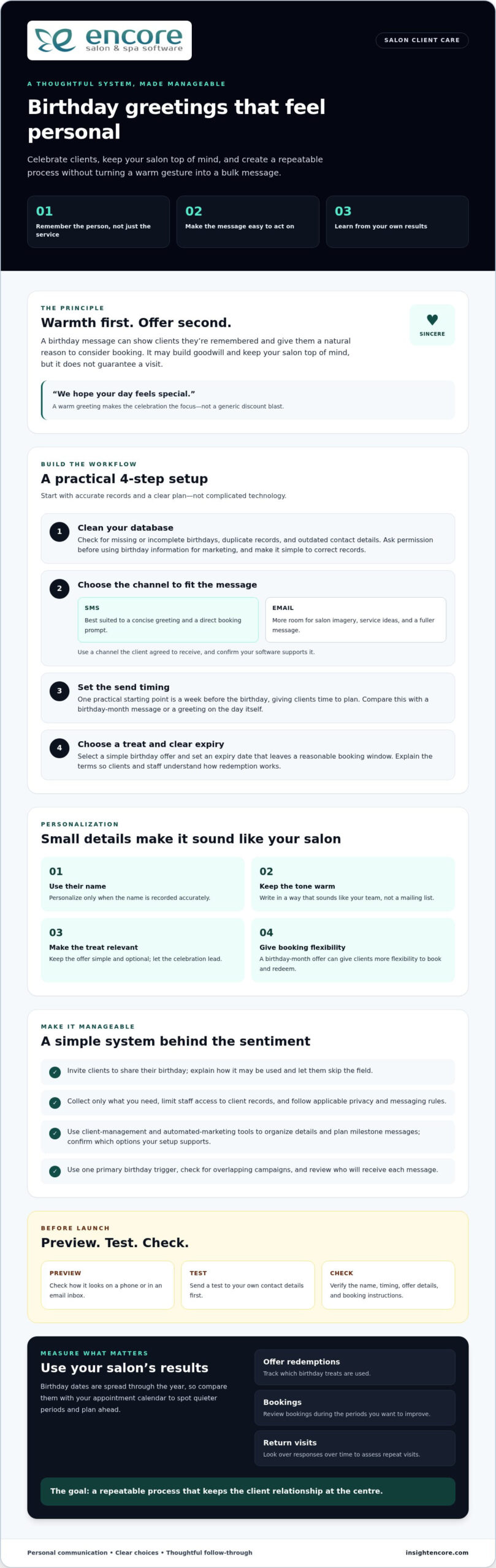
Reliable salon payroll starts with clean records, not last-minute calculations. When hours are in one place, tips in checkout activity, commissions in service notes, and adjustments in messages, figuring out how to manage salon payroll can feel like rebuilding the pay period from scratch. Missing details lead to corrections, and the rules that apply can vary by worker and location.

A dependable routine makes payday more predictable. This guide explains how to organize pay inputs for each worker and pay period, assign review responsibilities, and check the information before payroll is finalized. You’ll learn how to build a workflow around different pay arrangements, from hourly wages and commissions to tips and adjustments, while verifying current requirements for your jurisdiction. Organized scheduling and transaction activity in salon management tools such as Encore Salon & Spa Software can help you review payroll inputs, without replacing payroll processing. The goal is fewer surprises and records you can check with confidence.

Key Takeaways

  • Learn how to manage salon payroll with a repeatable pay-period workflow, from setting a cutoff to retaining final records.
  • Build a checklist that traces each pay detail to its source and a named reviewer.
  • Use discrepancy checks to spot mismatches before approving pay.
  • Separate payroll processing from salon-management tools that help organize scheduling and transaction activity.
  • Choose operational software around the records and workflows your salon needs to manage.

How to Manage Salon Payroll Without the Pay-Period Scramble

The salon is busy, clients are checking in, and payday is approaching. You’re matching time records with service activity, tips, commissions, and adjustments, often gathered from different places. A single missing detail can turn a routine task into a stressful review.

A calmer approach starts before payday: set a consistent cutoff, gather records through one process, and review them before approval. Learning how to manage salon payroll means building a routine around your salon’s actual pay arrangements, rather than relying on memory or rushing through calculations. The aim is to make each pay period easier to check and explain.

What does salon payroll management include?

Salon payroll management is the process of gathering, checking, approving, and recording the information used to determine worker pay for a pay period. It includes collecting records, applying documented pay terms, reviewing discrepancies, securing approval, and retaining final records. These preparation steps are distinct from paying workers and filing payroll taxes, which have separate processes and deadlines. Requirements vary by jurisdiction, so verify current official guidance for your location and worker arrangements. For broader context, payroll management involves compensation, benefits, and tax withholdings.

Why salon pay can be harder to organize

Salon pay may draw on several kinds of activity, each recorded differently. Appointments can show who performed a service, point-of-sale records may capture service or retail transactions, time records track hours, and tip records document gratuities. The pay terms in place determine which inputs matter for each worker. Don’t assume every person is paid the same way or has the same classification.

Small process gaps can add up. If time records close on one date but service or tip information is reviewed on another, the totals may cover different periods. A missing adjustment or unclear entry can send the reviewer searching through notes and transactions after the cutoff. Set a clear period and source for each input, then record who checks it.

A simple responsibility map can get the routine started:

  • Time: Identify the record used for hours and who checks missing or unusual entries.
  • Service and retail activity: Choose the transaction records used to verify eligible activity under documented pay terms.
  • Tips and adjustments: Specify where approved details are recorded and who reviews exceptions.
  • Pay terms: Keep each worker’s current written terms accessible to the person preparing payroll.

Organized appointment and transaction records can make payroll preparation easier to review, but they don’t replace payroll processing or tax filing. The next sections provide a checklist, common mismatch checks, and a repeatable routine for your salon.

Which Salon Payroll Records and Pay Details Should You Gather?

A useful payroll checklist does more than name the numbers to collect. It shows where each number comes from, which pay period it belongs to, and who reviews it. Keep the source record separate from the rule used to calculate pay: a service transaction documents activity, while the worker’s written terms determine whether that activity affects commission.

Gather hours, tips, and salon activity records

Start with records that cover the same pay-period dates. Compare scheduled shifts with actual time records, then document approved corrections rather than silently changing an entry. Keep tip records separate from service and retail sales because they support different information. Source documents and recordkeeping requirements vary by location, so check current official guidance for your jurisdiction.

For each input, note its source and reviewer. A checklist might look like this:

  • Hours: Time records, checked against scheduled shifts; a manager reviews missing punches and approved edits.
  • Tips: The salon’s approved tip record; the assigned reviewer checks the period and any corrections.
  • Service activity: Appointment and transaction records; the reviewer confirms the activity belongs to the right worker and period.
  • Retail activity: Point-of-sale records; the reviewer checks which transactions count under the worker’s documented terms.
  • Adjustments: Written approvals and supporting notes; the reviewer confirms the reason, amount, and effective period.

These records help explain what happened. They don’t, on their own, determine what someone is owed. Federal and local requirements may affect how hours and pay are handled. The U.S. Department of Labor’s overview of federal wage and hour laws is a starting point for understanding federal rules, including minimum wage and overtime. Verify current requirements for your location and workers.

Document pay arrangements before calculating

Before using the records, keep each worker’s current written pay terms in one accessible place. Record the applicable arrangement, such as hourly, salary, commission, or another documented structure, along with its effective date. If terms change, save the approval and start date so you don’t apply a new rate or formula to an earlier period by mistake.

Next, match each input to the terms that govern it. A service or retail total may be relevant to one commission plan but not another. Handle tips and hours according to applicable terms and rules. For commission structures and calculation methods, see salon staff commission calculations.

That separation is central to how to manage salon payroll: collect evidence first, apply documented terms second, and flag anything unclear before approval. Salon tools that organize appointments and point-of-sale activity can help keep operational records in view during preparation, without replacing payroll processing. Explore Encore’s salon management tools as part of your operations routine.

How to Check Salon Payroll for Errors Before Approval

Payroll software can help organize calculations, but it can’t confirm that every input is complete, correctly assigned, or consistent with a worker’s documented pay terms. A wrong time entry or unapproved adjustment can still produce a polished-looking result. Before approval, compare pay-period totals with source records and investigate exceptions rather than assuming the system has resolved them.

Keep the review focused by identifying the evidence you expect for each record, the mismatch to watch for, and the follow-up needed.

Common salon payroll discrepancies to catch

Look for missing or duplicate shifts, unusual time entries, adjustments without approval, and service activity assigned to the wrong worker or period. Compare tips and commission inputs with the salon’s documented policies and supporting records. Checking source records matters because payroll calculations can only be as reliable as the information and pay terms behind them.

Record Expected evidence Common mismatch Follow-up
Time records Entries covering the full pay period Missing shift, duplicate entry, or unexplained edit Compare with scheduling records and document an approved correction.
Service activity Transactions assigned to the correct worker and dates Duplicate, missing, or misassigned service Review the source transaction and apply the documented commission terms.
Tips Approved tip record for the period Amount differs from the supporting record or policy Trace the difference and record how it was resolved.
Adjustments and deductions Written reason, approval, and applicable period Unapproved change or unclear basis Pause the item and verify the applicable rules before processing.

Build a review and approval checkpoint

Where staffing allows, have one person prepare the pay inputs and another review them. A second reviewer can compare totals with source records and catch a mismatch the preparer may overlook. In a small salon where roles overlap, separate the steps in time: prepare first, then review the records and exceptions before approval.

Keep a brief review log for each pay period. Note the record checked, discrepancy found, correction made, who approved it, and any question still unresolved. Don’t treat an open question about classification, overtime, minimum-pay requirements, tips, or deductions as a routine data fix. These issues depend on worker circumstances and jurisdiction, so verify them using current official wage, employment, and tax guidance for your location before finalizing pay.

A consistent checkpoint makes how to manage salon payroll more reviewable: confirm the inputs, reconcile differences, document decisions, then approve. If a discrepancy can’t be supported by a source record or documented term, hold it for clarification rather than guessing.

How to Manage Salon Payroll: A Practical Guide for 2026

How to Manage Salon Payroll Step by Step Each Pay Period

A reliable payroll routine works like a closing checklist: each task has an owner, a source record, and a clear sign that it’s complete. Use the same sequence for every pay period, leaving time between input collection and approval so missing details don’t become rushed guesses.

Create a repeatable payroll calendar

Choose recurring dates for time entry, tip reporting, record review, approval, and payment. Share the cutoff and each person’s responsibility in plain language, including how staff should submit corrections. Build in reminders for holidays, schedule changes, and location-specific deadlines. Confirm official deadlines for your jurisdiction because requirements vary.

  1. Set the cutoff. The payroll coordinator owns the calendar, and the pay-period schedule is the source. Mark the period’s start, end, and submission deadline as complete when they’ve been shared with everyone who provides inputs.
  2. Collect time and activity records. The designated preparer gathers time entries, tip details, and relevant service or retail activity from their source records. Check that each item covers the same dates and is assigned to the right worker before marking collection complete.
  3. Apply documented pay terms. The preparer uses each worker’s current written terms and any approved changes, including effective dates. Confirm the terms match the period being prepared and flag unclear or missing documentation instead of assuming.
  4. Reconcile exceptions. The preparer compares inputs with supporting records and logs missing entries, duplicates, corrections, or other differences. Mark an item resolved only when its supporting evidence and decision are recorded.
  5. Review the prepared information. A separate reviewer, where staffing allows, checks the records, calculations, and documented terms. Give the reviewer time to ask questions and receive evidence before approval, rather than leaving the review until the cutoff.
  6. Approve and complete the pay run. The authorized approver confirms that required inputs are present and discrepancies are resolved or appropriately addressed. Record approval and completion according to the salon’s established process.
  7. Retain final records securely. The assigned records owner stores final records using approved access and retention practices. Confirm the files are complete, organized by pay period, and accessible only to appropriate people.

Close the pay period and improve the next one

After the run, note which corrections took the most time and why. If a shift entry repeatedly arrives late, clarify who submits it and by when. If service activity needs repeated checking, review how staffing patterns and appointment flow affect planning. A salon staff utilization guide can help connect staffing patterns with operational planning. Update the checklist or calendar so the next cycle benefits from what you learned.

This sequence makes how to manage salon payroll a defined routine, not a last-minute scramble. Salon management tools can help organize appointment and transaction activity as part of that workflow, while payroll preparation, processing, and recordkeeping remain distinct tasks.

Explore Encore’s salon management tools

Choose Salon Software That Supports an Organized Payroll Routine

Salon software can help organize the business records that inform payroll preparation, but that doesn’t make it a payroll processor. Keep the roles clear: payroll tools handle tasks such as calculating pay or processing payments, while salon-management tools support daily operations such as scheduling appointments and recording transactions. The right setup depends on where your information currently lives and which handoffs create friction.

What to look for in a salon management platform

Start with the work your team does every day, not a long feature list. Ask where appointments are scheduled, where client details are managed, how service and retail transactions are recorded, and whether inventory tracking would support your routine. Then identify which operational records your payroll preparer needs to review separately. This helps you choose tools for real workflow needs without assuming that salon software calculates pay or connects automatically to payroll.

Encore salon software brings together salon operations capabilities such as appointment booking, client management, inventory tracking, and point-of-sale transactions. These records can provide useful context as you organize payroll inputs, but payroll preparation and processing remain distinct tasks. The Encore features overview summarizes operational tools to consider for your salon’s needs.

Use a simple fit check before choosing or changing tools:

  • Scheduling: Would a more organized appointment workflow help your team understand staffing and service activity?
  • Client management: Do you need a central way to manage client information as part of salon operations?
  • Point of sale: Would clearer transaction records help staff review service and retail activity during payroll preparation?
  • Inventory: Would inventory tracking support the way your salon manages products and day-to-day work?
  • Payroll: Which separate system or process handles pay calculations, payment, tax responsibilities, and required records?

That last question matters. An organized appointment calendar or transaction record may make operational information easier to find, but don’t treat it as a payroll calculation, payroll-ready report, or tax filing unless a system explicitly provides that function.

Make the next step manageable

Before adopting a new platform, map the current route for each payroll input: who creates it, where it’s recorded, who reviews it, and how it reaches the person preparing payroll. Mark the handoffs that cause repeated searching or corrections. This makes it easier to assess whether salon-management tools could improve the operational records around those handoffs, without changing payroll responsibilities by assumption.

Then evaluate the platform using familiar tasks. Consider how appointment booking, client management, inventory tracking, and point-of-sale activity fit your actual routine. A practical evaluation helps you decide whether the tools support your salon’s operations and the information-gathering process around payroll. It’s one useful step toward a more organized approach to how to manage salon payroll.

Try Encore now

Make Your Next Pay Period Easier to Prepare

A dependable approach to how to manage salon payroll is built one pay period at a time. Keep refining handoffs, clarify who owns each record, and make room to review questions before approval. With a steady routine, you can spend less time chasing information and more time supporting your team and clients.

Salon operations software can help bring everyday activity into a more organized view. Encore provides tools for appointment booking, client management, inventory tracking, and point-of-sale transactions. Explore how those capabilities could fit the way your salon works.

Try Encore now

Start with one practical improvement, then build from there. A clear routine can make payroll easier to prepare and repeat.

Frequently Asked Questions

How often should a salon run payroll?

There’s no single payroll schedule that applies to every salon. Pay frequency depends on local requirements, employment terms, and the business’s payroll setup. Choose a consistent calendar that gives staff clear expectations about pay periods and payment dates, then communicate it in writing. Before setting or changing the schedule, check current official rules for your jurisdiction and confirm that the arrangement fits each worker’s terms.

Can salon employees be paid on commission only?

Commission-only pay may be subject to wage and employment rules, so it isn’t automatically suitable for every worker or situation. Document the agreement clearly, including how commission is earned and which services or sales count. Then verify local minimum-pay, overtime, and other applicable requirements using official guidance or a qualified professional. If a worker’s pay could fall below a required amount, resolve how the rules apply before relying on the commission arrangement.

How should a salon track tips for payroll?

Keep dated tip records separate from service revenue and retail sales. For example, use a consistent staff process to submit or confirm tip details for each pay period, and record corrections with their dates and reasons. Tip reporting, allocation, and payroll treatment can depend on local rules and the salon’s arrangement. Review the process against current official guidance so staff know what information to report and how the salon handles it.

What payroll records should a salon keep?

Keep organized records that support each pay period, such as hours, written pay terms, tip and commission details, adjustments, approvals, and final payroll outcomes, as applicable. A dated note explaining a correction can help clarify why a record changed later. Required records and retention periods vary by jurisdiction and worker arrangement. Limit access to appropriate people, use a consistent filing method, and verify current local requirements for what to retain and for how long.

Do booth renters go through salon employee payroll?

Not necessarily. Booth rental and employment are different business arrangements, but the correct classification depends on the working facts and applicable law, not just the label in a contract. Before deciding how to handle someone’s pay, check current classification rules for your location using official guidance or a qualified professional. Keep rental payments and salon employee payroll records clearly separated, with supporting agreements and financial records organized for review.

Can salon management software replace payroll software?

Usually, these tools serve different purposes. Salon management software can organize appointment booking, client information, inventory, or point-of-sale activity, while payroll systems handle separate pay-processing functions and requirements. For example, transaction records may help you review salon activity, but don’t assume they calculate wages or complete tax tasks. Map where information is created and who uses it, then confirm each tool’s role before relying on it in your payroll routine.

Disclaimer

This article is general in nature and may contain errors, please verify all claims with your sales rep

Categories
Uncategorized

Salon Owner Dashboard App: A 2026 Buying Guide

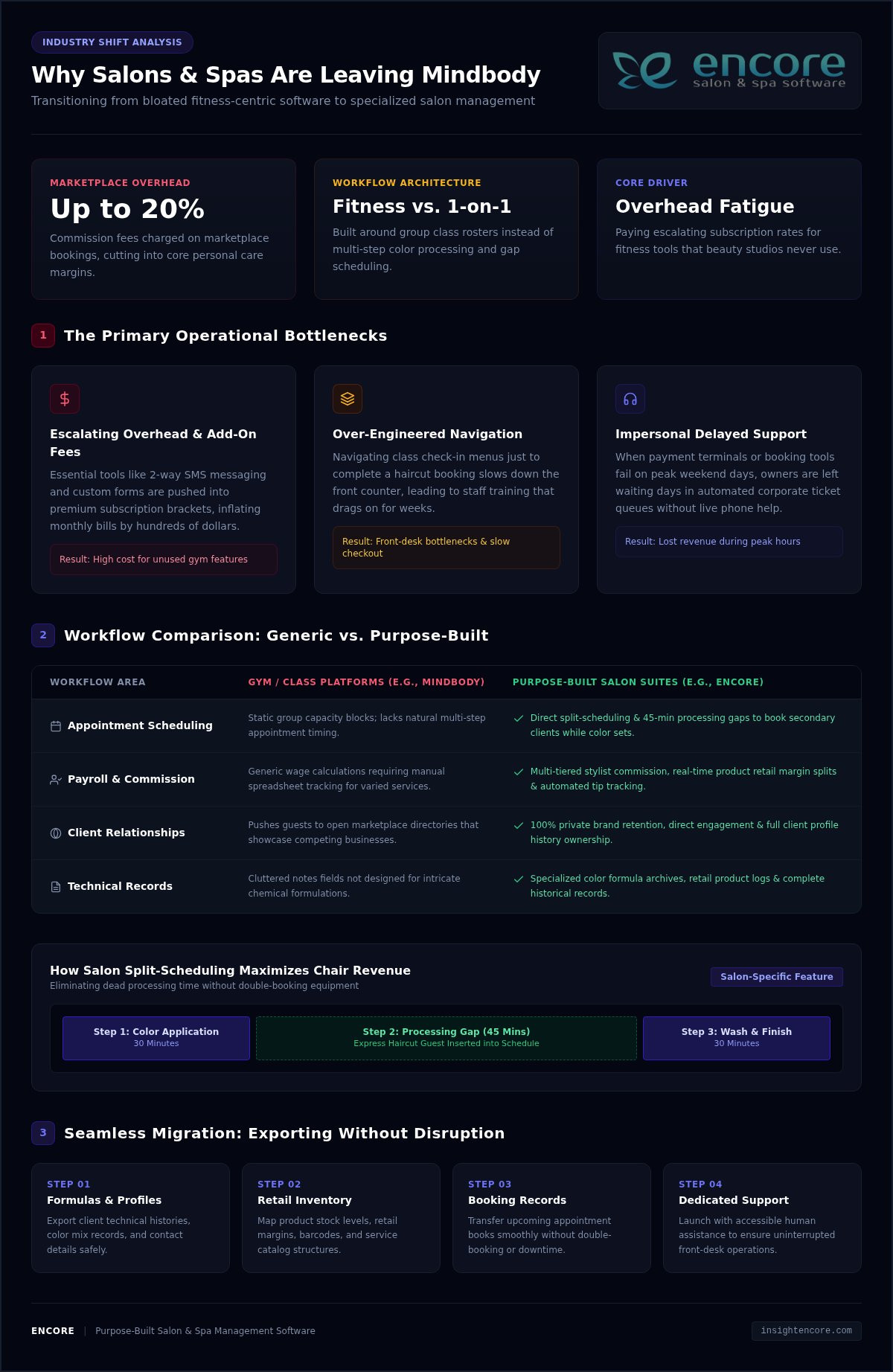
What makes the best salon owner dashboard app useful isn’t the number of charts. It’s whether the information helps you decide what to do next. When bookings, client details, inventory, and sales sit in separate tools, it’s harder to get a clear picture of the day. A long feature list doesn’t make the right choice any clearer.

Look beyond booking. A helpful system should make relevant business activity easier to review and connect that visibility with the work you need to manage. To compare options, start with the decisions you make regularly, then identify what information would help you make them. This keeps you focused on what your salon needs, rather than features you may never use.

This guide explains which business information is worth reviewing, how to compare dashboard capabilities, and how to assess whether software fits your daily workflow. We’ll look at booking, client management, inventory, point of sale, and marketing as parts of salon operations. Encore brings these capabilities together for beauty and wellness businesses, so you can evaluate the platform against the way your salon runs, not just its dashboard label.

Key Takeaways

  • Distinguish between reviewing information on a dashboard and the operational tools that record appointments, sales, and client activity.
  • Focus on business signals that help answer real management questions across appointments, clients, sales, inventory, and marketing.
  • Compare each salon owner dashboard app by workflow fit, usability, relevant capabilities, and how it handles everyday salon needs.
  • Test common tasks with the people who will use the system instead of judging it by dashboard design alone.
  • Assess how Encore’s booking, client management, inventory, and point-of-sale capabilities fit your salon’s daily workflow.

What should a salon owner dashboard app help you see?

A dashboard is a place to review selected business information and use it to guide decisions. It can bring key signals into view, but the charts aren’t the business itself. Appointments, sales, client activity, and stock information first need to be recorded in the underlying software. They’re useful only when those records are accurate and relevant to the questions you’re trying to answer.

A dashboard is the review surface; salon management software is the operational system that records and supports the work behind what you see. That distinction matters when comparing tools. A polished display can look helpful, but it won’t tell you much if the information behind it is incomplete or disconnected from your daily processes.

Which salon decisions can a dashboard support?

Start with decisions you make repeatedly, then identify the business activity that could inform them. Appointment information, for example, can help you review the day’s schedule and consider whether available time is being used as intended. A useful signal prompts a next question, such as whether the schedule needs attention, rather than encouraging you to react to every change.

Client and inventory information can support other kinds of planning. A client record can help staff review service history before a return visit or plan follow-up. Stock information can help you spot items that need attention before they interrupt routine work. Customer appointment management software covers core functions such as booking and scheduling, which are part of the operational information a salon may want to review.

  • Appointments: What does the schedule suggest about daily capacity and workflow?
  • Clients: What service history or follow-up details are useful for the next interaction?
  • Inventory: Which stock decisions need attention to keep routine services moving?

These are prompts, not a universal scorecard. A solo stylist, a multi-staff salon, and a spa may need different information to make sound decisions. Focus on what you’ll do with a signal, not how attractive it looks as a chart.

Dashboard app or salon management platform: what is the difference?

A dashboard helps you review information. A salon management platform supports the work that creates it, such as managing bookings, client records, inventory, and point-of-sale transactions. Some products combine both roles; others focus on only part of the workflow. Capabilities vary, so look at what each system actually does instead of assuming the word “dashboard” guarantees particular screens, reports, or measures.

Encore is a salon and spa software platform with operational tools for booking, client management, inventory, and point-of-sale activity. Explore its salon software features to see how its workflows fit your business. A salon owner dashboard app is most useful when the information you review connects clearly to the operations your team needs to manage.

Which salon dashboard metrics and capabilities deserve attention?

The most useful information is what helps you make a decision. A salon owner dashboard app may present appointment, client, sales, inventory, and marketing activity, but not every salon needs to review every measure. A solo stylist may focus on upcoming bookings and client follow-up, while a larger team may also review sales activity and stock routines. Start with the questions you need answered, then assess whether the software makes the relevant information clear.

A metric is actionable only when you understand what it measures, where the information comes from, and which time period it covers. Before relying on a number, check its definition, date range, filters, and source. A booking total might refer to appointments made during a period or appointments scheduled to take place during it. Those answer different questions. Clear definitions help you compare like with like instead of reacting to a figure that looks precise but means something else.

Appointment and client visibility

Check how easily you can find upcoming bookings and understand the schedule. Can you focus on a particular day, team member, or service when that view matters to your workflow? Treat this as a usability check, not evidence that the software calculates capacity or performance measures.

Client profiles and service histories can help staff prepare for returning clients and plan appropriate follow-up. Consider whether the information your team needs is straightforward to locate and maintain. If a system includes performance reporting, assess those claims separately from basic appointment visibility, and understand how each reported figure is defined.

Sales, inventory, and marketing visibility

Point-of-sale activity, inventory, marketing, and loyalty programs support different operational questions. You might review sales transactions as part of a regular business check-in, keep stock decisions connected to inventory records, or manage client communications and loyalty activity alongside other salon work. The right combination depends on your services, team roles, and routines. Prioritize capabilities that support those tasks instead of choosing a tool simply because it lists many metrics.

Encore brings booking, client management, inventory, point-of-sale transactions, integrated card processing, automated marketing, and loyalty programs together for beauty and wellness businesses. Explore the salon and spa software features in relation to the work you want to manage. This gives you a practical way to evaluate platform fit without assuming a particular dashboard screen, report, or metric is included.

  • Appointments: Check whether booking information is easy to review in the views your team needs.
  • Clients: Consider how service history supports preparation and follow-up.
  • Sales and stock: See whether transaction and inventory tools fit your regular review routine.
  • Marketing: Assess whether marketing and loyalty activity belongs in the same operational workflow.

Keep your first evaluation focused. Choose a few real management questions, then see whether the system’s available information and tools help you address them. If you’re considering Encore, explore Encore as an option for your salon’s workflow.

How to compare salon owner dashboard apps without getting distracted by feature lists

A long list of features can make every option look capable. A more useful comparison starts with your salon’s actual work: what your team does often, which decisions take time, and where information gets hard to find. Apply the same criteria to each option, including Encore. That keeps your evaluation focused on workflow fit rather than the number of items on a product page.

A practical salon software comparison checklist

Choose a simple rating scale, such as “fits,” “partly fits,” and “doesn’t fit,” then use it consistently. Base each rating on a task you can describe, not an assumption about what a feature name means. If staff need several workarounds to complete a routine task, note that too. Ease of use matters because a tool helps only when the people responsible for the work can use it comfortably.

Comparison area What to assess Useful question
Workflow fit Booking, client management, inventory, and point-of-sale tasks Can the team handle its common tasks in a clear sequence?
Usability Steps, navigation, and ease of finding relevant information Can the intended users complete routine work without unnecessary steps?
Relevant features Functions that match your service mix and management needs Does each feature solve a real operational need?
Support expectations Available training, access arrangements, and routine support Do the support and learning options suit how your salon operates?

Distinguish what’s included from what you’re inferring. A system may list booking, inventory, or client tools without showing how they work together in everyday use. Review the product’s capabilities, then test representative tasks where possible. For instance, follow a booking through the steps your team uses and consider how client details or a point-of-sale transaction fit into that process. Don’t treat a dashboard label as proof of specific reports or data connections.

Questions to ask before choosing a dashboard app

As you evaluate each option, identify which records feed each displayed figure or summary, how often information is updated, and how filters or date ranges affect its meaning. Consider how staff access is managed, what learning options are available, and what routine support looks like. These details help you compare both the visible information and the process behind it.

  • Booking: Does the workflow match how appointments are created and managed?
  • Client management: Can staff maintain and use client information as part of service?
  • Inventory: Does stock management fit the salon’s regular routines?
  • Point of sale: Can transactions fit naturally into the client visit?

Use this same checklist to assess Encore Salon & Spa Software. Encore combines booking, client management, inventory, and point-of-sale capabilities, making those operational workflows useful comparison points. A strong fit supports your salon’s real tasks, gives staff a manageable way to complete them, and makes its information clear enough to use with confidence.

Salon Owner Dashboard App: A 2026 Buying Guide

How to assess fit for your salon, team, and daily workflow

A salon owner dashboard app should suit the way your business runs, not just look clear in a product demonstration. Before comparing systems, write down who handles bookings, client records, stock, and transactions, along with the decisions you make most often. Note where information lives now and where routine tasks slow down. This gives you a practical picture of what a new system needs to support.

Match software to your salon’s operating model

Your setup shapes what “good fit” means. A single-location salon may prioritize a straightforward daily schedule, while a team with multiple staff may need clear workflows for shared responsibilities. Independent renters may have different needs around managing their own bookings and client records. Consider your service mix, too. A business that tracks products or handles varied transactions may place more weight on inventory and point-of-sale workflows than one with different priorities.

Map the work from start to finish. For a typical client visit, consider how an appointment is booked, how staff find relevant client details, whether inventory plays a role, and how the transaction is handled. The goal is to identify the steps software needs to support without adding avoidable friction. Encore offers specialized solutions for salons and other beauty and wellness businesses, including chair and booth renters, so compare the capabilities that relate to your operating model.

Plan a realistic evaluation before committing

Choose representative tasks and invite the people who perform them to assess each option using the same criteria. Ask a staff member who handles bookings to walk through a typical scheduling task; have the person responsible for stock or transactions review their routine. Testing consistent tasks makes systems easier to compare fairly, while staff feedback can reveal steps an owner might not notice.

Look beyond the demonstration. Identify which records would need to move, which current habits may change, and what time or guidance the team would need to get comfortable with new routines. These are planning questions, not assumptions about any particular implementation process. Pay attention to everyday usability: can users find the information they need, understand the next step, and complete the task without confusion?

  • Document: List recurring tasks, decision needs, users, and services before evaluating software.
  • Test: Have relevant staff complete realistic tasks rather than judging a system by its dashboard appearance.
  • Plan: Note records, routines, and team learning that may need attention during a transition.

If staff scheduling and capacity are central to your evaluation, define the management question first. For example, decide whether you want to understand how scheduled time relates to your team’s work, rather than assuming a software label tells the whole story. Then assess whether the information and workflow available in each system support that question. The right choice depends on your service mix, users, and daily priorities.

Use the same workflow-based criteria to assess Encore Salon Software alongside other options. Its booking, client management, inventory, and point-of-sale capabilities give you operational areas to consider against your salon’s needs.

Explore Encore for your salon’s workflow

Choose a salon dashboard app that connects visibility with action

The right choice isn’t necessarily the app with the fullest dashboard. Look for a system that helps you understand relevant business information and supports the work your team needs to do next. A salon owner dashboard app is a good fit when its available information, operational capabilities, and day-to-day workflows make sense together for your business.

Before deciding, return to the tasks and questions you identified during your evaluation. Can the system support the workflows your salon depends on? Is the information your team needs understandable? Can the people who will use it manage routine tasks comfortably? These practical points matter more than an impressive feature list or an attractive display.

When an all-in-one salon platform may be a better fit

If booking, client management, inventory, and transactions are spread across separate routines, consider whether a platform covering those operational areas could make everyday work easier to manage. Bringing capabilities together may reduce the need to move between disconnected tools, although the exact workflow depends on how the system’s functions work in practice. Evaluate how each task is handled instead of assuming that “all-in-one” means every process is automatically connected.

Encore offers salon and spa software alongside solutions for barbers, nail salons, tattoo studios, and chair or booth renters. These options give beauty and wellness businesses operational capabilities to assess against their service mix and team structure. Compare the plan details and included capabilities with the tasks your business needs to manage.

Take the next step with a focused product evaluation

Make a short list of essential tasks, such as managing bookings, maintaining client information, handling inventory, or processing transactions. Compare each task with the capabilities available in Encore’s salon software, then consider whether the workflow suits your staff and business priorities. Keep the decision grounded in fit: the best option is the one that addresses your actual needs and is practical for your team to use.

You don’t need to settle every question at once. A focused evaluation of common tasks can help you see whether the platform’s operational tools belong in your salon’s workflow, without assuming specific dashboard screens or reporting functions. Encore has focused on software for beauty and wellness businesses since 1991, offering a platform to consider against your evaluation criteria.

Ready to explore whether Encore fits the way your salon works?

Try Encore now

Turn your next software decision into a practical test

Before choosing a salon owner dashboard app, pick one recurring decision you’d like to handle with more confidence. Write down what information you need, who uses it, and what action might follow. Use that question to guide your product evaluation. This keeps the next step manageable and gives your team a clear way to judge whether a system supports important work.

A useful evaluation doesn’t need to answer every question at once. Start with a familiar task and notice whether the process makes sense to the people who’ll use it. If the information is clear and the workflow suits your salon, you’ll have a stronger basis for deciding whether to explore further. If it isn’t, you’ll know what needs a closer look.

Try Encore now

Focus on the work your salon does every day, then choose software that supports it. Explore Encore’s salon software to evaluate its fit for your team.

Frequently Asked Questions

What should a salon owner dashboard app show?

A salon owner dashboard app should make information for regular decisions easy to find and understand. Depending on your priorities, that could include upcoming appointments, client activity, sales transactions, or inventory records. Check what each figure represents and whether you can narrow it to a useful date range or team member. A focused view is more helpful than a crowded screen full of numbers you won’t use.

How do I choose the best dashboard app for my salon?

Match the software to real tasks your salon handles, then involve the people who perform them. For example, have a receptionist try a booking task and a staff member who handles stock review an inventory task. Compare how each option supports those activities, how easy it is to learn, and whether its capabilities suit your services. The best fit is the one your team can use consistently.

Can a salon dashboard app track appointments, sales, and inventory?

Some salon software includes tools for appointments, point-of-sale transactions, and inventory, but available functions differ by system. Encore Salon & Spa Software includes online booking, point-of-sale transactions, and inventory management capabilities. Before relying on a displayed total or summary, understand which records it uses and what period it covers. For example, distinguish appointments booked during a month from appointments scheduled to happen during that month.

Is a salon dashboard app different from salon management software?

Often, yes. “Dashboard” usually refers to a way to view selected information, while salon management software supports daily activities such as scheduling, managing client records, and processing transactions. Some platforms combine operational tools with ways to review business information, but labels alone don’t establish which functions are included. Look at the tasks the system supports and how information is entered, updated, and accessed by your team.

Do small salons need a business dashboard app?

Not necessarily. A small salon may be able to manage its priorities with a simple schedule and reliable records, while a dashboard can be useful if it saves time finding information or makes a recurring decision easier. Consider how often you need to review appointments or stock. If a separate app adds little value, prioritize software that supports essential work without unnecessary complexity.

Can salon software help me understand business performance?

Salon software can help organize business records, and reporting or analytics tools may help you review performance when the system offers them. Start with a focused question, such as whether a change in bookings coincides with a change in sales. Check that the information covers the same time period and uses consistent definitions. A total doesn’t explain itself; context helps you decide what it means.

What should I check before switching to a salon dashboard app?

Before switching, list the records you rely on, the tasks your team completes, and the information they need during a client visit. Identify what may need to be transferred or re-entered, and decide who will help staff learn the new workflow. Test typical tasks before making a choice, including correcting a booking or finding a client record. A small, realistic evaluation can reveal practical issues that a feature list won’t show.

Disclaimer

This article is general in nature and may contain errors, please verify all claims with your sales rep

Categories
Uncategorized

How to Protect Client Data in a Salon: A Practical 2026 Guide

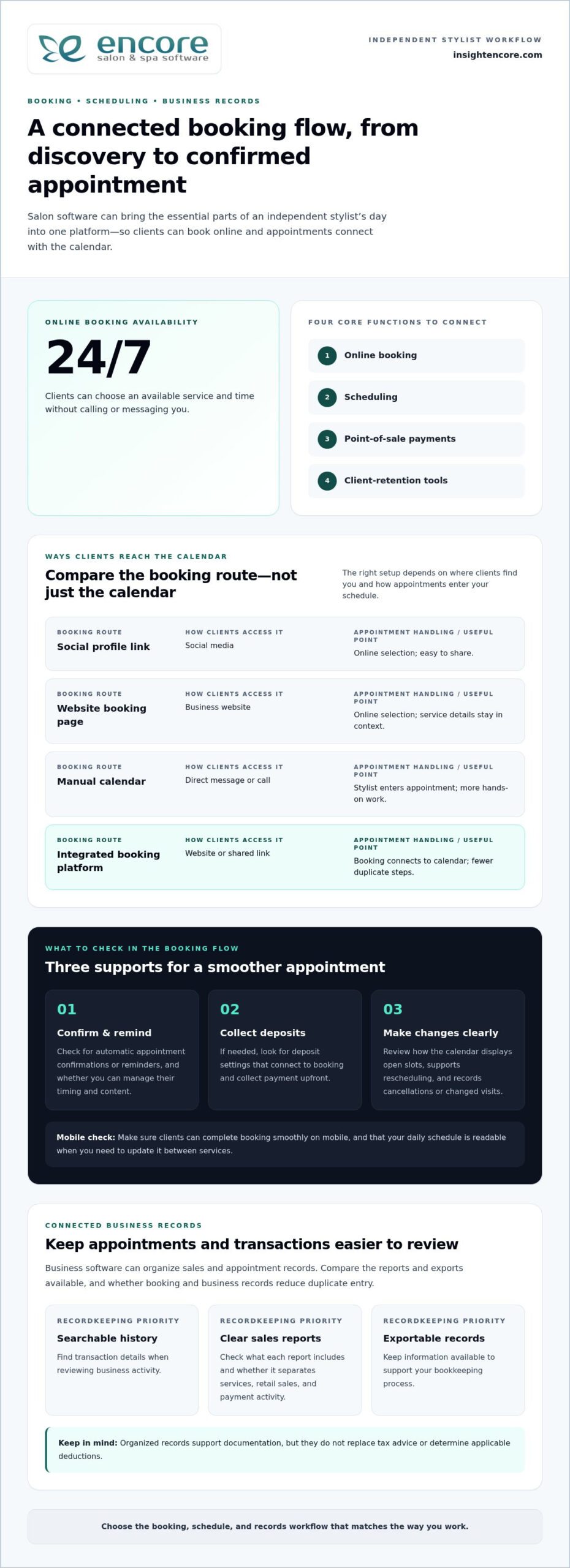
A shared tablet left open between appointments can expose client information just as easily as a more complex security problem. Contact details, booking notes, allergy information, photos, and payment activity may pass through several hands and systems during a busy day. Knowing how to protect client data in a salon starts with understanding those everyday workflows and making them easier to manage.

You don’t need to be a cybersecurity expert to protect client information. Start by identifying which details need extra care, who needs access, and where information is stored. Clear routines help your team handle client data consistently and reduce avoidable risks.

This guide shows you how to map where client data is collected and used, set practical safeguards for staff and shared devices, and assess software and payment workflows. You’ll also learn how to prepare a straightforward response plan for a possible incident. The goal is clear responsibilities, better day-to-day control, and routines your salon team can follow.

Key Takeaways

  • Start with a practical inventory of the client details your salon collects, from booking information to service notes and payment-related data.
  • Trace how information moves between booking, consultation, checkout, and follow-up to spot where extra copies or access points may appear.
  • Learn how to protect client data in a salon with everyday safeguards such as individual staff accounts, screen locks, updates, and secure backups.
  • Put a repeatable routine in place by assigning responsibilities, setting access rules, and building short data-handling steps into daily salon procedures.
  • Use a clear checklist to compare software capabilities with your salon’s own data-handling practices and responsibilities.

How to protect client data in a salon starts with knowing what you collect

A practical inventory is a useful first step. List what your salon collects, where each item is kept, who uses it, and why it’s needed. This gives you a basis for deciding what to retain, what to limit, and which everyday routines need stronger safeguards.

Client data includes more than names and phone numbers. It can include appointment history, service preferences, consultation notes, photos, and payment-related information. A salon data inventory records these information types, their locations, who uses them, and their purpose. This connects the broader idea of information privacy to practical decisions your team makes every day.

Which client details should a salon identify first?

Follow a client’s journey from booking to follow-up. At each step, note what information is collected and whether it appears on paper, a staff device, in email or messaging tools, or in salon software. Record why you need each item and which roles use it. If there’s no clear purpose, consider whether you need to collect or retain it.

  • Booking: Name, contact details, appointment time, and service requested.
  • Consultation and service: Preferences, service history, and notes needed to provide the requested treatment.
  • Payment: Transaction-related information handled during checkout. Identify where this information is recorded, without copying sensitive payment details into general notes.
  • Follow-up: Contact details or preferences used for appointment reminders and relevant client communications.

Not every detail needs the same level of care. A preferred appointment time is useful service information. Notes about an allergy, skin condition, or other health-related detail are more sensitive and deserve tighter access. Photos can also reveal personal information, especially when they identify a client or document a condition. Keep sensitive notes limited to what’s needed to provide the service, and explain to staff why they must handle them carefully.

Where can salon client information be exposed?

Many exposure risks arise during ordinary workflow moments. An unattended screen may let someone nearby view a client record; a shared login makes it harder to tell who accessed information. A misplaced consultation form can expose details on paper, while a lost device may put saved messages or files at risk. Use your inventory to identify where these situations could occur in your salon.

  • Accidental disclosure: Discussing a client’s personal details where others can hear, or sending a message to the wrong recipient.
  • Lost or misplaced items: Leaving forms, printed schedules, or devices in an unsecured area.
  • Weak account access: Reusing logins or keeping an account active after someone no longer needs access.
  • Suspicious messages: A message that pressures staff to open an attachment, share a password, or reveal client information.

Record each risk beside the information and location it affects. This creates a practical map of workflow issues and helps you choose safeguards that address the risks your team actually faces.

How salon client data moves through booking, service, and payment workflows

Client information often moves through several systems during an appointment. A guest may submit contact details and service preferences through an online booking form, then provide more information during a consultation. Staff may refer to the details in a client record, use a payment tool at checkout, and send a follow-up by email or text. Each handoff can create another copy or access point.

Walk through a typical appointment as a team. Identify what you collect at booking, what you add during the service, what’s needed at checkout, and what you use for follow-up. Keep only details that support the service or an ongoing client relationship. For example, a stylist may need a relevant service preference, but that information doesn’t also need to be copied into a calendar note, an email, and a personal phone.

Keep online booking questions focused on arranging the appointment and preparing for the service. When clients can see what a form asks and why, the information request is easier to understand. Salon software that brings booking and client-management tasks together can help your team organize where information is handled rather than relying on disconnected records.

How to map client information across salon systems

List the tools involved at each stage, including scheduling, client records, payment processing, email, and text messages. For each tool, note the staff roles that need it and the information they use. Then look for duplicate records, such as contact details stored in both a booking system and a shared spreadsheet. Removing unnecessary copies makes information easier to manage and reduces the number of places staff need to check.

Keep the review straightforward. The NIST Cybersecurity Framework offers organizations a structured way to think about managing cybersecurity risk. A salon can use the same practical approach: identify where information moves, who handles it, and which procedures can reduce avoidable exposure.

How to keep payment information in the right workflow

Set a clear boundary around payment information. Use the designated payment process for transactions, and keep routine client notes focused on service preferences and appointment history. Don’t put full card details in service notes, spreadsheets, email, or unsecured forms. If a client record needs to reflect a completed transaction, record only what your workflow requires, not sensitive payment details.

Make the handoff clear: the team member taking payment should use the salon’s designated payment workflow, while other staff should see only information needed for their role. Encore’s integrated credit card processing connects payment activity with salon operations. Software is only one part of responsible data handling, so pair the tools you use with clear staff practices and written procedures.

Once you’ve mapped the client journey, review each handoff and decide where to simplify it. To see how a connected workflow could fit your salon, explore Encore’s salon software as part of your broader data-management routine.

Which salon data safeguards matter most? Compare practical controls

Useful safeguards address specific risks, have someone responsible for them, and fit naturally into salon routines. Start with access: client information should be available to people who need it for their duties, not automatically to everyone on the team. Review access when someone changes roles or leaves, and remove permissions that are no longer needed.

Use these practical controls as a starting point:

  • Individual staff accounts: Help identify who used a system and make access easier to adjust. Separate accounts let a receptionist use booking details while a stylist can access the service information needed for appointments.
  • Strong authentication: Makes accounts harder to access with guessed or reused passwords. Each staff member should use a strong, unique password, with multi-factor authentication enabled for important accounts where it’s available.
  • Screen locking: Helps prevent someone nearby from viewing an open client record. Staff should lock the front-desk computer or secure a tablet whenever they step away, even briefly.
  • Software updates: Help keep devices and applications current. Assign someone to review update prompts and follow the salon’s process for applying them rather than leaving updates indefinitely.
  • Secure backups: Provide a way to recover important business information if records are lost or unavailable. Decide who oversees backups, where they’re kept, and how the salon will check that its recovery process works.

What access and device controls should salon teams use?

Begin with the accounts and devices staff use each day. Avoid shared credentials wherever individual accounts are supported. Shared logins make it difficult to connect actions to a person or promptly change one person’s access. Set a screen-lock habit for computers, tablets, and phones, and store mobile devices securely between uses. Keep the rules short enough to follow during a busy shift.

Make these measures part of regular salon administration rather than a one-time setup. Choose someone to review accounts and device practices when staff responsibilities change, and include the review in the salon’s routine checks.

How should salons assess software and payment tools?

Compare a tool’s actual capabilities with the procedures your salon needs. Review how the software handles access settings, data exports, support requests, and privacy documentation. Consider how staff will use each feature, too. Encore’s salon software brings operational functions together in one platform, but tools support a protection routine; they don’t replace staff practices or oversight.

For payment tools, understand how payment handling is separated from ordinary client records, and identify the payment processor and related documentation. Don’t assume a feature is a safeguard without understanding how it works in your workflow. Protecting client data in a salon means combining appropriate tools with clear access rules, trained staff, and regular review.

To review how salon workflows could fit together, explore Encore’s salon software as part of your broader approach.

How to Protect Client Data in a Salon: A Practical 2026 Guide

How to put salon client-data protection into practice with staff

A good routine should work on a busy day, not just look thorough on paper. Give staff short steps they can follow while opening the salon, booking clients, checking out appointments, and closing. To put client-data protection into practice, assign clear owners and make it easy for team members to ask questions or report a concern.

  1. Keep the inventory current. Record the client information your salon uses, where it’s held, its purpose, and which roles need it. Update the record when you add a tool or change a workflow.
  2. Assign owners. Name the person responsible for staff accounts, devices, paper records, and routine reviews. Staff should know who can approve access changes and who receives incident reports.
  3. Set access by role. Give each person access suited to their work duties, then review it when responsibilities change. Remove access that’s no longer needed rather than relying on everyone to remember old permissions.
  4. Train the team. Explain the everyday steps for handling client details, checking requests, and reporting anything unusual. Keep instructions specific to the tools and situations staff actually encounter.
  5. Review routinely. Check whether the procedures are being followed and still fit the salon’s workflow. Use changes in staff, devices, or software as prompts for an extra review.

How to train salon staff to handle client information

Use brief examples instead of abstract warnings. Show staff how to keep conversations private, store printed forms, lock screens, check message recipients, and report a lost device. Before sharing appointment or account details, they should verify the person’s identity using the salon’s agreed process. Give everyone one clear internal contact for questions and concerns, and encourage prompt reporting without blame.

Keep instructions close to the task. A booking checklist can remind staff to verify a client’s details; a checkout prompt can remind them to keep payment handling within the designated workflow. Short, visible reminders are easier to follow consistently than a long policy no one can find during a busy shift.

What should a salon do if client data may be exposed?

Act calmly and follow a written sequence. The priorities are to limit further access, preserve useful details about what happened, and involve the right people. Don’t guess about the cause or make promises to clients before the salon has established the facts.

  1. Contain the issue. Secure the affected account, device, or records. For a suspicious message, don’t click links or forward it widely; report it through the salon’s internal process.
  2. Document what’s known. Note when the issue was noticed, what happened, which systems or information may be involved, and what steps have already been taken. Preserve relevant messages or records.
  3. Notify responsible leadership. Contact the designated owner promptly so the salon can coordinate its response and decide on next steps.
  4. Seek appropriate advice. A qualified adviser can help assess notification duties that apply in the salon’s jurisdiction and circumstances.

Clear roles, practical training, and a calm response plan make data protection a shared routine rather than one person’s task.

Explore Encore for your salon

How to choose salon software that supports responsible client-data practices

Software shapes how client details move through your salon, but no platform can replace clear staff responsibilities and everyday procedures. Use a consistent checklist to compare what a product does with the way your team books appointments, manages client records, takes payments, and responds to concerns. This helps you choose tools that fit your operation without treating software as a security guarantee.

What questions help compare salon software data practices?

Start with the information your salon needs and the people who use it. Review product documentation and support processes to understand how the workflow fits your procedures. Focus on practical details, not broad security language.

  • Information: What client details does each workflow collect, and can your team keep forms focused on what’s needed?
  • Staff access: What access roles or account settings are available, and how will you review permissions when staff duties change?
  • Data handling: Where does client information appear across booking, records, payments, and follow-up? Can your team avoid unnecessary copies?
  • Exports and records: How are client records exported, and what documentation explains the process?
  • Support and account recovery: What support process applies to account or access issues, and how can staff recover access appropriately?

Compare the answers with your salon’s written procedures. For example, if the team has a process for reporting a lost device, make sure staff understand which software accounts or records could be affected and who handles the next step. Product capabilities should support routines your team can maintain, not add steps no one owns.

How can salon software fit into a wider protection plan?

Consider the whole workflow, not one feature in isolation. Encore combines online booking, client management, and payment workflows in salon-management software. Bringing these operational functions together can help your team organize where information is handled. Access rules, staff training, device practices, and regular reviews remain essential parts of the plan.

Map a platform’s actual functions against your salon’s needs. Make sure staff know how to use the relevant workflows, keep the information they collect purposeful, and include the software in routine account and procedure reviews. If you change systems or add a feature, revisit staff instructions so the day-to-day process stays clear.

Choosing software is one part of protecting client data in a salon. Pair useful tools with responsible habits: limit unnecessary collection, train staff, manage access, and establish how to report a concern. A good fit should make daily operations easier to organize while supporting procedures your salon can follow consistently.

Try Encore for your salon

Make your next data-protection step part of the routine

Protecting client information doesn’t require a perfect system on day one. Choose one improvement your team can put into practice now, such as reviewing who can access client records or making the lost-device reporting process easier to find. Assign someone to own that step, then build on it as your salon’s workflows change. A small action staff repeat is more useful than a complicated policy that stays unread.

Protecting client data in a salon is an ongoing part of salon management: keep responsibilities clear, revisit routines, and adjust when tools or staff roles change. Encore’s salon-management platform brings together tools for daily salon operations, including online booking, client management, and payment processing. Explore Encore to see how its software can support the way your team organizes those operations.

Try Encore for your salon

Start with one practical change, assign someone to own it, and help your team build stronger data-handling habits over time.

Frequently Asked Questions

What client information should a salon keep confidential?

Keep identifying, contact, appointment, payment-related, and personal service information private. This includes details that may seem routine, such as a client’s appointment schedule, as well as more sensitive consultation notes or photos. A caller asking whether someone has an appointment shouldn’t automatically receive confirmation. Set a simple rule for what staff can share, with whom, and how to check that a request is legitimate.

How can a salon protect client data from staff misuse?

Make appropriate use of client records part of the salon’s staff expectations. Explain that looking up a client out of curiosity, discussing their information socially, or using contact details for personal reasons isn’t acceptable. Limit access to work needs, and have a manager review account activity if a concern arises and the system provides that information. A clear reporting route helps staff raise concerns early rather than trying to handle them alone.

Is salon booking software safe for client information?

Booking software can help organize client information, but safety depends on the product, its configuration, and how the salon uses it. Before relying on a system, review its privacy information, account recovery process, access options, and data-handling practices. Make sure staff know how to use the booking workflow correctly, too. Don’t treat a convenient online form as a reason to request details that aren’t needed for the appointment.

Can a salon store client payment card details in its records?

Don’t copy full card numbers or security codes into client notes, spreadsheets, email, or paper forms. Use the salon’s designated payment workflow instead, and follow the instructions provided for that process. Keep appointment and service records separate from payment credentials. If staff need to reference a transaction later, use the appropriate transaction record rather than retaining sensitive card details in a general client profile.

What should a salon do if client information is accidentally shared?

Tell the salon’s designated manager or privacy lead promptly, even if the message went to only one unintended recipient. Preserve the message and note what was shared, when it happened, and who may have received it. Don’t forward the information to more people while investigating. The responsible lead can assess the circumstances, decide what immediate steps are appropriate, and seek qualified advice about any notification duties that may apply.

How often should salons review client-data access?

Review access whenever a staff member changes duties, leaves, or needs temporary access for a specific task. Also include account permissions in a recurring management check, so dormant accounts and unnecessary access don’t linger unnoticed. For example, a manager can review the staff list alongside other routine administrative records. The right schedule depends on how the salon operates, but role changes should always prompt a timely review.

Does salon software alone protect client data?

No. Software can support organized workflows, but it can’t ensure staff follow good practices or secure every device and paper record. A locked account won’t prevent someone from sharing a password, and a useful booking form can still collect more information than the service requires. Combine software with clear staff expectations, careful device handling, limited collection, and a process for raising concerns. That’s a practical foundation for protecting client data in a salon.

Disclaimer

This article is general in nature and may contain errors, please verify all claims with your sales rep
Categories
Uncategorized

Client Profile Template for Hair Stylists: A Practical Guide

What if a client profile did more than remind you of someone’s name and appointment time? A useful client profile template for hair stylists brings preferences, service history, color formulas, and follow-up notes together, so you’re not relying on memory or hunting through scattered records. It should support a personal consultation, not turn one into paperwork.

Small details can make the next appointment feel more consistent and considered: a client’s hair goals, what worked at their last visit, or what they’d like to avoid. But generic forms may ask for too much while missing the hair-specific information you need.

This guide provides an adaptable template for new and returning clients, plus tips for keeping service notes clear and useful. You’ll learn what to record, what to leave out, and how to make the process repeatable without losing the human touch. We’ll also compare paper profiles with digital client management, including how salon software can keep client records alongside broader salon operations.

Key Takeaways

  • Use a client profile template for hair stylists to capture useful preferences and service details without making consultations feel like paperwork.
  • Choose essential, optional, and service-specific fields to keep your template focused on what you’ll actually use.
  • Compare paper and digital records by considering access, updates, storage, and who needs to see the information.
  • Follow a simple prepare, consult, record, and review routine to keep client notes current between appointments.
  • Recognize when a standalone template works well and when connected digital client management may better suit your salon’s workflow.

What Should a Hair Stylist Client Profile Template Help You Remember?

A client’s preferences can be easy to overlook between appointments, especially when service notes live in different places or rely on memory. A profile gives you one concise reference for details that matter across visits: what the client likes, which services they’ve had, and what may need a follow-up. Its purpose isn’t to record everything about a person. It’s to help you prepare and continue the conversation with care.

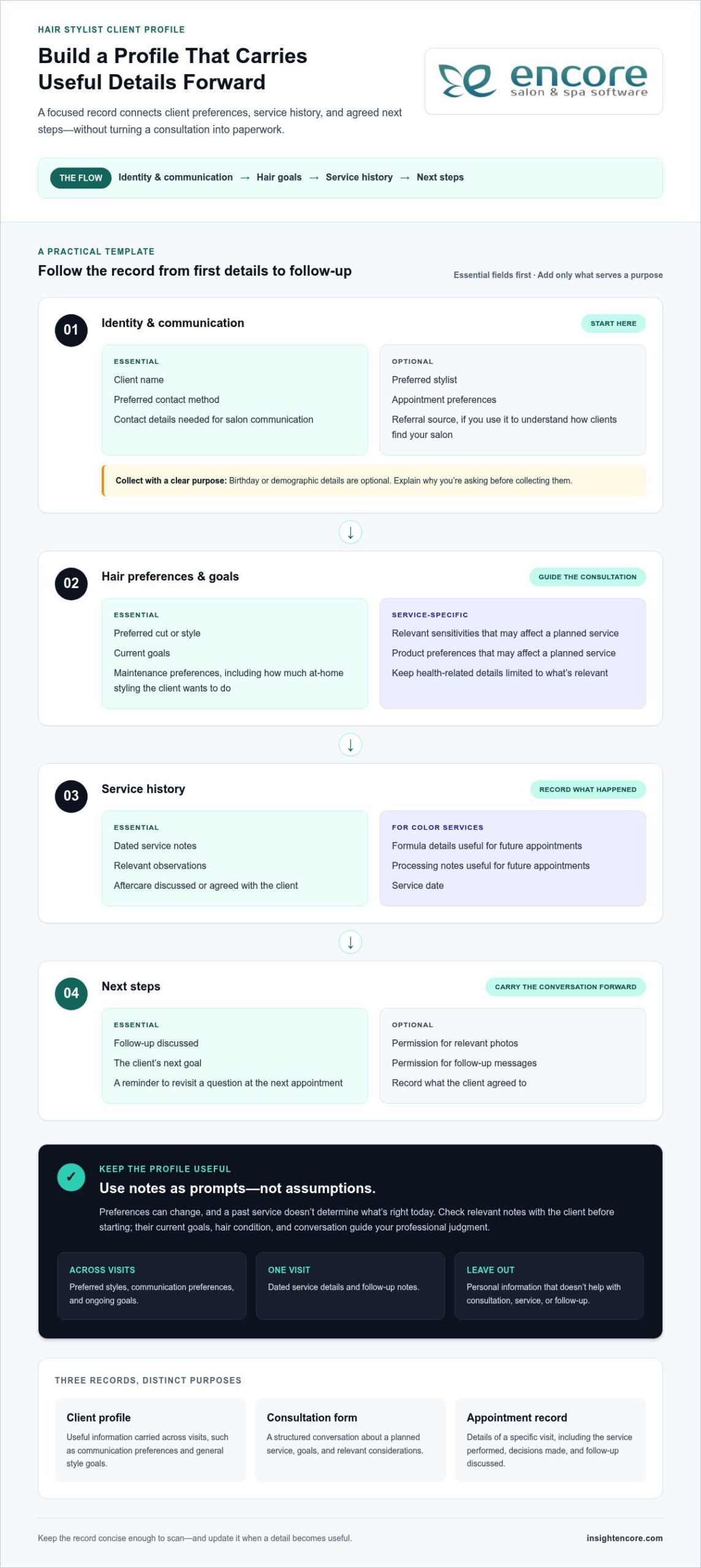
A hair stylist client profile is a concise, ongoing record of service-relevant client details that supports consultations, continuity between appointments, and thoughtful follow-up.

A useful client profile template for hair stylists makes those details easy to find and update. Focus on information that helps you deliver salon care, such as preferred styles, communication preferences, and notes from previous services. Avoid collecting personal details simply because a form has room for them. The goal is a practical working record, not a longer intake form. This reflects the broader idea of Customer Relationship Management (CRM), where organized customer information helps support ongoing relationships.

Client profile, consultation form, and appointment record: what is the difference?

These records serve related but distinct purposes. A client profile holds useful information across visits, such as how someone prefers to communicate or the general style they’re working toward. A consultation form guides a structured conversation about a planned service, helping you discuss the client’s goals and relevant considerations before you begin. An appointment record documents a specific visit, including the service performed, decisions made, and any follow-up discussed. Together, they provide context without treating every appointment as a first meeting.

When does a stylist benefit from a consistent client record?

A consistent record is especially helpful when details need to carry forward. You might note that a client prefers a quiet appointment, likes to see style options before deciding, or wants to discuss how a previous cut has grown out. For a solo stylist, a repeatable format makes it easier to review those notes before the next service. In a salon team, shared record-keeping can help colleagues maintain continuity when a client sees different stylists.

Use notes as prompts, not assumptions. A preference can change, and a past service doesn’t determine what’s right today. Before starting, check relevant notes with the client and ask what they’d like this time. Their current goals, hair condition, and conversation guide your professional judgment. The record simply gives you a more informed place to begin.

  • Useful across visits: preferred styles, communication preferences, and ongoing goals.
  • Specific to one visit: dated service details and follow-up notes.
  • Unnecessary for the task: personal information that doesn’t help with consultation, service, or follow-up.

Keep the profile concise enough to scan before an appointment, and update it when a detail becomes useful. That balance helps records feel supportive rather than bureaucratic, while leaving space for the most important part of the service: listening to the client in front of you.

Build a Hair Stylist Client Profile Template With These Essential Fields

A useful template isn’t the longest one. It’s a focused record that helps you prepare, provide a considered service, and pick up the conversation next time. Use the outline below as a starting point. Remove fields that don’t fit your services or workflow, and add service-specific details only when they’ll help with future appointments.

A practical stylist profile can include contact and appointment preferences, hair goals, relevant service history, and agreed next steps, with optional or service-specific fields added only when they serve a clear purpose.

Copy-ready client profile outline

  • Identity and communication
    • Essential: Client name; preferred contact method; contact details needed for salon communication.
    • Optional: Preferred stylist; appointment preferences; referral source, if you use it to understand how clients find your salon.
    • Optional: Birthday or demographic details only when they support a clear business purpose. Explain why you’re asking before collecting them.
  • Hair preferences and goals
    • Essential: Preferred cut or style; current goals; maintenance preferences, such as how much at-home styling the client wants to do.
    • Service-specific: Relevant sensitivities or product preferences that may affect a planned service. Keep health-related details limited to what’s relevant.
  • Service history
    • Essential: Dated service notes, relevant observations, and aftercare discussed or agreed with the client.
    • Service-specific: For color services, record the formula details and processing notes that are useful for future appointments, along with the service date.
  • Next steps
    • Essential: Follow-up discussed, the client’s next goal, or a reminder to revisit a question at the next appointment.
    • Optional: Permission for relevant photos or follow-up messages, including what the client agreed to and the intended use.

Keep contact and appointment fields purposeful

Collect only the contact information you need to communicate about salon services and appointments. A preferred stylist or appointment preference can help with scheduling, while a referral source may be useful if you track how clients discover your business. Birthday and demographic fields are not automatically necessary. If you include them, be clear about their purpose and let that purpose guide whether they belong on the form.

Write service notes clearly and handle sensitive details with care

Use factual, neutral language. For example, note the client’s stated style goal or what aftercare you discussed, rather than making assumptions about their habits. Record color details in a format you can understand and use again; don’t rely on vague shorthand. Treat health-related information and other sensitive details thoughtfully, and limit collection to what supports the service. Follow the privacy and retention practices that apply in your location. Requirements vary by jurisdiction, so verify the rules that apply to your salon before using the form.

Document permission for photos or follow-up messages clearly, including what the client agreed to. A well-organized client profile template for hair stylists makes relevant details easy to find while keeping unnecessary personal information out. To organize client records alongside salon operations, explore Encore’s client management tools.

Paper or Digital Client Profile Template: Which Format Fits Your Salon?

Choosing a format comes down to how you work, who needs access, and how often you look back at a client’s history. A printable profile can suit an individual stylist who likes to write during a face-to-face consultation. Digital records may be more practical when you need to find details across a busy schedule or keep information accessible to a salon team. Neither format is right for every business.

Compare how each option fits your day-to-day routine:

Consideration Paper profiles Digital profiles
Access Available where the physical file is kept. Can be retrieved through the system or device where records are maintained.
Updates Write additions by hand; keep notes legible and dated. Update the electronic record as details change.
Storage Requires space for organized physical files. Stored digitally, with access practices suited to your salon.
Team visibility Colleagues need access to the relevant file. May make records easier for authorized team members to find, depending on the system and setup.

Think about the friction you want to reduce. If looking up a note means searching through folders, a consistent filing routine may help. If several people need to refer to client information, consider how your chosen format supports appropriate access and makes it clear which record is current.

When a printable client profile is a practical starting point

Paper can be a straightforward choice for a solo stylist or anyone who prefers handwriting during consultations. Print one consistent profile for each client, date new visit notes, and file updates with the original record so service history stays together. Set a routine for returning files to their place after appointments. Keep records from being casually viewed, misplaced, or accessed by people who don’t need them.

When a digital client profile can reduce recordkeeping friction

Digital records may help when you regularly need to retrieve information for returning clients or keep records organized across a salon team. Clear naming and updating habits still matter; a digital file isn’t useful if notes are hard to locate or out of date. Digital client management can also sit alongside broader salon workflows. Encore combines client management with online booking and point-of-sale tools. See how these operational areas fit together in its salon software features.

Start with the format you can maintain consistently. A printable client profile template for hair stylists can establish a reliable routine, while digital records may suit a growing team or a workflow that benefits from connected client management. Whichever you choose, set clear habits for updates, storage, and access. Revisit the decision if your salon’s needs change.

Client Profile Template for Hair Stylists: A Practical Guide

How to Use and Update a Hair Stylist Client Profile at Every Visit

A profile works best as part of the appointment routine, not as a form you complete once and forget. Use the same four stages each time: prepare, consult, record, and review. This rhythm helps you arrive with useful context, make room for the client’s current preferences, and leave clear notes for the next visit.

Introducing the profile without making consultation feel like paperwork

Keep the explanation simple: “I keep a few notes so we can pick up where we left off and focus on what you want today.” Invite the client to share preferences that matter to the service, then fill in only the relevant fields. The profile supports your conversation; it shouldn’t compete with it.

A four-stage routine for each appointment

  • Prepare: Before the appointment, check the client’s existing profile and most recent service notes. Look for useful context, such as a style goal or a detail to follow up on. Don’t treat old notes as instructions for today.
  • Consult: Welcome the client and confirm what still applies. Instead of asking a returning client to repeat everything, try, “Last time, you mentioned wanting a lower-maintenance style. Is that still your goal?” Ask what has changed, then discuss the planned service in person.
  • Record: After the consultation and service, add concise, dated notes. Capture relevant service details, the client’s stated preferences, your observations, and any maintenance guidance you agreed on. Separate what the client said from what you observed so the next reader can understand the context.
  • Review: Before the next visit, read the latest entry and note anything worth revisiting. This makes it easier to continue the conversation without assuming the client’s needs or preferences have stayed the same.

Updating service history and preparing for the next appointment

Useful notes are specific enough to guide a follow-up, but brief enough to scan. For example, record the service date, relevant formula details when applicable, the result discussed with the client, and agreed maintenance notes. Avoid turning the profile into a transcript of the appointment. If a detail isn’t useful for the service or future continuity, leave it out.

Use neutral, clear wording. “Client prefers to air-dry; discussed styling options” distinguishes a client-stated preference from a stylist’s observation. If you note an observation, keep it factual and connected to the service rather than writing a judgment. That makes the record easier for you or a colleague to interpret later.

This repeatable approach works with paper records or digital client management. As a salon grows, connected records can help keep client management alongside broader salon operations. Encore’s client management tools support an organized digital workflow for salon businesses.

Make the routine easy to maintain. Update the record while the appointment details are fresh, then use the next visit to confirm what remains relevant. A consistent client profile template for hair stylists helps you remember the context without asking clients to start from scratch or letting notes replace a personal consultation.

See Encore’s client management tools

From a Client Profile Template to Organized Salon Client Management

A standalone template can be enough when you’re an independent stylist with a manageable client list and a recordkeeping routine you can maintain. It gives you a consistent place for relevant notes without adding another system to learn. As your salon grows, separate files may become harder to keep current or find quickly. The decision isn’t simply paper versus software. It’s whether your current process helps the right people find and update the right information at the right time.

Signs your salon may have outgrown separate client forms

Look for repeated friction in everyday work. Are there duplicate profiles because staff aren’t sure which record to use? Do you spend appointment time searching for a previous note? Are service updates kept in different places, or does each team member record details in a different way? These are signs that your recordkeeping process may need more structure.

A shared process can help salon teams maintain continuity, but software alone won’t set expectations. Agree on what staff should record, when to update a profile, and who should have access. Keep the form focused, and make sure the workflow respects applicable privacy practices. Clear habits matter as much as the tool.

Choosing a client management workflow staff can maintain

Choose a process that fits naturally around appointments. Ask whether the profile is quick to use, whether staff can keep it updated after a service, and whether it’s easy to review before the next visit. For a solo professional, a simple template or digital record may be sufficient if it stays organized and easy to access. A booth renter can build a consistent individual workflow around the same principles: prepare, confirm, record, and revisit.

For a salon team, digital client management can bring client records alongside other salon operations. Encore includes a client management system as part of its salon software offering, with online booking and point-of-sale tools within the broader platform. These tools support different parts of the client journey, from arranging an appointment to completing a transaction. Set clear team habits for recording and updating client details so the workflow stays consistent.

Start by reviewing where client information lives today and where staff experience friction. Then choose a process that’s easy to follow consistently, whether that means refining your form or moving toward digital client management. A client profile template for hair stylists is a practical foundation; organized salon client management can help keep the recordkeeping approach aligned with the way your business operates.

Read the Encore Salon Software overview to see how client management fits within a broader salon platform.

Make Your Next Client Record Easier to Use

Your next step doesn’t need to be a complete change to the way you run your salon. Start by choosing one part of your recordkeeping that feels harder than it should, then adjust your process to make that moment simpler. A client profile template for hair stylists should fit naturally into the way you welcome, consult with, and care for clients.

As you use your template, pay attention to which notes help you feel prepared and which fields rarely serve a purpose. That everyday feedback gives you a practical way to refine the form over time. Keep what supports thoughtful service, and let go of what creates extra work without adding useful context. The result can be a recordkeeping habit that feels personal to clients and manageable for you.

Encore’s salon and spa software brings client management, online booking, and point-of-sale tools together in one platform.

Explore Encore’s client management tools

Choose a process you can keep up with, then build on it at your own pace. A little more clarity can make each client interaction feel that much more considered.

Frequently Asked Questions

What should a hair stylist include in a client profile?

Include details that help you prepare for the client’s next service, and make it clear which notes apply to a specific visit. For example, a general preference can live in the profile, while a formula belongs with its dated color-service entry. If a field wasn’t discussed, don’t guess or fill it with an assumption. Leaving it blank is more useful than recording something that could mislead you later.

How do I create a client profile template for hair clients?

Build the form around your actual appointment flow, then test it before making it standard. Complete a sample profile for a familiar service and check whether another stylist could understand the entries without asking you to translate shorthand. Rename unclear fields, remove questions that don’t inform a service decision, and keep different service types adaptable. A template should guide note-taking, not force every client into the same consultation.

Should hair stylists use paper or digital client records?

Either format can work; choose the one your salon can keep accurate and appropriately protected. If you use both, decide which record is authoritative and how updates move between them. Otherwise, one version may show a newer preference than the other. Consider a short trial using your regular appointment routine, then notice whether staff can locate the right information and make updates without creating duplicate records.

How often should a hairstylist update a client profile?

Review the profile at every appointment, and update it whenever the client shares a meaningful change or a service adds useful context. You don’t need to rewrite unchanged details. For instance, if a client switches their preferred contact method, update that specific field and leave unrelated notes intact. A dated entry helps distinguish new information from older context, especially when several visits have passed between major changes.

Should a hair stylist record allergies and color formulas?

Record relevant sensitivities and color-service details carefully, but treat notes as context for a fresh consultation, not as a substitute for checking with the client. A formula entry can include the service date and the outcome discussed, so you can understand when and why it was used. Limit sensitive details to what supports the service, and follow the privacy and recordkeeping rules that apply where your salon operates.

How can a stylist keep client profile forms from feeling intrusive?

Tell clients why a question helps, and make it easy to skip information that isn’t needed for the service. You might say, “I ask about styling preferences so I can tailor the appointment. You can leave anything blank.” Ask only relevant questions, and let the client’s answers guide the conversation. A brief, respectful explanation can make the form feel like a helpful part of their visit, not an interrogation.

Disclaimer

This article is general in nature and may contain errors, please verify all claims with your sales rep

Categories
Uncategorized

Upgrading Salon Cash Registers to POS: 2026 Guide

A client finishes a service, buys a styling product, and pays at the front desk. If the sale goes through one tool while the appointment, client notes, and stock records live elsewhere, checkout may be complete, but the picture of your business is not. That is the practical question behind upgrading from a cash register to a POS system: what can it connect that your register cannot?

A cash register can record a payment. A salon POS system may also connect transactions with client records, inventory, and payment processing, depending on its features. But changing systems can raise fair concerns about disrupting appointments, slowing checkout, or asking staff to learn a new routine. Your salon needs a setup that supports the way you already work, not one that adds unnecessary steps.

This guide will help you compare day-to-day capabilities, identify the features your salon actually needs, and plan a manageable transition. You’ll see how checkout can fit into the wider client journey, what to check before choosing a system, and how to prepare staff and records before switching. By the end, you’ll have a clearer basis for deciding whether a POS system suits your salon’s checkout and management needs.

Key Takeaways

  • Identify where checkout, client details, product stock, and sales records feel disconnected before deciding whether to upgrade.
  • Compare register and POS capabilities carefully. Client information, inventory tracking, and reporting depend on the system you choose.
  • Make upgrading from a cash register to a POS system more manageable by documenting your current workflow and giving staff time to practise key tasks.
  • Choose features around your salon’s real needs, rather than paying for tools that won’t support daily operations.
  • Once you’ve set your requirements, assess whether Encore’s POS, client management, inventory, and integrated credit card processing fit your workflow.

When should a salon upgrade from a cash register to a POS system?

Checkout can run smoothly while the information behind it stays scattered. A service payment goes through the register, retail stock is tracked separately, and client details sit in another tool or on paper. That arrangement may be workable, but repeated manual steps can make it harder to reconcile transactions, see what sold, or give staff the information they need at checkout.

A cash register records sales and accepts payment. A POS system may do that and connect checkout with other business tools, but capabilities depend on the provider and setup. As a foundation, Point of Sale (POS) systems combine hardware and software to handle sales transactions.

A salon POS system records transactions and may connect them with services, client details, inventory, or reporting, depending on the system you choose. The term “POS” alone doesn’t guarantee that every feature is included.

What does a POS system add to a cash register?

Consider a client who receives a haircut and buys a retail product before leaving. A basic register can record the payment total. A suitably configured POS may let staff record the service and product together, associate the sale with a client record, and update inventory. These steps may depend on the system and its configuration, so check each capability rather than assuming it comes standard.

Signs your salon may be ready to upgrade

Look for recurring friction, not just attractive feature lists. Do you or your team regularly re-enter sales in a spreadsheet, manually compare register totals with other records, or struggle to review which services and products sold? Do staff have to switch between tools to find client, service, and checkout information? These are practical signs that a connected workflow could help.

  • Repeated manual work: Routine reconciliation or duplicate entry takes attention away from clients.
  • Disconnected records: Staff can’t easily access relevant details while completing a sale.
  • Limited sales visibility: Reviewing transaction history means piecing information together by hand.

Start with the problem you want to solve. A feature that sounds appealing may not matter if it doesn’t address a real bottleneck in your salon. If checkout is simple, records are easy to manage, and your current process gives you the sales information you need, a register may remain adequate. Upgrading from a cash register to a POS system makes most sense when connected tools can reduce specific day-to-day friction, not simply because newer technology is available.

How a POS system can connect salon checkout, clients, and inventory

A salon checkout has several steps: staff select the service or items being purchased, confirm the total, take payment, and provide a receipt. A POS system may bring some of those steps together with client and product records. The exact workflow depends on the provider and configuration. Check how each system handles the information your team needs instead of assuming everything connects automatically.

For example, a system might let staff select a completed service, add retail products, apply an eligible gift card, and record the payment in one transaction. If it also supports sales reporting, owners may be able to review transaction details without compiling them from separate records. The U.S. Chamber of Commerce outlines several benefits of POS systems for small businesses, including payment processing and sales data capture. Connected data can reduce repeated entry when selected tools share information, but confirm exactly what is linked.

Connect checkout with client and service records

If a POS connects with client management, staff may be able to view relevant visit information while preparing or completing checkout. That can help associate the service and transaction with the right client, if the system supports that workflow. Online booking is a separate function. Some platforms offer it alongside POS and client management, but don’t assume appointments automatically appear at checkout. Confirm how bookings, completed services, and client records interact.

Track retail products and gift card activity

Inventory tracking may help staff and owners follow retail products sold through checkout, such as shampoo or styling products. Ask whether quantities update from recorded sales, how stock counts are corrected, and what checks your team must still perform. A system can support inventory oversight, but accurate records depend on setup and consistent processes. If your salon sells gift cards, check whether the POS can record their sale and redemption in a way that fits your checkout routine.

Payment is another connection to assess. Integrated credit card processing may keep payment steps within the selected workflow, but it isn’t a universal POS feature. Confirm supported payment methods, hardware compatibility, and how transaction records are handled before choosing. If this capability matters to your salon, review Encore’s integrated credit card processing as part of your comparison.

As you consider upgrading from a cash register to a POS system, map the journey your staff actually follow, from selecting a service to issuing a receipt. Mark where information is re-entered or looked up in another tool. Then identify which connections would remove that work and which features aren’t essential. This keeps the decision focused on your salon’s workflow, not simply on a longer feature list.

Cash register vs. POS system: compare the right capabilities for your salon

A useful comparison goes beyond the number of features on a plan. Focus on the tasks your team performs, how easily staff can use the system during a busy checkout, and whether you can access the records you need afterward. The U.S. Chamber of Commerce explains what a modern POS system is and how capabilities such as inventory tracking and sales reporting may support small businesses. Actual features vary by provider and setup.

Capability Cash register POS system
Transaction recording Records payment totals and sales, depending on the register. Records sales; itemized transaction details depend on the system.
Client context Usually handles checkout without connected client records. May connect sales to client or service records if supported and configured.
Inventory May require separate stock records and manual updates. May track retail products sold; confirm how stock counts are updated.
Reporting May offer basic totals or require manual review. May provide more detailed sales reports, depending on available tools.

Which POS features matter most in a salon?

Start with reliable checkout, payment processing that fits your business, and transaction records you can understand and review. Then weigh client management, inventory tracking, and booking integration against your actual workflow. A salon with a small retail range may need simpler stock oversight than one that regularly sells products. Encore’s salon software features can help you assess how management tools may fit alongside POS.

For a nail salon, consider whether tracking products is a recurring challenge before prioritizing inventory tools. The same principle applies across service models: choose capabilities that address real work, not features that simply look impressive in a comparison.

Questions to ask before choosing a POS

Test common tasks with the people who’ll use the system. Ask staff to ring through a service and retail item, take payment, find a past transaction, and correct an error. Can they complete each task clearly and confidently? Check that the workflow suits your team, not just the owner’s reporting needs.

  • Which payment methods and hardware are supported? Verify current compatibility directly with the provider.
  • Can you access or export the records you need, and in what format?
  • What security responsibilities apply to your salon and any providers handling payment data?
  • Which tools are essential now, and which can wait until your needs change?

Upgrading from a cash register to a POS system is a better fit when its everyday workflow solves a specific problem without adding unnecessary steps. Compare practical usability and data access alongside the feature list.

Upgrading Salon Cash Registers to POS: 2026 Guide

Planning a Low-Disruption Move from Cash Register to POS

A smoother transition starts with your current routine, not with a software demo. Before upgrading from a cash register to a POS system, map how your salon handles services, retail items, discounts, gift cards, payments, receipts, and end-of-day checks. This gives you a practical checklist for comparing systems and preparing staff without changing everything at once.

Prepare staff, records, and checkout routines

Use a short, step-by-step plan to keep the change organized:

  1. Document your needs. Note the checkout tasks you perform, payment arrangements, products you sell, and records your team relies on.
  2. Choose a point person. Have one staff member collect questions, coordinate checks, and gather feedback from the people who use checkout every day.
  3. Review records and data options. Ask the provider what information can be imported, what can be exported later, and what may need manual review. Confirm whether migration assistance is available and what it includes. Don’t assume records will transfer automatically.
  4. Compare the full workflow. Check that the system supports the features you need, and confirm device, payment, and receipt requirements before committing. Ask for the provider’s implementation guidance and write down a changeover plan.

Keep the scope realistic. Prioritize the records and tasks that matter at checkout, such as service and product lists, gift card handling, and transaction history. Reviewing your current practices can help you ask better questions and spot gaps before they affect the client experience.

Test the new system before full changeover

Give staff time to practise before relying on the new workflow during a busy period. Run representative transactions, including a service sale, a service plus retail item, a discount, and a gift card transaction if applicable. Practise correcting an entry, processing a refund, and reviewing end-of-day totals where the system supports those tasks.

Also confirm that the required devices, network connection, payment setup, and receipt process work as expected. Choose a changeover window that gives the team room to focus, and keep access to essential records from the old register during the transition. Ask the provider what support, training, and data-transfer steps are included rather than treating them as automatic.

A written salon software implementation plan can help you track decisions, responsibilities, and test results. Adjust it around your salon’s staffing and appointment schedule, then share the final steps with everyone who handles checkout.

Explore Encore salon software

Is a salon POS upgrade right for you? Evaluate Encore as a next step

A standalone register may be enough if your salon has straightforward checkout, keeps reliable records elsewhere, and can review sales without repeated manual work. Connected management tools may be more useful if staff move between client information, transactions, and product records to complete everyday tasks. The right choice depends on your workflow, not on how many features a system offers.

Encore combines POS transactions with salon and spa management features, including client management, inventory tracking, and integrated credit card processing. Compare Encore salon management software with the needs you’ve already identified, then confirm that the specific functions you require are available for your business and setup.

Match the software to your business model

Consider how your team works. A salon, spa, barber shop, nail salon, tattoo studio, or chair or booth rental business may have different checkout and recordkeeping needs. Decide which functions matter most: processing transactions, accessing client records, tracking products, or offering online booking. Encore offers specialized solutions for several business types, but confirm the fit for your own service model.

If card payments are part of your decision, review Encore’s credit card processing options. Verify current supported payment methods, hardware compatibility, and any related terms directly before making a choice.

Take the next step without rushing the decision

Before committing, prepare specific questions for the provider. Ask what setup involves, whether your existing records can be transferred or exported, what staff training is available, and what support is provided. Confirm which capabilities are included and how they work with your current checkout routine. These details can vary, so get clear answers rather than assuming migration, training, or particular equipment is covered.

Then compare the answers with your priorities. If connected checkout, client management, inventory, or booking addresses a real operational need, a POS upgrade may be worth exploring. If your register and existing processes already serve you well, there’s no need to rush. Decide when the expected workflow fits your team and the practical details are clear.

Explore Encore and take the next step

Choose a POS upgrade that fits your salon’s next step

Upgrading from a cash register to a POS system makes sense when it addresses a clear need, such as connecting checkout with client records, inventory, or sales reporting. Compare the day-to-day workflow, confirm which features are included, and plan staff practice and record handling before making the switch. A standalone register may still suit a salon with simple, stable checkout needs.

Encore combines POS transactions with salon and spa management capabilities. The company was founded in 1991 and is part of Syntec Business Systems. If those connected tools align with your priorities, explore how Encore may fit your workflow. Confirm current capabilities, payment options, and transition details directly before deciding.

Explore Encore and take the next step

Explore Encore’s software and discuss whether its POS and management tools fit your salon’s checkout workflow.

Frequently Asked Questions

What is the difference between a cash register and a POS system?

A cash register records sales and handles checkout, while a POS system may connect transactions with other business tools. Depending on the provider and setup, those tools can include client management, inventory tracking, booking, payment processing, or reporting. Not every POS includes every feature. Compare the specific functions offered and how they fit your salon’s daily workflow before choosing.

Can a POS system track salon inventory and sales?

Some POS systems offer inventory tracking and sales reports, but features and workflows vary. A system may record retail items sold and provide transaction summaries, while stock counts may still need staff review and correction. Before choosing, ask how product quantities are updated, what reports are available, and whether you can access the information in a format that helps with regular reviews.

Will switching to a POS system disrupt my salon operations?

A switch can affect routines if staff haven’t practised or important records aren’t ready, but planning can help limit disruption. Document common transactions, check what data can be transferred, and ask the provider what setup and training involve. Practise service and retail sales, corrections, and end-of-day tasks before relying on the new process during a busy period. Keep access to essential old records while your team adjusts.

Can a POS system manage client records and payments together?

Some platforms combine POS transactions with client management and payment processing, but confirm how those functions connect in the system you’re considering. A connected workflow may let staff access relevant client information while completing checkout and record payment alongside a transaction. Check which payment methods are supported and whether staff can access the records they need. Don’t assume all POS providers link appointments, client details, and payments automatically.

Do I need to replace my cash register hardware to use a POS system?

Not necessarily, but whether existing equipment can be used depends on the POS provider’s hardware requirements and compatibility. Ask which devices, payment terminals, and receipt printers are supported before purchasing or reusing equipment. Also confirm what your salon needs for its chosen payment setup. Hardware compatibility can’t be assumed across systems, so get current details directly from the provider before planning the changeover.

How do I choose the right POS system for my salon?

Choose based on the work you need the system to support, not the length of its feature list. Prioritize reliable checkout, suitable payment processing, and usable transaction records, then assess whether client management, inventory, or booking tools solve real needs. Have staff test common tasks, ask about data access and transfer, and verify current hardware and payment compatibility. Clarify setup, training, and support terms before making a decision.

Disclaimer

This article is general in nature and may contain errors, please verify all claims with your sales rep
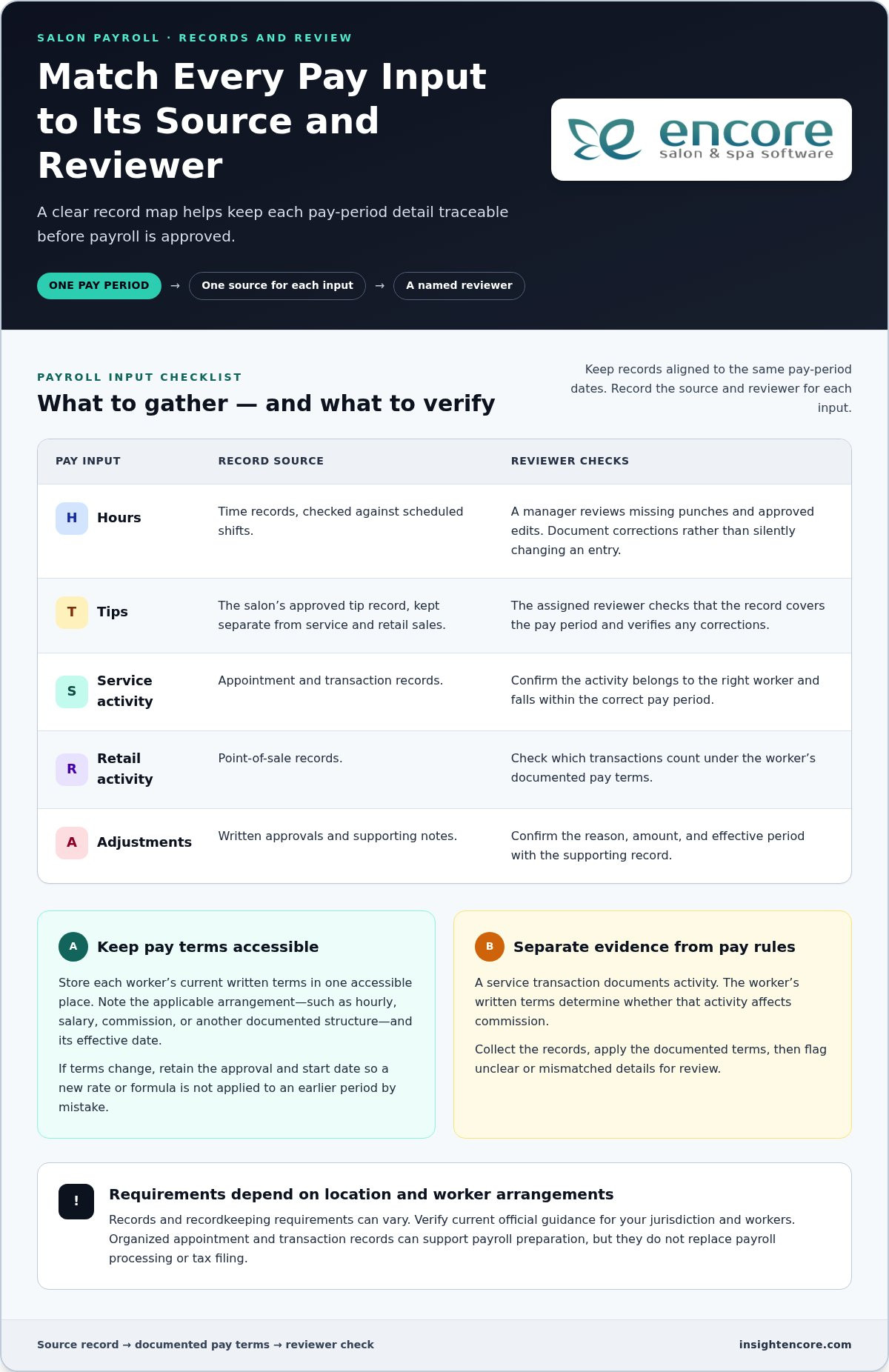
Categories
Uncategorized

How to Set Up Automated Birthday Greetings for Salon Clients in 2026

What if your salon could remember every client’s birthday without adding another task to your already full day? Automated birthday greetings for salon clients can make that possible, but the message should still feel like it came from your team, not a bulk mailing list.

Tracking birthdays manually can be tiring, and it’s reasonable to worry that automation might feel cold or spammy. Done thoughtfully, a birthday message gives you a simple way to celebrate clients, invite them back during quieter periods, and keep your salon in mind between appointments.

This guide explains how to build a birthday marketing system that feels personal and is straightforward to manage. You’ll learn what information to collect, how to choose a message and offer, when to send it, and how to make booking easy. We’ll also cover how salon software with client management and automated marketing tools can help, plus basic considerations for promotional messages. With a few practical choices, you can create a repeatable process while keeping the client relationship at the centre.

Key Takeaways

  • Set up automated birthday greetings for salon clients by keeping client details accurate and choosing a system that can reduce manual work.
  • Match the channel to the message: SMS suits a concise greeting and offer, while email allows more room for imagery and service ideas.
  • Make each greeting personal with a warm tone, a relevant treat, and wording that sounds like your salon.
  • Consider a birthday-month offer to give clients more flexibility to book and redeem it.
  • Track redemptions and bookings to learn which messages encourage clients to return.

The Psychology of the Personal Touch: Why Birthday Marketing Works

A birthday message can do more than fill a quiet appointment slot. It shows clients you remember them as people, not just as services on the books. That gesture can build goodwill and give them a natural reason to consider booking. It won’t guarantee a visit, but it can put your salon top of mind.

This is the idea behind relationship marketing: building lasting client relationships through relevant, thoughtful communication rather than focusing only on the next sale. Automated birthday greetings for salon clients can support that approach when the message sounds sincere and any offer feels optional, not pressuring.

The Emotional Connection in Beauty and Wellness

Salon visits are personal. Clients trust you with their appearance, preferences, and time, which gives your team an opportunity to make milestones feel meaningful. A message that says, “We hope your day feels special,” has a different tone from a generic discount blast. Keep the greeting warm, use the client’s name when you have it recorded accurately, and make the offer secondary to the celebration. Consistent, thoughtful messages can build familiarity over time.

Combating the “Slow Month” with Birthday Peaks

Birthdays fall throughout the year, so a birthday-month offer can create booking opportunities beyond major holidays. Compare client birthday dates with your appointment calendar to identify quieter periods and plan messages in advance. Rather than rely on broad claims about how birthday marketing affects retention, measure your own results. Track offer redemptions, return visits, and bookings during the periods you want to improve.

Encore Salon & Spa Software combines client management with automated marketing and loyalty programs, giving salons tools to organize client outreach. You can explore how to record client details and plan milestone messages, then confirm which birthday-date and campaign options are available in your setup. The value of a greeting may extend beyond one appointment: it can encourage a client to return and remind them of the care they receive from your team. Review the response over time to see whether the campaign supports repeat visits.

How to Set Up Your Automated Birthday System in 4 Steps

A reliable birthday campaign starts with accurate records and a clear plan, not complicated technology. Use these four steps to create automated birthday greetings for salon clients that feel thoughtful and are manageable for your team.

Collecting Quality Data at the Front Desk

When a new client books, ask whether they’d like to share their birthday and explain that you may use it to send a greeting or offer. Include a birthday field in your intake process, but let clients skip it. A salon booking and management system can help organize client details, and a booking portal may give clients a convenient way to review or update their information. Collect only what you need, limit staff access to client records, and follow the privacy and messaging rules that apply to your salon. The Australian Government’s Manage customer relationships guide also explains how customer records can support more relevant communication.

  • Step 1: Clean your database. Check for missing or incomplete birthday dates, duplicate records, and outdated contact details. Ask permission before using birthday information for marketing, and establish a simple process for correcting records.
  • Step 2: Choose your channel. SMS is suited to a brief greeting and direct booking prompt. Email gives you more room for salon imagery, service ideas, and a fuller message. Use a channel the client has agreed to receive, and check that your software supports the delivery method you choose.
  • Step 3: Set the trigger. Decide when the message should be sent. A week before the birthday is one practical starting point: it gives clients time to plan without making the reminder feel last minute. It won’t suit every salon, so compare it with a birthday-month message or a greeting on the day itself.
  • Step 4: Choose the offer and expiry. Select a clear, simple birthday treat and set an expiry date that gives clients a reasonable booking window. Spell out the terms so clients and staff know how redemption works.

Configure, Check, Then Switch It On

Before launching, preview the message on a phone and in an email inbox. Check that the client’s name, timing, offer details, and booking instructions appear correctly. Send a test to your own contact details first. To prevent duplicate messages, use one primary birthday trigger, look for overlapping campaigns, and review who will receive the message. If your system allows it, begin with a small test group and check delivery and bookings before expanding. Encore’s Automated Marketing & Loyalty Programs can support more organized outreach; confirm the available trigger and channel settings for your setup.

Crafting the Perfect Birthday Message: Templates and Offers

A good birthday message starts with the client, not the promotion. Keep the greeting warm, make the offer easy to understand, and give the client one clear next step. These examples are starting points for automated birthday greetings for salon clients. Adjust the wording to suit your team, and test personalization fields before sending.

Two Ready-to-Adapt Templates

Short and sweet SMS: “Happy birthday, [First Name]! Treat yourself to a little extra care this month. Enjoy [birthday offer] when you book by [expiry date]: [booking link]. Hope you have a wonderful day, [Salon Name].” Keep the text brief, include one clear offer, and check that the booking link works on a phone.

Visual storyteller email: Use your salon’s current branding, a welcoming subject line such as “A birthday treat from [Salon Name],” and a layout that’s easy to read on mobile. Start with a personal greeting, explain the offer and its terms, then add a clear booking button. For example: “Happy birthday, [First Name]! We’d love to help you celebrate with [birthday offer]. Book by [expiry date] and choose a time that works for you.”

Before launching, send test messages to check how names, dates, stylist details, and links appear. If you don’t have a reliable stylist name, sign off from the salon instead of leaving a blank or broken placeholder.

Choose Offers That Fit Your Clients

Possible birthday treats include a discount on a service, a complimentary deep-conditioning add-on, or extra loyalty points. A service add-on can feel like a thoughtful upgrade while keeping the focus on the salon experience. The right choice depends on your services, margins, and what clients value. If you offer special rewards to a segment of clients, define eligibility clearly and apply it consistently.

  • Birthday-month pass: Gives clients flexibility to book around work, family, and existing appointments.
  • Birthday-week offer: Creates a shorter booking window and a timely reason to act, but may not suit clients who plan ahead.
  • No-strings-attached greeting: Send a simple birthday wish without a discount or booking request. This can feel especially sincere when your goal is to recognize the client, not prompt a purchase.

Professional and friendly means being clear about the offer while writing with the warmth you’d use in a genuine conversation. For a tattoo studio, tailor the language to its clients and services rather than reusing salon-specific copy. Explore tattoo studio software as a starting point for understanding that specialized setting.

How to Set Up Automated Birthday Greetings for Salon Clients in 2026

Timing and Personalization: 2026 Best Practices

A birthday greeting works best when it arrives early enough to help a client plan, but not so early that it feels disconnected from the occasion. A birthday-month offer gives clients flexibility to choose a date that suits them, including a date before or after the birthday if their schedule is busy.

Give Clients Time to Book

Try sending the first greeting about a week before the birthday. This gives clients a chance to book ahead, whether they want a fresh style for a celebration or simply a moment of self-care. If you offer a birthday-month promotion, state the final redemption date clearly rather than implying that clients must visit on their birthday.

Make the next step simple. Link directly to your online booking module if it supports the booking path you want clients to use. Test the link on a phone before sending, and check that it takes clients to a clear appointment option.

Personalize with Purpose

Useful personalization reflects what you know about a client without making the message feel overly familiar. Review service history and preferences to shape a relevant suggestion. For example, a client who regularly books blowouts might appreciate, “Ready for your birthday blowout?” A client who visits for nail services could receive a greeting tailored to that experience. Mention a preferred stylist only if the information is reliable; otherwise, keep the greeting salon-wide.

Use purchase history to shape product recommendations only when the record gives you a sensible reason. Don’t assume every client wants the same service or product, and don’t imply that software provides specific recommendations unless your system supports that feature. For more relevant messages, group clients by service or visit pattern and adjust the wording for each group. Even small changes can make a birthday email feel more thoughtful than a generic broadcast.

Coordinate Channels and Respect Preferences

SMS can deliver a concise birthday greeting and booking prompt, while email allows more room for service ideas and salon imagery. If you use both, give each message a distinct purpose. For instance, send an email with ideas for a birthday visit, then use a brief text to share the offer or a booking reminder. Avoid repeating the same copy across channels, and don’t message clients who have opted out of that channel.

Handle opt-outs promptly and without pressure. Keep contact preferences current, remove unsubscribed recipients from future marketing messages, and make any available unsubscribe option easy to find. Respecting a client’s choice protects trust, even when it means sending fewer birthday offers. A well-timed, relevant message is more useful than a crowded inbox.

Explore Encore for automated salon marketing

Measuring Success: Turning Greetings into Revenue

A birthday campaign should do more than send a pleasant message. Track whether it leads to bookings, offer redemptions, and ongoing engagement. Clear measurement helps you improve automated birthday greetings for salon clients without losing the personal touch.

Track Bookings and Offer Redemptions

Give each birthday offer a distinct code or checkout label so your team can record redemptions. To calculate the redemption rate, divide the number of redeemed offers by the number delivered, then multiply by 100. Compare results across different message timings or offers, but remember that redemptions alone don’t tell the whole story. Also track how many recipients booked, whether they were returning clients, and how many appointments took place during your target period.

To estimate the effect on average ticket size, compare the average spend per birthday visit with a relevant baseline, such as those clients’ typical visit spend or similar appointments during the same period. Keep the comparison consistent and account for discounts or complimentary add-ons. This gives you a more useful picture than counting gross sales alone. For a broader framework on evaluating what your promotions actually contribute, see this practical guide to measuring salon marketing ROI, which covers how to separate campaign-driven visits from bookings that would have happened anyway.

Connect Greetings to Loyalty and Gift Cards

Birthday recognition can complement your salon’s broader loyalty efforts. If your loyalty program supports birthday points, decide how clients qualify, what they can use the points for, and how you’ll record them. Confirm that your software can apply the reward as intended before promising automatic credit. If it can’t, your team can use a consistent manual process. You can also mention salon gift card options as a way for clients to treat themselves or invite someone else to celebrate with them.

Encore Salon Software includes point of sale, booking, and marketing, along with Automated Marketing & Loyalty Programs. Use the records and reports available in your setup to review birthday-related transactions and compare results over time. Check which reporting views can isolate campaign revenue, redemptions, and average ticket size rather than assuming a specific report is available. Consider the overall value of the visit and any subsequent return appointments, not just the initial offer.

Refine the Campaign as You Learn

Test one change at a time, such as a different subject line or a service add-on instead of a discount. Ask clients a simple follow-up question: “Did you enjoy your birthday treat?” Use their responses alongside booking and redemption data to decide what to keep. As your salon grows, review whether client groups, offer rules, and reporting are applied consistently across locations. Regular, small adjustments can keep the campaign useful for clients and staff.

Make Every Birthday a Reason to Reconnect

Thoughtful birthday marketing doesn’t need to be complicated. Keep client details accurate, send a warm message at a useful time, and choose an offer that suits your salon and clients. Then review bookings and redemptions to learn what’s working and refine your approach.

Automated birthday greetings for salon clients help you recognize milestones consistently while reducing the need for manual reminders. The relationship still comes first. Automation simply helps your team show up at the right moment.

Encore offers beauty-industry software with automated marketing tools and an integrated platform that brings point of sale and loyalty programs together. The right system can help you organize a birthday process that feels personal and manageable.

Explore Encore Salon Software

Start with one thoughtful greeting, then build from there. Your next client celebration can be the beginning of a stronger salon relationship.

Frequently Asked Questions

Is automated birthday marketing really effective for small salons?

It can be a practical way for a small salon to recognize clients and encourage return visits, but results depend on the message, offer, and client preferences. Automated birthday greetings for salon clients reduce manual reminders and help you communicate consistently. Start with a simple greeting, then track bookings and offer redemptions to see whether the campaign supports your salon’s goals.

How far in advance should I send an automated birthday greeting?

Try sending the first greeting about a week before the client’s birthday, then compare results with a birthday-month message. An early note gives clients time to plan an appointment, while a month-long offer gives them more flexibility. There isn’t one timing that suits every salon, so test one approach at a time and review booking and redemption activity before changing your schedule.

What is the best offer to give clients for their birthday?

The best offer is one clients value and your salon can provide sustainably. Consider a relevant service add-on, a discount, or loyalty points, and make the terms easy to understand. A complimentary add-on may feel like a personal treat, while a discount is straightforward to explain. Choose one offer, state its expiry date clearly, and review redemptions alongside the value of the visits.

Can I send automated birthday greetings via text (SMS) and email?

You can use SMS, email, or both if your messaging platform supports those channels and clients have agreed to receive marketing messages through them. SMS works well for a brief greeting and booking prompt; email gives you room for images and service ideas. If you use both, make each message useful on its own and avoid sending duplicate copy close together.

What if I don’t have all of my clients’ birth dates?

You can start with the clients whose birthday information you have. Invite others to share their birthday when booking or at the front desk, explain how you’ll use the date, and let them decide whether to provide it. Don’t guess or fill in missing dates. Keep client details current so greetings reach the right person at the right time, and respect a client’s choice not to share.

How do I make sure the automated messages don’t sound like spam?

Write as you would to a valued client: use their name when the information is reliable, keep the greeting warm, and make any offer secondary to the celebration. Avoid generic, sales-heavy copy and repeated reminders. Send messages only through channels clients have agreed to use, make the booking step clear, and provide an easy way to opt out of future marketing messages.

Is there a way to track how many people actually use their birthday discount?

Yes. Use a distinct offer code or checkout label so staff can record each redemption in your point-of-sale system. Calculate the redemption rate by dividing redeemed offers by delivered offers, then multiplying by 100. Also compare birthday bookings and average visit spend with a suitable baseline. These measures help you assess whether an offer is bringing clients in and supporting revenue, not just generating clicks.

Do I need special software to automate birthday greetings?

You don’t necessarily need dedicated birthday software, but a salon management platform can make client records and marketing easier to organize. Encore Salon & Spa Software is an all-in-one platform with online booking, client management, point of sale, automated marketing, and loyalty programs. Check that any system you consider supports the birthday triggers and message channels you need, and confirm how it handles client preferences.

Disclaimer

This article is general in nature and may contain errors, please verify all claims with your sales rep

Categories
Uncategorized

Why People Leave Mindbody: Common Frustrations and Smarter Alternatives for 2026

More software features don’t always mean a smoother business; modern studios thrive on specialized operational focus, not bloated enterprise complexity. If you’ve been asking why people leave Mindbody in growing numbers, you aren’t imagining the shift. Managing a busy salon or spa is challenging enough without escalating subscription tiers, unexpected add-on fees, and a cluttered interface that turns routine staff onboarding into a chore. When critical checkout bugs stall your front desk and customer support leaves you waiting in a ticket queue, that frustration hits your bottom line directly.

You got into this industry to serve clients, not to troubleshoot software or lose control over your client records. In this guide, you’ll discover the real reasons beauty and wellness owners switch away from Mindbody and how to choose a platform that truly fits your daily workflow. We’ll examine the standard operational bottlenecks that prompt studios to cancel, evaluate modern salon management alternatives offering transparent tools and dedicated human support, and share a low-risk, step-by-step strategy for migrating your client history seamlessly.

Key Takeaways

  • Understand why people leave Mindbody for dedicated platforms, from unpredictable subscription increases to complex tools built for gyms rather than salons.
  • Discover how purpose-built salon software streamlines split-scheduling, processing intervals, and detailed color formulas without fitness-focused clutter.
  • Learn the essential criteria for evaluating a 2026 software provider, including transparent pricing structures and complete ownership of your client data.
  • Follow a proven migration checklist to export your formulas, retail inventory, and booking records safely without disrupting daily appointments.
  • Explore how an experienced provider like Encore delivers an all-in-one suite designed to give beauty and wellness owners true peace of mind.

The Top Reasons Beauty and Wellness Businesses Leave Mindbody

Running a sustainable salon requires lean operations and dependable tools. Yet, as corporate priorities shift at Mindbody, many independent salon, spa, and studio owners find themselves wrestling with rising expenses and bloated systems. Understanding why people leave Mindbody starts with examining how a platform built for large gym networks often clashes with the daily rhythm of appointment-based personal care.

Escalating Overhead and Add-On Subscription Fatigue

Software costs should scale predictably with your business. Instead, multi-tiered subscription models frequently push essential features, such as automated two-way messaging or customizable forms, into premium brackets. Independent salon operators routinely find themselves bumped into plans costing hundreds of dollars more each month just to retain basic operational tools. To make matters worse, fees extend to marketplace bookings where commissions can reach up to 20%. Owners end up paying steep monthly bills for fitness-centric tools they never touch, squeezing margins at a time when operational discipline matters most.

The Burden of Over-Engineered Navigation and Staff Training

Every extra click at the front desk slows down service. Because the software caters heavily to group fitness rosters and class check-ins, beauty professionals must navigate layers of irrelevant menus just to book an appointment or review a client’s history. Training a new stylist or receptionist becomes an uphill battle that drags on for weeks. When a simple point-of-sale checkout requires multiple tabs and workarounds, counter bottlenecks form, leaving arriving guests waiting and pulling staff away from high-value client care.

Impersonal Support and Prolonged Ticket Resolution Times

When your booking engine stalls or a payment terminal drops offline on a Saturday morning, you need immediate answers. Waiting days for an automated email reply directly damages your client relationships and your daily revenue. A major reason why people leave Mindbody is the shift from accessible, human-led assistance to delayed corporate ticketing queues. Studio owners want a dependable partner who answers the phone and understands salon urgency, not a generic helpdesk ticket that leaves critical checkout bugs unresolved.

Compounding subscription fees, fitness-first workflow bloat, and distant customer service make escalating overhead the primary churn catalyst driving beauty and wellness owners toward streamlined, specialized platforms.

Comparing Mindbody Workflows with Purpose-Built Salon Management Software

At its core, Mindbody was engineered around group fitness classes, gym turnstiles, and shared studio capacity. In contrast, hair salons, day spas, and barbershops operate on intimate, one-on-one guest appointments that require personalized attention. This architectural mismatch is another central reason why people leave Mindbody for software crafted specifically for the personal care industry.

Class Schedules vs. Individual Stylist Appointment Books

Fitness platforms view time as static group blocks, but a colorist’s day rarely moves in a straight line. Hair services rely on processing times and multi-step bookings. A stylist needs to apply a foil, let the color set for 45 minutes, and take a quick haircut client during that intermediate gap. Purpose-built salon software accounts for these split intervals directly on the booking grid, keeping your chairs full without double-booking equipment or overlapping shampoo bowls.

Commission Tracking and Multi-Tiered Stylist Payroll

Calculating salon earnings by hand creates an administrative headache at the end of every week. Stylists often operate under tiered commission scales where product retail margins differ sharply from chemical services or basic cuts. Rather than wrestling with manual spreadsheets, salon teams need automated commission structures that track product sales and tip allocations in real time. Exploring the Encore features page reveals how automated payroll calculations cut hours of administrative overhead every single pay cycle.

Client Retention, Marketing, and Relationship Building

Independent personal care businesses rely on long-term relationships rather than aggregate consumer traffic. You need direct ways to engage guests without paying commission cuts or sending them to a third-party marketplace that highlights your competitors. Dedicated salon tools handle this seamlessly by keeping your brand front and center:

  • Automated Appointment Confirmations: Two-way SMS alerts verify appointments automatically, helping reduce costly no-shows.
  • Integrated Client Profiles: Color formulations, patch test records, and past styling notes remain attached to the client file.
  • Built-In Loyalty and Gifting: Offering integrated balance tracking through the Encore gift cards module helps you build recurring revenue without third-party fees.

When software providers introduce hidden contract renewals or complicate account changes, salon owners feel trapped. With updated FTC rules on recurring subscriptions and cancellations holding vendors to higher standards of transparency, more wellness professionals are seeking business partners that earn their loyalty through straightforward service rather than restrictive lock-ins. If you want a platform built around your daily workflow, take a moment to explore how a salon-first system simplifies your day.

What to Look for in a Mindbody Alternative in 2026

Choosing a new operating system requires looking beyond polished sales demos. You need a setup that simplifies daily tasks rather than burying your staff under unnecessary administrative steps. Unrestricted control over your records is equally critical; policy analysts highlighting the value of reducing switching costs through data portability stress that true business agility relies on open, frictionless access to your operational history. Knowing why people leave Mindbody helps you establish a clear evaluation rubric so your salon lands on a sustainable, supportive foundation.

Transparent Billing Without Hidden Upgrade Traps

Avoid platforms that lock fundamental communication tools behind costly tier jumps. Before signing any contract, ask directly whether two-way SMS confirmations, digital consultation intake forms, or multi-staff calendars incur automatic price bumps. A reliable partner keeps terms simple and visible upfront. You can inspect the Encore pricing page to see how straightforward software tiers eliminate billing surprises and keep overhead predictable.

Integrated Payments and Low-Friction Checkout

A congested checkout desk ruins an otherwise relaxing client visit. Your payment hardware must communicate instantly with your front-desk appointment book to ring up services, split gratuities, and scan retail barcoding in seconds. Choosing a system with integrated credit card processing keeps card-on-file records compliant and reduces errors, ensuring your receipts match your merchant batch reports at the end of every shift.

Specialized Tools for Unique Business Structures

Modern personal care spaces rarely fit into a one-size-fits-all box. Your chosen software needs to match the actual layout of your team:

  • Chair and Booth Rental Independence: Hybrid salons mixing W-2 employees with 1099 independent stylists require separate merchant accounts so renters manage their own revenue smoothly.
  • Custom Treatment Records: Day spas and medical aesthetics practices need clear charting areas for allergy notes and customized consent forms.
  • Walk-In Queue Handling: Barbershops and nail lounges demand dynamic walk-in boards that coordinate with pre-booked appointments.

Selecting software built specifically around these service nuances removes unnecessary hurdles. That flexibility is a primary reason why people leave Mindbody in search of purpose-built systems that respect the way beauty and wellness professionals actually work.

Why People Leave Mindbody: Common Frustrations and Smarter Alternatives for 2026

How to Seamlessly Migrate Away from Mindbody Without Losing Data

The fear of losing years of client formulas, retail records, and booking history keeps many business owners tied to software they’ve outgrown. That lingering hesitation is often why people leave Mindbody only after months of mounting frustration. In reality, switching platforms is an orderly, manageable process when handled with a clear plan. Back up your primary database files into standard CSV format directly from your reports dashboard before initiating any contract cancellations.

Step 1: Auditing and Exporting Your Client Records

Start by extracting complete client contact lists from your administrative reports, ensuring phone numbers, email addresses, and opt-in preferences are preserved. Next, pull detailed chemical formulas, allergy alerts, past visit notes, and historical sales logs. Review the resulting spreadsheets to make sure column headers align cleanly. Clean data allows your replacement software to import profiles without creating duplicate accounts or misplacing essential notes.

Step 2: Transferring Retail Inventory and Outstanding Balances

Perform a hands-on physical inventory count before exporting your digital catalog. Reconciling product counts ensures that recorded quantities match what actually sits on your retail shelves and backbar dispensary. Organize your SKUs, barcodes, and supplier details for a clean import. At the same time, generate reports for unredeemed gift certificates, prepaid series packages, and active client credits so you can honor existing balances without disruption.

Step 3: Training Your Staff and Launching Your New Booking Portal

Give your front desk and service providers dedicated practice time before your official opening day. Running simulated appointments, appointment edits, and checkouts builds confidence and eliminates front-desk anxiety. Once your team feels comfortable, announce the transition to your clients through targeted email and text notifications. For practical operational setup tips and calendar configuration, check out our guide on Encore salon software.

Taking control of your migration timeline removes fear from the equation. That newfound confidence is ultimately why people leave Mindbody for flexible platforms that put studio owners back in charge of their business data.

Explore how simple salon data migration can be with Encore

Why Salon and Spa Owners Choose Encore as Their Long-Term Home

Software should feel like an empowering asset rather than an everyday obstacle. When evaluating why people leave Mindbody, the search usually leads business owners to a desire for stability, clear pricing, and tools tailored to their exact craft. Encore Salon & Spa Software provides that long-term home by combining modern management tools with deep industry experience.

Decades of Dedicated Beauty and Wellness Heritage

Technology trends come and go, but personal care operations require proven stability. Encore is backed by Syntec Business Systems, an established technology partner serving salon and spa professionals since 1991. Over three decades of feedback from studio owners, barbers, nail artists, and aesthetic practitioners have directly shaped our system. We focus entirely on appointment-driven businesses. You don’t have to worry about our attention shifting toward corporate gym franchises or fitness class check-ins. Independent wellness success sits right at the heart of our mission.

A Fully Integrated Suite That Simplifies Daily Operations

Juggling multiple disconnected applications for booking, checkout, inventory, and marketing drains valuable energy. Encore brings these essential operations into a single interface. Your front desk can schedule multi-step appointments, reconcile retail and backbar inventory, process transactions, and maintain rich client records without switching screens. Onboarding new team members takes hours instead of weeks. Explore our tailored tools on the Encore salon software page to see how a streamlined system restores calm to your reception area.

Get Started with a Personalized Transition Plan

Switching your management platform doesn’t need to be stressful. That anxiety is often why people leave Mindbody only after months of mounting friction, but you don’t have to tackle the process alone. Our dedicated team understands salon floor dynamics and helps you organize your transition from day one. We assist in structuring your service menu, setting up your staff books, and ensuring your client records transfer accurately. When you’re ready to leave platform bloat behind, connect with our team through the Encore contact page to schedule a personalized walkthrough.

Reclaim Your Time with Software Built for Beauty

Managing your appointments and guest care shouldn’t feel like wrestling with your software. The reality behind why people leave Mindbody comes down to reclaiming control: ditching hidden add-on costs, leaving behind clunky gym-first interfaces, and protecting your hard-earned client records. Your daily work deserves an all-in-one platform that simplifies booking, inventory, and point of sale without forcing you to manage multiple disconnected apps.

Backed by Syntec Business Systems and over 30 years of software expertise since 1991, Encore pairs specialized salon tools with dedicated human support. You don’t have to navigate changes alone when you have an experienced partner committed to your daily peace of mind.

Switch to stress-free salon management with Encore

Your salon was built on personal connection. Give your team the breathing room and dependable tools to focus on what truly matters: caring for your guests.

Frequently Asked Questions

Why are salon and spa owners actively leaving Mindbody in 2026?

The primary reason why people leave Mindbody centers on rising operational costs and platform design. Many salon and spa owners find the software increasingly weighted toward fitness chains, leaving personal care teams with cluttered menus and irrelevant features. When you combine unexpected tier bumps with slow response times from automated helpdesks, studio owners naturally seek specialized platforms built specifically around appointment-based salon workflows.

Will I lose my historical client formulas and notes when leaving Mindbody?

No, you do not have to lose your valuable client records or technical formulas. Mindbody allows administrators to export client profiles, contact information, and appointment histories into standard CSV files directly from the reports menu. Once extracted, clean spreadsheet files can be mapped and uploaded into your replacement system, preserving past formula notes and service records so your stylists never miss a beat.

How does Encore handle booth renters versus commission salon employees?

Encore provides dedicated workflows designed specifically for both business models. For commission teams, the software automatically tracks retail and service tiers alongside tips for payroll. For hybrid or rental setups, Encore Chair/Booth Renter Software offers separate financial partitioning. Independent stylists can process their own transactions and view their personal calendars securely without exposing confidential salon data or complicating owner tax reporting.

Is migrating salon client records and retail inventory difficult?

Switching systems is straightforward when you follow a structured step-by-step checklist. The migration involves downloading your client spreadsheets, reconciling physical retail stock, and mapping those records into the new platform. With dedicated onboarding guidance from an experienced software partner, you can complete the data transfer smoothly without disrupting your daily appointment calendar or confusing your guests.

Can I keep my existing merchant processing when switching to Encore?

Encore integrates directly with specialized salon merchant processing to deliver seamless counter checkouts and protect cardholder security. Using integrated credit card processing connects your front-desk appointment book with modern payment terminals, eliminating manual key-in errors and saving time during peak departure hours. Our team walks you through setting up merchant accounts tailored to single-owner salons or individual chair renters.

Does Encore charge extra for essential features like automated client reminders?

Encore believes essential daily tools should not come with surprise price hikes. Online booking, client records, inventory control, and automated marketing communications are built into the platform suite to prevent multi-app subscription fatigue. This transparent structure is another key reason why people leave Mindbody, as business owners prefer knowing their software overhead won’t expand unexpectedly as their client list grows.

How long does it take for salon staff to become comfortable using Encore?

Most salon teams feel confident using Encore within just a few days of guided practice. Because the interface is designed specifically for appointment scheduling and retail checkout rather than complex corporate rosters, the learning curve is minimal. Stylists, front-desk coordinators, and managers can quickly run test bookings and ring up sample sales during initial setup, ensuring switchover day feels smooth and stress-free.

Disclaimer

This article is general in nature and may contain errors, please verify all claims with your sales rep
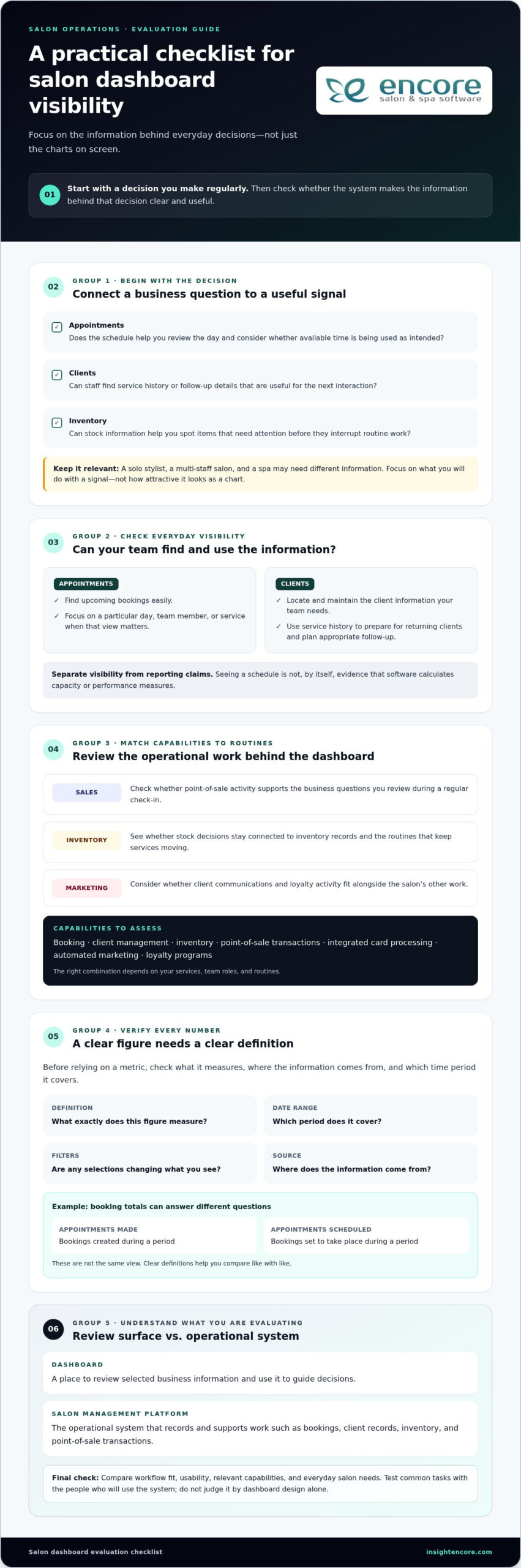
Categories
Uncategorized

Freeing Up Time From Salon Admin Work: The 2026 Automation Guide

Did you know the average salon owner spends between 10 and 16 hours every week on tasks that don’t earn a single cent? That’s nearly two full workdays lost to messy spreadsheets, endless phone tag, and manual math. If you feel like you’re drowning in paperwork, you aren’t alone. Most owners are currently paying a “time tax” that keeps them away from the chair and their families. This guide focuses on freeing up time from salon admin work by using modern automation to handle the heavy lifting for you.

We understand that you didn’t open your doors to become a full-time administrator. You’re an artist and a leader. Yet, your Sunday nights are likely spent calculating multi-tier commissions or worrying about inventory shortages. It’s exhausting to see your creative passion buried under a mountain of manual entries. We’re here to help you move past that stress. You can reclaim 10 or more hours every week while providing a better experience for your clients and a more organized environment for your staff.

This 2026 guide reveals how to eliminate manual double-bookings and slash no-shows by up to 38 percent. We’ll show you how to automate your payroll to capture the expanded FICA tip credits and keep your inventory synced in real time. It’s time to trade your admin burden for a streamlined workflow that finally gives you your life back.

Key Takeaways

  • Identify the hidden “Admin Tax” that drains your energy and pinpoint the three biggest time-wasters in your daily routine.
  • Stop chasing clients and eliminate phone tag by implementing a 24/7 self-service booking portal with automated reminders.
  • Master the art of freeing up time from salon admin work by automating your POS and staff commission calculations for instant, accurate reporting.
  • Ensure your shelves stay stocked and your chairs stay full using automated inventory alerts and “set it and forget it” marketing campaigns.
  • Discover how specialized software modules can streamline your specific business model, from nail salons and barber shops to tattoo studios.

The Salon Admin Tax: Identifying Your Biggest Time Wasters

You didn’t start your salon to be a bookkeeper. You’re a creator. Yet, right now, you’re likely paying a “salon admin tax.” This tax consists of every unbilled hour spent wrestling with spreadsheets or chasing appointments. It’s the time you can’t bill for, but it drains your energy just the same. Identifying these leaks is the first step toward freeing up time from salon admin work. When you know where the minutes are vanishing, you can finally take them back.

Most owners face three primary time sinks. We call these the “Big Three.” First, there’s the relentless phone tag with clients. Second, the Sunday night payroll and commission math. Third, the manual inventory counts that never seem to match what’s actually on your shelves. When you rely on manual systems, errors are inevitable. A single double-booking doesn’t just ruin one hour; it creates a ripple effect of stress for your staff and disappointment for your clients. Salon admin work is the operational friction that limits creative growth.

The Hidden Cost of Manual Scheduling

Every phone call takes an average of three to five minutes. Multiply that by twenty bookings a day, and you’ve lost over an hour just talking about dates and times. Modern appointment scheduling software removes this burden entirely. It allows your clients to book while you sleep. Beyond the time saved, consider the emotional toll. Manually managing cancellations and no-shows is exhausting. Automating this process is a vital part of learning how to increase salon profit margin by focusing on billable services instead of logistics.

The Payroll and Commission Headache

Manual commission calculations are notoriously difficult. Industry data shows that manual systems are often prone to 5-10% error rates. These mistakes aren’t just expensive; they erode the trust you’ve built with your team. Your stylists work hard. When their pay is delayed or incorrect due to paperwork hurdles, morale drops. Freeing up time from salon admin work means moving toward real-time financial tracking. Instead of facing a mountain of receipts at the end of the month, you get instant clarity. You deserve a system that supports your team’s growth without the headache of manual math.

Phase 1: Eliminating Phone Tag with Self-Service Booking

If you’re still relying on a paper book and a landline, you’re essentially tethered to your front desk. Breaking free requires a shift toward self-service. The first phase of freeing up time from salon admin work involves moving your schedule to a cloud-based system that works while you’re busy with a client or sleeping. Research shows that roughly 46 to 50 percent of salon appointments are booked outside regular business hours. If you don’t have a system to catch those requests, you’re leaving money on the table and creating a backlog of voicemails to return the next morning.

The Bureau of Labor Statistics occupational outlook notes that salon owners often juggle heavy administrative duties alongside their craft. By setting up salon client booking portals, you offload the most repetitive part of your day. It isn’t just about convenience; it’s about reclaiming your mental energy.

Setting Up Your 24/7 Virtual Front Desk

To make this transition smooth, don’t just open your calendar. Set intelligent booking rules. For example, you can prevent awkward 15-minute gaps by forcing appointments to sit back-to-back. This ensures your day remains compact and profitable. When configuring your portal, make sure to collect essential data upfront to save time later. A quick checklist for your booking form should include:

  • Updated contact information and preferred communication methods.
  • Chemical history or allergy alerts for new clients.
  • Specific service requirements to ensure the correct time block is reserved.

Digital consultation forms take this a step further. Send these out automatically the moment a booking is confirmed. When the client arrives, you already have their history and goals ready. It’s a professional touch that saves five minutes of “getting to know you” time per appointment.

Automating the “Are You Coming?” Conversation

Automated SMS reminders are a game-changer for any busy owner. They reduce no-show rates by 35 to 38 percent. It isn’t just a nudge; it’s about the psychology of commitment. When a client receives a professional text, they’re more likely to respect your time. Two-way messaging allows them to confirm or reschedule without you ever picking up the phone. You can even see how these automated workflows feel in practice to understand the relief they provide.

Finally, empower your team by giving them mobile access to their own schedules. This eliminates the “when is my first client?” texts that clutter your personal time. When your staff can manage their own day, you’re one step closer to truly freeing up time from salon admin work and focusing on your growth as a mentor and artist.

Phase 2: Automating the Numbers (Payroll, POS, and Commissions)

Numbers don’t lie, but they sure can be exhausting to track by hand. If you’re still using a calculator and a notepad to figure out what you owe your team, you’re losing hours of your life every single pay period. In fact, research shows that salons running manual payroll spend over 11 hours every two weeks just on math. Transitioning to a system where your Point of Sale (POS) talks directly to your calendar is the most effective way of freeing up time from salon admin work. It turns a day-long chore into a few simple clicks.

According to the U.S. Chamber of Commerce guide to business automation, streamlining these repetitive financial workflows prevents burnout and saves hundreds of hours annually. When your sales data flows instantly into your reporting, you get a real-time view of your business health. You don’t have to wait until the end of the month to see your profit and loss; you can see it in seconds.

One-Click Commission and Payroll

The secret to a happy team is accuracy and transparency. You can set up specific rules in your software to calculate salon staff commission automatically based on their experience level. Whether you have senior stylists on a higher tier or junior assistants earning a flat rate, the system handles the logic for you. This is where the Encore advantage really shines, especially for hybrid salons. It manages specialized booth renter financials with ease, keeping your accounts separate and compliant. Giving your staff mobile access to view their own performance metrics builds trust and keeps everyone motivated without you having to print out reports every Friday.

Streamlined Checkout for Clients and Staff

The checkout process should be a celebration of the service, not a math test. By moving to integrated credit card processing, you eliminate the reconciliation errors that happen when you manually type totals into a separate terminal. It’s faster, safer, and much more professional. Storing cards on file allows for a “silent” checkout, which is perfect for busy clients who need to get back to their day. You can also boost your immediate cash flow by offering integrated gift cards that track themselves. Tips and product add-ons are added with a tap, ensuring your stylists get paid exactly what they earned without any manual entry. This level of automation is the ultimate tool for freeing up time from salon admin work while keeping your focus on the guest experience.

Freeing Up Time From Salon Admin Work: The 2026 Automation Guide

Phase 3: Streamlining Inventory and Client Retention Marketing

The final hurdle in freeing up time from salon admin work often involves the tasks you can’t see but definitely feel: inventory and marketing. Counting bottles of shampoo at 9:00 PM or manually emailing clients who haven’t visited in six weeks is a drain on your creative energy. By automating these “back-of-house” processes, you ensure your business remains profitable and your chairs stay full without you ever lifting a pen. It’s about creating a system that cares for your clients and your supplies as much as you do.

Automated Stock Control

Manual inventory counts are notoriously inaccurate and time-consuming. Instead of guessing what you need to order, implement barcode scanning for instant updates. When a stylist checks out a client or logs a formula, your stock levels should update in real time. Using a spa inventory management system allows you to distinguish between back-bar professional usage and retail sales instantly. You can set low-stock alerts that notify you the moment a popular color tube or serum hits a critical level.

This data-driven approach is essential for reducing salon operating costs, as it prevents money from sitting on shelves in the form of overstock. For specialized businesses like tattoo studios, tracking specific supplies like needles and ink is just as critical to maintaining safety and professional standards. When your software handles the ordering logic, you spend less time on clipboards and more time on your craft.

Hands-Free Marketing and Loyalty

Client retention accounts for roughly 87 percent of total salon revenue, yet manual marketing is often the first thing to slide when things get busy. “Set it and forget it” campaigns solve this by triggering “we miss you” emails automatically based on a client’s last visit date. If someone hasn’t re-booked within their usual six-week window, the system sends a friendly nudge for you. This persistent connection is a core part of freeing up time from salon admin work while maintaining a high-end, personal feel.

Automated birthday greetings and holiday promotions build lasting bonds without requiring a single minute of your day. You can also ditch the manual punch cards that clients always lose. An automated loyalty program tracks points internally and applies them at checkout with a simple tap. It rewards your frequent guests and encourages higher spending, all while the software handles the record-keeping in the background.

Automate your marketing and inventory today

Reclaiming Your Freedom: Implementing the Encore Management Suite

Choosing the right system shouldn’t add to your workload. It should be the end of it. Encore Salon & Spa Software acts as a supportive mentor that handles the boring, repetitive tasks so you can focus on being creative. We understand that migrating your data or switching from a complex competitor can feel intimidating. That’s why we use a human-centric approach to get you up and running without the technical headaches. Our team is here to ensure your transition is smooth, reliable, and accessible. Our goal is to guide you from a state of constant operational stress to a feeling of total, organized control. Freeing up time from salon admin work is finally within reach when you have a partner that prioritizes your peace of mind alongside your business growth.

A Solution for Every Business Model

Not every beauty business is the same. A high-end spa has different needs than a bustling barbershop. If you’re an independent pro, you might need a dedicated booth renter client management app that keeps your finances separate from the salon owner’s. Encore provides specialized modules for tattoo artists, nail techs, and barbers, ensuring the tools fit your specific workflow rather than forcing you into a one-size-fits-all box. The Encore features are designed to be an all-in-one suite. This means you don’t have to juggle five different apps to run one business. Whether you’re managing a team of twenty or working solo, the system scales with you, providing the exact level of support you need to thrive.

The Next Step Toward More Free Time

It’s time to stop paying the “admin tax.” You’ve worked hard to build your brand, and you shouldn’t have to sacrifice your personal life or your Sunday nights to keep the lights on. Freeing up time from salon admin work is about more than just convenience; it’s about reclaiming your freedom to lead and inspire. With the reliability of Syntec Business Systems, a company that’s been supporting the industry since 1991, you’re partnering with experts who’ve seen every industry shift. We’re deeply invested in your individual success. We reject delayed interactions and cold, automated support. Instead, we offer a hands-on alliance that empowers you to grow. Take the first step toward a more balanced life today and see how much your business can achieve when you’re finally back behind the chair.

Try Encore Now to Reclaim Your Time

Take Control of Your Salon’s Future

You’ve seen how much your business changes when you stop fighting with spreadsheets and start using smart systems. By automating your booking, payroll, and inventory, you aren’t just making things easier. You’re actively freeing up time from salon admin work so you can focus on the artistry that made you open your doors in the first place. Whether it’s cutting out the stress of manual commission math or ensuring your shelves are always stocked, the right tools make every day feel lighter.

Since 1991, we’ve helped salon professionals transition from chaos to organized control. Our all-in-one platform comes with no hidden fees and dedicated human support to guide you through every step of your migration. You don’t have to navigate these changes alone. We’re here to be the partner that helps your business grow while giving you back your personal life and your Sunday nights.

Start freeing up your time today, try Encore for yourself!

Your journey to a more balanced and profitable salon starts with a single step. We’re excited to help you see what’s possible when the paperwork is finally off your plate and you’re back to doing what you love.

Frequently Asked Questions

How much time can salon software really save me each week?

Most salon owners save between 10 and 16 hours every week by automating their manual workflows. This reclaimed time comes from eliminating the need for manual scheduling, phone tag, and complex payroll calculations. By freeing up time from salon admin work, you can focus on creative services or spend more time with family. It’s a significant shift that turns two full workdays of paperwork into a few simple clicks each morning.

Is it difficult to move my client data from paper or spreadsheets to Encore?

Transitioning your business is much easier than you might think. We provide a human-centric migration process designed to lower the barrier for those moving from manual systems or complex competitors. Our team handles the heavy lifting of importing your client records, formula histories, and service lists. You won’t have to worry about losing important data during the switch. We act as your supportive partner to ensure you’re ready to go without the setup anxiety.

Can I manage multiple staff commission structures automatically?

Yes, you can easily set up automated rules for various staff tiers. Whether you have senior stylists on a high percentage or junior assistants on a flat rate, the software handles the math instantly at checkout. This transparency builds trust with your team because they can view their own performance metrics in real time. It eliminates the 5 to 10 percent error rate often found in manual systems and ensures everyone gets paid accurately and on time.

What happens if I’m not tech-savvy? Is there support available?

We specialize in making technology accessible for everyone. Our platform is designed with simplicity in mind, using clear language instead of dense technical jargon. If you ever feel stuck, you have access to toll-free human phone support from our team of experts. We avoid the cold, impersonal feel of traditional software companies. You’ll always have a responsive ally ready to help you navigate the system and grow your business with confidence.

Does Encore Salon Software work for independent chair renters?

Absolutely. We offer specialized Chair/Booth Renter Software specifically for independent pros. This version includes partitioned logins and separate financial tracking to keep your business records distinct from the salon owner’s. It’s the perfect solution for independent stylists who need professional tools for scheduling and CRM without the complexity of a full enterprise suite. You’ll have total control over your own client list, pricing, and service history in one convenient app.

How do automated reminders help reduce my salon admin work?

Automated reminders act as your virtual front desk, handling the “Are you coming?” conversation while you work. By sending two-way SMS confirmations, you can reduce your no-show rate by up to 38 percent. This is a vital part of freeing up time from salon admin work because it eliminates the need for morning confirmation calls. Clients can confirm or reschedule via text, ensuring your chair stays full and your schedule remains organized without manual effort.

Can I track my inventory and retail sales in the same platform?

Yes, our all-in-one platform includes an integrated Inventory Management System. You can track professional back-bar usage and retail sales in real time using barcode scanning. When a stylist uses a product or sells a bottle of shampoo, the stock levels update automatically. The system even sends low-stock alerts to prevent shortages. This keeps your operating costs low and ensures you never have to spend another Sunday night manually counting bottles in the stockroom.

Is integrated credit card processing more expensive than my current bank terminal?

Integrated processing is often more cost-effective because it eliminates expensive reconciliation errors and manual entry mistakes. While rates vary based on transaction types, having your payments connected directly to your POS saves hours of bookkeeping. It allows for card-on-file bookings and silent checkouts, which improve the client experience. You’ll gain instant financial reporting and a clear view of your profit margins without the headache of managing separate bank terminals and software reports.

Disclaimer

This article is general in nature and may contain errors, please verify all claims with your sales rep
Categories
Uncategorized

Mindbody vs Vagaro for Salons: 2026 Comparison Guide

The biggest names in software might be the very thing holding your salon back from its true profit potential. You’ve likely spent hours weighing mindbody vs vagaro for salons, trying to decide if you want the massive marketplace reach of one or the modular flexibility of the other. It’s exhausting to watch a 20% marketplace commission or a stack of monthly add-ons eat into your margins. You’re looking for a partner, yet it often feels like you’re just another data point in a giant corporate database.

We believe your software should empower your team, not complicate their day. This 2026 comparison guide promises to show you exactly how these giants stack up and why a human-centric alternative might be the best path to a streamlined business. We’ll preview the latest pricing shifts, from Mindbody’s $79 base tier to Vagaro’s unbundled feature costs, helping you find a solution that offers transparent pricing and reliable support. It’s time to move from a state of stress to organized control and find a tool that actually feels like a partner.

Key Takeaways

  • Understand the real impact of “marketplace taxes” and hidden fees on your bottom line before signing a long-term contract.
  • Evaluate mindbody vs vagaro for salons based on your specific team size and whether you need bundled automation or a la carte features.
  • See how industry-specific modules for nail salons and tattoo studios offer more precision than general wellness platforms.
  • Discover why human-centric technical support is the key to reducing staff burnout and streamlining your daily operations.
  • Learn how to protect your client relationships by choosing a software partner that puts your brand’s growth first.

The Salon Software Dilemma: Comparing Mindbody and Vagaro in 2026

Running a salon today requires a delicate balance between high-tech efficiency and high-touch service. When weighing the options for mindbody vs vagaro for salons, most owners feel forced to choose between two very different corporate philosophies. One offers an enterprise-level ecosystem designed for massive scale; the other provides a bustling marketplace that promises instant visibility. Both have shaped the industry, but they also bring specific friction points that can leave boutique owners feeling overwhelmed or overlooked. In 2026, the choice isn’t just about features. It’s about who actually owns your client relationships and how much of your margin you’re willing to give away.

Mindbody: The Enterprise-Level Giant

Mindbody remains the heavy hitter for multi-location wellness centers and fitness-hybrid salons. Looking at the Mindbody platform history, it’s clear the software was built with a fitness-first mindset. This heritage brings incredible power for memberships and class scheduling, but it often creates “feature bloat” for hair and beauty professionals who just need intuitive booking. While the Mindbody app connects you to over 3 million consumers, it comes with a cost. You’ll likely face a 20% commission on new clients discovered through their marketplace. For a growing salon, this “all-in-one” weight can lead to a steep learning curve that frustrates staff and eats into valuable service time. If you’ve ever wondered why people leave Mindbody in growing numbers, escalating subscription tiers and a cluttered interface that complicates routine staff onboarding are among the most cited reasons.

Vagaro: The Marketplace-First Contender

Vagaro won over the mid-market by focusing on simplicity and a “pay-as-you-go” modular model. It’s an attractive fit for independent stylists who want to be discovered without the high upfront cost of enterprise software. Their marketplace is a major draw because it doesn’t charge commissions on new bookings, which helps with initial visibility. However, this convenience has a downside. Your salon is listed right alongside every competitor in your zip code. The interface often encourages clients to shop for the next available opening rather than staying loyal to your specific brand. When you add up the costs for essential modules like branded apps and custom forms, that “affordable” base price can quickly climb.

The core friction in 2026 centers on three main issues: cost, complexity, and client ownership. You want a system that feels like a partner, not a corporation that treats your business as just another database entry. If you’re tired of feeling like a number, it’s time to look at how Encore Salon Software prioritizes your brand over a crowded marketplace.

Core Feature Showdown: Booking, Client Management, and Marketing

Choosing between mindbody vs vagaro for salons often comes down to how these tools handle the daily rush. Your calendar is the heartbeat of your business. If it’s clunky or difficult for staff to navigate, it creates a ripple effect of stress that clients definitely notice. You need a system that feels like a supportive partner, allowing you to focus on your craft rather than fighting with a screen. Both giants offer robust tools, but they approach the user experience with very different philosophies.

Scheduling and Calendar Flexibility

Vagaro is widely praised for its intuitive drag and drop interface. It’s built for speed, making it easy to shuffle appointments when a stylist runs late or a client arrives early. Mindbody offers deep functionality, but its interface can feel heavy, often requiring more clicks to complete simple tasks. Both platforms provide mobile apps to manage your day on the go, which is essential for modern flexibility. They also help you protect your time with automated deposits and cancellation fees. If you are looking for specialized insights beyond hair services, you might find similar logic applied in our guide to the Best Spa Booking Software in 2026.

Client Relationship Management (CRM)

A great CRM should do more than just store phone numbers; it should tell your client’s story. Mindbody excels at tracking memberships and class attendance, which is great for hybrid wellness centers. Vagaro focuses heavily on the individual service history, making it a favorite for traditional salons. However, specialized businesses often find these general tools lacking. A tattoo studio, for example, needs to track detailed ink preferences and medical waivers that a standard hair salon doesn’t require. Proper data management ensures you’re aligning with the U.S. Bureau of Labor Statistics industry overview regarding core managerial duties like client tracking and professional record-keeping.

Marketing and staff management are where you truly reclaim your time. Automated marketing tools like SMS reminders and birthday greetings keep your chairs full without manual effort. On the back end, tracking commissions and performance shouldn’t be a headache. Salon staff utilization rate measures the percentage of available working hours actually filled with client appointments, serving as a vital health check for your business growth in 2026. If you want to see how a human-centric system handles these complex details, consider exploring the specialized Encore features designed for your specific niche.

Beyond the Subscription: Analyzing Pricing and Marketplace Dynamics

When you’re comparing mindbody vs vagaro for salons, the sticker price is rarely the final number you see on your bank statement. It’s easy to get caught up in the promise of a low entry cost, but the true cost of ownership often hides in the fine print. You’ve worked hard to build your business. You shouldn’t have to guess where your money is going or feel like your software is taking a cut of your hard earned success. Understanding these operational costs is part of your broader responsibility, as noted in the Bureau of Labor Statistics occupational outlook for hairstylists and cosmetologists, which highlights the importance of managing inventory and scheduling systems effectively.

The Hidden Costs of Big-Box Software

Mindbody’s public starting tier is $79 per month for small businesses, but this is just the beginning. To access advanced marketing or automation, you’ll likely find yourself looking at quotes for their $279 or $499 tiers. Then there’s the 20% marketplace commission on new clients, which can feel like a heavy tax on your growth. Vagaro takes a different approach by unbundling its features. While a $30 base for one calendar sounds affordable, the “nickel and diming” starts quickly. You’ll pay $10 for digital forms, $20 for SMS marketing, and $100 per month for a custom branded app. Before you know it, that budget friendly tool is costing you hundreds more than you planned.

Marketplace vs. Brand-First Growth

One of the biggest risks with marketplace driven platforms is the “marketplace trap.” When you train your clients to book through a generic directory, you’re helping the platform grow its own brand, not yours. If a client opens an app to find you and sees a competitor’s “introductory offer” right next to your profile, you’ve lost control of the relationship. Setting up a dedicated salon client booking portal ensures your clients stay connected to your brand. It protects your business from being just another listing in a corporate database.

Data ownership is another critical factor. If you ever decide to move to a different provider, some platforms make it difficult to export your client history or formula notes. You should always own your data. It’s your most valuable asset. Choosing a partner that prioritizes transparency and brand loyalty over marketplace commissions is the only way to ensure long term peace of mind. If you’re looking for a simpler way to handle transactions without the corporate complexity, our integrated credit card processing provides the clear, honest pricing you deserve.

Mindbody vs Vagaro for Salons: 2026 Comparison Guide

Industry-Specific Solutions: Tailoring Software to Your Niche

A “one size fits all” approach often feels like wearing a uniform that doesn’t quite fit. While you’re weighing mindbody vs vagaro for salons, it’s easy to see how these platforms try to be everything to everyone. However, a hair salon’s workflow is vastly different from a tattoo studio or a booth rental space. You deserve software that understands the specific nuances of your niche, not a generic system that forces you to change how you work. Choosing the right fit in the mindbody vs vagaro for salons debate depends on how much you value these specialized features.

Specialized Tools for Tattoo and Nail Studios

Nail salons and professional spas have very different inventory needs. A nail studio might need to track thousands of polish shades, glitters, and dipping powders with high precision. Meanwhile, a spa focuses on professional backbar products and retail skincare. Generic platforms often miss these distinctions. Tattoo studios face even stricter requirements, needing integrated digital waivers and health record compliance to meet safety standards. Specialized tools like Encore’s specialized modules outperform generic platforms because they’re designed for these exact scenarios. They remove the friction of manual tracking, giving you more time to focus on your clients.

Specialized businesses require specific features to thrive:

  • Integrated health waivers and consent forms for tattoo and spa services
  • High-precision inventory tracking for thousands of nail supplies and retail items
  • Financial partitioning to keep booth rental income separate from salon overhead
  • Mobile-first management tools for independent contractors on the move

Booth Renters and Independent Stylists

Booth renters and independent stylists face their own set of hurdles. They need individual logins and complete financial separation from the main salon owner while maintaining a professional appearance. It’s about balancing salon wide branding with individual autonomy. Independent pros shouldn’t have to settle for a system that treats them like a standard employee. They need a dedicated booth renter client management app that lets them run their business their way. This level of specialization is what separates a partner from a service provider.

Barbershops also have a unique rhythm, often balancing high turnover with a mix of scheduled appointments and walk-ins. Managing that flow requires a specific strategy. If you’re looking to sharpen your operations, explore these 15 Barbershop Management Tips to stay ahead of the curve in 2026. Whether you’re running a multi-chair shop or working as a solo contractor, the right software should feel like a natural extension of your hands.

See how Encore fits your niche today

Encore: The Professional Alternative for Human-Centric Salons

Deciding between the trade-offs of mindbody vs vagaro for salons often feels like picking the lesser of two corporate evils. You’re either a tiny fish in a massive enterprise pond or a single listing in a crowded marketplace. After exploring the hidden costs and feature gaps of these giants, many owners realize they need a third path. You deserve a platform that prioritizes your peace of mind and business growth without the corporate coldness. Encore stands apart as a dedicated, human-centric ally that treats your success as its own.

Human Support in a Digital World

We reject the trend of automated bots and endless email ticketing systems. When you have a question or a technical hiccup, you deserve to speak with a real expert who understands the daily hurdles of running a busy shop. Our team provides personalized training to ensure your staff actually uses the software to its full potential rather than feeling intimidated by it. This hands-on guidance removes the stress of learning a new system. We approach every challenge with a “can-do” attitude, acting as a supportive partner that remains deeply invested in your individual success.

All-In-One Without the Overwhelm

You don’t need software that’s too difficult for your team to master. Encore brings together online booking, inventory management, and integrated credit card processing into a single, intuitive interface. You can drive repeat business with branded gift cards and loyalty programs that feel like a natural extension of your brand. It’s about having professional power without the unnecessary complexity that leads to staff burnout. We focus on removing industry frustrations so you can get back to what you love. Ready to see a better way? Try Encore Salon Software today.

Moving your data from Mindbody or Vagaro doesn’t have to be a nightmare. We specialize in seamless data migration, handling the technical heavy lifting so you don’t have to worry about losing your history. Your client records, formula notes, and inventory data are too valuable to leave behind. By choosing a partner that values reliability and simplicity, you’re investing in a tool that finally feels like it’s on your side. In the final analysis of mindbody vs vagaro for salons, the best choice is the one that values your brand over its own marketplace.

Choose a Software Partner Built for Your Salon’s Future

Deciding between mindbody vs vagaro for salons doesn’t have to be a choice between two corporate extremes. You’ve seen how the “marketplace tax” can eat into your profits and how generic tools often fail specialized niches like tattoo studios or booth rental shops. The right software should feel like a partner that simplifies your day, not a vendor that treats you like a database entry. By prioritizing transparent pricing and specialized modules, you protect your brand and your peace of mind.

We provide the professional power you need with a human touch that big-box companies often lack. With integrated credit card processing and dedicated support from real experts, we help you move from a state of stress to organized control. You deserve a system that understands the daily hurdles of your industry and is genuinely eager to help you overcome them.

Experience the Human-Centric Alternative to Big-Box Software—Try Encore Now

Take the next step toward a more streamlined and supportive business environment today. Your success is our priority, and we’re ready to help you thrive.

Frequently Asked Questions

Is Mindbody or Vagaro better for a small salon?

Choosing between mindbody vs vagaro for salons depends on your specific growth goals. Mindbody offers deep automation for large wellness centers but often feels too complex for boutique teams. Vagaro is easier to start with but relies heavily on its own marketplace. For a small salon, you want software that feels like a partner, not a giant corporation. Encore provides specialized tools that simplify your day without the enterprise-level learning curve or hidden marketplace commissions.

Can I migrate my client data from Mindbody to Encore?

Yes, moving your client history and formula notes is a seamless process with our team. We handle the technical heavy lifting so you don’t have to worry about losing years of valuable data. Whether you are coming from Mindbody or Vagaro, we ensure your records are transferred accurately. This hands-on support removes the typical stress of switching systems, letting you focus on your craft while we set up your new digital home.

Does Vagaro charge fees for every booking made through their marketplace?

Unlike Mindbody, which charges a 20% commission on new clients found through its app, Vagaro currently offers its marketplace with $0 commission per booking. However, while the marketplace is free, Vagaro unbundles its features. You might find yourself paying extra monthly fees for essential tools like digital forms, SMS marketing, or a custom branded app. These add-ons can quickly increase your total monthly spend beyond the initial base subscription price.

What is the best alternative to Mindbody for a high-end spa?

Encore Spa Software is the premier alternative for high-end spas that value a personalized touch. While Mindbody focuses on fitness and wellness conglomerates, our platform is built specifically for the high-touch requirements of a professional spa. We offer specialized inventory management and client relationship tools that big-box software often generalizes. You get the professional power of an enterprise system with the dedicated human support that ensures your team feels confident and supported.

Do these platforms include integrated credit card processing?

Yes, both Mindbody and Vagaro offer integrated payments, and Encore provides Integrated Credit Card Processing as well. Having payments tied directly to your booking system reduces manual entry errors and speeds up the checkout process. Our solution offers transparent pricing without the corporate complexity. It allows you to manage deposits, memberships, and gift cards in one place, ensuring your financial tracking is as streamlined as your appointment calendar.

How does Encore’s support differ from big-box software companies?

We reject the trend of automated chatbots and delayed email tickets used by many big-box software companies. Our support is handled by real experts who understand the daily hurdles of the beauty industry. You get a dedicated ally with a “can-do” attitude, ready to solve problems over the phone. This human-centric approach ensures you never feel like just another number in a database, providing a level of reliability that corporate giants simply don’t match.

Can I manage booth renters with salon software?

Yes, managing booth renters requires specific tools that maintain individual autonomy while keeping the salon organized. Encore offers specialized Chair/Booth Renter Software that provides separate logins and financial partitioning. This ensures that independent contractors can manage their own schedules and income without it getting tangled in the salon’s overhead. It’s the perfect balance of professional salon branding and the individual freedom that modern independent stylists require to thrive.

Is there a contract required for salon management software in 2026?

Software contracts vary across the industry, but the trend in 2026 is moving toward more flexible, month-to-month arrangements. We believe in earning your business every day through reliability and excellent support rather than locking you into restrictive long-term commitments. When comparing mindbody vs vagaro for salons, always check for hidden cancellation fees or data export costs. We prioritize transparency, ensuring you always own your data and feel empowered in your software partnership.

Disclaimer

This article is general in nature and may contain errors, please verify all claims with your sales rep
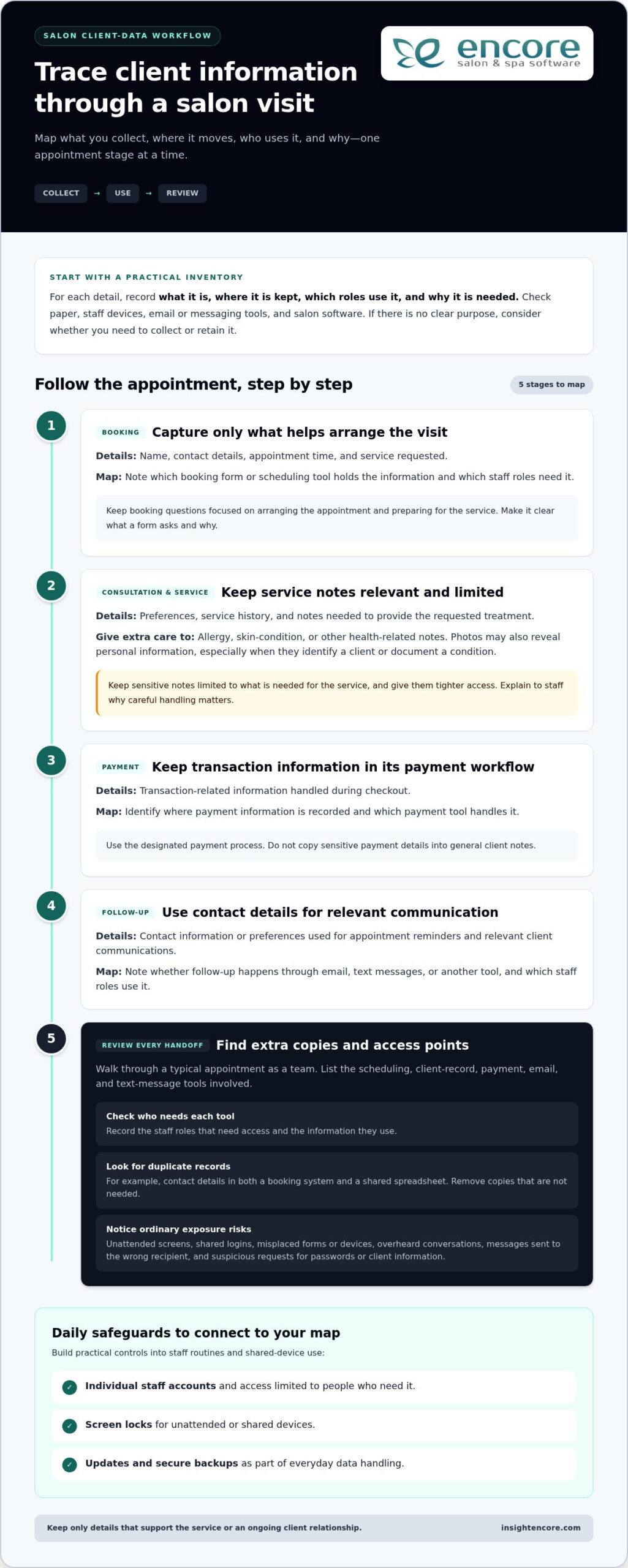
Categories
Uncategorized

Best POS for Small Barber Shops: 2026 Buyer’s Guide

What if the most expensive chair in your shop isn’t the one with a client in it, but the one sitting empty because of a last-minute no-show? With new guest visits in the industry dropping by 17 percent recently, finding the best pos system for a small barber shop is no longer just about taking payments. It’s about survival and growth. It is frustrating to watch your revenue slip away while you’re stuck juggling complex booth rentals and high credit card fees. You started barbering to master the craft, not to become a full-time software troubleshooter or a manual bookkeeper.

We know you need a partner, not just a product. This guide promises to help you discover a system that streamlines your chair rentals, automates your booking, and grows your business without the technical stress. We’ll walk you through the top 2026 options, comparing everything from processing rates to specialized features like automated commission tracking. You’ll learn how to turn your shop into a well-oiled machine that handles the back-office work silently. By the end, you’ll have the clarity to choose a system that keeps your chairs full and gives you the peace of mind you deserve.

Key Takeaways

  • Modern systems do more than swipe cards; they act as a silent mentor to help you retain clients and grow memberships in a competitive market.
  • Finding the best pos system for a small barber shop requires prioritizing specialized tools like automated chair rental management and 24/7 online booking.
  • We break down the true cost of ownership by comparing subscription fees, hardware options, and the impact of payment processing on your bottom line.
  • Moving your business to a new platform doesn’t have to be a nightmare if you follow a logical path for client data migration and service menu setup.
  • Learn why choosing a partner with decades of industry experience ensures your software is built to handle the unique rhythm of a busy shop.

Beyond the Cash Register: Why Small Barber Shops Need a Dedicated POS in 2026

Your barber shop is a place of craft, conversation, and community. However, beneath the hum of clippers, it’s also a business that requires precise management to thrive. While many people think of a point-of-sale terminal as a simple tool for swiping cards, the definition of what a POS system is has evolved significantly. In 2026, it serves as the central nervous system for your shop. It’s no longer just about the transaction at the end of a cut. It’s about everything that happens before a client sits in your chair and long after they walk out the door.

A generic retail POS often fails because it’s built for selling hardware or clothing, not for the unique rhythm of a barber shop. Retail systems don’t understand that you don’t just sell products; you sell time, expertise, and relationships. They lack the built-in logic for booth rentals, commission splits, and the specific scheduling needs of a 1-5 chair shop. The best pos system for a small barber shop acts as a silent partner. It handles the “back-office” noise so you can focus on the fade. This shift from simple payment processing to total business management is what separates growing shops from those that struggle to keep up.

The Hidden Cost of Manual Management

Relying on a paper book or a basic digital calendar might feel “simple,” but it carries a heavy price tag. Every minute you spend on the phone confirming an appointment is a minute you aren’t cutting hair. Manual systems also leave you vulnerable to the financial sting of no-shows. When a client misses a slot and you have no way to enforce a cancellation policy, that’s pure profit out the window. Beyond the money, paper ledgers are a significant security risk. Keeping client phone numbers and notes in an unsecured book isn’t just old-school; it’s a liability in a world where data privacy matters more than ever.

Modernizing My Barbershop Operations

Stepping away from a “cash-only” mindset is about more than just convenience. It’s about professional trust. Modern clients expect a digital-first experience, from the moment they book on their phone to the moment they receive a digital receipt. A dedicated system shows your regulars and new guests alike that you run a serious, organized business. If you are looking for more ways to level up, modernizing my barbershop operations is the first step toward long-term stability. By adopting the best pos system for a small barber shop, you create a seamless flow that makes life easier for both you and your clients. It’s an investment in your peace of mind.

Core Features That Make a POS System ‘Barber-Friendly’

The best pos system for a small barber shop should feel like an extra set of hands in the shop. It isn’t just about the hardware on your counter. It’s about the software’s ability to handle the specific, often messy, details of a service-based business. While a retail store tracks barcodes, you track people, time, and preferences. You need a system that offers 24/7 online booking so clients can grab a slot while you’re focused on a fade. It should also act as a digital memory, storing client history so you know exactly which blade size or pomade a regular prefers without having to ask.

Inventory management is another essential piece of the puzzle. If you sell beard oils or high-end styling creams, your system should alert you before your shelves are empty. When you’re learning how to choose a POS system, look for a platform that integrates these retail sales directly with your service menu. This creates a single, clear picture of your shop’s health. It’s about making the business side as sharp as the cuts you provide. If you’re ready to see how these features work together, you can explore our specialized barber tools today.

Managing Chair and Booth Renters Efficiently

In many small shops, managing independent contractors is the biggest administrative headache. Generic systems often lump all revenue together, leaving you to untangle commissions and rental fees in a spreadsheet at the end of the week. A barber-specific system solves this by automatically separating business revenue from independent barber earnings. This transparency builds trust and saves hours of manual math. Using a dedicated booth renter client management app ensures everyone gets paid accurately and on time.

Client Retention Tools That Drive Loyalty

Keeping your chairs full is a constant priority. Automated reminders are a simple but powerful way to protect your time. Some industry professionals report that automated SMS and email reminders can reduce no-shows by up to 40 percent. This is a massive win for a 1-5 chair shop where every missed appointment hurts. Beyond reminders, look for loyalty programs that reward frequent visits. These barbershop client retention ideas turn one-time walk-ins into lifelong regulars. To take your retention strategy even further, exploring creative barbershop loyalty program ideas can help you build a structured rewards system that keeps clients coming back consistently. When the best pos system for a small barber shop handles the follow-up, you can stay focused on the craft.

The True Cost of a POS: Evaluating Fees, Hardware, and Hidden Contracts

Cost is often the biggest hurdle when you’re looking for the best pos system for a small barber shop. It’s easy to get distracted by a low monthly price while ignoring the “hidden” numbers that eat into your profit. To understand the real price, you have to look at the combination of software subscriptions, hardware investments, and transaction fees. A low sticker price on software doesn’t mean much if the processing rates are sky-high.

Many “free” software options appear attractive at first glance. However, these providers often recover their costs by charging significantly higher processing rates on every transaction. Over a year, those extra fractions of a percentage can cost you thousands. It’s usually better to pay a fair, transparent subscription fee for quality software than to be nickeled and dimed on every haircut. Transparency is key to maintaining your peace of mind.

Integrated Credit Card Processing Explained

One of the smartest moves you can make is choosing integrated credit card processing. When your payments and software talk to each other, you eliminate manual entry errors. You won’t have to worry about accidentally typing $5.00 instead of $50.00 during a busy rush. Plus, if there’s ever a technical glitch, you have one point of contact to call. You don’t want to get stuck in a loop between a software company and a bank, each blaming the other while your shop sits at a standstill.

Long-term contracts are another red flag to watch out for. In a fast-moving industry, you need the freedom to adapt. Avoid being locked into three-year agreements that make it impossible to switch if your needs change or if the service quality drops. You deserve a partner that earns your business every single month.

Hardware vs. Software: Finding the Right Balance

You don’t necessarily need a $1,000 all-in-one terminal for a 2-chair shop. In 2026, cloud-based systems are the industry standard. They allow you to use existing hardware, like an iPad or a tablet, which keeps your initial costs manageable. This flexibility is perfect for small shops that want to grow without a massive upfront investment.

Proprietary hardware can look sleek, but it often locks you into a specific ecosystem. If that proprietary terminal breaks, you’re forced to buy another expensive unit from the same vendor. Tablets offer more flexibility and are much easier to replace. The best pos system for a small barber shop should be accessible on any device. This gives you the power to check your schedule or run reports from home or on the go. Focus on finding a balance that gives you a professional look without the unnecessary technical headache.

Best POS for Small Barber Shops: 2026 Buyer’s Guide

Setting Up for Success: Transitioning to Your New Barbershop POS

Switching your management software can feel like trying to change a tire while the car is moving. We understand the hesitation. You’ve spent years building a loyal client list, and the thought of losing even one contact or service history note is stressful. However, the transition to a professional system shouldn’t be a technical nightmare. The best pos system for a small barber shop is designed to make this move feel like a natural extension of your daily workflow. It’s about moving from “organized chaos” to a state of complete control without the typical software headache.

Data migration is the first priority. Most modern systems allow you to import your existing client list from a spreadsheet or even directly from another app. Once your names and numbers are in, you can begin setting up your service menu. This is where you define exactly how your shop runs. You can set specific time blocks for fades, beard trims, or luxury shaves, ensuring your online booking portal reflects the reality of your chair time. By the time you launch the portal to your clients, every detail will be polished and professional.

The 3-Day Implementation Plan

A structured approach removes the guesswork from your launch and keeps your stress levels low. On Day 1, focus on the foundation. Set up your hardware and enter your basic business information. Day 2 is for the heart of your business: importing clients and setting up those automated reminders that protect your revenue. Finally, Day 3 is for practice. Run a few test transactions to get comfortable with the interface. By the afternoon, you’ll be ready to go live with total confidence and a clear mind.

Overcoming the ‘Tech Anxiety’ Hurdle

Many barbers worry that new software will be too complex for their team to master. The truth is that the best pos system for a small barber shop is built with the same logic as the smartphone apps you already use every day. If you can navigate a social media feed, you can manage your shop’s schedule. The learning curve is intentionally short, often taking less than an hour for you or your team to master the basics. Having a human support line to call during your first week ensures you never feel stuck. Exploring the Encore Salon Software features will show you just how intuitive a professional system can be.

Start your stress-free transition today

Encore: The Professional Choice for Streamlined Barbershop Management

Choosing the best pos system for a small barber shop is about more than just picking software. It’s about choosing who you want in your corner when your shop gets busy. At Encore, we’ve been helping shops thrive since 1991. That is over three decades of industry expertise built directly into our platform. We didn’t just build a generic tool; we developed the Encore Barber Software module to handle the specific needs of barbers. From the perfect fade to the final checkout, our system is designed to mirror the way you actually work.

Our approach is different from the big, impersonal tech giants. We see ourselves as your friendly guide. We know that when you have a question, you don’t want to talk to an AI bot or wait 48 hours for an email response. You want a human being who understands your business. Our human-centric support means you get experts who are ready to help you overcome hurdles in real-time. Whether you’re running a single chair or managing a multi-location franchise, our solution scales with you. We grow as you grow. Pairing your POS with the right barbershop appointment scheduling software gives you a complete performance dashboard so you can track revenue trends and make data-driven decisions with confidence.

A Supportive Partner for Your Growth

We focus on removing the friction that slows you down. Frustrations like manual payroll calculations and messy inventory tracking should be a thing of the past. Our specialized modules for chair and booth renters ensure that everyone in your shop stays organized and motivated. This level of detail gives you the peace of mind to stay behind the chair while the business side runs smoothly. It is about creating a professional environment where you can focus on your craft. If you’re ready to see how a dedicated partner can change your daily workflow, you can contact Encore for a demo and experience the difference yourself.

Transparent Pricing for Small Businesses

We believe in transparency. Many providers lure you in with “free” plans only to trap you with predatory contracts or hidden processing fees. We reject that model entirely. Our goal is to provide value-based pricing that fits the budget of a small shop without any “gotcha” moments. You get professional-grade tools like integrated credit card processing and automated marketing without the fear of a surprise bill. You can view our straightforward Encore pricing to see exactly how we support your bottom line. We are here to help you grow, not to hold you back with red tape. Finding the best pos system for a small barber shop shouldn’t be a gamble; it should be the smartest investment you make this year.

Level Up Your Shop with Confidence

Choosing the best pos system for a small barber shop is a decision that impacts every cut and every client interaction. You’ve seen how the right technology acts as a silent mentor, handling the heavy lifting of booth rentals and automated reminders while you stay focused on your craft. It is about moving away from manual stress and toward a future where your business runs as smoothly as a fresh shave. Since 1991, we’ve dedicated ourselves to helping professionals grow through reliable software and specialized modules for chair renters.

You don’t have to navigate this transition alone. With dedicated human support and a system built by industry experts, the technical headaches of the past are over. You deserve the peace of mind that comes with knowing the business side is handled by a partner who truly cares about your individual success.

Ready to streamline your shop? Explore Encore Barber Software today.

Your shop is more than just a business; it’s a staple of your community. We’re here to help you keep those chairs full and your operations sharp for years to come.

Frequently Asked Questions

What is the best POS system for a small barber shop with only two chairs?

The best pos system for a small barber shop with two chairs is one that offers professional features without overwhelming a small team. Encore Barber Software is specifically designed for this scale. It provides all-in-one management that handles booking and payments seamlessly. Because it’s scalable, you don’t have to pay for enterprise-level features you won’t use, yet it grows with you if you decide to add more chairs later.

How much does a barbershop POS system usually cost in 2026?

In 2026, subscription costs for barbershop software generally range from $20 to over $150 per month depending on your staff size. You should also account for payment processing fees, which often hover around 2.4 percent to 2.7 percent per transaction. While some providers offer “free” plans, these often come with higher processing rates. It is usually more cost-effective to choose a value-based subscription that offers transparent pricing and integrated features.

Can a POS system help me manage independent booth renters?

Yes, a dedicated system is essential for managing independent contractors. Encore offers specialized Chair/Booth Renter Software that tracks individual sales and calculates commissions automatically. This eliminates the need for manual spreadsheets or messy end-of-week math. By separating business revenue from independent barber earnings, you create a transparent environment that builds trust. Each renter can manage their own schedule while you maintain oversight of the shop’s total performance.

Do I need to buy expensive hardware to use a modern POS?

You don’t need to invest in proprietary $1,000 terminals to run a modern shop. Most 2026 systems are cloud-based and compatible with standard tablets or iPads. This allows you to use hardware you might already own, keeping your initial setup costs low. Using a tablet also gives you the flexibility to check your schedule or run reports from home. You only need a reliable internet connection and a compatible card reader to get started.

Will a POS system really help reduce my no-shows?

Automated reminders can significantly protect your bottom line. Industry data shows that sending SMS and email confirmations can reduce no-shows by up to 40 percent. By using the best pos system for a small barber shop, you can set these reminders to go out automatically 24 or 48 hours before an appointment. This gives clients a chance to reschedule and allows you to fill the empty slot before it’s too late.

How hard is it to move my client list from a paper book to a POS?

Moving from a paper book to a digital system is a straightforward process that usually takes less than a day. You can manually enter your core client list or import a spreadsheet if you have one. Modern interfaces are designed to be as intuitive as smartphone apps, so the learning curve is very short. Once your data is in, you’ll never have to worry about losing a phone number or a client’s formula notes again.

Is credit card processing integrated into the software?

Integrated credit card processing is a core feature of the Encore platform. This means your payment terminal talks directly to your software, eliminating the risk of manual entry errors at checkout. When a service is finished, the total is automatically sent to the reader. This creates a faster experience for your clients and ensures your daily sales reports are always 100 percent accurate. You won’t have to spend hours reconciling bank statements.

What kind of support should I expect if my system goes down?

You should expect responsive, human-centric support from experts who understand the beauty industry. At Encore, we reject the use of automated bots or delayed email tickets. Our team provides accessible help to ensure your shop stays up and running. Having a dedicated partner who has been serving the industry since 1991 means you get reliable advice and quick solutions. Your peace of mind is prioritized alongside your business growth.

Disclaimer

This article is general in nature and may contain errors, please verify all claims with your sales rep