Asking your team to move faster is one of the quickest ways to make a busy salon feel more stressful. Reducing client wait times in a salon starts with fixing the appointment flow, not rushing the service. When clients arrive on time but still wait, and small delays ripple through the day, the problem often lies in the handoffs and scheduling around each appointment.
You shouldn’t have to choose between keeping the day on track and giving every client the attention they deserve. A calmer schedule begins with understanding where waiting starts, whether it’s an unrealistic service duration, a slow transition, or a booking pattern that leaves too little breathing room. Once you can see the bottleneck, you can choose a practical fix that fits your services and staffing.
This guide will help you spot common sources of avoidable waiting, make changes without overloading your team, and keep clients informed and welcomed when delays happen. We’ll also look at how online booking and client management tools can support a more organized appointment flow, while recognizing that smooth service still depends on thoughtful day-to-day workflows.
Key Takeaways
- Define the wait clearly by comparing each appointment’s scheduled start with when service actually begins.
- Track delays by service, day, time, and handoff to uncover patterns instead of guessing at the cause.
- Compare schedule buffers, service-time estimates, staffing coordination, and client communication to find a fix that suits your salon.
- Make reducing client wait times in a salon manageable by testing one workflow change at a time and assigning clear responsibilities.
- Use online booking and client management tools to support an organized flow, while keeping staffing and service routines in view.
Reducing client wait times in a salon starts with finding where delays begin
A late start can unsettle a client who planned their day around an appointment, put pressure on the stylist, and push the next booking off schedule. But “the salon is running behind” doesn’t explain where the delay began. Before changing the schedule or asking anyone to work faster, trace what happened from the client’s expected start time to the moment service actually began.
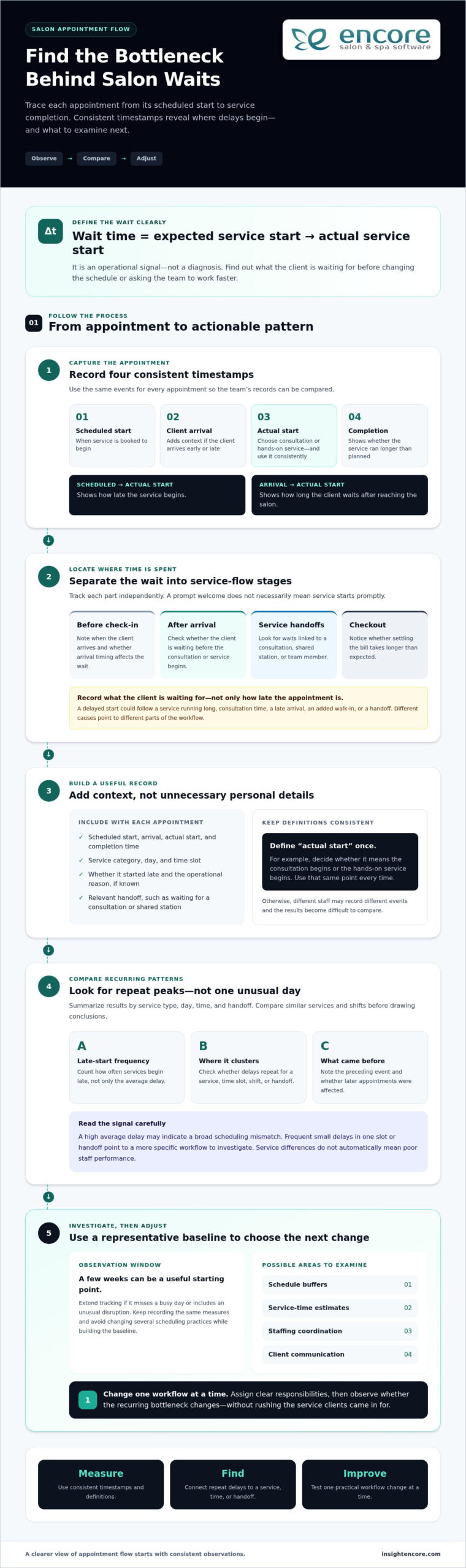
Salon wait time is the gap between a client’s expected service start and the actual start. It’s an operational signal that shows where appointment flow needs attention. To understand that signal, separate the wait into stages: before check-in, after arrival, between service handoffs, and at checkout. A client may be welcomed promptly but wait for a consultation, or finish their service on time but spend longer than expected settling the bill. Each points to a different part of the day.
Record what the client is waiting for, not just how late the appointment is. A delayed start might come from the previous service running long, a stylist needing consultation time, or a transition that depends on another team member. That distinction helps you focus on the process instead of treating every delay as a performance problem.
Which salon waits frustrate clients most?
A waiting-room delay and a late service start can feel different. A client may arrive at the scheduled time and see their stylist still finishing with someone else, or they may be checked in promptly but wait before the consultation begins. Uncertainty can make either pause feel longer, especially if the client doesn’t know what’s happening. Track check-in, consultation, processing, and checkout separately to see where time is spent and where a simple explanation could improve the experience.
What causes appointment delays to snowball?
One service that takes longer than planned can shift the next appointment, then the one after it. The cause might be a complex service, a late arrival, a walk-in added to an already full schedule, or a handoff that relies on a shared chair or team member. Delays can also reflect normal differences in service needs, not poor staff performance. Look for recurring patterns before deciding what to change.
It can help to think of the salon as a series of connected arrivals and services. Queueing Theory studies how waiting lines form, offering a useful way to consider how appointment timing and available staff interact. You don’t need a mathematical model to begin: note when each wait occurs, what was happening just before it, and whether later appointments were affected. That gives you a clearer starting point for reducing client wait times in a salon without rushing the work clients came in for.
Measure salon wait times to pinpoint the real bottleneck
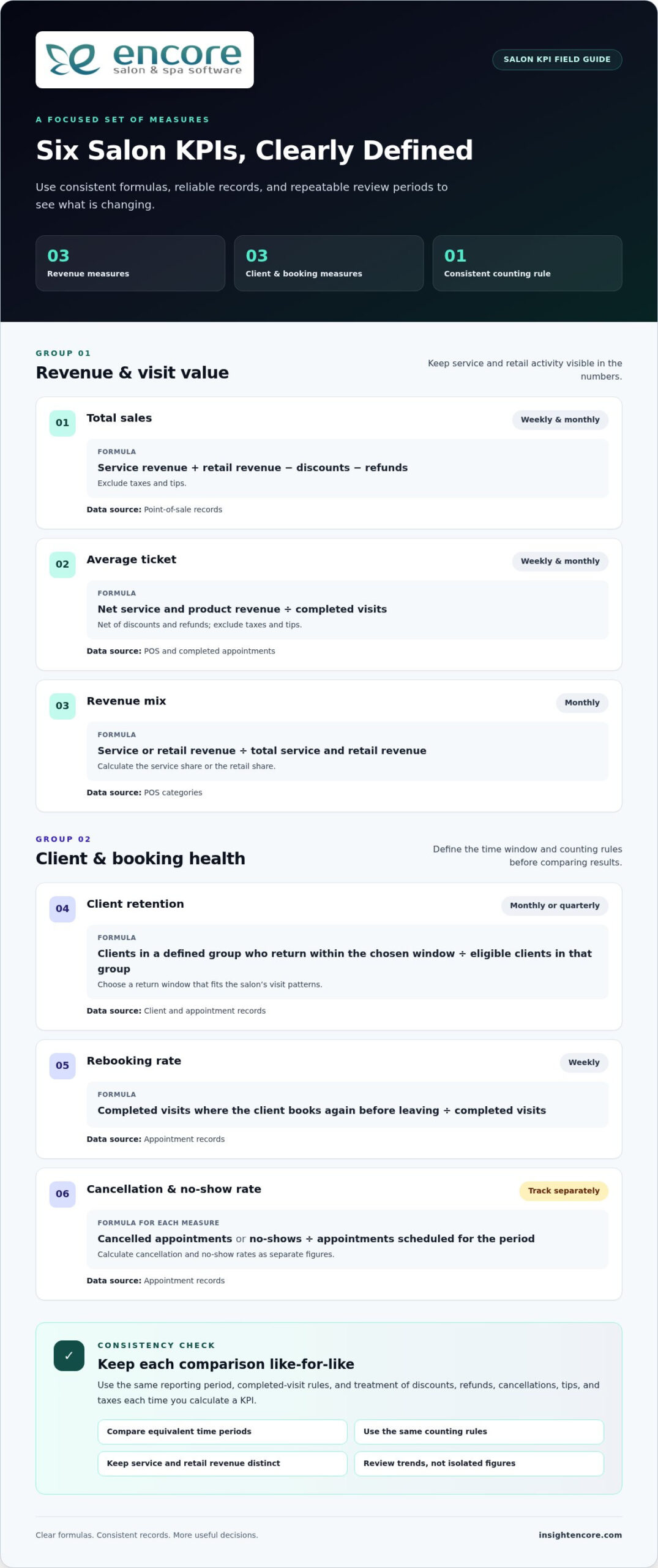
Once you know where a client’s wait occurs, record it consistently. Start with three timestamps for each appointment: the scheduled service start, the actual service start, and service completion. Together, they show whether the issue is a late start, a service running long, or both.
Scheduled start, actual start, and service completion reveal whether a salon bottleneck begins before service, during the appointment, or at a transition. Keep the measures distinct. Scheduled-to-actual start time shows how late the service begins, while arrival-to-service-start time shows how long the client waits after reaching the salon. If a client arrives early or late, that context helps you interpret both figures fairly.
Which wait-time measures should a salon track?
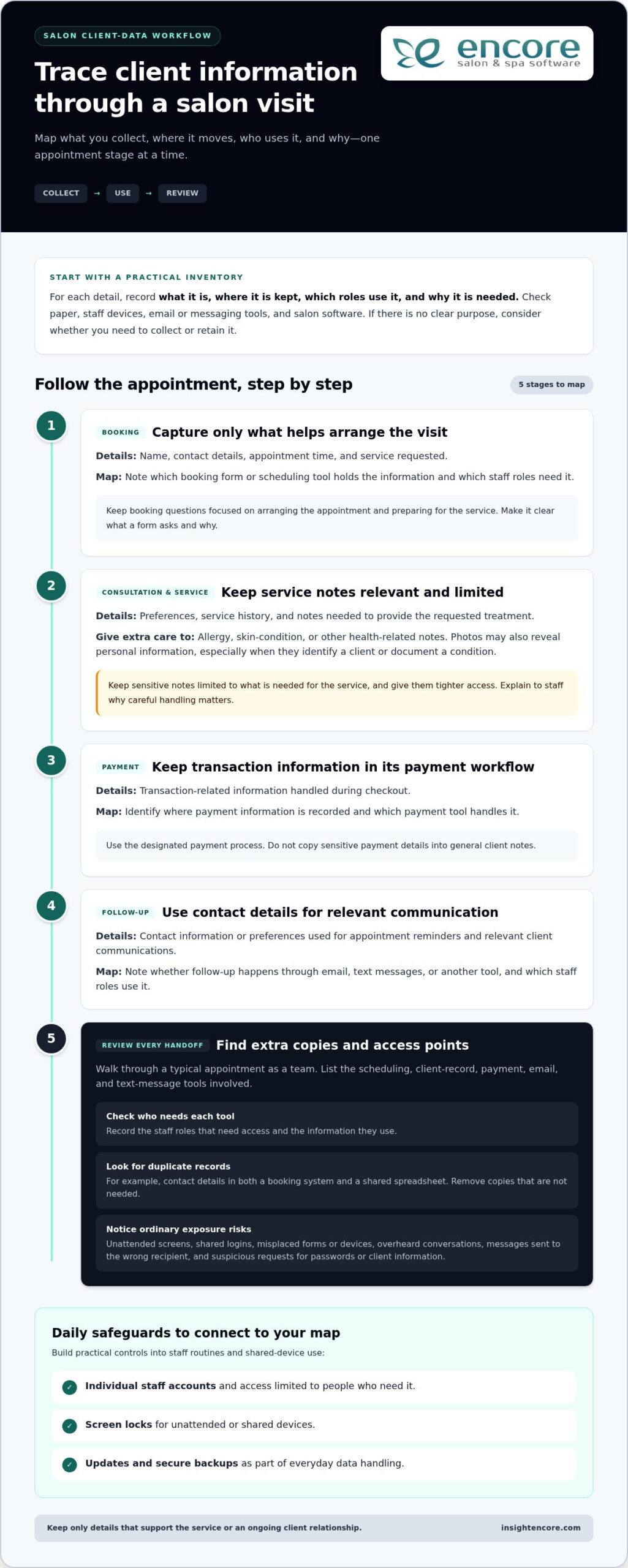
Alongside those timestamps, count how often services begin late, not just the average delay. An average can look manageable even if the same service or time slot repeatedly starts behind. Note the service type, day, time, and relevant handoff, such as waiting for a consultation or a shared station. Keep the record focused on operations by avoiding unnecessary personal information.
A simple log can include:
- Scheduled start, client arrival, actual start, and completion time.
- Service category and the day or time slot.
- Whether the appointment started late and the operational reason, if known.
Keep the definitions consistent across the team. For example, decide whether “actual start” means the consultation begins or the hands-on service begins, then use that same point every time. Otherwise, two staff members may record different events and make the results difficult to compare.
How can managers interpret the patterns?
Look for repeated peaks, not conclusions based on one unusual day. Compare similar services and shifts, since a complex appointment and a quick trim may involve different steps. If late starts cluster around a particular handoff or time slot, investigate that part of the workflow before changing the whole schedule. Comparing these patterns with your salon staff utilization rate can also help you understand how staff capacity lines up with demand.
Choose an observation window that covers the salon’s normal range of days, shifts, and services. A few weeks can be a useful starting point, but extend the tracking if the period misses a busy day or includes an unusual disruption. The goal is a representative picture, not a perfect dataset. Record the same measures throughout, and avoid changing several scheduling practices while you’re building the baseline.
Then summarize the results by service type, day, time, and handoff. A high average delay may point to a broad scheduling mismatch; frequent small delays in one slot may call for a more targeted adjustment. This gives you evidence to guide the next step in reducing client wait times in a salon, rather than asking the team to move faster without knowing what’s causing the wait.
Compare salon wait-time fixes before changing the schedule
Once you’ve identified where delays recur, match the solution to the cause. Adding time everywhere may protect the schedule, but it can also leave avoidable gaps. Packing appointments closer together may appear efficient, yet even small variations in service time can quickly push later clients behind. Choose a targeted adjustment that supports quality service and fits the way your salon works.
Consider the effort and trade-off of each option:
- Schedule buffers: Add breathing room around services that regularly run over or need a more involved transition. This is simple to test, but broad buffers may create unused time.
- Service-duration estimates: Review the time allowed for different services against observed durations. Updating estimates can improve the fit, though the team may need to revisit them as service needs vary.
- Staffing coordination: Clarify who handles consultations, shared stations, or other handoffs during busy periods. This can address workflow gaps, but requires clear team communication.
- Client communication: Set realistic expectations about appointment timing and explain delays promptly. This won’t remove the underlying bottleneck, but it can reduce uncertainty while the salon addresses it.
When do buffers and appointment-duration changes help?
Use your recorded service times to identify where a modest allowance may help, rather than adding the same buffer to every booking. A complex consultation or a transition between services may need different time from the hands-on appointment itself. The trade-off is capacity: protect time where variation is real, but avoid turning the entire schedule into idle space.
If a service routinely takes longer than its booking duration, update the estimate and observe what changes. If only certain appointments run over, consider whether consultation needs, finishing steps, or preparation explain the difference. More accurate durations can help clients select a suitable slot and give staff a schedule that better reflects the work. Avoid shortening estimates just to fit more appointments; tighter scheduling can magnify the effect of normal variation.
How should a salon balance walk-ins and booked appointments?
Walk-ins can serve clients who want flexibility, but accepting them when staff are fully committed may delay people with bookings. A designated walk-in period or capacity can make demand easier to manage, while protecting booked slots prioritizes appointments already on the schedule. Either approach needs a clear boundary so the team can make consistent decisions.
Set expectations honestly. If a walk-in can’t begin right away, explain that timing depends on service availability rather than promising immediate attention. Online booking can help clients choose from available appointment times instead of relying on a call or arriving without a slot. A clear salon client booking portal can support that choice, but it won’t resolve staffing or service-flow issues on its own.
There’s no single fix for reducing client wait times in a salon. Compare the likely benefit, effort, and trade-off, then test the option that best matches the delay pattern you observed.
Reduce salon waiting with a practical workflow improvement plan
A useful improvement plan doesn’t need a major schedule overhaul. Start with a recurring bottleneck you’ve observed, make one focused change, and review what happens. Keeping the test small helps you see whether the change addressed the cause or simply moved the delay somewhere else.
Choose one bottleneck, test one change, and compare the same measures before and after. Your team can adapt this sequence to the salon’s services and staffing:
- Choose the pattern. Select a recurring issue, such as a certain appointment type regularly starting late or a specific handoff slowing down the next service.
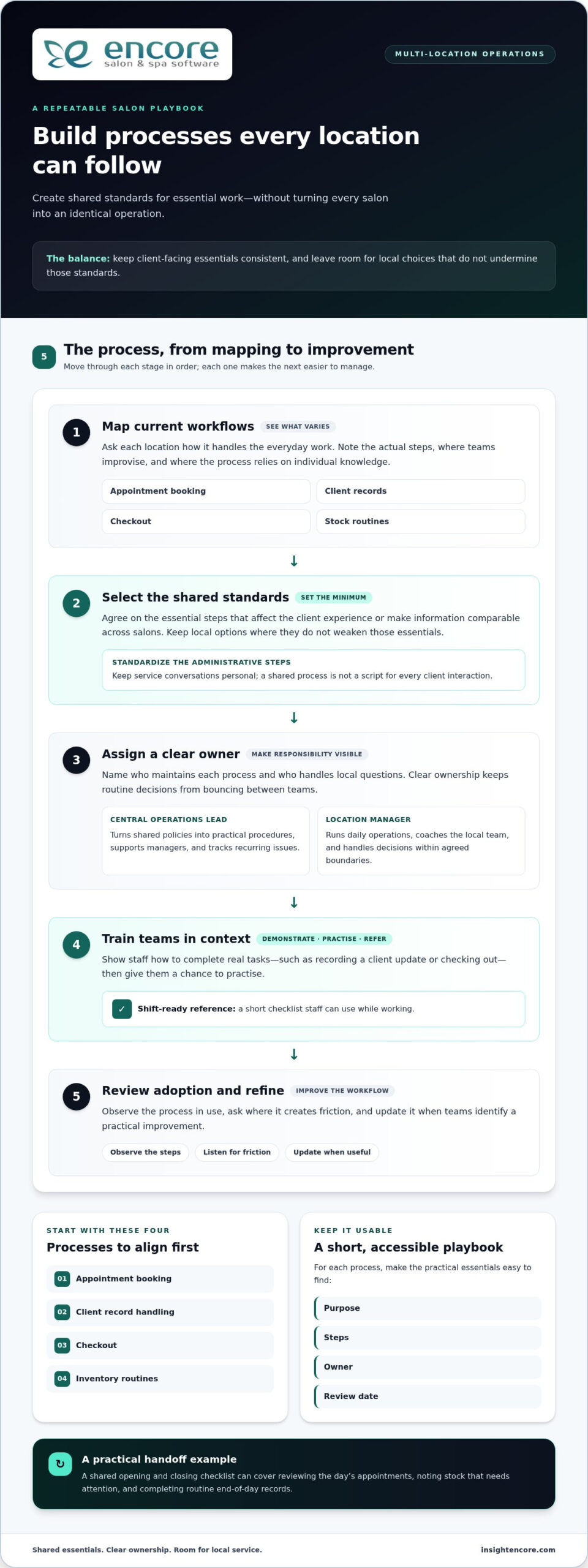
- Assign ownership. Decide who greets and checks in clients, who updates the schedule when timing changes, and who coordinates service transitions. Clear roles reduce confusion during busy periods.
- Test one adjustment. For example, revise the time allowed for a service that often runs over, or give one team member responsibility for communicating schedule changes.
- Review the results. Compare the same start-time and completion measures you used for your baseline. Keep, adjust, or reverse the change based on what the records show and what staff experience.
This gives everyone a shared action sequence: spot the pattern, name an owner, try one change, and review the evidence. It keeps the focus on improving the flow rather than asking the team to rush through services or absorb a poorly planned schedule.
How can a salon test a schedule change?
Use the delay pattern from your observations to choose a change that addresses its likely cause. If a particular service repeatedly overruns, adjust its scheduled duration rather than adding time to every appointment. Keep other practices steady during the trial, then compare the same measures from similar services, days, and shifts. If the pattern doesn’t improve, revisit the cause before expanding the change.
What should staff say when a client is waiting?
Acknowledge the delay promptly, apologize for the wait, and share a realistic update if the team has one. If timing is still uncertain, say so rather than guessing at a new start time. For example: “I’m sorry we’re running behind. We’re checking the schedule and will update you as soon as we have a clearer estimate.” A warm, direct message helps clients feel seen without promising a time the team can’t meet.
Agree on who gives updates and how schedule changes reach the rest of the team. The person at check-in may not know what’s happening in the service area, so establish a simple handoff for sharing current timing. Consistency matters: clients should receive a clear update, not conflicting estimates from different staff members. Small communication habits can make an unavoidable delay feel more considered while the team works on its underlying cause.
With a repeatable test and clear ownership, reducing client wait times in a salon becomes a practical workflow effort, not a demand to work faster.
Use salon software to support a more organized client flow
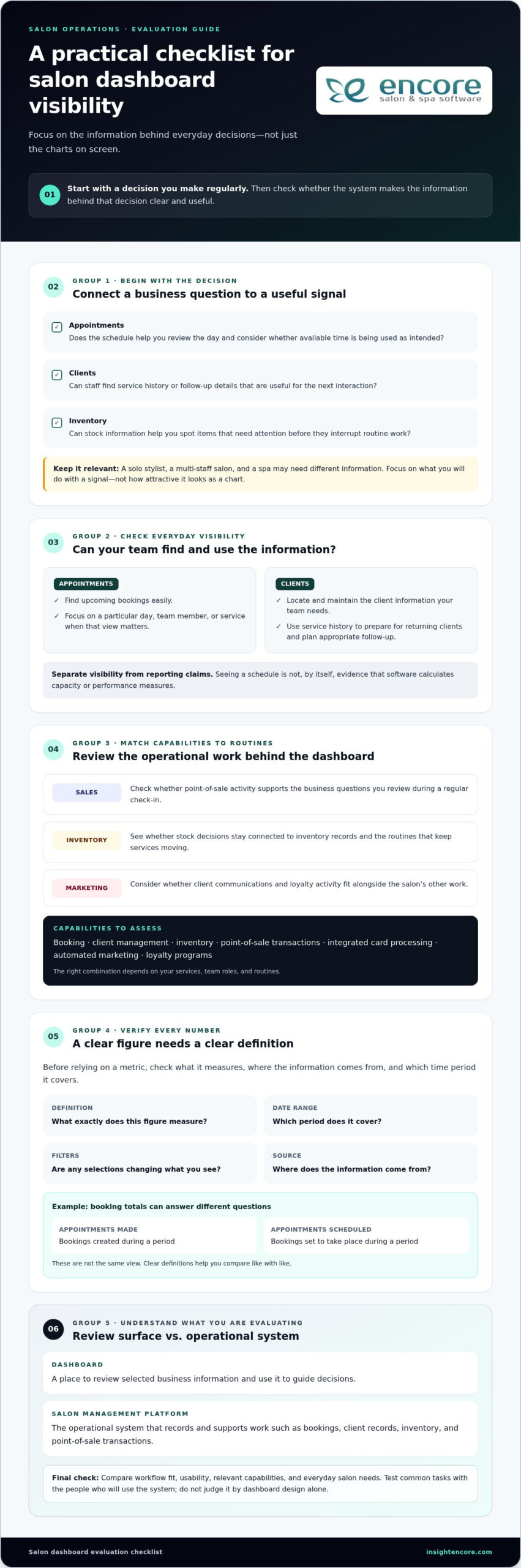
Once you’ve identified which parts of the day create friction, consider whether software could simplify the administrative work around appointments. Online booking can present available appointment times so clients can choose a suitable slot without relying on staff to coordinate every booking manually. That can make appointment selection more organized, but it won’t fix a schedule that underestimates service time or lacks enough capacity.
Software supports the flow. Your service timings, staffing decisions, and communication practices still shape the client experience. If an appointment routinely takes longer than its scheduled slot, a booking tool won’t create the missing time. Likewise, a system can help organize information and transactions, but staff still need clear responsibilities for service transitions and updates when the day runs behind.
Which software capabilities can support appointment flow?
Think about the practical steps in a client visit. Online appointment booking lets clients select from the availability you present. Client management helps staff access client records as they prepare for scheduled visits. Point-of-sale tools support transactions at checkout, making this part of the visit easier to organize. Together, these capabilities can support the appointment journey without replacing the team’s day-to-day workflow.
Encore salon software brings online booking, client management, point-of-sale transactions, and integrated credit card processing together. Match each capability to a specific friction point. If the team spends time coordinating appointment requests, online booking may help. If staff need a more organized way to manage client information, client management can support their preparation. If checkout adds friction, point-of-sale transactions and integrated credit card processing can help organize that part of the visit.
Keep schedule design and client communication in your improvement plan. These tools support booking, client information, and transactions, while your team remains responsible for service timing, capacity, and the flow between appointments.
How can a salon decide whether to explore software?
Start with the recurring administrative task that takes time or creates confusion, then define what a better process would look like. For example, your goal might be to let clients select from available appointment times online or make client records easier for staff to access when preparing for visits. A clear goal makes it easier to assess whether a software change matches the salon’s needs.
Next, connect the capability to the workflow. Identify who will use it, which step it supports, and what still requires a staff decision. Then review whether the process feels more organized without assuming that software alone will reduce delays. This keeps the focus on a practical fit, not on adding technology for its own sake.
Reducing client wait times in a salon takes realistic service timing, appropriate capacity, and consistent communication. Software can support those efforts by organizing booking, client information, and checkout, while your team remains responsible for the service flow.
Build a calmer appointment day, one step at a time
Better appointment flow doesn’t require a perfect schedule from day one. Choose one recurring delay to address, make a focused adjustment, and give your team a clear way to keep clients informed. Small, thoughtful changes can help create a visit that feels more welcoming for clients and more manageable for staff, without rushing the service.
If administrative friction is part of the problem, Encore brings online booking, client management, and point-of-sale transactions together to support an organized client journey. Encore’s parent company, Syntec Business Systems, was founded in 1991. These tools can support your process, while your team’s service timing and communication remain essential to reducing client wait times in a salon.
Keep learning from each appointment, and build a salon flow that gives both your clients and your team room to feel at ease.
Frequently Asked Questions
How can I reduce client wait times in a salon?
Start by identifying the point where appointments most often lose time, then make one manageable change. For example, if consultations frequently delay hands-on work, decide who will conduct them and how that time fits into the booking. Tell the team what to watch during the trial, such as whether later appointments still start behind. This keeps reducing client wait times in a salon focused on a fix the team can observe and maintain.
What is an acceptable wait time at a salon?
There’s no universal wait-time limit that suits every salon, service, or client. Set expectations around the appointment experience your salon can reliably provide, then pay attention to whether clients understand what’s happening if the schedule shifts. A brief wait with a clear explanation may feel different from an unexplained delay. Review client feedback alongside appointment records, and use recurring concerns to refine your service standards rather than relying on one fixed number of minutes.
Can appointment scheduling software reduce salon wait times?
It can help organize appointment selection when it offers online booking, but it can’t correct every source of delay. For instance, online availability may reduce back-and-forth booking coordination, while an appointment duration that doesn’t match the service can still throw off the day. Identify the administrative task causing friction before changing tools. Then decide what success should look like, such as fewer manual booking exchanges, while separately addressing staffing, timing, and service handoffs.
How do salons prevent appointments from running late?
Salons can reduce avoidable overruns by matching booking details to the service planned and preparing for known steps before the client arrives. If a booking may involve an add-on or a more involved consultation, clarify the plan early so the appointment isn’t unexpectedly extended. Keep transitions clear, too: the next team member should know when their part begins. Preserve realistic service time, because squeezing appointments together can spread one overrun across the schedule.
Should a salon leave buffer time between appointments?
Use buffers where your schedule shows a specific need, rather than inserting the same gap after every service. A consultation-heavy appointment or a transition that requires resetting a station may benefit from added flexibility. But widespread gaps can limit appointment availability without addressing the actual cause of delays. Try a targeted allowance on the relevant service or time slot, then compare how the day flows before deciding whether to keep or adjust it.
How should a salon handle a client who is waiting?
Acknowledge the wait directly and let the client know what you can say with confidence. For example: “I’m sorry for the delay. We’re checking the timing and will update you when we have a clearer estimate.” Don’t offer a start time just to reassure them if you’re unsure. If the estimate changes, share another update rather than leaving the client to ask. A respectful tone and consistent information help maintain trust during an imperfect day.
Do walk-ins increase wait times for salon clients with appointments?
They can, particularly if a walk-in takes a stylist or station already needed for a booked service. The effect depends on the service requested and the capacity available at that moment. Set a clear rule for accepting walk-ins, such as only offering them when they fit without displacing booked appointments. Explain that availability depends on the day’s schedule, and give walk-in clients a realistic expectation rather than implying they can be seen immediately.
Disclaimer
This article is general in nature and may contain errors, please verify all claims with your sales rep