

What makes booking the right stylist easy? A clear appointment scheduling system lets clients choose a preferred stylist, then select from that stylist’s available times and services. For salons, appointment scheduling for multiple stylists also means coordinating work hours, service lengths, and bookings so appointments fit without overlapping.
It’s natural to want a stylist you know and trust while finding a time that works. A shared schedule makes those choices clearer for clients and gives the salon team one place to manage each stylist’s availability and appointments.
Here, you’ll learn how clients can book a preferred stylist and how salons organize availability, match services to stylists, set appointment times, and prevent conflicts. The result is a smoother booking process, with fewer surprises for clients and staff.
Key Takeaways
- Use a shared schedule to coordinate stylist appointments and reduce the risk of overlapping bookings.
- Let clients select a preferred stylist, then see appointment times that fit that stylist’s availability.
- Keep each stylist’s working hours and time off up to date so unavailable slots aren’t offered for booking.
- Match services to stylists who can perform them, and set appointment lengths to reflect the work involved.
- Choose salon scheduling software that supports the way your team manages its calendars, services, and bookings.
Preventing double bookings
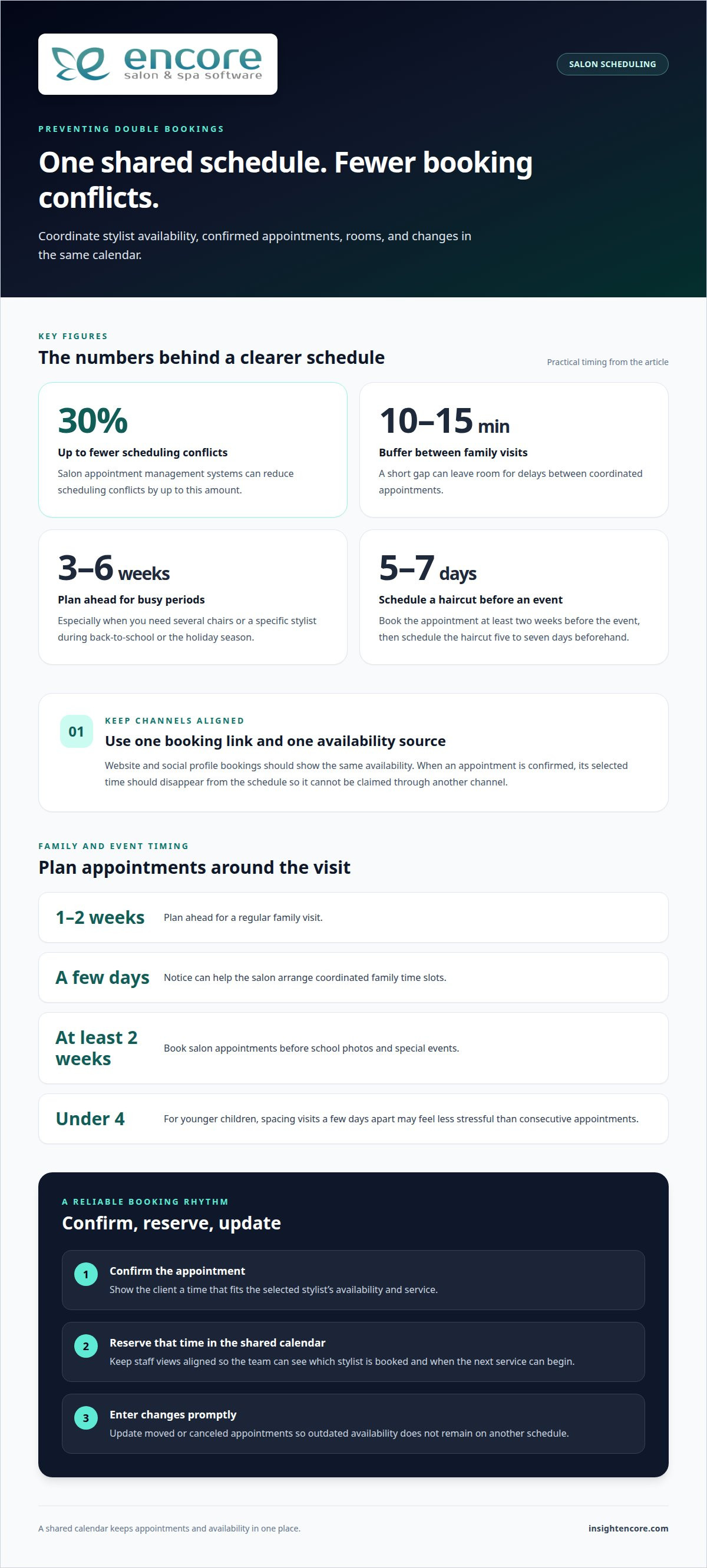
Double bookings often happen when separate booking channels show different availability. A shared calendar gives the salon one schedule for coordinating every stylist’s appointments.
Website and Social Platform Bookings
A salon website can direct clients to available appointment slots, while social profiles can make the booking page easier to find. Use the same booking link and availability information on both channels. When a client books online, the selected slot should disappear from the schedule so another household member can’t claim it through a different channel.
For example, a client who finds a haircut through a salon’s social profile can follow its booking link and choose a time. The salon can manage that reservation alongside appointments booked directly with staff, rather than relying on separate lists.
Salon Booking Rules
For day-to-day scheduling in U.S. salons, keep availability accurate, reserve each confirmed appointment, and follow the salon’s stated booking and change terms. These are practical operating habits, not a single timetable for every salon. A shared calendar helps staff see which stylist is booked and when the next service can begin.
Families booking together should tell the salon each member’s requested service and preferred stylist. Staff can then coordinate the appointments instead of treating each booking separately. For a regular family visit, plan one to two weeks ahead. For coordinated family time slots, a few days’ notice can help the salon arrange the schedule.
Plan ahead for school photos and special events. Book salon appointments at least two weeks before the event, then schedule a haircut five to seven days beforehand so the hair has time to settle. During busy periods, such as back-to-school or the holiday season, book three to six weeks ahead, especially when you need several chairs or a specific stylist.
To prevent overlap, the salon can use a digital booking tool that blocks a stylist’s reserved time as soon as an appointment is confirmed. For family appointments, a 10 to 15-minute buffer between visits can leave room for delays. The salon should also enter changes promptly; otherwise, a canceled or moved appointment may still appear unavailable to clients.
For younger children, back-to-back appointments may feel tiring. If a child is under four years of age, spacing visits a few days apart may be less stressful than consecutive appointments. If the family needs a single visit, staff can use each person’s service and stylist preferences to organize the sequence and keep the shared schedule clear.
01 What is the best salon appointment scheduling software?
Choose software that combines a shared team calendar with individual stylist schedules. It should also coordinate rooms and locations, sync changes, and make staff access clear.
Shared Calendars and Staff Access
A shared calendar lets reception staff and stylists view the same salon appointments. Look for updates across staff views when a booking is created, moved, or canceled. That way, the team can see which times are taken without relying on separate notes or messages.
Access permissions matter, too. A stylist may need to view their own schedule, while a manager may need to coordinate the full team calendar. Clear permissions help staff work from the same schedule while keeping controls appropriate to their roles.
Stylist, Room, and Location Scheduling
When a salon has several stylists, the calendar should make it easy to see who is assigned to each appointment. Room scheduling adds another layer: a service may need a particular space, so the calendar should show whether that room is in use. At salons with multiple locations, each booking should be tied to the correct site.
These views help staff spot conflicts before confirming a salon appointment. Salon appointment management systems can reduce scheduling conflicts by up to 30%. During a software review, test a realistic example: book one stylist in a room, then try to assign another appointment to that same resource and time.
Individual Calendars and Integrations
Individual calendars help stylists see their own bookings while giving managers a broader view of team availability. If the salon uses multiple calendars, check how changes carry across them. A moved appointment should not remain marked as available in another view, or the team could accidentally double-book that time.
Ask how calendar connections handle edits, cancellations, and new bookings. Also consider whether payment status can be reviewed alongside an appointment without obscuring the schedule. A straightforward setup makes it easier to track what is booked and which details still need attention.
Before choosing, map a typical day: several stylists, shared rooms, and appointments at each location. Check whether staff can find a booking quickly, understand who can edit it, and see schedule changes in the right calendar. Testing those steps is more useful than judging a system by a long feature list. A clear scheduling workflow can support faster decisions, sometimes within seconds. Explore a salon scheduling workflow that fits how your team coordinates calendars.
How can clients book appointments with their preferred hairstylist?
Clients can select a service, choose a stylist, and pick an available time through the salon’s online booking page. A well-organized appointment scheduling for multiple stylists system shows openings that match the selected provider, rather than every appointment time at the salon. For returning clients, a profile with their preferred stylist can make booking easier. Before confirming, review the service and stylist in the booking details.
The booking flow should guide clients through clear choices. First, they select a service. Next, they choose a stylist and review times that fit both. If their preferred stylist has no suitable opening, they can choose another available time or return to the calendar later. This keeps the stylist preference visible instead of assigning an appointment without the client’s choice.
Service selection matters because different appointments need different time blocks. A client booking a haircut should see openings that fit the service and the selected stylist’s schedule. For a color appointment, the booking page should show only times that accommodate the service. Clear service names help clients choose the right appointment before confirming.
Client profiles can make repeat visits easier to prepare for. A shared booking system can store notes about past styles, preferences, and special requests. For example, a client who wants to maintain a particular length can have that preference recorded for the stylist. This gives the team useful context without asking the client to repeat the same details at every visit.
Keep client notes practical and relevant to the appointment. Staff can record the service performed, preferred stylist, and a request to discuss a change next time. If the client books with another team member, shared notes can help that stylist understand the request. Text or email reminders can also prompt clients about upcoming appointments.
Reminders can be sent by text or email, and booking systems may let clients cancel or reschedule online. Salons can explain their cancellation and no-show policies during booking. Systems can track no-show rates and help assess which reminders are working. Where deposits or cancellation fees apply, integrated salon payment systems can process them using securely stored, tokenized card information.
Marketplace-based discovery can introduce clients to a salon or stylist. If a client starts there, their booking details should reach the salon’s central schedule with the chosen stylist and service attached. This gives staff one record to manage instead of separate information to reconcile after the appointment is booked.
For appointment scheduling for multiple stylists, keep the client’s service, chosen provider, contact details, and appointment together in one record. This helps clients see who they’re booked with and gives the stylist useful context before the visit. A clear booking flow makes every step easier to follow, from selecting a service to confirming a time.
Individual stylist availability and working hours
Each stylist needs an individual schedule reflecting their working hours, appointments, and time away. A salon booking system can show clients openings based on their selected stylist, rather than treating every chair as available whenever the salon is open. According to the U.S. Bureau of Labor Statistics, salon schedules may vary and often include evenings and weekends, so one set of shared hours may not represent the whole team.
Set each stylist’s regular working hours in the calendar, then update exceptions such as lunch, time off, or a sick day. Digital booking systems can hide appointment slots from clients when a stylist blocks out time. That way, the booking page reflects the stylist’s actual availability, and clients don’t see a slot they can’t take.
Consider a simple example: one stylist works evenings on certain days, while another finishes earlier. The booking page should show evening appointments for the first stylist without implying the second is also available. Separate schedules help clients choose the right person and help staff assign appointments based on current availability.
Live availability depends on keeping the calendar current. When staff add a booking, move an appointment, or block out time, the client-facing view should reflect the change. Otherwise, a client could select a slot that’s already taken. A useful salon booking process connects each stylist’s calendar to the openings shown online and makes changes visible to the team.
An AI receptionist can support availability checks when it reads from the same current schedule used for online bookings. For example, a client asking for an evening appointment with a specific stylist should see times drawn from that stylist’s open slots, not general salon hours. The system should also distinguish between a stylist who is working and one who has an opening for the requested service.
Before publishing availability, review each stylist’s calendar for working hours, blocked time, and existing appointments. Then compare the client-facing booking page with the internal schedule. If a stylist changes shifts, update the calendar first to prevent the system from offering an outdated time.
These checks keep booking accurate without forcing every stylist into identical hours. Clients can choose a preferred person and see relevant openings, while staff retain a clear view of who is available. Keeping individual schedules current is especially important for salons with evening or weekend shifts, when the team’s hours may not overlap.
Matching services with eligible stylists and appointment durations
Good scheduling software connects each service to eligible stylists and a realistic time block. Clear service details also help clients select the right appointment through online booking.
Service and Stylist Matching
Set up each service with the stylists who provide it. For example, if only certain team members perform color treatments, show those providers when a client chooses that service. This prevents clients from booking an unavailable combination and helps staff assign appointments accurately. Keep the preferred stylist visible when eligible, while showing other qualified options if the client wants a different time.
Service Details and Client Needs
Before arranging appointments, capture each family member’s age, hair type, requested service, and sensory needs. A parent might note that one child has long hair and prefers a quieter appointment. These details help staff plan the visit and share relevant context with the stylist. They can also clarify whether family members need different services or separate appointment times.
For a family booking, list each member and their service separately. A request for a haircut and a color service needs different timing and stylist assignments. Specific notes help the salon understand the visit before clients arrive, rather than sorting out the details at the chairs.
Service Setup and Scheduling
AI-assisted setup can help organize service names, eligible providers, and schedule details, but staff should review each entry. Start with the service list, assign the stylists who perform each service, then set the appointment duration. For example, check that an online color service connects to the right team members and calendar availability.
Review settings when the salon adds a service or changes provider responsibilities. A quick check of the service, stylist, and time settings keeps appointment scheduling software aligned with the salon’s actual workflow.
Durations, Prices, and Scheduling Order
Set a duration for each service, then adjust it when client details call for extra time. For a client with particularly long hair, a salon can add 10 minutes to a haircut appointment. Keep prices tied to the service settings, and make any relevant pricing details clear during booking.
For appointments involving several family members, book the longest service first. For example, place a parent’s 90-minute color treatment before shorter services, then fit other family appointments around it. This gives the salon a stable starting point for arranging stylists, chairs, and the remaining time blocks.
Encore Salon and Spa Software
Encore Salon & Spa Software gives salons a practical way to coordinate stylist schedules, client bookings, and service details across the team. Its salon and spa management tools include online appointment booking and client management to help keep appointments and client information organized.
Encore can suit salons that want to bring scheduling and client records into their daily workflow, as well as businesses looking for software designed for spa, chair and booth rental, or tattoo studio operations. The right setup depends on how your team handles bookings and client information.
To discuss how Encore Salon & Spa Software can support your salon’s scheduling needs, contact Encore Salon & Spa Software.
Build a Scheduling Workflow Your Team Can Grow With
In your next scheduling review, identify where coordination slows down: setting up services, assigning stylists, or keeping booking information current. Choose a workflow that fits how your salon operates and can adapt as your team, services, or appointment patterns change. A clear process gives staff a consistent way to manage bookings and clients a simpler path to their preferred stylist.
Reliable appointment scheduling for multiple stylists depends on more than a calendar. The right system should support how your salon organizes appointments and client information. Encore Salon and Spa Software offers Encore Salon Software, Encore Spa Software, and Chair/Booth Renter Software for businesses with different operating needs.
Take the next step when you’re ready to bring your scheduling process into a more organized workflow. A thoughtful setup can help your team manage its day with greater clarity.
Make scheduling work for your team, one well-organized appointment at a time.
Frequently Asked Questions
How can clients book appointments with a specific stylist online?
Clients can select a service, choose a stylist, and pick an available time through the salon’s online booking page. For a returning client, a profile with their preferred stylist can make the next booking easier. Before confirming, review the service and stylist in the booking details. This helps avoid choosing a time that works for the service but not the requested provider.
How do salon scheduling systems manage multiple stylists’ calendars and availability?
Scheduling software organizes appointments around each stylist’s schedule, service eligibility, and assigned resources. For example, a salon manager can use the calendar to see whether a stylist is booked while reviewing the relevant room or location. If a stylist’s work hours change, updating their schedule helps keep future appointment options aligned with the team’s current plan.
What are the best appointment scheduling platforms for salons with multiple stylists?
The best fit is a platform that matches how your salon handles staff schedules, services, client records, and bookings. Encore Salon Software combines online appointment booking with employee management tools for work schedules and service eligibility, plus client management. This can suit salons that want scheduling and client information organized within the same management platform, rather than relying on disconnected records.
How do salons set different services, durations, and prices for each stylist?
Salons can organize service menus with pricing grids, then associate services with eligible stylists. Appointment lengths should reflect the work involved, and prices should match the salon’s chosen service pricing. For instance, list a stylist who performs a particular color service for that service, while showing another stylist only the services they’re eligible to provide.
How can salons prevent double bookings and manage overlapping appointments?
Use one current appointment calendar for bookings made through the salon and online. If a client changes an appointment by phone, update the calendar promptly so the original time doesn’t remain open elsewhere. Resource reservations can help staff account for rooms or other shared spaces. Reviewing overlaps by stylist and resource makes conflicts easier to catch before confirming changes.
What is the process for setting up online booking for multiple stylists?
Start by adding the salon’s services and assigning eligible stylists to each one. Next, enter each person’s work schedule and set the available appointment times. Then connect the booking page to the salon’s appointment calendar and review the client-facing service choices. Test a sample booking with a particular stylist to make sure the service, provider, and time appear together correctly.
Disclaimer
This article is general in nature and may contain errors, please verify all claims with your sales rep