
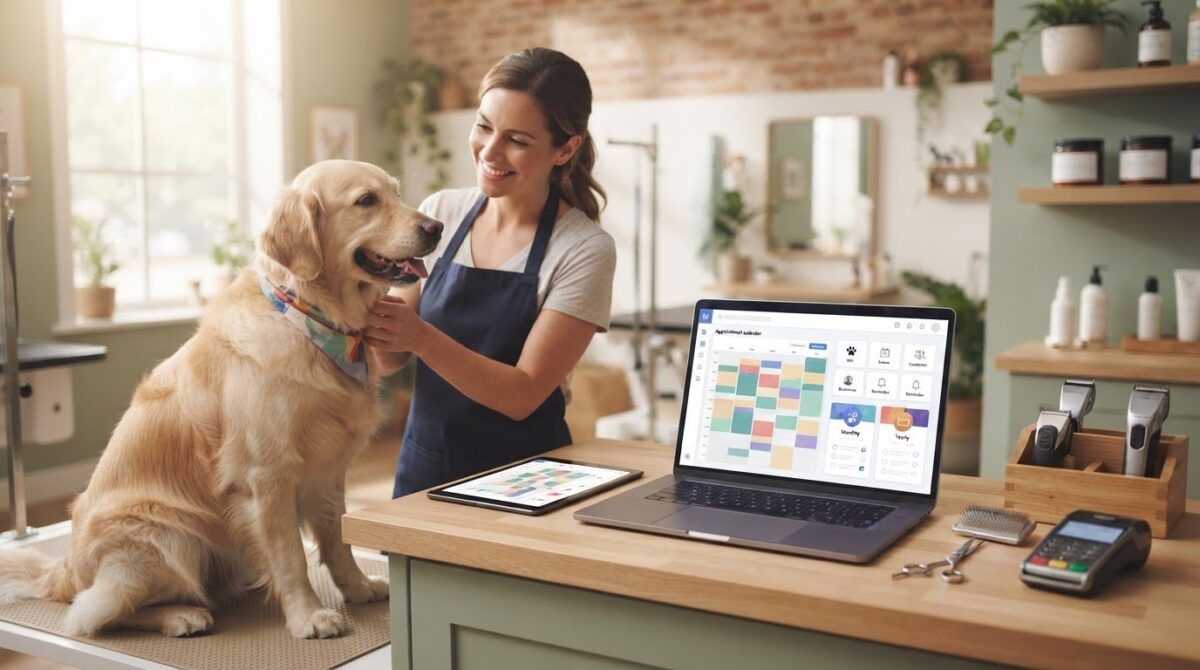
A Mac can run a grooming business smoothly when its software supports Mac access and brings daily tasks into one place. Look for booking, appointment reminders, client communications, and marketing tools, then compare whether billing is monthly or yearly. The right pet grooming business software for Mac should make it easier to manage the schedule and stay in touch with clients.
It’s understandable to focus on the monthly or yearly price first, but the useful comparison is what each plan includes and how it fits your workflow. Pricing depends on the tools and plan, and the price is provided after a quote request.
This guide explains what to look for in Mac-compatible grooming software, how booking and reminders support a more organized day, and how client communication and marketing fit into the picture. You’ll also learn what can affect pricing and how an all-in-one management platform can help bring appointments, client records, inventory, and point-of-sale tasks together.
Key Takeaways
- Compare appointment calendars and online booking tools to find a setup that fits how you schedule grooming visits.
- Review how reminder options support client follow-through, and how communication tools help you keep messages organized.
- Assess marketing features by how they support repeat visits and client engagement, not just by the number of tools included.
- Compare monthly and yearly plans by their billing cadence and included features to understand which structure suits your business.
- Check how browser-based access works on your Mac, and consider whether an integrated platform for bookings, client records, inventory, and transactions fits your workflow.
Appointment calendar and online booking
A grooming calendar should make appointments, assigned staff, and available times easy to see. Online booking lets clients choose from available slots without having to call.
Appointment Scheduling and Management
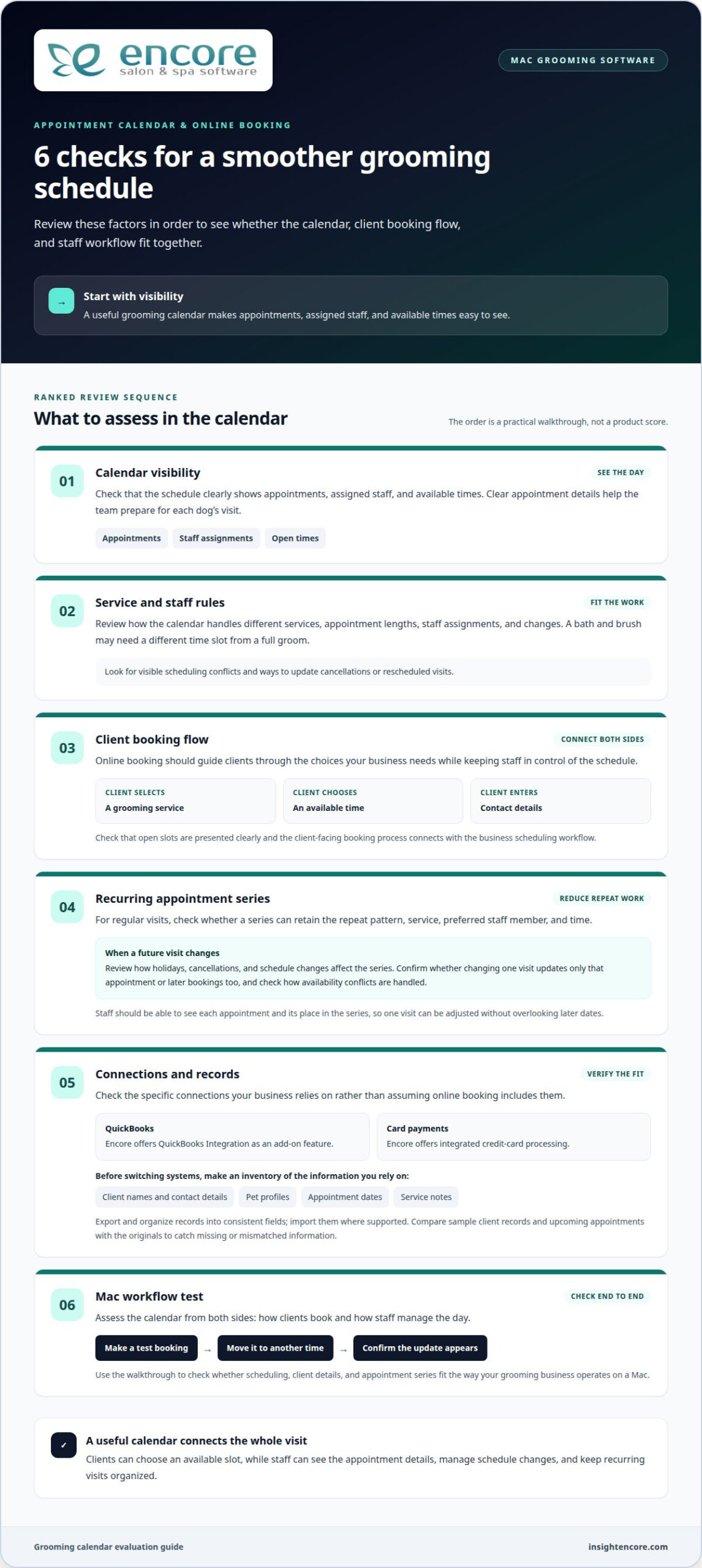
Review how the calendar handles different services, appointment lengths, staff assignments, and changes. A bath and brush, for instance, may need a different time slot from a full groom. Check that staff can see scheduling conflicts and update cancellations or rescheduled visits. Clear appointment details help the team prepare for each dog’s visit.
Online booking should guide clients through the choices your business needs, such as selecting a service, choosing an available time, and entering contact details. Look for a process that presents open slots clearly and gives staff control over the schedule. A useful appointment booking and calendar system connects client-facing booking with the business’s scheduling workflow.
Which grooming software integrates with QuickBooks, payment processors, and calendar apps? Check the specific connections you need rather than assuming that online booking includes them all. Encore offers QuickBooks Integration as an add-on feature and integrated credit-card processing. Confirm that the calendar and accounting tools you rely on fit your workflow.
Before switching systems, list the information you rely on, such as client names, contact details, pet profiles, appointment dates, and service notes. Export records from your current system, organize them into consistent fields, and import them into the new one where supported. Compare sample client records and upcoming appointments with the originals to catch missing or mismatched information.
Recurring Appointment Setup
For clients who book grooming visits regularly, appointment series can reduce repeated scheduling work. Look for options to set the repeat pattern, service, preferred staff member, and time. A client might want the same weekday and groomer for each visit. Review the series when a holiday, cancellation, or schedule change affects a future booking.
Recurring bookings work best when staff can see each appointment and its place in the series. This makes it easier to adjust one visit without overlooking later dates. Before relying on a repeat schedule, check how the system handles availability conflicts and whether a change affects only the selected visit or future appointments too.
For a Mac-based workflow, assess the calendar from both sides: how clients book a time and how staff manage the day. Test a booking, move it to another time, and check that the update appears correctly. This walkthrough shows whether scheduling, client details, and appointment series fit the way your grooming business operates.
Automated text and email reminders
Appointment reminders prompt clients before a grooming visit. A useful reminder identifies the pet, states when to arrive, and explains how to contact the business about a change. Encore includes free SMS appointment confirmations with every subscription. Consider email separately if you want to share more detailed information.
Email and Text Reminders
Start by listing the appointment details clients need. A text can provide a brief prompt with the date, time, and business name. An email can include those details alongside preparation notes, such as bringing a dog’s vaccination record if your business requests it. Keep each message focused so the key information is easy to find.
Before enabling automated messages, review the timing, channel, and wording. For example, you might send an email when an appointment is booked and a text closer to the visit. Treat this as a sample workflow, not a universal schedule. Choose timing that suits your clients and booking process, and avoid sending multiple messages with the same details.
Check that reminders use current contact details and match the appointment record. If a client changes their phone number or email address, update the profile before the next message goes out. When an appointment moves, confirm that the reminder reflects the new time. A test booking lets staff review how the message appears on a phone and in an inbox.
- Useful details: Include the pet’s name, appointment time, and grooming business name.
- Clear next steps: Explain how clients can respond or reach the business about a change.
- Consistent wording: Use a friendly, direct tone across text and email templates.
Ask how the software handles failed or outdated contact details. Some systems may show message status or provide a way to review communication history; assess these options during a product walkthrough. If staff can see whether a reminder was sent, they can choose a personal follow-up for a client who needs extra help. Don’t assume a sent message was read.
Keep appointment confirmations distinct from promotions. A visit message should focus on the existing booking, while a marketing message might share a seasonal grooming offer or encourage a future visit. Clear separation helps staff choose the right message and keeps appointment details from getting buried in promotional copy.
Finally, review templates whenever business details or booking steps change. Update the wording, create a test appointment, and check the resulting text and email before relying on the revised message. This practical review helps keep reminders accurate and useful for clients.
Client communications and marketing
Client profiles connect communication and promotions to useful grooming details. A record for Bella, for example, could include her owner’s contact information, coat notes, preferred style, and past services. With those details together, staff can personalize a follow-up instead of sending a generic message.
Keep client and pet records useful
Look for records that distinguish the client from each pet. One household may book visits for several dogs, so a client record should connect to multiple pet profiles. Useful details include breed, grooming preferences, sensitivities reported by the owner, and service history. Staff should be able to update information after a visit, such as noting a new trim preference.
Client and pet records support continuity between appointments. Before a returning dog’s visit, staff can review the last service and the owner’s instructions. Search tools and clear profile layouts matter when staff need to find a client by name, phone number, or pet. Choose records that help staff use information, rather than store details no one needs.
Use communication tools with purpose
Separate service messages from marketing messages. A service message might confirm a grooming detail, while a marketing message could announce a seasonal coat-care promotion. Encore’s automated marketing and loyalty tools can help organize campaigns around client groups or past visits. For example, a business could prepare a follow-up for clients whose pets received a particular service.
Before sending a campaign, define its audience, message, and desired next step. A reminder to book again should make the booking action clear. A loyalty message should explain how clients can participate. Review the recipient list and message preview first, so a promotion intended for dog owners doesn’t go to unrelated contacts.
Are there U.S. tax, payment-processing, or recordkeeping requirements for grooming business software? Software features don’t determine a business’s tax obligations; these depend on its circumstances and applicable jurisdiction. Choose tools that organize transaction and client records to support your existing business processes.
Understand free-plan client limits
A free plan may limit stored clients, features, or access, so compare the client cap with the records your business needs. Count active households and consider whether each household may have several pets. Then review what happens as your client list grows, including whether older profiles remain accessible and which tools are included.
For example, a solo groomer with a compact client book may value basic records, while a growing team may need shared access and marketing functions. Compare the free plan’s client allowance with its communication and profile tools. The best fit depends on the records you manage and the work you expect the software to support.
Monthly and yearly subscription pricing
Compare monthly and yearly billing by looking at the full plan, not just the payment interval. A monthly subscription can make ongoing expenses easier to review, while yearly billing groups payments across a longer term. The useful choice depends on your cash flow, expected software use, and whether the included tools suit your grooming workflow.
Compare plan contents before billing periods
List the features your business needs before comparing plans. A solo groomer may prioritize client records and appointment management, while a team may also need staff access, reporting, and marketing tools. Check which features come with each plan and which require a different tier. A lower starting price may not represent the complete setup you intend to use.
Build a simple comparison for each option: billing frequency, included features, user access, client capacity, and any separately charged services. Use the same requirements for every plan. For example, compare the monthly and yearly options using the same number of staff accounts and the same communication tools. That makes differences easier to understand without focusing on one headline figure.
Account for additional staff
Check how employee count affects the subscription. Encore’s monthly pricing is per location and based on the number of employees. Essentials has tiers for one employee, two to three, four to six, seven to twelve, and unlimited employees. Elite uses the same employee groups, with a separate price for each tier. List who needs access so you can compare the right options.
Include likely staffing changes in your review. If a business adds a groomer or receptionist, the plan may need more access or different features. Compare the current setup with that possible workflow, then identify how plan changes are handled. The price depends on the case and is given after a quote request; cost factors include selected features, staff access, and billing term.
- Monthly billing: Compare the recurring payment with the features and access included.
- Yearly billing: Review the full commitment and whether the plan still fits expected operations.
- Staff access: Include each person who needs to manage appointments or client records.
Before choosing, read the plan terms for renewal, cancellation, and changes to user access. Keep a copy of the selected plan details with your business records. If the software supports a client management system, confirm that the chosen plan includes the records and workflows you need. A side-by-side comparison helps you judge the ongoing value without assuming that monthly or yearly billing is automatically the better choice.
Browser-based access on Mac
Browser-based grooming software opens through a web browser on your Mac instead of relying on a locally installed program. That can make the workflow easier to access from different devices, provided the software supports the browser and operating system you use. Start by reviewing its published technical requirements, then test the tasks your team performs each day.
Use a practical walkthrough to assess the experience. Sign in, open the appointment calendar, find a client profile, and update a sample record. Check that menus are easy to use on your Mac’s screen and that the text is readable without repeated zooming. If staff use more than one device, try the same steps there too. Encore includes unlimited device logins.
Browser-based access requires an internet connection, so consider how your team will manage a temporary outage. Identify tasks that depend on live information, such as checking the day’s schedule or updating a client record. Plan a manual fallback for essential details, then reconcile changes once access returns.
Review security and privacy controls
What security and privacy risks should groomers consider when choosing cloud-based software? Client contact details, pet profiles, grooming notes, and transaction records can be sensitive business information. Review how access is controlled, how data is protected, and what recovery options exist if an account or device becomes unavailable.
On a shared Mac, give each staff member an individual login if the software supports separate accounts. Limit access to the tasks each person needs, and sign out before leaving a shared workstation. Strong, unique passwords and a screen lock reduce the risk of someone viewing an open client profile. Keep your browser and operating system updated through their normal update settings.
Review the product’s security information before choosing a system. Look for details on data encryption, backup practices, account permissions, and steps for restoring access. Also review how staff access is handled when someone leaves. These details help you assess information management without assuming every cloud service offers the same safeguards.
For a useful Mac trial, test a complete work sequence rather than just opening the dashboard. Find a client, review a pet’s grooming notes, move between the calendar and records, then sign out. Repeat the test using the browser your team plans to use. Note any slow screens, confusing controls, or missing information, and compare the results with your daily workflow.
Browser access can suit a grooming business that wants to work on a Mac without installing a desktop program. The fit depends on browser compatibility, how the interface works on your device, internet access, and the way staff use client information. Test these points against your schedule before making the software part of your routine.
Encore Salon & Spa Software: Encore Salon Software
Encore Salon & Spa Software offers Encore Salon Software for businesses that want to bring core management tasks together. Businesses evaluating salon software can consider whether they need appointment booking, client management, inventory tracking, and point-of-sale tools. If separate systems make it harder to coordinate appointments, records, and transactions, Encore can bring these tasks into one management platform.
Consider how those tools align with the needs outlined above, including booking and keeping client information organized. Encore Salon Software is one option in the platform, alongside Encore Spa Software, Chair/Booth Renter Software, and Tattoo Studio Software. Explore the Encore Salon Software details to learn more, or contact Encore Salon & Spa Software with your questions.
Choose a system that can grow with your workflow
Start by deciding which part of the grooming day needs the most attention. You might want to coordinate staff, keep client records easy to access, or make booking simpler for pet owners. Use that priority to assess whether the platform fits your current routine and plans for growth. Pet grooming business software for Mac should support your workflow without adding unnecessary complexity.
Encore Salon & Spa Software offers Encore Salon Software, Encore Spa Software, and Chair/Booth Renter Software. These options serve different business models, so consider which one aligns with the way your team operates. A focused conversation can help you explore the relevant fit and next steps.
With a clear priority and a thoughtful comparison, you can take the next step with confidence and build a more organized grooming business.
Frequently Asked Questions
What pet grooming business software works on Mac?
Browser-based grooming software can work on a Mac when it supports a current browser. Some browser-based pet grooming platforms may work on a Mac if they support a current browser and have an internet connection. Try a typical task, such as opening a pet’s profile and reviewing its service history, to assess the interface against your daily needs.
Which grooming software runs natively on macOS versus in a web browser?
Native software is installed as a macOS application, while browser-based software opens in a browser. Encore’s platform is accessed through a current web browser and requires an internet connection. Consider whether your team prefers an installed app or browser access, then assess how that choice fits your Mac setup and whether staff need to move between devices.
What features should pet grooming business software include?
Choose tools that match the work your grooming business needs to coordinate. Appointment management linked with searchable client and pet records lets staff review service history before a visit. Online booking, integrated credit-card processing, inventory tracking, and marketing tools can support other parts of the workflow. Consider recording a grooming product sale alongside a client’s visit, then decide which functions matter most.
What hardware and macOS versions are required for popular grooming software?
Hardware and macOS requirements depend on the software, so review the requirements for the platform you plan to use. Encore Salon & Spa Software works with a current web browser and internet connection. Check that your Mac can run an up-to-date browser, connect reliably, and display the calendar and client records clearly. Test these screens on the device staff will use.
Which grooming software integrates with QuickBooks, payment processors, and calendar apps?
Choose a grooming platform that explicitly supports the specific accounting, payment, and calendar connections you need. Compare each integration individually rather than assuming online booking includes them all.
Disclaimer
This article is general in nature and may contain errors, please verify all claims with your sales rep